Best CRM Mobile App in 2026: 9 Apps Compared

How we put this together: we compare official feature and pricing pages, app store listings, privacy policies and public user reviews. Prices change, so check the provider's site before you pay.
Key takeaways
- HubSpot CRM is the best free starting point, with a generous free plan and a mobile app that covers contacts, deals, and tasks.
- Zoho CRM is the best value paid pick, with automation and a full mobile app at $14 per user per month on the Standard plan.
- Pipedrive is the best pick for pipeline-focused sellers who want the clearest deal view on a phone.
- Salesforce suits large teams that need deep customization, but its mobile power comes with higher cost and setup effort.
- The best mobile CRM is the one your team updates after every meeting, so test offline access, call logging, and deal editing on a real phone first.
Quick comparison
| Name | Who it suits | Starting price | Free option | |
|---|---|---|---|---|
 HubSpot CRM | Free CRM with strong mobile app | Free | Yes | Visit |
 Zoho CRM | Value and automation | $14 per user per month | Yes | Visit |
 Salesforce | Scale and customization | $25 per user per month | No | Visit |
 Pipedrive | Visual pipeline on mobile | $14 per user per month | Free trial | Visit |
 Freshsales | Fast setup for small teams | See website | Yes | Visit |
 monday Sales CRM | Teams that love boards | $12 per user per month | No | Visit |
 Close | Outbound calling and SMS | $29 per user per month | Free trial | Visit |
 Streak | CRM inside Gmail | See website | No | Visit |
 Bigin by Zoho CRM | Simple pipeline for small teams | See website | Yes | Visit |
The best crm mobile app
A CRM mobile app must do the core jobs away from a desk: check a contact, log a call, move a deal, and add a task before the details fade. The apps below all offer iOS and Android apps, and they differ in price, depth, and how much of the desktop CRM actually works on a phone.
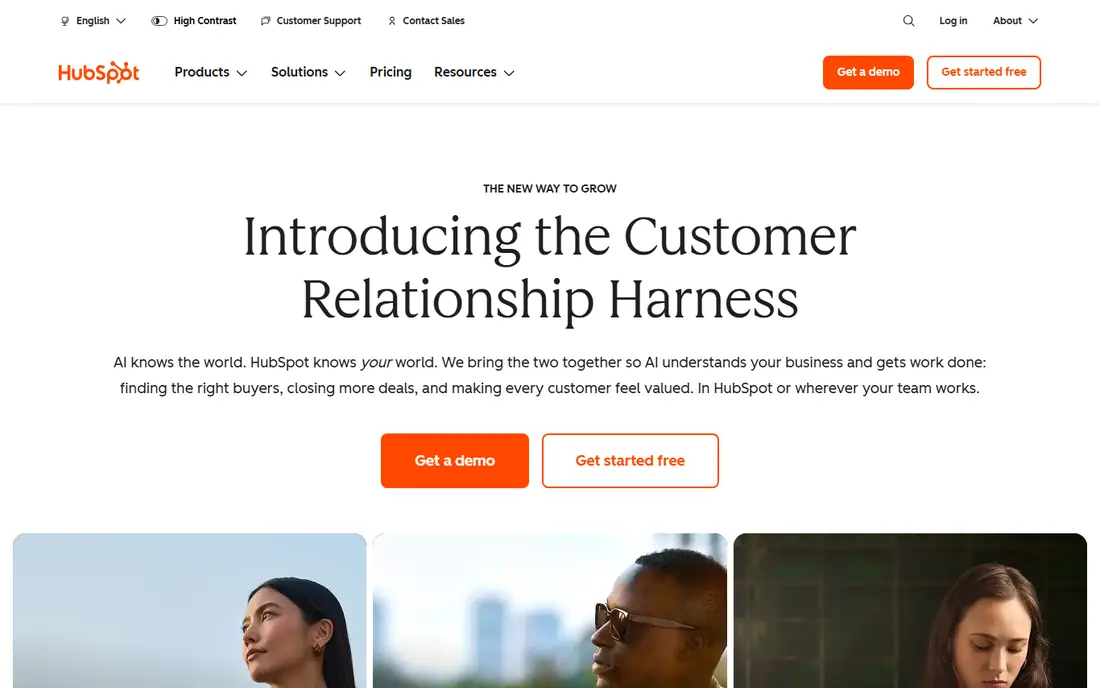
HubSpot CRM is our pick for most small teams starting with a mobile CRM. The free plan covers contacts, deals, tasks, live chat, and email tracking with no time limit, and the mobile app handles the daily jobs well: view a contact, log a call, update a deal, and set a follow-up. Onboarding is also the smoothest here, which matters when you need a field team to adopt a new tool fast.
The catch is the upgrade path. Automation, custom reporting, and deeper workflows sit behind paid Sales Hub plans, and Professional tiers cost far more than the free starting point. Start free, prove the team updates deals on mobile, and upgrade only when a specific paid feature earns its cost.
- Generous free plan with contacts, deals, and tasks
- Clean mobile app
- Easy onboarding for new teams
- Automation and advanced reporting need paid plans
- Paid tiers get expensive as teams grow
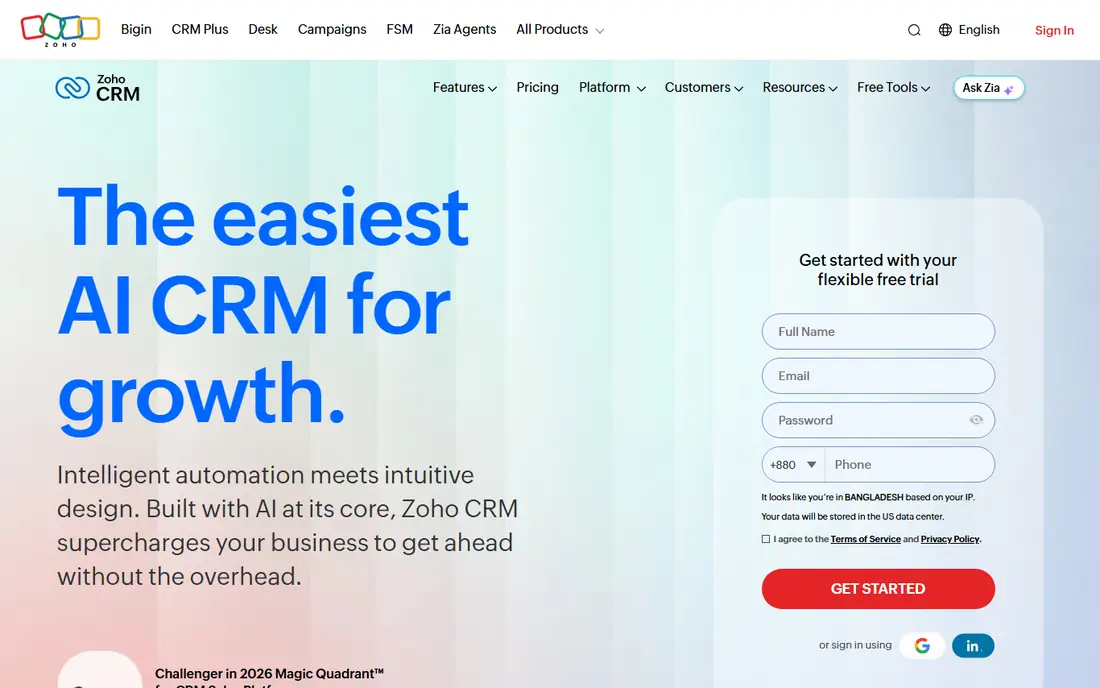
Zoho CRM is the best value pick for teams that want real automation without enterprise pricing. The Standard plan costs $14 per user per month on annual billing and includes workflow automation, scoring rules, and basic forecasting that rivals charge far more to open up. The mobile app offers offline access, which helps reps who work in areas with patchy signal.
The honest limit is usability. Zoho packs in a lot of features, and new users can find the menus confusing without someone to set up views and workflows first. If your team has a person comfortable exploring software settings, Zoho wins on value. If nobody wants that job, Pipedrive or HubSpot will feel easier day to day.
- Free plan for up to three users
- Standard plan at $14 per user per month
- Workflow automation and mobile offline access
- Interface feels dated and busy
- Onboarding can confuse teams without a technical lead
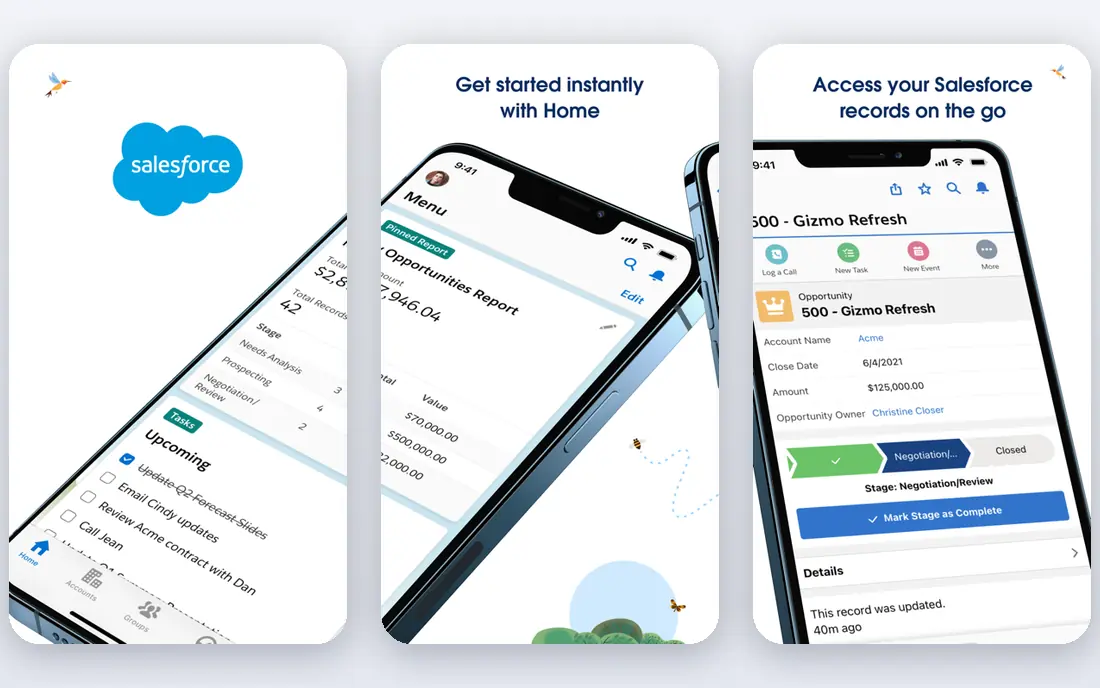
Salesforce is the pick for large or growing teams that need a CRM to bend around complex sales processes. Its mobile app covers leads, opportunities, tasks, and dashboards, and the AppExchange adds thousands of integrations for teams with specific needs. For an enterprise sales org, that depth is unmatched.
The trade-off is cost and complexity. The Starter Suite starts at $25 per user per month, but mid tiers run far higher, and setup often needs an admin or outside help. Small teams rarely need that power, and they will feel the price and the learning curve. Choose Salesforce when your process outgrows simpler tools, not as a first CRM.
- Deepest customization and AppExchange ecosystem
- Strong mobile app for large teams
- Einstein AI on higher plans
- No free plan
- Mid tiers cost $80 to $165 per user per month
- Setup often needs an admin or consultant
Pipedrive is built for sellers who think in pipelines, and its mobile app shows that focus. Deals sit in clear stages, activities sit next to them, and moving a deal takes a drag rather than a form. The Lite plan costs $14 per user per month on annual billing, and most small teams land on Growth at $39 per user per month for email sequences and workflow automation.
The limit is breadth. Pipedrive has no native marketing automation, so email campaigns need an integration or a paid add-on, and revenue forecasting sits on higher plans. If your team sells through a pipeline and wants a phone app that mirrors it cleanly, Pipedrive is the best fit. If you need marketing and sales in one tool, HubSpot or Zoho fits better.
- Clearest visual pipeline in this list
- Fast setup in hours
- Mobile app built around deals and activities
- No native marketing automation
- Reporting is functional rather than deep
- Add-ons cost extra
Freshsales, from Freshworks, is a good pick for startups that want to start fast and stay simple. Its free plan allows unlimited users with basic contact, deal, and task features, which is generous for a tiny team. Setup is quick, the interface is clean, and the mobile app covers the daily jobs without a long training session.
The catch is depth at scale. Advanced automation, forecasting, and AI features need paid plans, and the integration ecosystem is smaller than HubSpot or Salesforce. For a small team that wants a simple mobile CRM today and a clear upgrade path tomorrow, Freshsales is a solid choice. Check the current pricing page, since plan names and prices have changed over time.
- Free plan with unlimited users on basic features
- Fast setup
- Freddy AI features on paid plans
- Advanced features sit behind paid tiers
- Smaller integration ecosystem than Salesforce or HubSpot
monday Sales CRM suits teams that already plan work on boards and want their CRM to feel the same. Deals, contacts, and activities live on customizable boards, and the mobile app lets reps update a deal, add a note, and check a pipeline from a phone. Automations can move deals, send reminders, and update owners without manual work.
The limit is CRM depth. monday is flexible, but it can feel like a project tool wearing a CRM label, and teams that need deep sales forecasting or complex quoting may outgrow it. There is also no permanent free plan, and pricing rises with the features you add. If your team loves boards, monday will get adopted fast. If it wants a pure sales CRM, Pipedrive or Zoho fits better.
- Board-based views teams already know
- Strong mobile app
- Flexible columns and automations
- No permanent free plan
- Starts at $12 per user per month and rises with features
- Can feel like a project tool rather than a pure CRM
Close is the pick for outbound teams that live on the phone. Calling and SMS are built into the CRM, so reps can call, text, log, and follow up without switching apps, and the mobile app is designed for call-heavy days. For a team that makes dozens of calls daily, that built-in dialer saves real time and keeps records accurate.
The trade-off is price and focus. Close starts at $29 per user per month, higher than Pipedrive or Zoho, and teams that sell mainly by email or in person will not use its best features. If calling is your main channel, Close earns its price. If it is not, a cheaper general CRM will cover you.
- Native calling and SMS built in
- Strong for outbound sales teams
- Mobile app built for call-heavy days
- Higher starting price at $29 per user per month
- Less suited to teams that rarely call
- No free plan
Streak is different from every other app here: it turns Gmail into a CRM. Pipelines live in your inbox, contacts and deals attach to email threads, and the mobile app lets you check and update pipelines away from a desk. For freelancers and small teams who live in Gmail, that lack of app switching is a real advantage.
The limit is the Gmail tie. Outlook-based teams cannot use Streak the same way, and its depth trails full CRMs such as Salesforce or Zoho for complex sales processes. Check the current pricing page before committing, since Streak plans have changed. If Gmail is your home base, Streak is worth a trial. If it is not, skip it.
- CRM lives inside Gmail, so no app switching
- Good for freelancers and small teams on Gmail
- Mobile app for pipelines on the go
- No permanent free plan
- Tied to Gmail, so Outlook teams should look elsewhere
- Less depth than full CRMs
Bigin by Zoho CRM is the simple sibling of Zoho CRM, built for small companies that need a pipeline and little else. It covers contacts, deals, activities, and a clean mobile app, without the menus and settings that make full Zoho CRM feel busy. A free plan lets a tiny team start without a subscription.
The catch is ceiling. Bigin handles basic pipelines well, but teams that need deep automation, forecasting, or custom modules will outgrow it and need to move to Zoho CRM or another full CRM. That move is easier inside the Zoho family than across vendors, which is a point in its favor. Start with Bigin if your pipeline is simple, and upgrade when the process demands more.
- Simple pipeline built for small teams
- Free plan available
- Mobile app covers core deal work
- Limited automation compared with full Zoho CRM
- Best for basic pipelines, not complex sales
- Pricing varies by plan
How we picked these
We compared official pricing pages, free plans, and mobile app coverage, and we checked recent 2026 CRM comparisons that read those same vendor figures. We favored CRMs with real iOS and Android apps that cover contacts, deals, calls, and tasks, not just a mobile web view. Where pricing varied across sources, we used the most recent vendor-aligned figure or listed See website, and we note that per-user pricing multiplies with team size.
How to choose a mobile CRM
Test the app on a phone before you buy the desktop plan. Open a contact, log a call, move a deal, and add a task, all from the mobile app, and time how long each job takes. A CRM that is powerful on desktop but clumsy on mobile will not get updated by a field team.
Check offline access and call logging
Field reps need offline access for areas with weak signal, and call logging that does not require retyping notes later. Zoho CRM and Salesforce offer offline modes, and Close builds calling into the app itself. If your team sells in person or by phone, these two features matter more than dashboard polish.
Count the true cost per team
Multiply the per-user price by your team size and by twelve, then add any add-ons for calling, automation, or reporting. A $14 seat costs $1,680 per year for ten users, and a $29 seat costs nearly $3,500. Free plans from HubSpot, Zoho, and Freshsales can delay that bill while you prove adoption.
Plan for adoption, not just features
Pick one owner to set up pipelines, stages, and required fields, and keep the mobile workflow to three steps or fewer for common jobs. A CRM with fifty fields that reps skip is worse than a CRM with ten fields they complete. Review mobile usage after two weeks, and simplify anything the team avoids.
Frequently asked questions
What is the best mobile CRM app?
HubSpot CRM is the best free mobile CRM for most small teams, while Zoho CRM is the best value paid pick. Pipedrive is best for pipeline-focused sellers, Salesforce is best for large teams, and Close is best for outbound calling teams. The best app depends on your team size, sales channel, and budget.
What is the best free CRM with a mobile app?
HubSpot CRM has the most generous free plan, with contacts, deals, tasks, and email tracking at no cost. Zoho CRM is free for up to three users, and Freshsales offers a free plan with unlimited users on basic features. Start free on one of these and upgrade only when you outgrow the tier.
Does Salesforce have a good mobile app?
Yes, Salesforce offers a full mobile app for iOS and Android that covers leads, opportunities, tasks, and dashboards. It suits large teams that already use Salesforce on desktop. Small teams may find it expensive and complex, with Starter Suite from $25 per user per month and mid tiers far higher.
Is Pipedrive good on mobile?
Yes, Pipedrive has a strong mobile app built around its visual pipeline, with deal updates, activities, and contact views that work well on a phone. It suits sellers who manage deals in stages and want a clear pipeline view away from a desk. Marketing automation needs an integration or add-on.
What is the best CRM app for a small business?
For most small businesses, HubSpot CRM for free, Zoho CRM for value, or Pipedrive for pipeline clarity are the best picks. All three offer mobile apps, reasonable entry prices, and fast setup. Choose based on whether you value free features, automation at a low price, or the clearest pipeline view.
How much does a mobile CRM cost?
Entry costs range from free at HubSpot, Zoho for up to three users, and Freshsales, to $12 to $14 per user per month at monday, Pipedrive, and Zoho, $25 at Salesforce, and $29 at Close. Per-user pricing multiplies with team size, so check the total annual cost for your full team before committing.
Sources we checked (9)

Online Jobs is an independent blog about careers, online work, learning new skills and the tools that help people earn. More about us.
Keep reading
All posts
n8n Alternatives
n8n alternatives compared for 2026, with Zapier, Make, Activepieces, and more, covering visual builders, code steps, self-hosting, and pricing models.

ZoomInfo Alternatives
The best ZoomInfo alternatives in 2026, compared on price, free plans, data coverage, and which tool fits small teams or large sales teams best in detail.

Zoom Alternatives for Webinars
Compare Zoom alternatives for webinars in 2026, from browser-based rooms to enterprise events, with prices, attendee limits, features and honest trade-offs.