Best CRM for Small Companies in 2026: 8 Tools Compared

How we put this together: we compare official feature and pricing pages, app store listings, privacy policies and public user reviews. Prices change, so check the provider's site before you pay.
Key takeaways
- HubSpot suits teams that want to start free and grow into marketing and service tools later.
- Pipedrive suits sales-led teams that live in a pipeline view and want fast adoption.
- Zoho CRM and Bigin suit budget teams that want strong features for a low per-user price.
- Freshsales suits teams that want built-in phone, email, and chat without extra tools.
- Pick by how your team actually sells, then test with real deals for two weeks before paying for a year.
Quick comparison
| Name | Who it suits | Starting price | Free option | |
|---|---|---|---|---|
 HubSpot CRM | Free start with room to grow | Free | Yes | Visit |
 Pipedrive | Visual sales pipelines | $14 per month | Free trial | Visit |
 Zoho CRM | Value and flexibility | $14 per month | Yes | Visit |
 Bigin by Zoho CRM | First-time CRM users | $7 per month | Yes | Visit |
 Freshsales | Built-in sales communication | $15 per month | Yes | Visit |
 monday CRM | Custom visual workflows | $12 per month | Free trial | Visit |
 Capsule CRM | Simple relationship management | $18 per month | Yes | Visit |
 Less Annoying CRM | Simple single-plan CRM | $15 per month | No | Visit |
The best CRM for small companies
A CRM for a small company should do three things well: keep contacts and deals in one place, remind the team to follow up, and show what is actually closing. Fancy automation matters less than daily use. The tools below all serve small teams, but they differ in price model, learning curve, and how much marketing or service work they add on top of sales.
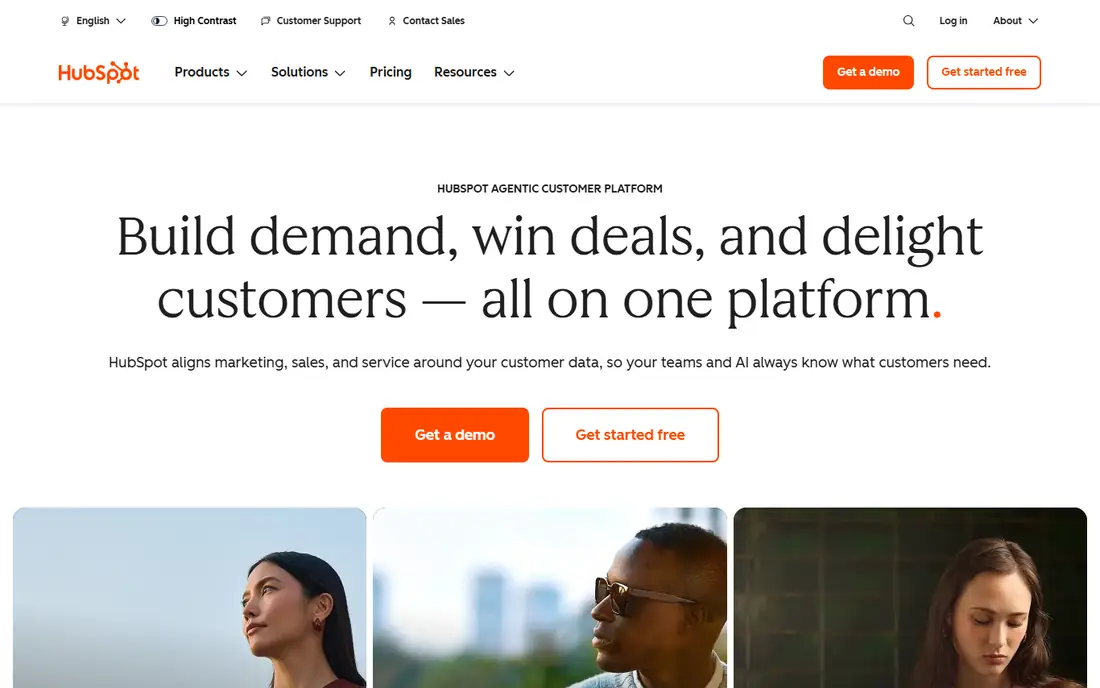
HubSpot is the default starting point for small companies that want to try a CRM without paying first. The free tier covers contact and company records, deal pipelines, email tracking, live chat, and basic reporting, with no expiry date. A solo founder or a team of three can run real sales work on it for months before any paid feature becomes necessary.
Paid Starter plans add automation, sequences, and branding removal at a modest per-seat price, but the step to Professional is steep and includes onboarding costs on higher tiers. That jump only makes sense when marketing, sales, and service teams genuinely share one system. Start free, use it daily for a month, and upgrade only for a feature you have already missed twice.
- Generous free tier with contacts, deals, and email tracking
- Large integration library
- Clear upgrade path
- Paid Professional tiers jump sharply in price
- AI feature credits can add cost
- Costs climb with more hubs and seats
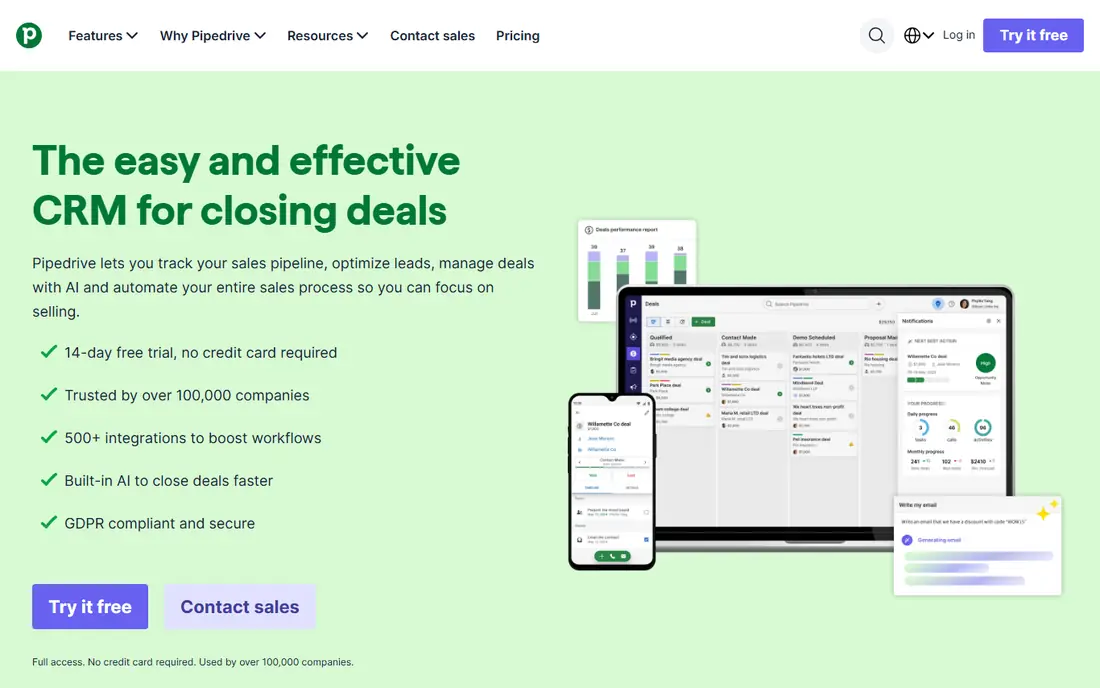
Pipedrive suits sales-led small companies that think in deals, not campaigns. The pipeline view is the product: drag a deal forward, see what stalls, and follow up before it goes cold. Setup takes hours rather than weeks, and most reps adopt it without training sessions, which is why it survives in small teams where other CRMs gather dust.
The trade-off is breadth. Pipedrive is a sales tool first, so marketing automation and support ticketing sit in add-ons or separate products. Teams that need those functions in one login may prefer HubSpot or Zoho. Teams that sell by phone and email, track a clear pipeline, and want a tool reps open every morning should put Pipedrive first on the shortlist.
- Clear visual pipeline that teams actually use
- Fast setup
- Good email sync and automation at mid tiers
- No permanent free plan
- Marketing automation needs add-ons
- Service ticketing needs separate tools
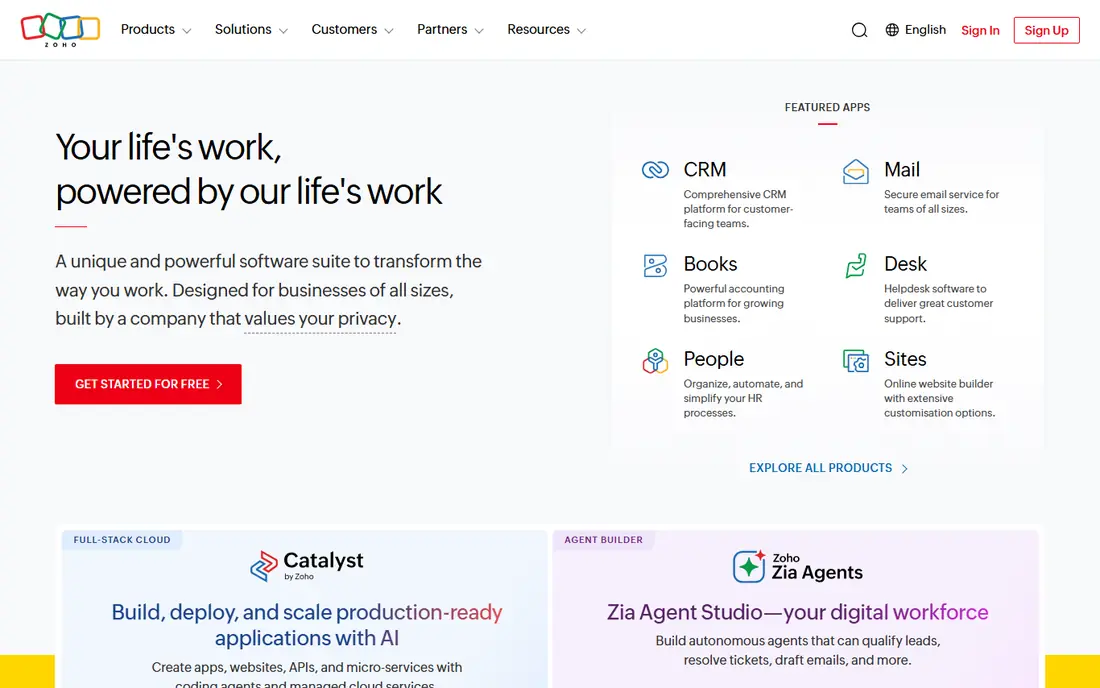
Zoho CRM gives small companies enterprise-style features at a small-company price. Workflow automation, custom fields, forecasting, and an AI assistant appear at tiers that cost less than rivals charge for similar depth. Companies already using Zoho Books, Mail, or other Zoho apps gain extra value from shared data and single sign-on.
New users sometimes find the interface crowded, since so many modules compete for attention. Hide what you do not use, set up one pipeline well, and add automation slowly rather than turning everything on at once. For teams that want flexibility and low per-user cost, and are willing to spend a day configuring, Zoho CRM is hard to beat on value.
- Strong workflow automation for the price
- AI assistant and reporting included on paid tiers
- Broad Zoho app links
- Interface feels busy to some new users
- Monthly billing costs more than annual
- Setup benefits from some configuration time
Bigin is Zoho answer to the question of what a first CRM should be. It keeps pipelines, contacts, activities, and basic automation in a clean interface, with a free tier for starting out and a paid tier around $7 per user per month. Small service businesses, solo sellers, and teams moving off spreadsheets find it far less intimidating than a full CRM.
Limits appear as teams grow. Reporting depth, workflow complexity, and some integrations stay in full Zoho CRM, so a team that outgrows Bigin will eventually migrate. That migration path is a strength, not a trap, since data moves within Zoho. Start with Bigin if your team is new to CRMs, and move up only when a missing feature blocks real work.
- Very low paid price
- Simple pipelines and mobile app
- Easy upgrade path to full Zoho CRM
- Fewer automation and reporting features than Zoho CRM
- Limited for larger teams
- Some integrations need higher tiers
Freshsales suits small companies that sell by phone and email and want those tools inside the CRM. Reps can call, email, and chat from contact records without switching apps, and activity logs stay attached to each deal. AI scoring on paid tiers helps small teams prioritize which leads deserve a call first.
The free tier covers basic contact and deal work, while paid plans add automation, forecasting, and deeper reporting. Teams that already use Freshdesk for support gain a shared customer view across sales and service. If your sales motion is mostly inbound forms plus follow-up calls, Freshsales removes a layer of tool juggling.
- Built-in phone, email, and chat
- AI lead scoring on paid tiers
- Free tier for small teams
- Paid tiers needed for deeper automation
- Some advanced features sit in higher plans
- Interface changes with Freshworks updates
monday CRM appeals to visual teams that want to shape the CRM around their own process. Boards, columns, dashboards, and automations can model sales, projects, and onboarding in one workspace, which suits companies where sales blends into delivery work. Teams already using monday for project work gain the most, since data stays in one system.
Pricing needs care for very small teams. Paid plans carry a three-seat minimum, and costs rise per seat as the team grows. Pure sales teams may also find Pipedrive pipeline view more focused. For companies that want one visual workspace for sales plus delivery, monday CRM offers flexibility that narrower CRMs cannot match.
- Highly visual and configurable boards
- Dashboards and automations
- Familiar to teams already using monday work tools
- No permanent free plan
- Three-seat minimum on paid plans
- Per-seat cost grows with team size
Capsule CRM is for teams that want a CRM to feel like a good address book with deals attached, not a second job. Contacts, tasks, pipelines, and history stay easy to find, and new staff learn it quickly. Small professional service firms, agencies, and consultancies that sell through relationships rather than high-volume outreach tend to like that simplicity.
The price for paid plans sits above Bigin and Pipedrive entry tiers, and marketing automation is lighter than HubSpot or Zoho. That trade is fair if simplicity drives daily use, since an unused cheap CRM costs more in lost follow-ups than a used slightly pricier one. Try the free tier with real contacts first, and judge by whether the team opens it without reminders.
- Clean and simple interface
- Good for relationship tracking
- Free tier for starting out
- Higher starting paid price than some rivals
- Fewer marketing features
- Automation is lighter than Zoho or HubSpot
Less Annoying CRM does what its name promises: one plan, one flat price per user, and a simple system for contacts, tasks, and pipelines. Small businesses that felt overwhelmed by larger CRMs often settle here, because there are no tier puzzles and no feature gates to decode. Support from real people is a stated strength, and it matters for owners without IT staff.
Depth is the limit. Integrations are fewer than HubSpot or Zoho, and automation suits simple follow-up rather than complex multi-step sequences. Companies with high-volume sales or marketing automation needs should look elsewhere. Companies that want a calm, predictable CRM they will actually use should test it for a month.
- Single flat monthly price
- Simple interface built for small business
- Helpful human support
- No free plan
- Fewer integrations than larger CRMs
- Limited automation for complex sales processes
How we picked these
We compared official pricing pages and product documentation for CRMs with free plans, low entry prices, or small-team focus, and we checked that each vendor homepage loads and matches the product named. We favored tools with published per-user pricing and a trial or free tier, so readers can test with real deals. Where billing terms change the monthly figure, we used the commonly listed annual per-user price and noted the difference.
How to choose a CRM for a small company
Start with your sales motion, not a feature list. A team that sells by phone needs calling and pipeline views. A team that sells by email and content needs marketing links. A service business that sells by relationships needs simple contact history. Write down the five tasks reps do every day, then test each finalist against those five tasks only.
Run a two-week real trial
Import twenty real contacts and ten real deals, assign follow-ups, log calls and emails, and build one report you actually need. If the team avoids the tool by day ten, it is the wrong tool no matter how good the feature list looks. Pay monthly for the first two months even when annual billing is cheaper, and switch only to annual once daily use is proven.
Check exit costs before you enter
Confirm that you can export contacts, companies, deals, and activity history in a standard format such as CSV. Check whether email templates, automations, and custom fields export cleanly or need rebuilding. A CRM that locks your history inside is a long-term cost, even at a low monthly price.
Frequently asked questions
What is the best CRM for a small service business?
HubSpot free tier suits many service businesses starting out, while Bigin suits teams moving off spreadsheets. Pipedrive suits sales-led service firms, and Freshsales suits firms that sell heavily by phone and email. Test with real jobs and clients before choosing.
What is the best free CRM for a small company?
HubSpot offers the most capable free CRM in this list, with contacts, deals, and email tracking at no cost. Zoho CRM and Bigin also offer limited free tiers, and Capsule offers a free starting plan. Free tiers vary in limits, so check contact and user caps for your team size.
How much does a CRM cost for a small company?
Entry paid prices here run from $7 to $18 per user per month on annual billing, with HubSpot free to start. Total cost depends on seats, billing term, and add-ons, so price your actual team size rather than a single-seat headline figure.
Is Pipedrive or HubSpot better for small business?
Pipedrive suits sales-led teams that want a focused pipeline tool with fast adoption. HubSpot suits teams that want free CRM plus marketing and service tools in one system, with a higher cost at Professional tiers. Pick by whether sales focus or all-round coverage matters more.
Can a small company start with a spreadsheet instead of a CRM?
Yes, for a handful of leads, but follow-ups, history, and reporting break down as volume grows. Move to a CRM when leads get missed, handoffs get messy, or you cannot answer which deals will close this month. Bigin and HubSpot free make that move low cost.
Do I need a CRM if I only have a few clients?
If a few high-value clients drive revenue, a simple CRM still helps track conversations, tasks, and renewal dates. Capsule or Less Annoying CRM suit that relationship style without the complexity of a sales-heavy system.
Sources we checked (8)

Online Jobs is an independent blog about careers, online work, learning new skills and the tools that help people earn. More about us.
Keep reading
All posts
n8n Alternatives
n8n alternatives compared for 2026, with Zapier, Make, Activepieces, and more, covering visual builders, code steps, self-hosting, and pricing models.

ZoomInfo Alternatives
The best ZoomInfo alternatives in 2026, compared on price, free plans, data coverage, and which tool fits small teams or large sales teams best in detail.

Zoom Alternatives for Webinars
Compare Zoom alternatives for webinars in 2026, from browser-based rooms to enterprise events, with prices, attendee limits, features and honest trade-offs.