Best CPQ Software in 2026: 8 Tools Compared


Salesforce-native enterprises · Starting price: $150 per user per month
How we put this together: we compare official feature and pricing pages, app store listings, privacy policies and public user reviews. Prices change, so check the provider's site before you pay.
Key takeaways
- The best CPQ software depends first on your CRM, because a tool that lives inside Salesforce, HubSpot, or Microsoft Dynamics will save more setup time than a standalone tool.
- Best CPQ software for small business usually means a lower entry price, a short setup, and proposal tools in the same product, which is why PandaDoc and QuoteWerks stand out for small teams.
- Top CPQ software for enterprise deals covers complex product rules, discount approvals, subscriptions, and renewals, and that depth usually comes with a longer implementation.
- Published starting prices range from $15 per user per month to $240 per month in this list, but implementation, integrations, and required CRM seats change the total cost.
- Ask each vendor to build a quote for your hardest product bundle during the demo, because simple products hide the configuration rules that cause pricing errors.
Quick comparison
| Name | Who it suits | Starting price | Free option | |
|---|---|---|---|---|
| Salesforce Revenue Cloud | Salesforce-native enterprises | $150 per user per month | Free trial | Visit |
 Conga CPQ | Enterprises with complex catalogs | $35 per user per month | Free trial | Visit |
 Oracle CPQ | Enterprises on Oracle systems | $240 per month | No | Visit |
 SAP CPQ | SAP-centric companies | $62 per user per month | No | Visit |
 HubSpot CPQ | Teams quoting inside HubSpot | $90 per user per month | Free trial | Visit |
 DealHub | Mid-market sales teams | See website | Free trial | Visit |
 PandaDoc | Proposal-led small teams | $19 per user per month | Free trial | Visit |
 QuoteWerks | Small businesses and resellers | $15 per user per month | Free trial | Visit |
The best CPQ software
We compared configure, price, quote tools by CRM fit, product configuration rules, pricing and discount controls, proposal output, and published pricing, and we gave extra weight to tools that let reps build accurate quotes without spreadsheet workarounds.
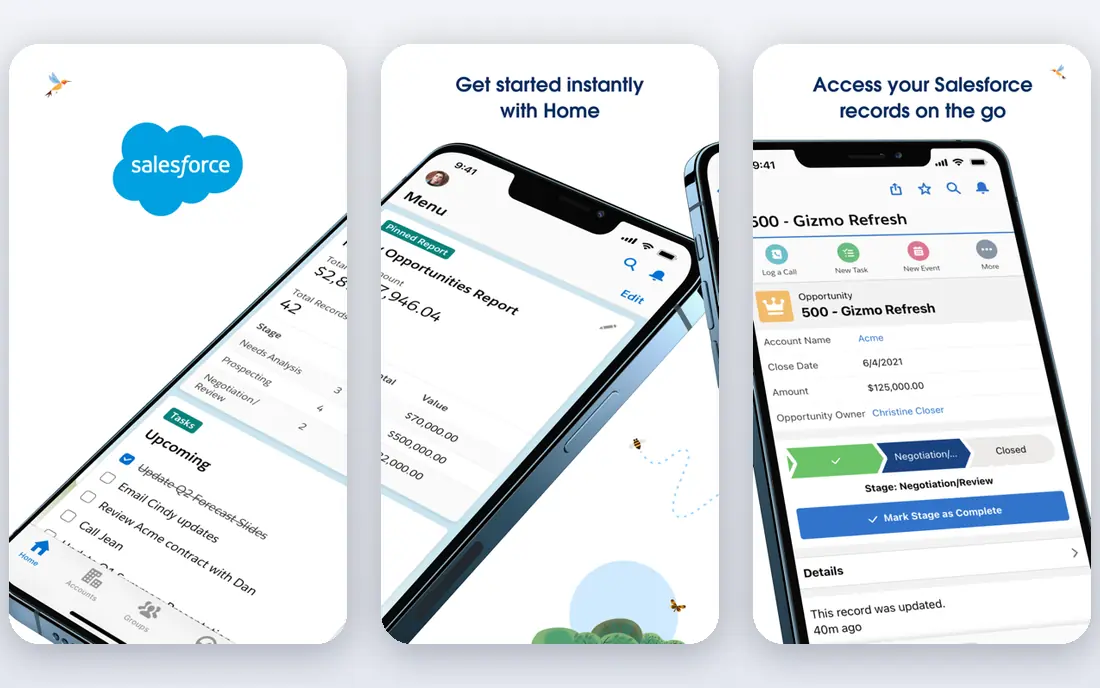
Salesforce Revenue Cloud is the successor to Salesforce CPQ, rebuilt for subscription and usage-based selling. The Growth edition at $150 per user per month covers streamlined CPQ and subscription management, while higher editions add contracts, orders, consumption billing, and AI features. If your sales team already works in Salesforce every day, no other tool on this list matches that native fit.
The cost goes beyond the license. You still need Sales Cloud seats, and implementation often costs more in year one than the software itself. Companies on legacy Salesforce CPQ should also plan for migration time. This is the enterprise default for Salesforce shops, not the budget pick, and it makes most sense when quote accuracy and subscription handling justify the setup effort.
- Deepest Salesforce integration
- Built for subscriptions and usage billing
- AI-assisted quoting in higher editions
- Requires Sales Cloud seats on top
- Implementation often takes months
Conga CPQ handles the kind of catalog that breaks simpler tools, with nested bundles, compatibility rules, and pricing logic that must stay consistent across reps and channels. Reps can configure a product, apply approved discounts, and generate a clean proposal without rebuilding the quote in a document tool. That control matters when a wrong option or discount can change margin on a large deal.
For smaller teams, the depth can feel heavy. Implementation and catalog setup take planning, and the full cost depends on which Conga products are included. If you sell configurable products with many options and strict pricing rules, Conga is a strong enterprise shortlist option. If you sell a short list of simple products, a lighter tool will get you live faster.
- Strong product configuration for complex catalogs
- Document generation included
- Works with Salesforce and other CRMs
- Enterprise setup can be long
- Pricing for full suites needs a quote
Oracle CPQ suits large companies that already run Oracle ERP, commerce, or related systems. It supports complex configuration, pricing, approvals, and order handoff at a scale that smaller tools cannot match. When quotes must follow strict corporate pricing policy and feed directly into enterprise order systems, that integration reduces errors and manual rework.
The trade-off is access. A $240 per month starting point, plus enterprise implementation, puts Oracle CPQ out of reach for most small businesses. Even mid-market teams should check total cost and timeline before shortlisting it. If your company is Oracle-centric and deals are large and complex, Oracle CPQ is a logical fit. If not, the same budget buys a faster setup elsewhere.
- Enterprise-grade scalability
- Strong fit with Oracle ERP and commerce
- Detailed pricing and approval controls
- High entry price for small teams
- Implementation is enterprise-scale
SAP CPQ is built for companies whose product, pricing, and order data already live in SAP. The Standard tier starts at $62 per user per month, with a Professional tier at $99 per user per month in published comparisons, which gives buyers a clearer starting point than many enterprise tools. Guided selling, configuration rules, and quote generation help reps stay inside approved product and pricing combinations.
Reviewers often note that SAP CPQ can feel expensive once modules and support are added, and smaller organizations may find the setup disproportionate to their needs. That is a fair caution. For an SAP shop with complex products, the native data fit outweighs those concerns. For a team outside the SAP ecosystem, a CRM-native tool will usually be simpler to run.
- Strong fit with SAP ERP
- Standard and Professional tiers published
- Handles complex product configuration
- Extra modules can add cost
- Smaller teams may find it heavy
HubSpot CPQ is not a separate product to buy on its own. It comes with Sales Hub Pro at $90 per user per month, which means teams already using HubSpot can add quoting without a new system. Reps build quotes from HubSpot deals, send them for signature, and track acceptance in the same CRM record. That simplicity is the main selling point.
The limit is configuration depth. HubSpot handles standard products, bundles, discounts, and approvals well, but it is not built for the most complex manufacturing rules. If your products need deep engineering-style configuration, an enterprise CPQ tool will fit better. If your team lives in HubSpot and sells services, software, or straightforward products, HubSpot CPQ keeps quoting fast and visible.
- Quotes live inside HubSpot CRM
- No separate CPQ login for reps
- E-signature and payment links available in higher tiers
- Price is tied to Sales Hub Pro
- Less depth for very complex manufacturing configuration
DealHub positions itself between simple proposal tools and heavy enterprise CPQ platforms. It covers product configuration, pricing, approvals, and quote-to-cash workflows, with support for subscriptions that many mid-market SaaS and service companies need. Sales teams can move from opportunity to approved quote without waiting on finance for every discount.
Because paid plan prices are not fully published, budgeting starts with a sales conversation, and you should ask for a quote tied to user count and deal complexity. DealHub also needs careful catalog setup if your products have many interdependent options. For a mid-market team that has outgrown documents and spreadsheets but does not want an enterprise implementation, DealHub is a sensible demo.
- Guided quoting and approval workflows
- Subscription and usage support
- Fast time to value for mid-market teams
- Published pricing is limited
- Complex catalogs may need more setup
PandaDoc is the best CPQ software for small business teams that care as much about the proposal as the price calculation. The Essentials plan starts at $19 per user per month, and reps can build a quote, turn it into a polished proposal, collect a signature, and track when the buyer opens it. That document workflow often closes deals faster than a technically stronger tool with weak output.
The honest limit is configuration depth. PandaDoc CPQ features are strongest on Enterprise plans, and complex product rules are not its main strength. Small teams with straightforward products will not miss that depth. Teams selling highly configurable equipment should test the configuration rules carefully before choosing PandaDoc over Conga, Oracle, or SAP.
- Low entry price
- Quotes, proposals, contracts, and e-signatures in one tool
- Easy document templates
- Full CPQ features sit in higher plans
- Less configuration depth than enterprise CPQ
QuoteWerks is a practical pick for small businesses, managed service providers, and resellers that need accurate quotes without enterprise cost. At $15 per user per month for the Standard plan, it covers product configuration, pricing, and quote documents, and it connects to distributor pricing that resellers use every day. That niche fit is why it survives alongside much larger vendors.
The interface is less modern than DealHub or PandaDoc, and very complex product rules may stretch it. For a small team that quotes hardware, software, and services from a distributor catalog, those limits rarely matter. QuoteWerks wins on price, speed, and reseller workflow, and it is the easiest way for a small business to stop quoting from spreadsheets.
- Lowest entry price on this list
- Built for resellers and IT providers
- Integrates with common CRMs and distributors
- Interface feels dated compared with newer tools
- Enterprise configuration depth is limited
How we picked these
We compared official feature pages, pricing pages, app store listings, privacy policies, and public reviews for configure, price, quote tools. We looked for real configuration rules, discount and approval controls, CRM integration, and proposal output, not just quote templates. Prices came from vendor pricing pages or published vendor comparisons, and where pricing was not published we wrote See website. We did not claim hands-on testing, and we treated review scores as user reports, not guarantees for your catalog.
What to check before you choose
Start with your CRM, not the feature list
A CPQ tool that matches your CRM will sync deals, products, and approvals with less custom work. A tool that needs a custom integration for every quote will cost more in time and maintenance, even if its license looks cheaper. Confirm the integration depth in a demo using your own CRM records.
Test your hardest bundle, not your easiest product
Ask the vendor to configure your most complex bundle, apply your discount rules, and route it through approvals. Simple products work in every tool. The differences show up in compatibility rules, volume pricing, subscription changes, and renewal quotes.
Price the whole first year
Add the license, required CRM seats, implementation, catalog setup, training, and support. Enterprise CPQ often costs more to implement than to license in year one. A clear first-year total makes the comparison between a $15 tool and a $150 tool honest.
Frequently asked questions
What is the best CPQ software for small business?
For most small businesses, PandaDoc and QuoteWerks are the strongest starting points. PandaDoc fits teams that need polished proposals and signatures, while QuoteWerks fits resellers and IT providers that quote from distributor catalogs. HubSpot CPQ is also a good fit if your team already uses HubSpot, because quoting stays inside the CRM.
What is the best configure price quote software for complex products?
For complex products, Conga CPQ, Oracle CPQ, and SAP CPQ lead this list. Conga handles complex catalogs across CRMs, Oracle fits Oracle-centric enterprises, and SAP fits SAP-centric companies. Choose by your existing ERP and CRM, then test your hardest bundle in each demo before deciding.
How much does best rated CPQ software cost?
Entry prices in this list range from $15 per user per month for QuoteWerks to $240 per month for Oracle CPQ, with several tools in the $35 to $150 range. Enterprise tools often add implementation and required CRM seats, so the license price alone does not show the full cost. Request a first-year quote that includes setup and training.
What are the best CPQ tools for subscription businesses?
Salesforce Revenue Cloud, DealHub, and HubSpot CPQ all handle subscriptions, renewals, and usage elements to different depths. Salesforce Revenue Cloud is strongest for Salesforce shops with complex subscription models. DealHub suits mid-market subscription sellers that want faster setup, and HubSpot suits teams already quoting inside HubSpot.
Do I need CPQ if I only sell a few products?
You may not need full CPQ if your products are simple and your pricing rarely changes. A proposal tool such as PandaDoc, or quoting inside HubSpot, may cover your needs at lower cost. Full CPQ earns its price when product options, discounts, approvals, or subscription terms create errors in manual quotes.
What is the difference between top 10 CPQ software lists and best CPQ platform solutions?
The phrases describe similar lists with different lengths and focus. A top 10 list usually covers the whole market, while a platform solutions list often emphasizes enterprise platforms such as Salesforce, Oracle, SAP, and Conga. Use both kinds of lists to shortlist tools, then judge them on CRM fit, configuration depth, and first-year cost for your business.
Sources we checked (10)

Online Jobs is an independent blog about careers, online work, learning new skills and the tools that help people earn. More about us.
Keep reading
All posts
ZoomInfo Alternatives
The best ZoomInfo alternatives in 2026, compared on price, free plans, data coverage, and which tool fits small teams or large sales teams best in detail.

Workday Alternatives
We compared the best workday alternatives for HR, payroll, and global hiring, from BambooHR and Gusto to Rippling, Deel, and HiBob for growing teams in 2026.

Which SaaS Tools Have the Best Customer Support
Which SaaS tools have the best customer support? Compare eight popular tools on help centres, live help, response options and overall support quality.