Best Countdown App in 2026: 8 Apps Compared

How we put this together: we compare official feature and pricing pages, app store listings, privacy policies and public user reviews. Prices change, so check the provider's site before you pay.
Key takeaways
- The best free countdown app for most people is one with widgets, reminders and count-up support, not just a single timer.
- If you count down to a sale or launch on a website, a web widget beats a phone app, because visitors see the deadline where they decide.
- Paid plans mainly add themes, photos, sharing and extra widgets, so check the free version first before paying.
- A good countdown app should let you set recurring dates for birthdays and anniversaries, or you will rebuild the same event every year.
Quick comparison
| Name | Who it suits | Starting price | Free option | |
|---|---|---|---|---|
 Countdowns | Simple event countdowns on iPhone | Free | Yes | Visit |
 Countdown Star | Long-running personal milestones | Free | Yes | Visit |
 Common Ninja Countdown Timer | Custom website countdowns | Free | Yes | Visit |
 TickCounter | Embeddable website countdowns | Free | Yes | Visit |
 Elfsight Countdown Timer | Branded website timers | Free | Yes | Visit |
 Jotform Countdown Timer | No-code website countdowns | Free | Yes | Visit |
 HurryTimer | WordPress and WooCommerce timers | Free | Yes | Visit |
 Time and Date Countdown | Quick web countdowns without an install | Free | Yes | Visit |
The best countdown apps
We looked for apps and tools that count down clearly, send a reminder before the date, and stay useful after the first event. The list below mixes phone apps for personal dates with web tools for sites and stores.
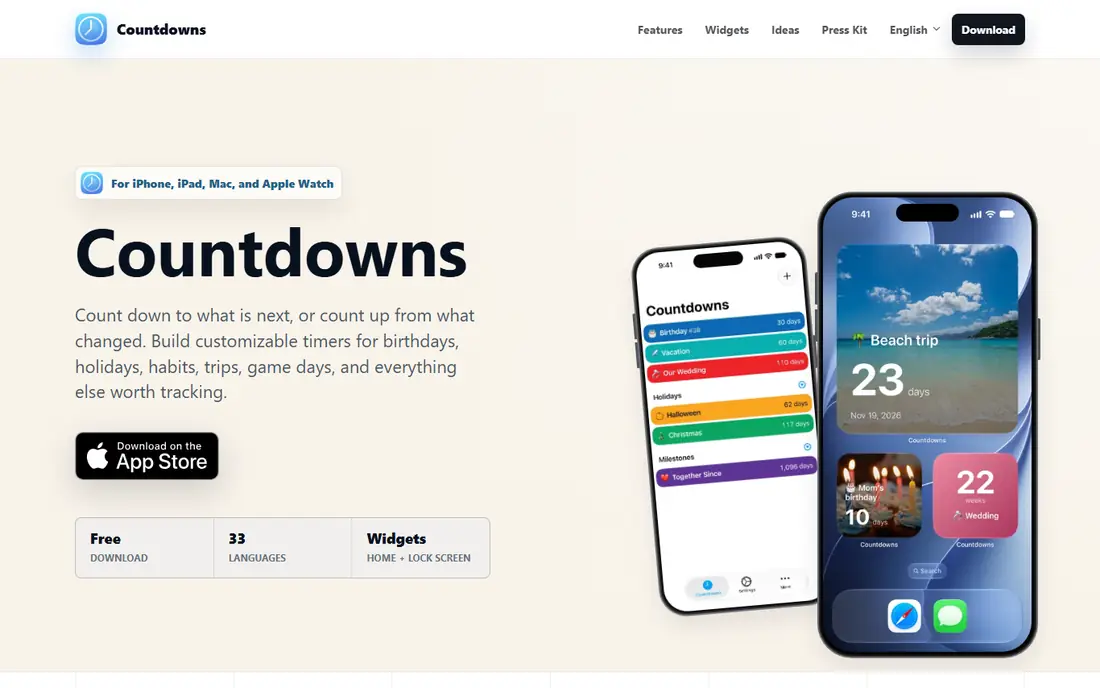
Countdowns keeps the job small, and that is why it works well. You add an event, pick a date, choose a photo or colour, and the app shows days, hours, minutes and seconds left. Widgets put the next event on your home screen or lock screen, so you do not need to open the app to check a date.
The honest catch is scope. Countdowns is a date tracker, not a planner, so it will not manage tasks, calendars or bookings for you. If you want a fast way to watch birthdays, holidays, trips and exams, that narrow focus is a strength. If you want one app for all planning, pair it with a calendar rather than forcing it to do more.
- Clean event list
- Home screen and lock screen widgets
- Sharing for events
- IPhone focused
- Advanced themes may need payment
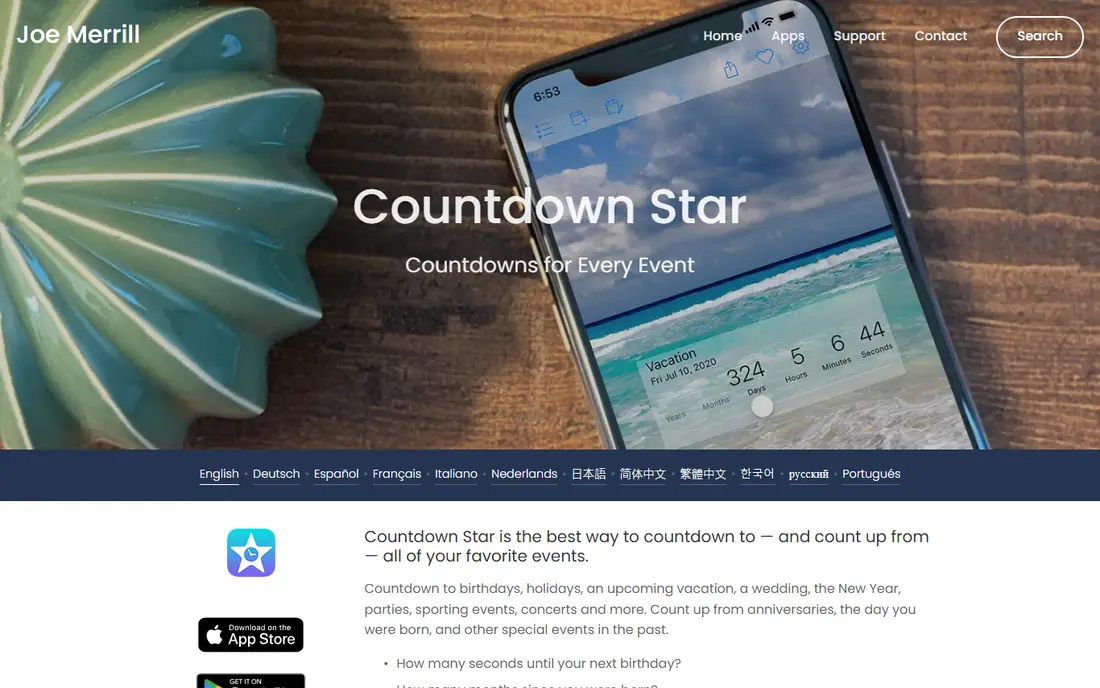
Countdown Star suits people who track both sides of a date. It counts down to a wedding, a move or an exam, and it can also count up from an anniversary, a sobriety date or a work start date. That second mode matters, because many milestone apps only look forward.
Setup stays quick. You name the event, set the date and choose how the remaining time is shown. The layout is plain, which helps when you have dozens of dates and want to scan them fast. The trade-off is that it does not try to be a photo album or a social app, so people who want rich event pages may prefer a more visual option.
- Counts up from past dates
- Large event list
- Simple setup
- Design options vary by device
- Some features need payment
Common Ninja Countdown Timer
Who it suits: Custom website countdowns
Common Ninja Countdown Timer is built for website owners who want a countdown that looks designed, not default. You pick a layout, adjust colours, fonts and animations in a visual editor, then embed the timer on your site. That control suits stores, event pages and landing pages where the timer is part of the design, not an afterthought.
We like it for campaigns that need more than a plain number, because skins and layouts give you a starting point without hiring a designer. The catch is that the free version has limits, and like other widgets it adds code to your page, so keep the design light and test it on a phone before launch. For a branded website countdown, it is a strong free first try.
- Many layouts and skins
- Works on many platforms
- Visual editor
- Paid plans needed for full features
- Adds a script to your site
TickCounter is the practical pick when the countdown lives on a page, not on a phone. You create a timer, copy the embed code and place it on a blog, event page or landing page. Visitors see the same deadline without downloading anything, which is exactly what a public countdown needs.
The free version covers the core job well, and a one-time payment is listed for some extra options on the vendor site. The design is functional rather than flashy, so brand-heavy sites may need extra styling work. For a one-off event page, a school deadline or a community launch, TickCounter is fast and hard to beat.
- No install for visitors
- Embed code for sites
- Count-up and countdown modes
- Design control is basic on the free version
- Branding may appear on free timers
Elfsight is a better fit when the timer must match a site design. You adjust colours, fonts, layout and messages in a visual editor, then embed the widget on WordPress, Shopify, Squarespace, Wix and other platforms. That control matters for stores, where a clashing timer can hurt trust.
It also supports fixed dates and recurring timers, so the same widget style can serve a sale, a webinar or a weekly deadline. The free plan is a useful test, but larger sites should check the paid tiers before building a whole campaign around it. Like any third-party widget, it adds code to your page, so keep the design light.
- Works on many site builders
- Visual controls
- Evergreen and fixed-date timers
- Paid plans needed for full features
- Widget adds a script to your site
Jotform Countdown Timer suits people who already use forms or simple pages and want a timer without touching code. You add the widget, set the end date and time, and place it where visitors will see it. It is a good match for registration deadlines, application windows and event sign-ups.
The limit is that it is not a full design tool. If you need advanced animations, per-visitor timers or deep store integration, a dedicated timer app may fit better. For a clear deadline next to a form, though, the low setup time is the point, and most users will have it running in minutes.
- No coding needed
- Works with forms and pages
- Simple setup
- Best inside the Jotform ecosystem
- Styling is limited compared with dedicated widget tools
HurryTimer is the specialist pick for WordPress sites. It adds countdown bars and timers to pages, posts and WooCommerce products, and it can run evergreen timers that start when each visitor first arrives. That per-visitor mode is useful for trial offers and cart deadlines, where a single fixed date would not make sense.
Because it is WordPress only, it is not a choice for other platforms. The free version covers common timer types, while paid tiers add more display rules and campaign controls. If your site already runs on WordPress, HurryTimer avoids the extra step of embedding a generic widget and keeps timer settings inside your dashboard.
- WordPress focused
- Evergreen timers per visitor
- WooCommerce support
- WordPress only
- Paid version needed for some advanced rules
Time and Date Countdown
Who it suits: Quick web countdowns without an install
Time and Date Countdown is the fastest option when you just need a date counted down. Open the page, set the event and time zone, and share the link. It is useful for remote teams, online events and public announcements, because everyone sees the same target time in their own zone.
It is not a personal date manager. You will not get home screen widgets, photo themes or a private event archive. But for a single public countdown, that simplicity is welcome, and the time zone handling avoids the classic error of a meeting or launch listed in the wrong zone.
- No account needed
- Time zone aware
- Easy to share a link
- No phone widgets
- Limited personalisation compared with dedicated apps
How we picked these
We compared official feature pages, pricing pages and app store listings for countdown apps and web timers, and we favoured tools that are still available, clearly describe a free option, and fit a real use case. We checked whether each tool counts down and, where stated, counts up, sends reminders, supports widgets or embeds, and handles recurring dates. We did not claim hands-on testing, and we left out tools with unclear ownership, broken pages or prices we could not trace to a vendor source.
How to choose the right countdown app
Start with where the countdown will be seen. If it is for you alone, pick a phone app with widgets and reminders, and test it with two or three real dates before you add your whole list. If it is for visitors, pick a web widget that matches your site platform, and check how it looks on a phone, since many visitors will see it there first.
Next, check recurring dates. Birthdays, anniversaries and yearly deadlines should repeat without manual rebuilding, or the app will create work every January. Also check reminders. A countdown that only shows a number is easy to miss, while a reminder a day or a week before gives you time to act. Finally, keep the design calm. A timer that flashes, shouts or restarts for every visitor can damage trust, especially on a store. A clear date, a clear end time and a short label beat a loud widget every time.
Frequently asked questions
What is the best free countdown app?
A free countdown app should offer unlimited or generous event entry, widgets and reminders without forcing payment for the basics. Countdowns, Countdown Star and Common Ninja Countdown Timer all offer free entry points, so try one with your real dates and keep the one whose widget you actually look at.
What is the best countdown timer app for birthdays?
Pick an app with recurring events, reminders and a widget, because birthdays repeat and are easy to forget until the day itself. Set the reminder a few days early if you need to buy a gift or send a card, and check that the event repeats to the next year after it passes.
Can I use a countdown app for exams and deadlines?
Yes, and it helps to add both the exam date and the revision milestones before it. Use the countdown for the main date, and use reminders for mock tests, submission dates and booking deadlines, so one big date does not hide the smaller steps.
What is the best countdown app for a website?
TickCounter, Elfsight and Jotform cover most website needs, while HurryTimer is the stronger pick for WordPress and WooCommerce. Choose based on your platform, your design needs and whether you need a fixed date or an evergreen timer for each visitor.
Do countdown apps work offline?
Many phone apps show saved countdowns offline, but reminders, sync and widget updates can depend on your device settings. Web timers need an internet connection for visitors to load them, so do not rely on a web widget as your only personal reminder.
How do I share a countdown with friends or family?
Phone apps often offer sharing from the event screen, while web tools give you a link you can send in a message or post on a page. For a shared family event, a web link is often simpler, because it works even if other people use a different phone app.
Sources we checked (5)

Online Jobs is an independent blog about careers, online work, learning new skills and the tools that help people earn. More about us.
Keep reading
All posts
Zoom Alternatives
Zoom alternatives compared for 2026: Google Meet, Microsoft Teams, Webex, Jitsi and more for free calls, large meetings and webinars for teams and classrooms.

Which Software Is Best for Data Entry
Compare the best data entry software for forms, OCR scanning, and spreadsheets, with free plans, pricing, and honest limits for each tool before you commit.

What's the Best App to Read PDFs
Find what's the best app to read PDFs in 2026, from Adobe Acrobat Reader and Foxit to PDF Expert and Xodo, with free options and honest limits for every device.