Best Contact Management Software in 2026: 8 Tools Compared

How we put this together: we compare official feature and pricing pages, app store listings, privacy policies and public user reviews. Prices change, so check the provider's site before you pay.
Key takeaways
- HubSpot CRM suits small teams that want a free start with room to grow into sales and marketing tools.
- Zoho CRM and Pipedrive suit sales-led teams that need pipelines, while Capsule and Nimble suit simpler contact tracking.
- Free plans help, but contact limits, email tools and automation often sit on paid tiers.
- Pick the tool your team will update daily, since a contact system only works when records stay current.
Quick comparison
| Name | Who it suits | Starting price | Free option | |
|---|---|---|---|---|
 HubSpot CRM | free start for small teams | Free | Yes | Visit |
 Zoho CRM | low-cost sales CRM | See website | Free trial | Visit |
 Pipedrive | visual sales pipelines | See website | Free trial | Visit |
 Capsule | simple contact tracking | See website | Free trial | Visit |
 Nimble | social contact enrichment | See website | Free trial | Visit |
 Insightly | contacts plus projects | See website | Free trial | Visit |
 monday CRM | flexible team workflows | See website | Free trial | Visit |
 Freshsales | sales plus built-in phone and email | See website | Free trial | Visit |
The best contact management software
Contact management sounds simple until a team grows. Names live in phones, inboxes and spreadsheets, follow-ups slip, and no one knows who last spoke to a client. Good software fixes that by keeping one record per person, with notes, deals, emails and tasks attached. The tools below range from free CRMs to focused contact apps. We compared official pricing pages and feature pages, and we use See website where a starting price could not be verified cleanly.
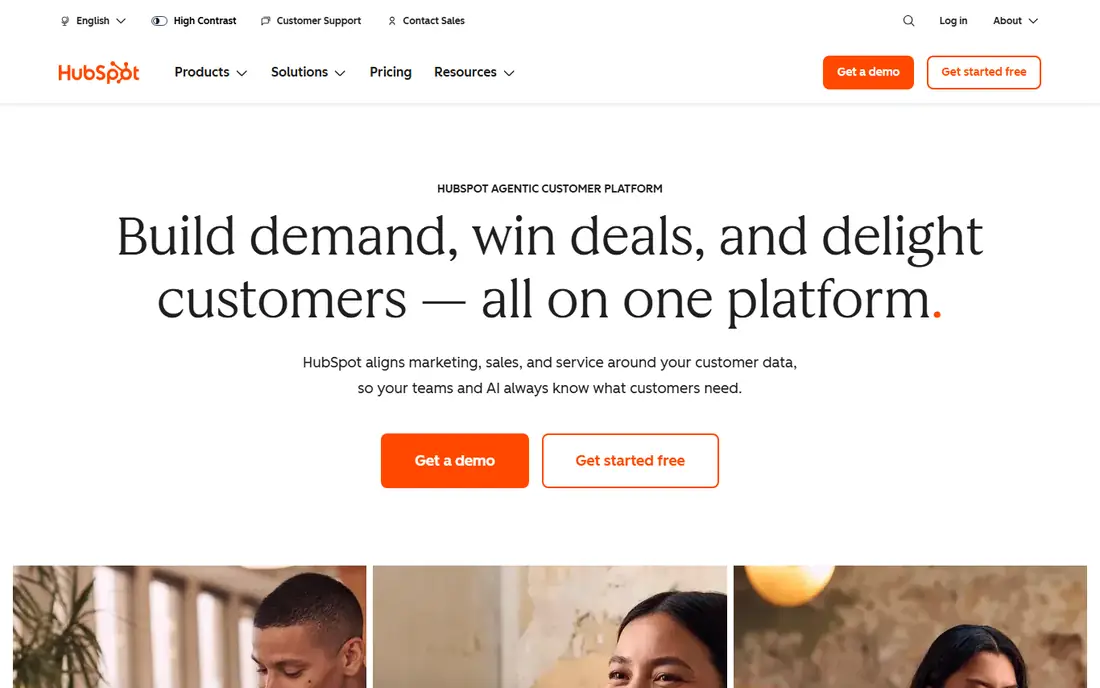
HubSpot CRM is the easiest free start in this list. You can store up to a large number of contacts, track deals, log emails and assign tasks without paying, which suits a small team testing whether a CRM helps at all. The interface is clean, onboarding is guided, and the same account can later add marketing, sales and service tools as the business grows.
Paid plans are where costs climb, especially for automation, advanced reporting and larger teams. Free users should also check contact and feature limits on the current pricing page, since HubSpot changes tiers over time. For a small team that wants a free, low-risk start with a clear upgrade path, HubSpot is our pick.
- Free CRM with contacts, deals and email tracking
- Easy setup
- Grows into marketing and service tools
- Paid tiers rise quickly
- Some automation needs higher plans
- Reporting depth is limited on free tier
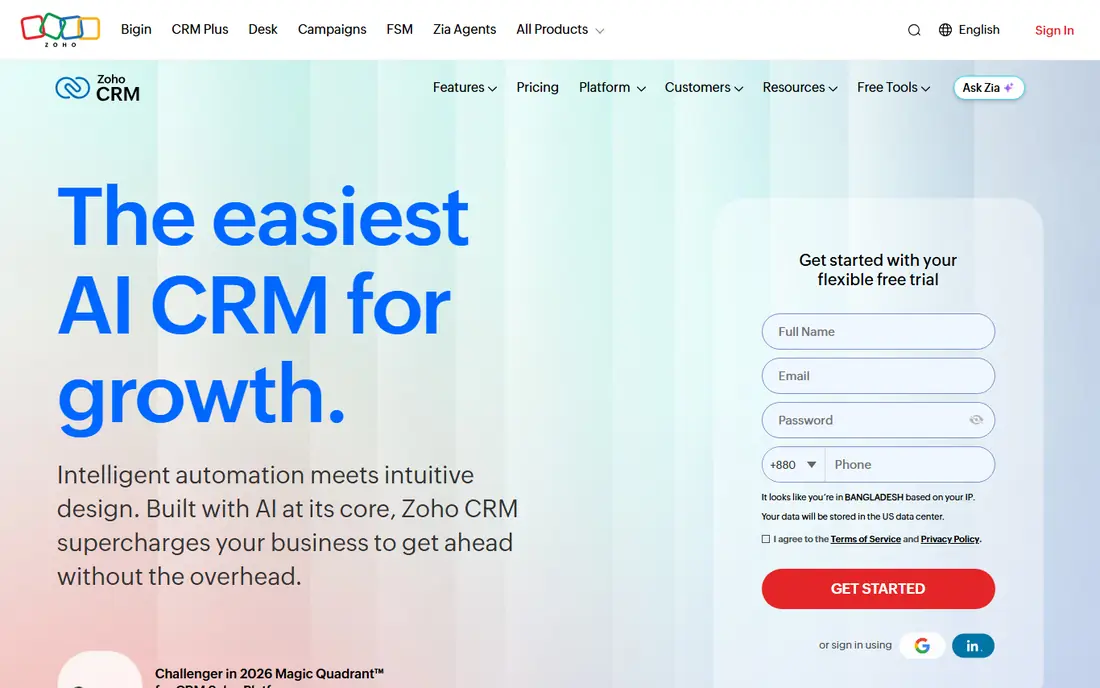
Zoho CRM packs a lot into a low-cost package: leads, contacts, deals, tasks, email integration and workflow rules. Small sales teams get automation that rivals pricier tools, such as assigning leads, sending follow-up reminders and updating deal stages without manual work. Integration with Zoho Books, Zoho Mail and other Zoho apps adds value for existing Zoho users.
The breadth comes with a busier interface, and customizing pipelines takes more setup than in Pipedrive. Teams outside the Zoho suite may also miss some third-party polish. For a sales-led small business that wants strong features at a modest price, Zoho CRM is hard to beat.
- Broad sales features for the price
- Workflow automation
- Strong Zoho suite integration
- Interface can feel busy
- Setup takes care for custom pipelines
- Best value inside Zoho suite
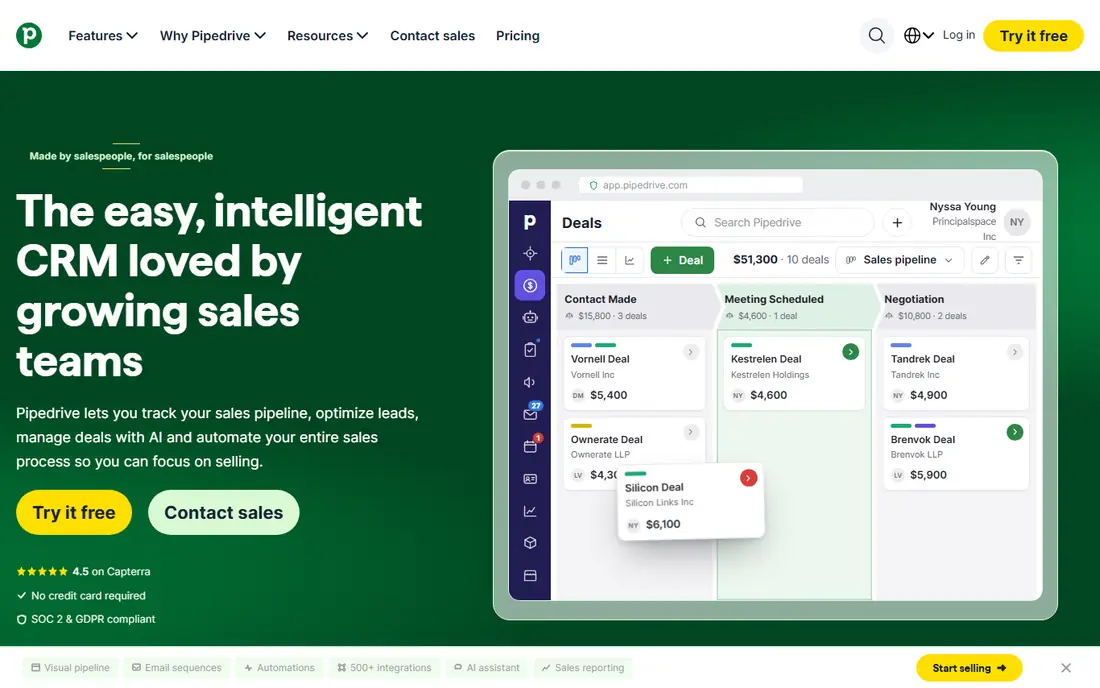
Pipedrive is built around a visual pipeline. Deals move across stages by dragging a card, which makes the state of every sale obvious at a glance. That clarity suits sales teams that live by pipeline stages and follow-up dates, and the mobile apps keep reps updated away from a desk.
If you only need a simple address book, Pipedrive will feel sales-heavy. Automation and deeper reporting also sit on higher tiers, so price the tier that matches your workflow, not the entry tier. For a team that sells by pipeline and wants a tool reps will actually open daily, Pipedrive is a strong pick.
- Clear drag-and-drop pipeline view
- Easy deal tracking
- Good mobile apps
- Contact-only use feels sales-heavy
- Automation needs higher tiers
- Pricing varies by plan
Capsule keeps contact management simple on purpose. Contacts, organizations, tasks, notes and a light sales pipeline cover the daily job without the clutter of a full enterprise CRM. Import is straightforward, and the interface stays readable even with a large contact list. Small teams that want a tidy system, not a sales machine, will appreciate that restraint.
Advanced automation, forecasting and marketing tools are lighter here than in HubSpot or Zoho. If your team needs complex workflows, look elsewhere. If you need a reliable place to store contacts, track conversations and remember follow-ups, Capsule is a calm, effective choice.
- Clean simple interface
- Tracks contacts, tasks and deals
- Easy import
- Fewer advanced sales tools
- Limited automation compared with Zoho
- Integrations are narrower
Nimble stands out for relationship work. It pulls social profiles, job details and company information into contact records, so a salesperson or networker can see context before a call. Browser and email integrations let you add contacts without leaving your inbox, which helps keep records current.
Pipeline and forecasting tools are lighter than in Pipedrive or Zoho, so pure sales teams may outgrow it. Pricing is per user, so team costs add up. For consultants, founders and relationship-led teams who value context over pipeline depth, Nimble is a distinctive and useful pick.
- Enriches contacts with social and company details
- Works inside email and browser
- Good relationship tracking
- Sales pipeline tools are lighter
- Pricing is per user
- Some users want deeper reporting
Insightly links contacts to projects, which suits service businesses that sell a deal and then deliver work. A client record can show the sale, the project, tasks and emails in one place, so handoffs between sales and delivery cause fewer gaps. Pipeline tools cover the sales side, while project views cover delivery.
The interface is less modern than HubSpot or Pipedrive, and setup takes care if you customize heavily. Some reporting and automation features also need higher tiers. For a small business where delivery matters as much as sales, Insightly bridges a gap that pure contact tools leave open.
- Contacts linked to projects and tasks
- Pipeline plus project tracking
- Decent reporting
- Interface feels dated in places
- Setup needs care
- Some features need higher tiers
monday CRM builds contact management on flexible boards, so teams can shape views for leads, clients, deals and follow-ups to match their own process. Templates speed up setup, and collaboration tools like updates, files and assignments keep a team aligned. That flexibility suits teams with unusual workflows that a fixed CRM cannot fit.
Flexibility is also the risk. Without discipline, boards multiply and records get messy, and the tool can feel more like project software than a CRM. Per-user pricing also climbs for larger teams. For a team that wants to design its own contact workflow and will maintain it, monday CRM is a creative, capable option.
- Highly flexible boards and views
- Strong team collaboration
- Many templates
- Can feel like a project tool first
- Pricing per user adds up
- Setup needs discipline to stay tidy
Freshsales, part of Freshworks, bundles phone, email and chat with contact and deal tracking, so reps can call, email and log activity without switching tools. Lead scoring and workflow tools on higher tiers help prioritize the contacts most likely to buy. The interface is clean, and setup is quicker than in many enterprise CRMs.
The free tier covers only basic use, and advanced features sit higher up. Teams already using Freshdesk or other Freshworks tools will get more value from the shared data. For a sales team that wants communication and CRM in one place, Freshsales is a practical, modern pick.
- Built-in phone, email and chat tools
- AI-assisted lead scoring on higher tiers
- Clean sales views
- Free tier is limited
- Some features need higher plans
- Best value inside Freshworks suite
How we picked these
We compared official pricing pages, feature pages and free tier terms, and we favored tools that still operate, support contact import, notes, tasks and email tracking, and suit small to mid-size teams. We included both full CRMs and simpler contact tools, since readers search for both, and we noted where a tool leans sales-heavy or contact-only. We did not claim hands-on testing, and we based our notes on vendor documentation and public pricing information.
How to choose the right tool
Start with how your team actually works. A sales team needs pipelines and deal stages, while a service team needs contacts linked to projects and follow-ups. Import a real contact list during a trial, log a few emails and tasks, and check whether the tool fits daily habits. If reps avoid it, even the best feature list will not help.
Check limits that matter in practice: contact counts, email sync, automation rules and mobile access. Confirm export options too, since you should be able to leave with your contact data intact. Start on the lowest tier that covers your team size and automation needs, and upgrade only when a real limit blocks work.
Frequently asked questions
What is the best contact management software?
HubSpot CRM suits most small teams thanks to its free plan and upgrade path. Pipedrive suits sales-led teams, Zoho CRM suits low-cost sales automation, and Capsule suits simple contact tracking. Match the tool to whether sales, projects or simple records drive your work.
What are the best contact management apps for small businesses?
HubSpot CRM, Zoho CRM, Capsule and Pipedrive are the strongest small-business picks here. HubSpot is free to start, Zoho offers strong value, Capsule keeps things simple, and Pipedrive gives a clear pipeline view. Trial two of them with real contacts before you commit.
Is there free contact management software?
Yes. HubSpot CRM offers a free plan with contacts, deals and email tracking, while other tools offer free trials rather than permanent free tiers. Check contact limits and automation limits on the free plan, since those decide whether free use lasts beyond a test.
What is the difference between contact management and CRM software?
Contact management focuses on storing people, notes and follow-ups, while CRM software adds sales pipelines, deals, automation and reporting. Many tools here do both, but simple tools like Capsule lean contact-first, while Pipedrive and Zoho lean sales-first. Pick based on whether you track deals or just relationships.
Can I import contacts from spreadsheets?
Yes, all eight tools here support contact import from spreadsheets or CSV files, though field mapping quality varies. Clean duplicates and standardize names, emails and phone formats before import. Test with a small batch first, then import the full list.
Sources we checked (8)

Online Jobs is an independent blog about careers, online work, learning new skills and the tools that help people earn. More about us.
Keep reading
All posts
n8n Alternatives
n8n alternatives compared for 2026, with Zapier, Make, Activepieces, and more, covering visual builders, code steps, self-hosting, and pricing models.

ZoomInfo Alternatives
The best ZoomInfo alternatives in 2026, compared on price, free plans, data coverage, and which tool fits small teams or large sales teams best in detail.

Workday Alternatives
We compared the best workday alternatives for HR, payroll, and global hiring, from BambooHR and Gusto to Rippling, Deel, and HiBob for growing teams in 2026.