Best Construction Management Software in 2026: 9 Tools Compared

How we put this together: we compare official feature and pricing pages, app store listings, privacy policies and public user reviews. Prices change, so check the provider's site before you pay.
Key takeaways
- Procore is our pick for large commercial contractors, with the most complete platform for drawings, RFIs, budgets and field management.
- Buildertrend is best for home builders and remodelers, with a client portal that cuts homeowner phone calls.
- Fieldwire is best for field teams, with a free plan for up to 5 users and Pro from $39 per user per month.
- Contractor Foreman is best on a tight budget, with many features from $49 per month.
- JobTread is best for residential builders who want estimating through invoicing on one plan, from $159 per month billed annually.
Quick comparison
| Name | Who it suits | Starting price | Free option | |
|---|---|---|---|---|
 Procore Procore | Large commercial contractors | See website | No | Visit |
 Autodesk Forma Build Autodesk Forma Build | BIM-led design-build teams | $100 per user per month | Free trial | Visit |
 Buildertrend Buildertrend | Home builders and remodelers | See website | No | Visit |
 Fieldwire Fieldwire | Field teams and site coordination | Free | Yes | Visit |
 JobTread JobTread | Residential builders, estimating to invoicing | $159 per month | No | Visit |
 Contractor Foreman Contractor Foreman | Budget contractors wanting everything | $49 per month | Free trial | Visit |
 Houzz Pro Houzz Pro | Remodelers and design-build firms | $99 per month | Yes | Visit |
 Buildern Buildern | Growing custom home builders | $225 per month | Free trial | Visit |
 Knowify Knowify | Trade and specialty contractors | $99 per month | Free trial | Visit |
The best construction management software
Construction management software splits by company type. Commercial general contractors need drawings, RFIs, submittals and budgets at scale. Home builders need scheduling, client communication and selections. Field teams need plans and tasks on mobile. And small contractors need a lot of features for little money. We compared nine tools on price, project type, field features and accounting, using published pricing pages. Pricing in this category is often quote-based, so we note where a vendor does not publish a price.

Procore is the default for big commercial jobs, and most major general contractors have either adopted it or seriously considered it. Drawings, RFIs, submittals, daily logs, budgets and change orders all live in one place, shared in real time between office and field, and its mobile app is widely seen as one of the strongest in the industry. Unlimited users matter when dozens of subcontractors need access.
Pricing is quote-based, tied to annual construction volume, with third-party estimates from $4,500 to $60,000 per year. For a commercial contractor running large projects with many parties, Procore is the most complete platform available.
- Most complete platform for drawings, RFIs, submittals, daily logs, budgets and change orders
- Strong mobile app
- Unlimited users
- Integrations with Sage, QuickBooks and Foundation
- Quote-based pricing, with estimates from $4,500 to $60,000 per year depending on construction volume
- Implementation and training add cost
- Hard to justify below about $10 million in annual volume
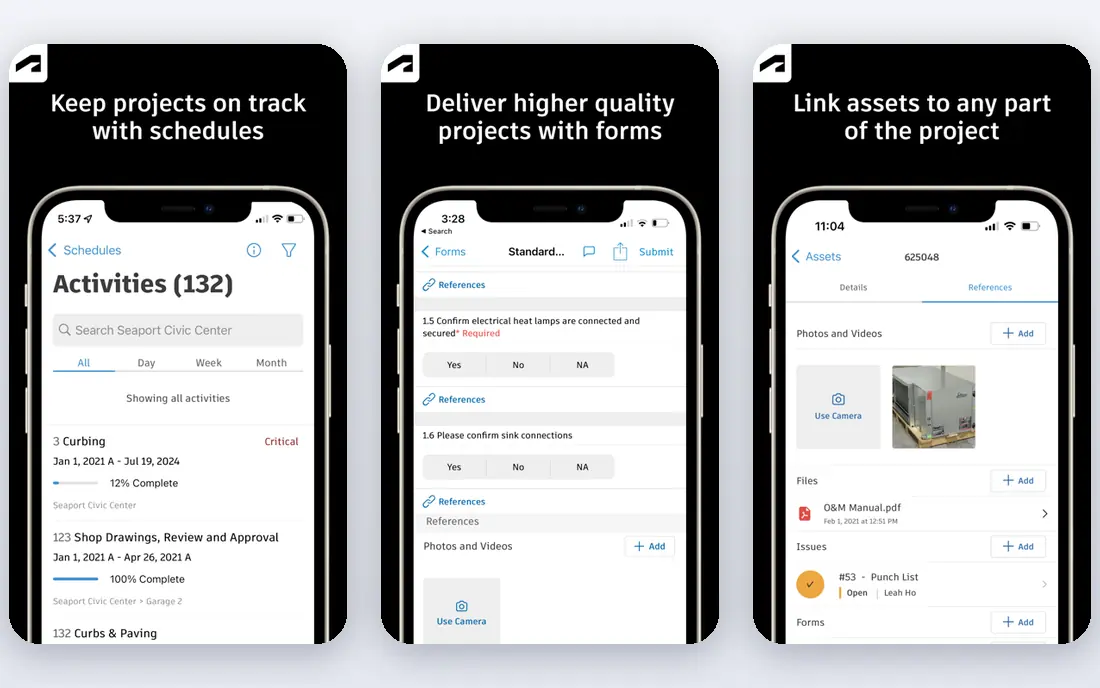
Autodesk Forma Build, previously Autodesk Build, covers scheduling, document control, cost and safety, with the link to Revit and AutoCAD giving design-build teams a connected workflow few rivals match. AI document tagging is a real time-saver on projects with thousands of files, and it sits inside the wider Forma platform alongside design tools.
Essentials costs from $100 per user per month and Build from $175 per user per month, and implementation is complex. For teams that need design and construction data talking to each other, nothing else comes close.
- Design, modelling and construction under one roof
- Strong document control, scheduling, cost and safety
- Link to Revit and AutoCAD
- AI document tagging saves time on large projects
- Complex and priced like enterprise software
- Essentials from $100 per user per month, Build from $175
- Overkill for firms without BIM workflows
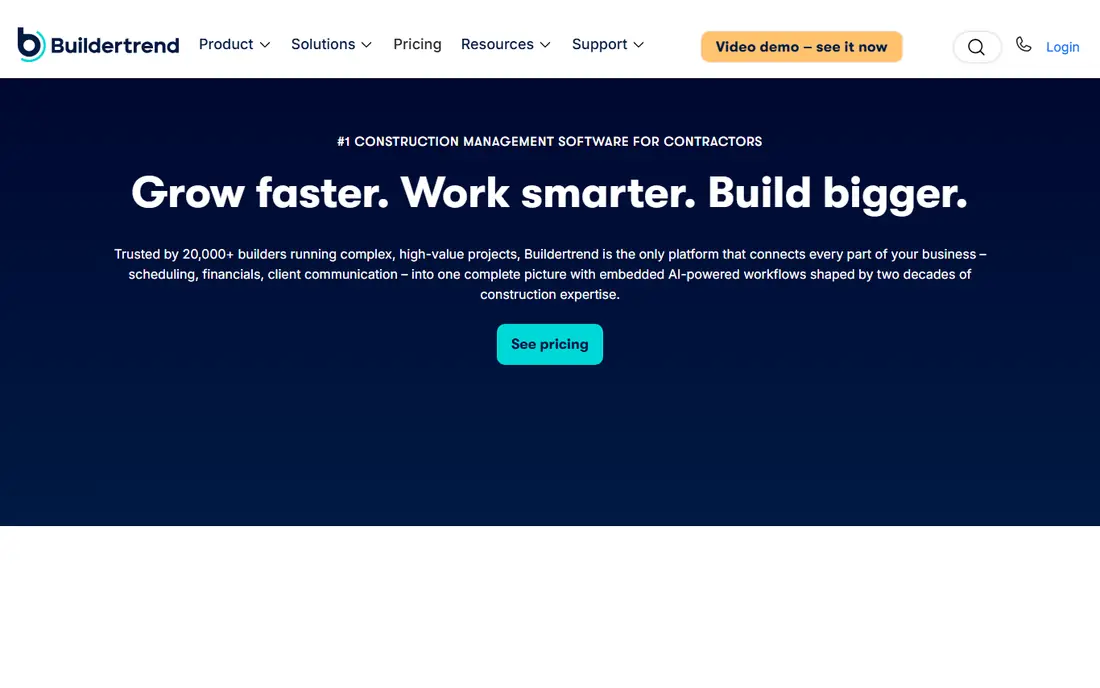
Buildertrend dominates residential work largely because of its client portal. Homeowners log in to check schedules, approve selections, view invoices and message the builder, which cuts down on phone tag more than almost any feature on this list. Scheduling, estimating, daily logs, financials and a lead CRM round it out, with flat-rate pricing and unlimited users.
Pricing is quote-based, with published estimates varying, so get a quote before budgeting. For home builders and remodelers, Buildertrend is the residential standard, and it now includes CoConstruct, which Buildertrend bought in 2021 and is migrating onto its platform.
- Best client portal for residential work, with schedules, selections, invoices and messaging for homeowners
- Scheduling, estimating, daily logs, financials and a lead CRM
- Flat-rate pricing with unlimited users
- Quote-based pricing, with published estimates varying from $299 to $499 per month
- Setup takes effort
- Not meant for heavy commercial jobs
Fieldwire is the best construction software for field teams, and the cheapest way to get drawings and tasks on site. Its free Basic plan covers up to 5 users and 3 projects with plans, tasks, files, photos and checklists, and Pro costs $39 per user per month billed annually. Plan viewing with version control, punch lists and inspections are built for daily site use, with reliable offline access.
RFIs, submittals, change orders and budgets sit on Business Plus at $89 per user per month. For a field-first team that mainly needs plans, tasks and punch lists on mobile, Fieldwire is the best value.
- Free Basic plan for up to 5 users and 3 projects
- Pro from $39 per user per month billed annually
- Plan viewing with version control
- Tasks, punch lists and inspections
- Reliable offline access
- RFIs, submittals, change orders and budgets need Business Plus at $89 per user per month
- Limited advanced scheduling
- Less suited to preconstruction
JobTread is the best residential builder tool for contractors who want estimating through invoicing on one plan. It costs $159 per month for the first user billed annually, with extra users from $20 per month, and it covers estimates, budgets, change orders, customer and vendor portals, and QuickBooks integration. The single-plan structure means no feature guessing.
There is no free trial, though monthly plans carry a 30-day money-back guarantee. For a small to mid-size residential builder on a budget, JobTread is excellent value.
- All features on one plan, from estimating to invoicing
- $159 per month for the first user billed annually, with extra users from $20 per month
- Change orders and customer and vendor portals
- QuickBooks integration
- No free trial, though monthly plans carry a 30-day money-back guarantee
- Less suited to large commercial work
- Smaller ecosystem than Procore
Contractor Foreman undercuts nearly everyone on price while packing in a remarkable feature set. From $49 per month billed annually, it covers scheduling with Gantt charts and baseline tracking, job costing, change orders, a schedule of values, GPS time cards and QuickBooks integration, with a 30-day free trial.
The interface is less polished than pricier rivals, and support is thinner. For a small contractor on a tight budget who wants everything in one tool, Contractor Foreman is the best value on this list.
- Most features for the money, from $49 per month billed annually
- Schedule of values, change orders and job costing
- GPS time cards
- QuickBooks integration
- 30-day free trial
- Interface is less polished than Buildertrend or Procore
- Support and onboarding are thinner at this price
- Some advanced features are basic
Houzz Pro is the best construction software for remodelers and design-build firms that also want leads. Its free plan covers a 3D floor planner, estimates and invoicing, and Pro costs $99 per month, adding change orders, budgets, selections and marketing tools, plus lead generation from the Houzz marketplace.
Change orders and budgets sit on Pro, and the QuickBooks integration is one-way. For a remodeler who wants design, selections, marketing and management in one tool, Houzz Pro is a strong fit.
- Free plan with a 3D floor planner, estimates and invoicing
- Pro from $99 per month
- Design, selections and marketing in one
- Lead generation from the Houzz marketplace
- QuickBooks integration
- Change orders and budgets sit on Pro
- QuickBooks integration is one-way
- Less suited to commercial work
Buildern targets growing custom home builders with estimating through job costing in one system. Starter costs $225 per month for 2 seats billed annually, with free field-worker seats, and it covers budgets, purchase orders, bills and invoices, plus QuickBooks and Xero integration.
The 7-day free trial is short, and $225 per month is steep for a single builder. For a growing builder with office plus field crews, Buildern is a well-judged middle ground.
- Estimating through job costing for small builders
- Starter from $225 per month for 2 seats billed annually
- Free field-worker seats
- Budgets, purchase orders, bills and invoices
- QuickBooks and Xero integration
- 7-day free trial is short
- $225 per month is steep for a single builder
- Smaller ecosystem than Buildertrend
Knowify is the best construction software for trade and specialty contractors. Built for firms with $1 million plus revenue, it covers job costing, invoicing, project tracking and purchasing in a system shaped around trade workflows rather than general contracting. Core costs $99 per month billed annually, with a 14-day free trial.
There is no permanent free plan, and it is less suited to home builders or large commercial general contractors. For a trade contractor who wants job costing done properly, Knowify is a strong, focused choice.
- Built for trade and specialty contractors with $1 million plus revenue
- Core from $99 per month billed annually
- Job costing, invoicing and project tracking
- 14-day free trial
- No permanent free plan
- Less suited to home builders or large commercial GCs
- Smaller ecosystem than Procore
How we picked these
We compared price, project type, field features, accounting integration and client tools, and we included options for commercial, residential and trade contractors. We noted where pricing is quote-based, since that is common in this category, and we left out general project tools like monday.com, which lack construction-specific features.
Match the tool to the job type
Commercial general contractors should shortlist Procore and Autodesk Forma Build. Home builders and remodelers should shortlist Buildertrend, JobTread and Houzz Pro. Field teams should start with Fieldwire's free plan. And small contractors on a budget should try Contractor Foreman first. The wrong category costs more than the wrong vendor.
Frequently asked questions
What is the best construction management software overall?
Procore is best for large commercial contractors, and Buildertrend is best for home builders and remodelers. Fieldwire is best for field teams, and Contractor Foreman is best on a tight budget.
How much does construction management software cost?
Published prices in October 2026 run from $49 per month for Contractor Foreman, $99 for Houzz Pro and Knowify, $159 for JobTread and $225 for Buildern, up to quote-based pricing for Procore and Buildertrend. Fieldwire starts free.
Is there free construction management software?
Yes. Fieldwire has a free Basic plan for up to 5 users and 3 projects, and Houzz Pro has a free plan with a 3D floor planner, estimates and invoicing. Most other tools offer a trial instead.
What happened to CoConstruct?
Buildertrend bought CoConstruct in 2021 and is moving CoConstruct customers onto the Buildertrend platform. If you are on CoConstruct today, compare Buildertrend with JobTread before migrating.
Can I run construction projects in QuickBooks alone?
QuickBooks handles accounting, invoicing and job costing basics, but it lacks drawings, RFIs, scheduling, field tasks and client portals. Most contractors pair QuickBooks with a tool like Procore, Buildertrend, JobTread or Fieldwire.
Do subcontractors have to pay for the software?
Usually not. Procore, Buildertrend and JobTread give subcontractors free access through portals or external user accounts, so your subs can view plans and submit documents without buying a licence.
Sources we checked (9)

Online Jobs is an independent blog about careers, online work, learning new skills and the tools that help people earn. More about us.
Keep reading
All posts
Best White Label SEO Companies
We compare the best white label SEO companies and tools in 2026 for agencies, from fulfilment services to branded reporting platforms, margins and prices.

Best Webinar Software
We compared the best webinar software for 2026 on price, attendee limits, automation and ease of use, to help you host better live sessions with confidence.

Best Web Scraping Tools
Compare the best web scraping tools in 2026, from no-code Octoparse and Browse AI to Apify, Firecrawl, Bright Data, Zyte, ScraperAPI and free Scrapy, with prices.