Best construction estimating software in 2026: 9 Apps Compared

How we put this together: we compare official feature and pricing pages, app store listings, privacy policies and public user reviews. Prices change, so check the provider's site before you pay.
Key takeaways
- Buildxact and Clear Estimates suit small residential builders who need fast, clear quotes, while ProEst and Sage suit larger commercial teams.
- STACK leads on cloud takeoff for subcontractors, and PlanSwift suits estimators who prefer a fast desktop takeoff workflow.
- Buildertrend and JobTread are broader project platforms, so they suit builders who also need scheduling, selections, and client communication.
- Check cost database coverage, QuickBooks integration, and takeoff limits before paying, since those factors decide daily usefulness more than feature count.
Quick comparison
| Name | Who it suits | Starting price | Free option | |
|---|---|---|---|---|
 ProEst ProEst | Commercial estimating teams | See website | No | Visit |
 STACK STACK | Cloud takeoff for subcontractors | Free | Yes | Visit |
 Buildxact Buildxact | Small residential builders | $199 per month | Free trial | Visit |
 Buildertrend Buildertrend | Client facing home builders | See website | No | Visit |
 PlanSwift PlanSwift | Desktop takeoff speed | $1749 per year | Free trial | Visit |
 Clear Estimates Clear Estimates | Fast residential quotes | $59 per month | Free trial | Visit |
 Sage Estimating Sage Estimating | Large commercial firms | See website | No | Visit |
 JobTread JobTread | Residential estimating plus jobs | See website | Free trial | Visit |
 Contractor Foreman Contractor Foreman | Low cost all in one for small firms | $49 per month | Free trial | Visit |
The best construction estimating software
We compared takeoff, cost databases, proposal tools, project management, integrations, and pricing to find tools for solo contractors, small residential teams, and larger commercial firms.
ProEst, now sold inside Autodesk Forma for Preconstruction bundles, is built for commercial estimators who need depth. It supports conceptual estimates, detailed takeoffs, cost databases including RSMeans integration on some plans, and proposal generation from the same estimate data. That depth helps larger teams standardise assemblies, labour, and material costs across projects. The trade off is cost and complexity. Pricing is quote based, onboarding takes time, and small residential contractors will find many features unnecessary. ProEst suits mid size and large firms with dedicated estimators, not a solo remodeler who needs a quote in an hour. If your work is commercial and your team estimates full time, ProEst is a strong enterprise shortlist option.
- Deep cost databases and assemblies
- Conceptual and detailed estimating
- Now sold inside Autodesk preconstruction bundles
- Price is quote based and enterprise oriented
- Onboarding takes time
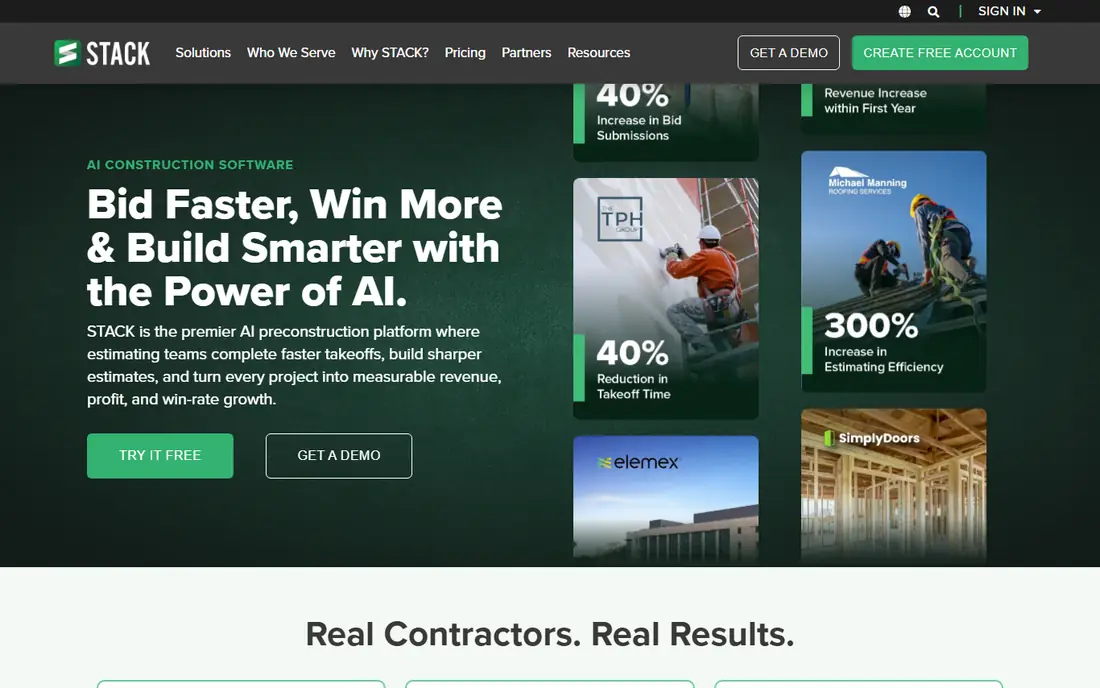
STACK is a cloud takeoff and estimating tool popular with subcontractors. You upload plans, measure lengths, areas, and counts on screen, and turn those quantities into estimates and proposals. The free plan covers basic takeoffs, which lets small teams test the workflow before paying, and the cloud format makes sharing plans and takeoffs with a team straightforward. Paid plans rise steeply per user, with premium tiers around $299 per user per month on annual billing in recent listings, so larger teams should model total cost, not just a single seat. Accounting integration is also more limited than Buildertrend or Buildxact. If takeoff speed and plan based bidding are your main job, STACK is a strong pick, especially for subcontractors.
- Fast cloud takeoff from plans
- Free plan for basic takeoffs
- Good for subcontractor bidding
- Paid plans are expensive per user
- Accounting integration is limited
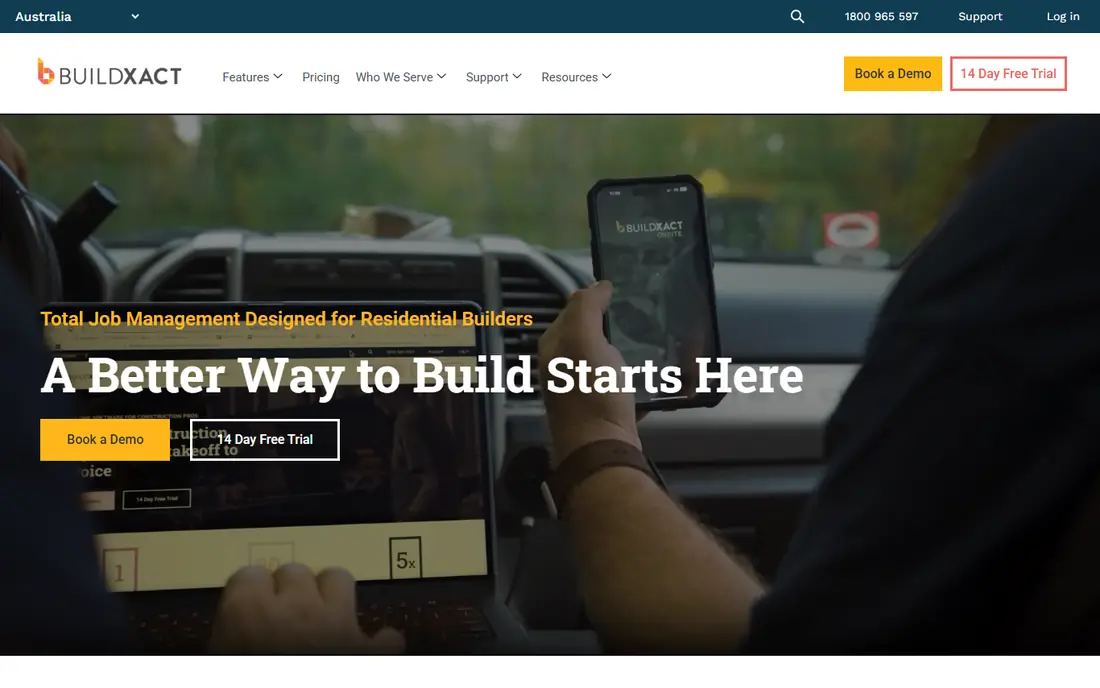
Buildxact suits small builders and renovators moving off spreadsheets. It combines estimating, takeoff, scheduling, purchase orders, and invoicing in a clean interface, with supplier pricing connections that help keep material costs current. QuickBooks and Xero integration reduces double entry between estimating and accounting, which saves time for small teams without an office manager. Buildxact is not a commercial enterprise estimator, and very large or complex projects may need ProEst or Sage depth. Pricing has changed over time, so check the current monthly figure for your user count. For residential builders who want one system from quote to job management, Buildxact is a practical, well balanced choice.
- Clean estimating plus job management
- Supplier pricing connections
- QuickBooks and Xero integration
- Less suited to large commercial estimating
- Pricing has risen over time
Buildertrend is the best known platform for residential home builders, and its strength is breadth. Beyond estimating and takeoff, it offers client selections, change orders, scheduling, messaging, and a client portal, so homeowners can approve choices and track progress in one place. That client facing polish helps builders win work and reduce phone and email chasing. Breadth comes at a price. Buildertrend pricing is quote based, tied to company size and volume, and recent published starting figures were several hundred dollars per month on annual billing. Small solo contractors may find it more than they need. If you are a growing home builder who needs estimating plus client management, Buildertrend is the category standard to compare others against.
- Estimating plus selections, scheduling, and client portal
- Strong brand for home builders
- Accounting integration
- Pricing is quote based and can be high
- Feature set can be more than a small team needs
PlanSwift is a desktop takeoff tool favoured by estimators who value speed on screen. You point and click to measure plans, build assemblies, and export estimates to Excel or other systems. For general contractors and estimators who work mainly on a Windows desktop and want a fast, focused takeoff workflow, PlanSwift remains efficient. The limits are platform and collaboration. It is Windows focused, and cloud sharing is less central than STACK, so teams that need real time cloud collaboration may prefer a cloud tool. Pricing is per seat per year, with training often included. If you estimate full time on a desktop and want takeoff speed above all, PlanSwift deserves a trial.
- Fast point and click takeoff
- Works well for general contractors
- Excel compatible exports
- Windows only desktop focus
- Less cloud collaboration than STACK
Clear Estimates suits solo remodelers and small contractors who need a professional quote quickly. It includes preloaded cost data adjusted by ZIP code, residential templates for common jobs like kitchens, bathrooms, and roofing, and a simple proposal format that clients can understand. That speed matters when you are bidding several small jobs a week. Clear Estimates is residential focused, so commercial estimators will find its cost data and assemblies limited. It also lacks the deep accounting and project management of Buildertrend or Buildxact. At a low monthly entry price, it is a strong choice for fast residential quoting, provided you check that its cost data matches your local supplier prices.
- Preloaded cost data by ZIP code
- Fast residential templates
- Low entry price for remodelers
- Less suited to commercial work
- No deep accounting integration
Sage Estimating is built for mid size and large commercial firms, especially those already using Sage accounting. It offers deep cost databases, assemblies, and estimate structures refined over decades, plus integration with Sage 100 and Sage 300 for job costing. For large, complex bids where consistency and audit trails matter, that depth is valuable. Pricing is quote based, implementation takes time, and small teams will find it heavy. Sage Estimating suits firms with dedicated estimators and a Sage ecosystem, not a small remodeler. If your firm already runs Sage and bids large commercial work, Sage Estimating is a natural shortlist option.
- Decades of cost database refinement
- Strong for large commercial and civil work
- Integrates with Sage accounting
- Quote based pricing
- Steep learning curve and implementation time
JobTread combines estimating with job management for residential and light commercial builders. You can build estimates, convert them to budgets, track job costs against the estimate, and manage change orders, which helps small teams see whether a job is on budget while work is still in progress. That estimate to actual link is a key advantage over takeoff only tools. Pricing is quote based, so total cost depends on team size and features. JobTread is less established than Buildertrend for client selections, though its job cost focus is strong. If you want estimating plus live job costing in one system, JobTread is a solid alternative to Buildertrend and Buildxact.
- Estimating plus project and budget tracking
- Good for residential and light commercial
- Clean job cost views
- Pricing is quote based
- Less known than Buildertrend for client selections
Contractor Foreman offers the lowest entry price in this list for an all in one system. For $49 per month on entry plans, small firms get estimating, scheduling, CRM, invoicing, and project tracking, which covers many daily needs without paying for several separate tools. That value makes it popular with startups and small contractors moving off spreadsheets. Estimating depth is lighter than ProEst, Sage, or PlanSwift, so complex commercial bids may still need a specialist tool. The interface covers a lot, which can feel broad rather than focused for pure estimators. If budget is tight and you need one system for estimating plus basic job management, Contractor Foreman is hard to beat on price.
- Low entry price
- Estimating plus scheduling, CRM, and invoicing
- Good value for small teams
- Estimating depth is lighter than specialist tools
- Interface is broad rather than focused
How we picked these
We reviewed official feature pages, pricing pages, and help documentation, plus public reviews and contractor comparisons, to check takeoff method, cost database coverage, proposal tools, accounting integration, and platform support. We favoured tools that are currently available, publish clear trial or pricing terms where possible, and serve a distinct contractor size or trade. We used See website where pricing is quote based, and we noted where a tool is now sold inside a larger bundle, such as ProEst inside Autodesk. Prices are list prices where confirmed and should be checked on the vendor site before purchase.
How to choose estimating software without overpaying
Match the tool to project type and volume
Residential remodelers need fast templates and local cost data, commercial estimators need assemblies and databases, and subcontractors need takeoff speed. A tool built for another project type will feel slow, even if it has more features. List your last ten jobs by type and size, then shortlist tools built for that mix.
Test takeoff on a real plan
Run a trial takeoff on a real plan from a recent job, not a demo plan, and time how long it takes to reach a proposal. Check whether quantities flow into pricing, whether supplier prices update, and whether the proposal looks professional to a client. Also test QuickBooks or Xero sync if accounting integration matters to you.
Model total cost for your team
Multiply per user pricing by your full team, add onboarding and training time, and compare that total with time saved per bid. A $49 tool used daily can beat a $299 per user tool used rarely, while a specialist tool that wins one large bid can pay for itself. Avoid paying for enterprise depth if your team bids fewer than ten projects a year.
Frequently asked questions
What is the best estimating software for small contractors?
Clear Estimates is best for fast residential quotes, Contractor Foreman is best for low cost all in one value, and Buildxact is best for small residential builders who also need job management. The best choice depends on whether you prioritise quote speed, price, or job management breadth.
Is there free construction estimating software?
No full featured free option exists, but STACK offers a free plan for basic takeoffs, and most vendors offer free trials or demos. Clear Estimates, Buildxact, PlanSwift, and JobTread all offer trials, which let you test takeoff on a real plan before paying.
What is the difference between estimating and takeoff software?
Takeoff software measures quantities from plans, such as lengths, areas, and counts. Estimating software prices those quantities with labour and material costs to produce a bid. Most modern tools combine both, with takeoff feeding directly into the estimate, which reduces manual entry and errors.
Do I need estimating software if I already use QuickBooks?
QuickBooks handles accounting, not estimating. Dedicated estimating tools produce professional proposals, measure plans digitally, and track estimate to actual job costs. Most integrate with QuickBooks so data flows between estimating and accounting without double entry.
How much does construction estimating software cost?
Published prices range from $49 per month for Contractor Foreman to $299 per user per month for STACK premium tiers, with Buildertrend, ProEst, and Sage priced by quote. Annual per seat pricing, such as PlanSwift, can be better value for full time estimators. Model total team cost, not just a single seat price.
Sources we checked (9)

Online Jobs is an independent blog about careers, online work, learning new skills and the tools that help people earn. More about us.
Keep reading
All posts
Zoom Alternatives
Zoom alternatives compared for 2026: Google Meet, Microsoft Teams, Webex, Jitsi and more for free calls, large meetings and webinars for teams and classrooms.

Top Rated Poster Maker Software
Top rated poster maker software compared for 2026: Canva, Adobe Express, VistaCreate, PosterMyWall and more for events, sales and classrooms for US users.

Surfshark Alternatives
Looking for Surfshark alternatives? We compare 8 VPN services on price, privacy, streaming, and device limits to help you find a VPN that fits your needs.