Best Construction ERP Software in 2026: 9 Tools Compared


Established contractors · Starting price: See website
How we put this together: we compare official feature and pricing pages, app store listings, privacy policies and public user reviews. Prices change, so check the provider's site before you pay.
Key takeaways
- Sage 300 Construction and Jonas Enterprise suit established contractors that need deep job costing, payroll, and accounting in one system.
- Acumatica Construction Edition suits growing firms that want a modern cloud ERP with construction modules and no per-user fees.
- Vista by Viewpoint and CMiC suit large contractors with complex payroll, equipment, and multi-company needs, but both need serious implementation time.
- Foundation Software and Deltek ComputerEase suit smaller and mid-size firms that want construction accounting without enterprise overhead.
- Our pick for most mid-size firms is Acumatica for cloud flexibility, with Sage 300 as the pick for firms that prefer a long-established construction system.
Quick comparison
| Name | Who it suits | Starting price | Free option | |
|---|---|---|---|---|
| Sage 300 Construction | Established contractors | See website | No | Visit |
 Acumatica Construction Edition | Growing cloud-first firms | See website | No | Visit |
 Vista by Viewpoint | Large firms with complex payroll | See website | No | Visit |
 CMiC | Large general and civil contractors | See website | No | Visit |
 Jonas Enterprise | Service and trade contractors | See website | No | Visit |
 Foundation Software | Accounting and payroll focus | See website | No | Visit |
 Deltek ComputerEase | Small and mid-size contractors | See website | No | Visit |
 Sage Intacct | Large firms needing cloud finance | See website | No | Visit |
 Premier Construction Software | Fast implementation for many firm sizes | See website | No | Visit |
The best construction ERP software
Construction ERP differs from general accounting software because job costing sits at the center. Every labor hour, material purchase, subcontractor invoice, and equipment charge must tie back to a job and a cost code, or profit reports will mislead. We compared official feature pages and vendor documentation to find systems that truly handle that job-cost core, not just project tracking with an accounting add-on.
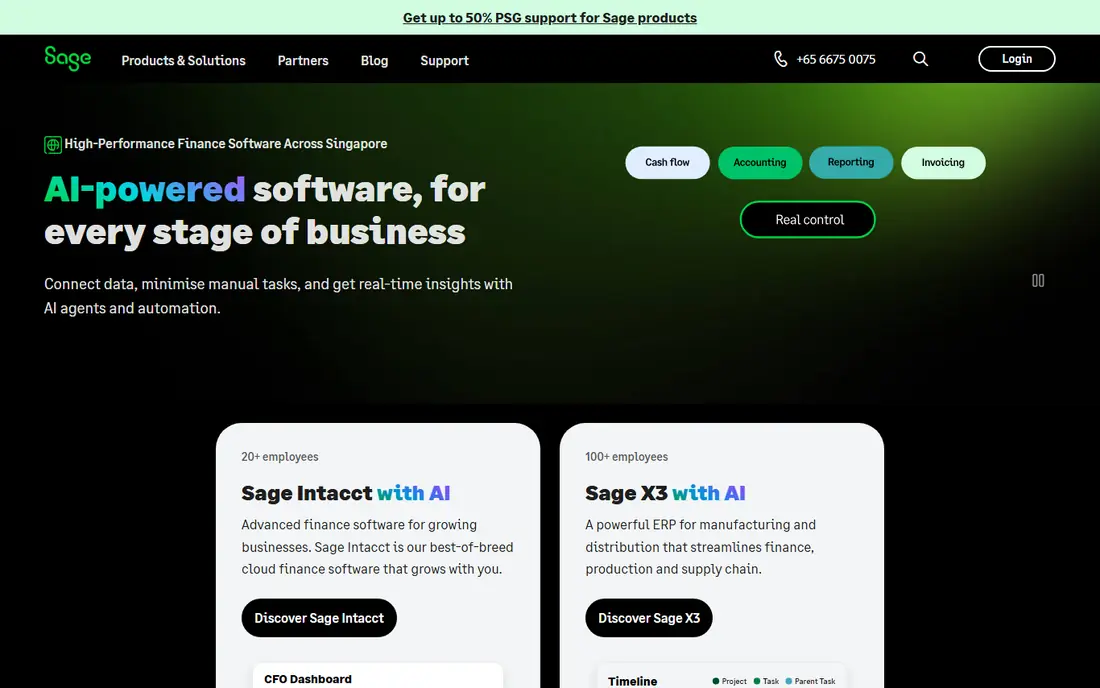
Sage 300 Construction, formerly Timberline, has served contractors for decades, and its depth shows in job costing, change orders, and billing. Costs flow from payroll, purchasing, and subcontracts into job cost reports, so managers can see profit by job without stitching spreadsheets together. That single job-cost view is why many established firms stay with Sage even as newer tools appear.
The interface is less modern than cloud-native rivals, and firms moving from QuickBooks should plan training time. Sage 300 is also a system that rewards a firm with defined cost codes and processes, since a messy setup will produce messy reports. For contractors that want a proven construction ERP and can invest in setup, Sage 300 remains a safe core choice.
- Deep construction job costing and accounting
- Payroll and project management in one system
- Long track record with contractors
- Interface feels dated next to cloud rivals
- Implementation and training take time
Acumatica Construction Edition
Who it suits: Growing cloud-first firms
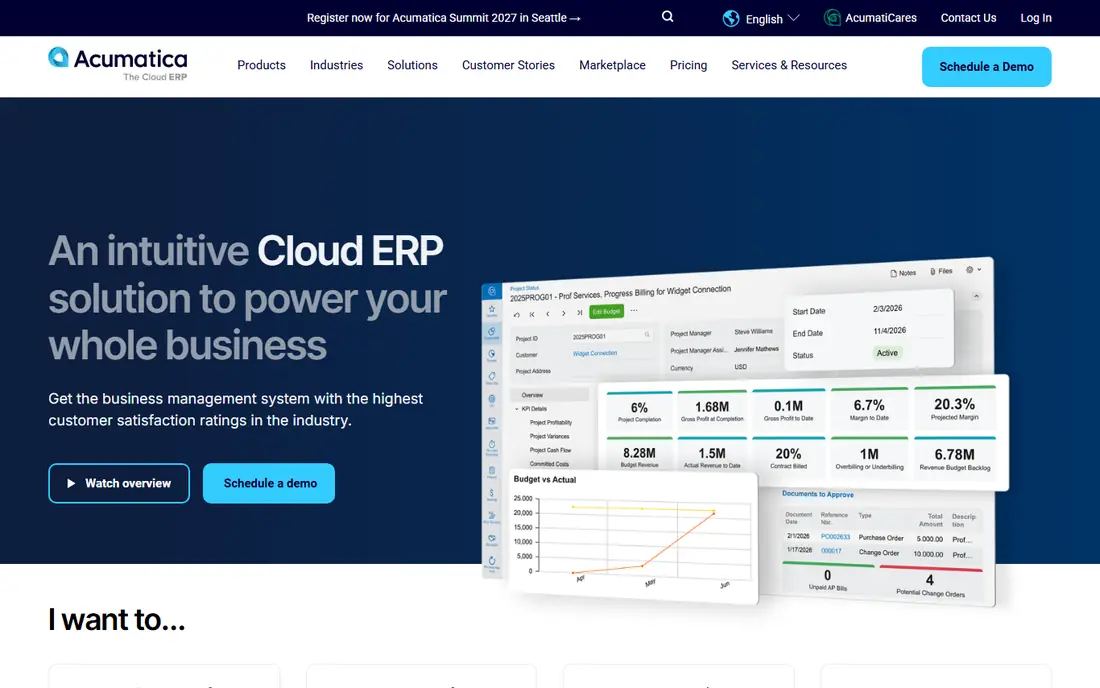
Acumatica Construction Edition gives growing firms a cloud ERP that can expand beyond construction alone. It covers financials, job costing, project management, and payroll integration, with a modern browser interface that field and office staff can both use. Resource-based pricing, rather than per-user fees, can help firms with many occasional users.
Acumatica is a general ERP with a construction edition, so pure construction firms may need partner help to configure job costing, compliance, and reporting to their exact needs. That configuration time is real, but it also means diversified firms can run construction and other divisions in one system. For growing firms that want cloud flexibility, Acumatica is a strong pick.
- Modern cloud interface
- Resource-based pricing with no per-user fees
- Construction modules for job costing and project management
- Construction features come through edition modules and partners
- Configuration takes planning
Vista by Viewpoint, now part of Trimble, is a long-established construction ERP for mid-size to large contractors. Payroll, HR, equipment costing, and job costing run inside the ERP rather than through connectors, which gives finance a single source for labor and equipment costs. Trimble links connect Vista to project management tools for field work.
Vista pricing is by quote, and implementation is a project in itself, with training and process mapping that smaller firms may find heavy. Project management also usually means a second Trimble product, so the total system is broader than Vista alone. For large contractors with complex payroll and equipment needs, Vista's depth justifies that effort.
- Fully integrated job costing, payroll, HR, and equipment
- Large contractor installed base
- Trimble ecosystem links
- Quote-based pricing
- Project management often needs companion Trimble tools
- Steep learning curve
CMiC is built for large contractors that need finance, project management, and procurement in one database. Costs, documents, drawings, and subcontracts share the same system, so a change in one area flows through to cost reports without manual reconciliation. Multi-company and multi-currency support suits firms with many entities or cross-border work.
CMiC implementations are long and costly, often taking many months, and the system rewards firms that map processes before go-live. Smaller firms will find it more system than they need, and should look at Foundation, Deltek, or Acumatica instead. For large general contractors and heavy civil firms, CMiC is one of the most complete construction ERPs available.
- Single database for finance, projects, and procurement
- Multi-company and multi-currency support
- Strong reporting
- High implementation cost and time
- Steep learning curve for smaller teams
Jonas Enterprise suits service and trade contractors that need both project work and ongoing service calls in one system. It covers job costing, accounting, payroll, and service management, so a firm that does both construction projects and maintenance work does not need two systems. Specialty contractors often find Jonas fits their mix better than a general contractor system.
Jonas is priced by quote and built for firms that will use its depth daily, so very small firms may find it heavy. Implementation also needs planning around service workflows, dispatch, and billing. For trade contractors with a service arm, Jonas is a purpose-built pick worth a demo.
- Strong for service, trade, and specialty contractors
- Job costing plus service management
- Accounting depth
- Quote-based pricing
- Interface and setup feel enterprise-grade rather than lightweight
Foundation Software focuses on what many contractors care about most: accurate accounting, payroll, and job costing. Its construction-specific payroll handles prevailing wage, unions, and multi-state rules that general accounting tools miss, and job cost reports tie labor and materials to each job. That focus makes Foundation a practical step up from QuickBooks.
Foundation is less of a full project collaboration platform than CMiC or Vista, so firms that need deep document and field management may pair it with another tool. Check cloud access and mobile options for your plan, since deployment varies. For firms whose main pain is accounting and payroll accuracy, Foundation is a strong, focused pick.
- Construction-specific accounting and payroll
- Job costing and project management
- US-focused compliance support
- Less broad project collaboration than larger ERPs
- Cloud and mobile options need review by plan
Deltek ComputerEase serves small and mid-size contractors that need construction accounting without enterprise complexity. It covers general ledger, job costing, payroll, and project management in one system, with reports built around construction needs such as work in progress and job profitability. Firms moving from generic accounting software will find its construction focus familiar.
ComputerEase feels less modern than Acumatica or Premier, and very large firms with multi-company or heavy civil needs may outgrow it. For its target size, though, that simplicity is a benefit, since setup and training are lighter than CMiC or Vista. Small and mid-size contractors should put ComputerEase on the shortlist alongside Foundation.
- Construction accounting with job costing
- Payroll and project tools
- Deltek support network
- Interface is less modern than cloud rivals
- Larger firms may outgrow its depth
Sage Intacct is a cloud financial system that large and multi-entity firms use for accounting, reporting, and dashboards. It handles multi-company consolidation, dimensional reporting, and approvals well, which matters for construction groups with many entities. Construction-specific job costing and project features come through partner solutions and configurations.
That partner layer is the key question. A firm that needs construction-native job costing out of the box may prefer Sage 300, while a firm that needs cloud multi-entity finance with construction added on may prefer Intacct. Ask Sage and its partners to demo job costing, work in progress, and payroll integration on your own chart of accounts before choosing.
- Cloud financial management with multi-entity support
- Strong reporting and dashboards
- Construction partner solutions
- Construction depth depends on partner modules
- Not construction-native out of the box
Premier Construction Software
Who it suits: Fast implementation for many firm sizes
Premier Construction Software is a newer, purpose-built option for general, specialty, and home building contractors. It offers real-time job dashboards, work in progress reporting, AIA billing, and subcontractor portals, with implementation pitched in weeks rather than many months. That speed appeals to firms that want a modern system without a year-long project.
Premier is a smaller vendor than Sage, Trimble, or Deltek, so very large firms should check its depth for multi-company, heavy civil, or complex payroll needs. Its transparent tiered pricing is also a contrast to quote-only rivals, though total cost still depends on tier and users. For firms that want a modern construction ERP with a faster start, Premier earns a demo.
- Purpose-built for contractors
- Real-time job dashboards
- Faster implementation than large ERPs
- Newer and smaller vendor than Sage or Trimble
- Check depth for very large or complex firms
How we picked these
We compared official feature pages, vendor documentation, and construction ERP comparisons, and we favored systems that handle job costing, payroll, and accounting as a core, not as an add-on. We mixed long-established systems with cloud-native and fast-implementation options, so firms of different sizes can find a fit. Where a vendor does not publish a price, we wrote See website rather than guessing a figure, since construction ERP pricing depends on modules, users, and implementation.
How to choose construction ERP software
Start with job costing, since it is the heart of construction ERP. Map your cost codes, change order flow, billing types, and payroll rules, then ask each vendor to run those exact flows in a demo. A system that looks clean on generic data may struggle with your prevailing wage, retainage, or AIA billing needs.
Next, weigh implementation time honestly. A large ERP with a year-long rollout may be right for a large firm, but it can stall a mid-size firm that needs a working system this quarter. Ask for reference firms of your size and type, check total cost including implementation and training, and run a pilot on one live job before rolling out company-wide.
Frequently asked questions
What is the best construction ERP software?
Sage 300 Construction is a safe pick for established contractors, while Acumatica Construction Edition is our pick for growing cloud-first firms. Vista by Viewpoint and CMiC suit large contractors with complex needs, and Foundation Software suits firms focused on accounting and payroll. The best system depends on firm size, payroll complexity, and implementation appetite.
What is the best ERP software for construction companies?
The best ERP for construction companies is one that puts job costing first, with payroll, purchasing, and billing tied to jobs and cost codes. Sage 300, Vista, CMiC, Jonas, and Acumatica all meet that test at different sizes. General accounting software without construction job costing will not give reliable job profit reports.
How much does construction ERP software cost?
Most construction ERP vendors price by quote, based on modules, users, and implementation scope, so there is no single starting price to compare. Ask each vendor for total cost including licenses, implementation, training, and annual support, and compare that total over three years. Cheaper licenses with a long implementation can cost more than a higher license with a fast rollout.
Is Sage or Acumatica better for construction?
Sage 300 is better for firms that want a long-established, construction-native system with deep job costing. Acumatica is better for firms that want a modern cloud ERP, resource-based pricing, and flexibility beyond construction. Diversified firms often prefer Acumatica, while construction-only firms often prefer Sage 300.
How long does construction ERP implementation take?
Implementation time ranges from weeks for focused tools like Premier to many months for large systems like CMiC and Vista. Time depends on data cleanup, cost code design, payroll rules, and training. Ask each vendor for a phased plan with a live pilot job, and do not sign until you understand who owns data migration.
Sources we checked (8)

Online Jobs is an independent blog about careers, online work, learning new skills and the tools that help people earn. More about us.
Keep reading
All posts
n8n Alternatives
n8n alternatives compared for 2026, with Zapier, Make, Activepieces, and more, covering visual builders, code steps, self-hosting, and pricing models.

ZoomInfo Alternatives
The best ZoomInfo alternatives in 2026, compared on price, free plans, data coverage, and which tool fits small teams or large sales teams best in detail.

Zoom Alternatives for Webinars
Compare Zoom alternatives for webinars in 2026, from browser-based rooms to enterprise events, with prices, attendee limits, features and honest trade-offs.