Best Case Management Software in 2026: 8 Tools Compared

How we put this together: we compare official feature and pricing pages, app store listings, privacy policies and public user reviews. Prices change, so check the provider's site before you pay.
Key takeaways
- Matter, document and deadline handling in one place saves more time than any single extra feature.
- Built in billing and trust accounting matter a great deal, because separate accounting adds reconciliation work.
- A client portal improves communication, but only if clients actually use it, so ease matters.
- Migration and training time should be part of the cost, not an afterthought.
Quick comparison
| Name | Who it suits | Starting price | Free option | |
|---|---|---|---|---|
 Clio | All in one firm management | $49 per month | Free trial | Visit |
 MyCase | Solo and small firms | $39 per month | Free trial | Visit |
 PracticePanther | Growing small firms | $49 per month | Free trial | Visit |
 Filevine | Custom workflows and litigation | See website | Free trial | Visit |
 Smokeball | Automatic time tracking | See website | Free trial | Visit |
 CosmoLex | Built in legal accounting | $109 per month | Free trial | Visit |
 CasePeer | Personal injury firms | $79 per month | Free trial | Visit |
 Rocket Matter | Simple matter management | $39 per month | Free trial | Visit |
The best case management software
We compared case management tools for law firms by matter handling, billing, client communication and ease of daily use, with a focus on small and mid sized firms.

Clio is the safest all round choice for firms that want one system for matters, documents, time, billing and client communication. Its integration range is wide, covering common accounting, document and payment tools, and its mobile app helps lawyers work away from the office. For firms planning to grow, that breadth matters.
The catch is tiering. The entry plan covers core work, but much of the value sits on higher tiers, and add ons can raise the bill. Take time to map your must have features to a specific plan during a trial. If you need scale and integrations, Clio is still the default to beat.
- Wide integration range
- Matter and billing tools
- Strong mobile app
- Lower tiers feel limited
- Pricing matrix can confuse
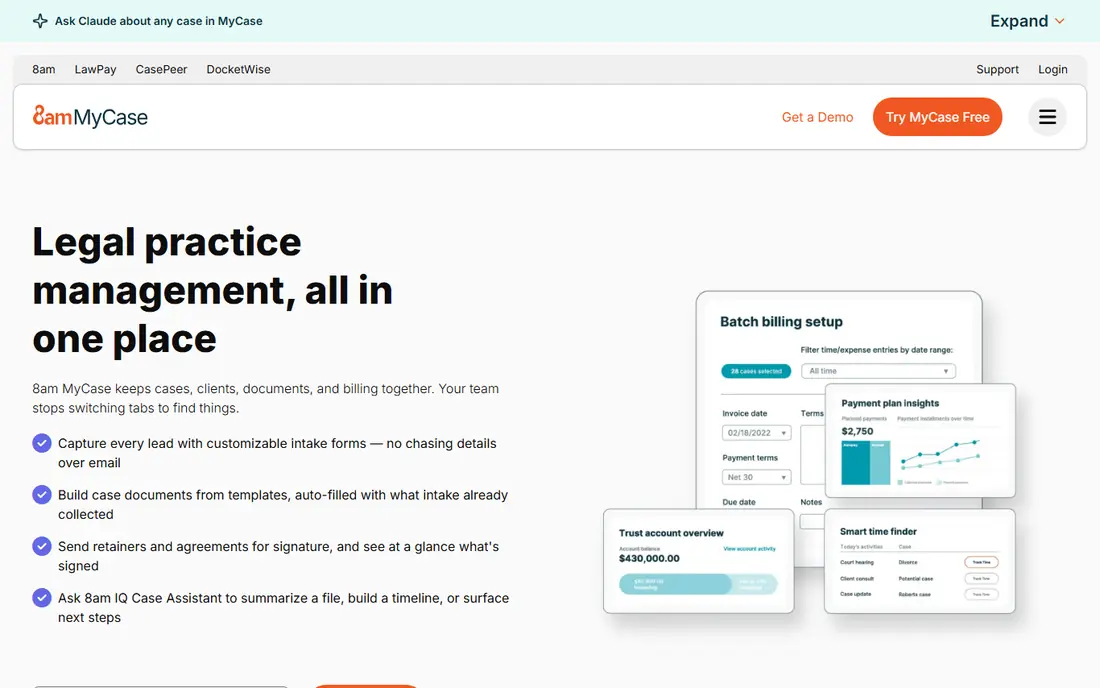
MyCase suits solo lawyers and small firms that want a clear, easy system without a long setup. Matters, documents, billing and client messaging sit together, and the client portal is included in a way that makes sharing updates simple. Onboarding is often described as gentle, which matters when a small team cannot spare weeks for training.
The trade off is depth. Firms with complex workflows or unusual billing arrangements may hit limits as they grow, and the integration range is narrower than Clio. For a small firm moving from spreadsheets or paper, MyCase offers strong value and a fast start.
- Easy setup
- Client portal and messaging
- Built in billing
- Less workflow depth than larger platforms
- Smaller integration range
PracticePanther suits growing firms that want automation without hiring a consultant to build it. Workflows, reminders and billing can be set up with straightforward tools, and the interface is easy for new staff to learn. That combination helps firms that are adding cases and staff but still need to keep admin time down.
The catch is that deeper customisation has limits compared with platforms built for high volume litigation work. Test your most complex matter type during a trial, including intake, documents and billing, before committing. For many small firms, the balance of ease and automation is right.
- Automation without code
- Easy setup
- Billing and payments
- Customisation depth varies
- Some advanced needs need higher tiers
Filevine suits firms with high volume or complex case work that needs custom workflows. You can shape intake, document generation, tasks and reporting around your practice area, which helps litigation and personal injury teams handle many matters with consistent steps. Reporting gives managers a clearer view of case progress.
The trade off is setup and price. Pricing is by quote, and building workflows well takes time and planning. Smaller firms with simple matters may not need that depth. If your caseload is complex and consistency matters, Filevine is worth the longer evaluation.
- Deep workflow customisation
- Document automation
- Reporting
- Pricing by quote
- Setup can take longer
Smokeball stands out for automatic time tracking, which captures work as you open documents and emails and turns it into billable entries. That helps firms that lose revenue to missed time recording. Document automation and built in legal forms add further time savings for everyday matters.
The catch is pricing transparency and regional variation. You will need a quote and a demo to confirm the features and price for your firm. If time capture is your biggest leak, Smokeball deserves a close look. If you need a simple fixed price to compare quickly, start with Clio or MyCase.
- Automatic time capture
- Document automation
- Legal forms
- Pricing by quote
- Some features vary by region
CosmoLex suits firms that want legal accounting built in, rather than connecting a separate accounting tool. Trust accounting, billing and matter management share one system, which reduces reconciliation and helps with compliance checks. That single system approach appeals to firms that have struggled with separate tools drifting apart.
The catch is price. Starting higher than many rivals, CosmoLex needs to earn its cost through accounting time saved. If you already use accounting software happily, a cheaper case tool plus that integration may cost less. If accounting is a pain point, the built in approach is a strong reason to choose it.
- Native trust accounting
- Billing and matter tools in one system
- Higher starting price
- Fewer third party accounting needs
CasePeer is built for personal injury work, with workflows for intake, medical records, liens and settlement tracking that general tools do not offer out of the box. That focus helps personal injury firms keep cases moving in a consistent order and report on settlement progress without building custom systems.
The catch is focus. If your firm handles many practice areas, CasePeer will feel narrow. For a personal injury firm, that focus is the point. Test a full case journey during a trial, from intake to settlement, to see whether the built in steps match how your team actually works.
- Personal injury workflows
- Lien and settlement tracking
- Reporting
- Narrow practice focus
- Not for general firms
Rocket Matter suits firms that want simple, visual matter management without a steep learning curve. Kanban boards show case stages at a glance, invoicing is fast, and new staff can learn the basics quickly. That simplicity helps small firms that need order, not a large enterprise system.
The trade off is depth for complex work. High volume litigation, deep automation and specialist workflows may need a larger platform. If your firm values speed and clarity over customisation, Rocket Matter is a good low friction choice.
- Simple kanban boards
- Fast invoicing
- Easy to learn
- Less depth for complex firms
- Fewer advanced workflows
How we picked these
We compared official pricing pages, feature pages and public review summaries for legal case management tools. We looked at matter handling, document storage, deadlines, billing, trust accounting and client portals, and we weighed ease of setup for small firms. We favoured tools with clear pricing where available and noted quote based pricing where vendors do not publish a starting price.
We did not claim hands on testing we did not do, and we did not present this as legal advice. Prices and features change, so confirm current terms, data handling and trial length with each vendor. A trial with your real matter types is the best test, because feature lists alone do not show how a tool feels day to day.
How to choose case management software for a small firm
Start with your most common matter type, not a generic feature list. Walk through intake, documents, deadlines, billing and client updates for that matter in each trial. A tool that handles your typical case cleanly will save time every week, while a tool that only handles edge cases well will frustrate staff.
Next, check billing and accounting honestly. Decide whether you need built in trust accounting, or whether an integration with your current accounting tool is enough. Also check payment processing, invoice templates and reporting, because billing friction affects cash flow directly.
Finally, plan migration and training. Ask vendors about data import, document transfer and support during the first month. A short trial with two or three staff members, using real cases, reveals problems faster than a demo. Choose the tool your team will actually use daily, not just the one with the longest feature list.
Frequently asked questions
What is the best case management software for a small law firm?
MyCase and PracticePanther are strong small firm choices for ease and value, while Clio suits firms planning to grow. The best choice depends on practice area, billing needs and how much workflow customisation you require.
How much does case management software cost?
Entry prices in this list range from about $39 to $109 per user per month, with several platforms priced by quote. Add training, migration and payment processing costs to the subscription price for a true total.
Do I need built in trust accounting?
Not every firm does. If trust accounting is central to your work, built in tools like CosmoLex reduce reconciliation. If you already use accounting software, an integration may be enough and can cost less overall.
Can case management software replace spreadsheets?
Yes, for most firms. A case system centralises matters, documents, deadlines and billing, which reduces duplicate entry and missed dates. Migration takes effort, but daily work becomes easier once cases live in one place.
Is there a free trial for case management software?
Most vendors on this list offer a free trial or a demo, though trial length varies. Use the trial with real matter types and involve the staff who will use the tool daily, not just the person choosing it.
What about data security for client files?
Check each vendor for encryption, access controls, backups and data location terms before you commit. Ask how documents are stored, who can access them, and how you can export your data if you leave. Those answers matter as much as features.
Sources we checked (8)

Online Jobs is an independent blog about careers, online work, learning new skills and the tools that help people earn. More about us.
Keep reading
All posts
n8n Alternatives
n8n alternatives compared for 2026, with Zapier, Make, Activepieces, and more, covering visual builders, code steps, self-hosting, and pricing models.

ZoomInfo Alternatives
The best ZoomInfo alternatives in 2026, compared on price, free plans, data coverage, and which tool fits small teams or large sales teams best in detail.

Workday Alternatives
We compared the best workday alternatives for HR, payroll, and global hiring, from BambooHR and Gusto to Rippling, Deel, and HiBob for growing teams in 2026.