Best CAFM Software in 2026: 8 Tools Compared

How we put this together: we compare official feature and pricing pages, app store listings, privacy policies and public user reviews. Prices change, so check the provider's site before you pay.
Key takeaways
- CAFM software covers space, assets, and maintenance in one system, while a CMMS focuses mainly on maintenance work.
- UpKeep and Fiix suit small maintenance teams with published or free pricing and fast setup.
- FMX suits schools and public-sector teams that want a simple, calendar-led request system.
- Eptura, Accruent, and FM:Systems suit larger portfolios that need space planning, leases, and capital planning.
- Always confirm whether pricing is per user, per site, or by module, since that choice drives total cost.
Quick comparison
| Name | Who it suits | Starting price | Free option | |
|---|---|---|---|---|
 UpKeep | Small maintenance teams | See website | Free trial | Visit |
 Fiix | Free-start maintenance teams | Free | Yes | Visit |
 FMX | Schools and public-sector teams | See website | No | Visit |
 Hippo CMMS | Simple facility maintenance | See website | Free trial | Visit |
 Limble | Preventive maintenance workflows | See website | Free trial | Visit |
 Eptura | Large workplace and space planning | See website | No | Visit |
 Accruent | Enterprise asset and facility management | See website | No | Visit |
 FM:Systems | Space and workplace management | See website | No | Visit |
The best CAFM software
CAFM stands for computer-aided facility management: software that helps teams manage buildings, spaces, assets, and maintenance from one system. Typical modules include space management, floor-plan views, work orders, preventive maintenance, asset tracking, and reporting. We compared official product pages and pricing pages for tools that cover those areas. Our pick for most small teams is UpKeep, because it is easy to adopt and covers work orders and assets well, while larger portfolios should shortlist Eptura or Accruent.
Many vendors now blend CAFM, CMMS, and IWMS labels, so compare modules rather than names. A CMMS focuses on maintenance operations, CAFM centres on facilities and space, and IWMS is broader, adding real estate, leases, and capital planning. The right tool depends on whether your main pain is broken equipment, wasted space, or portfolio reporting.
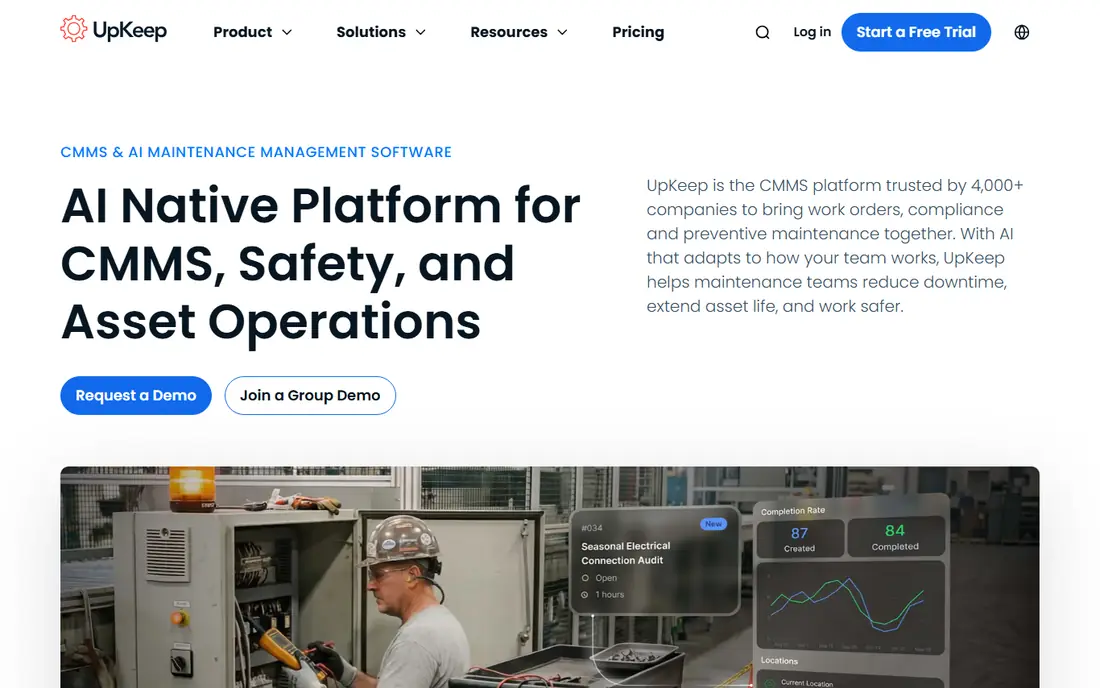
UpKeep offers work order management, preventive maintenance, asset tracking, and inventory tools in a mobile-friendly system that technicians can use on site. The design suits small maintenance teams moving off paper, spreadsheets, or email, since requests, assignments, and updates live in one place. A free trial on all plans in recent listings helps teams test the mobile workflow before paying.
UpKeep is not a full enterprise IWMS, so large portfolios that need lease management and capital planning will need a broader platform. Reporting and analytics are also simpler than enterprise rivals. For a first facility system, UpKeep is a practical, low-friction starting point.
- Easy mobile work orders
- Preventive maintenance scheduling
- Asset and inventory tracking
- Advanced portfolio analytics are limited
- Larger enterprise features need higher tiers
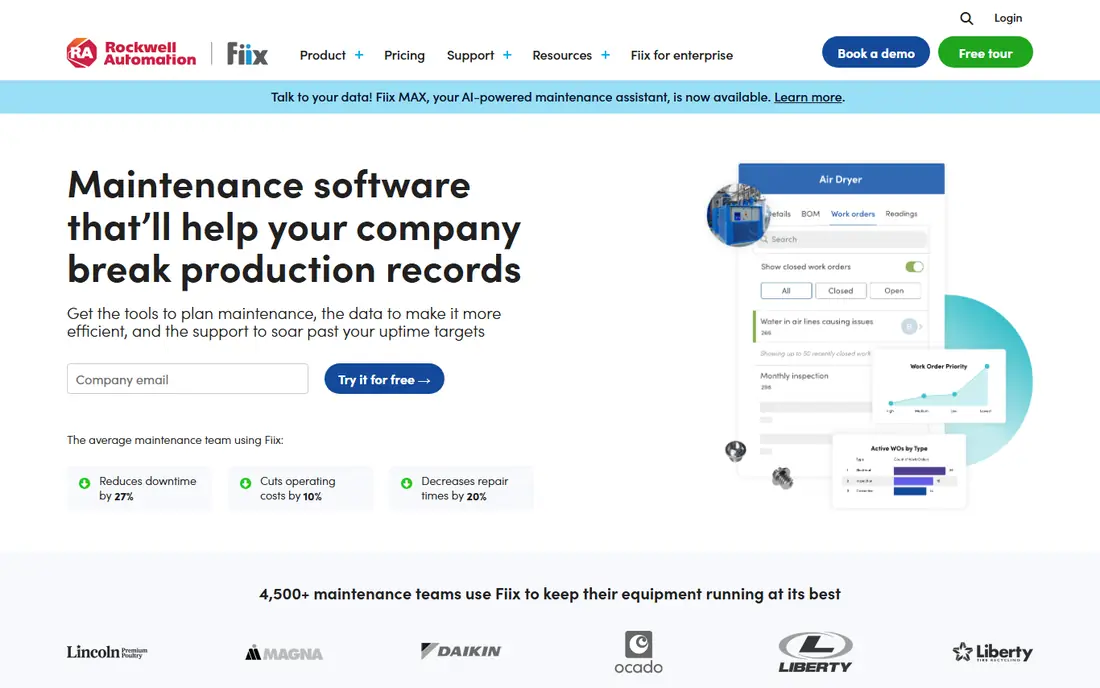
Fiix offers a free CMMS tier alongside paid plans, which makes it one of the easiest ways to start digital maintenance tracking without an upfront cost. The free tier covers core work orders and asset basics, while paid tiers add preventive maintenance depth, integrations, and reporting. That path suits small teams that want to prove value before paying.
Fiix is a CMMS first, so full CAFM space planning and IWMS portfolio features are less central than in enterprise platforms. Free tier limits also mean larger teams will need to upgrade for advanced workflows. For a budget-conscious start, Fiix is a strong choice.
- Free CMMS tier available
- Work orders and asset tracking
- Mobile app for technicians
- Full CAFM and space features need paid tiers
- Free tier limits advanced features
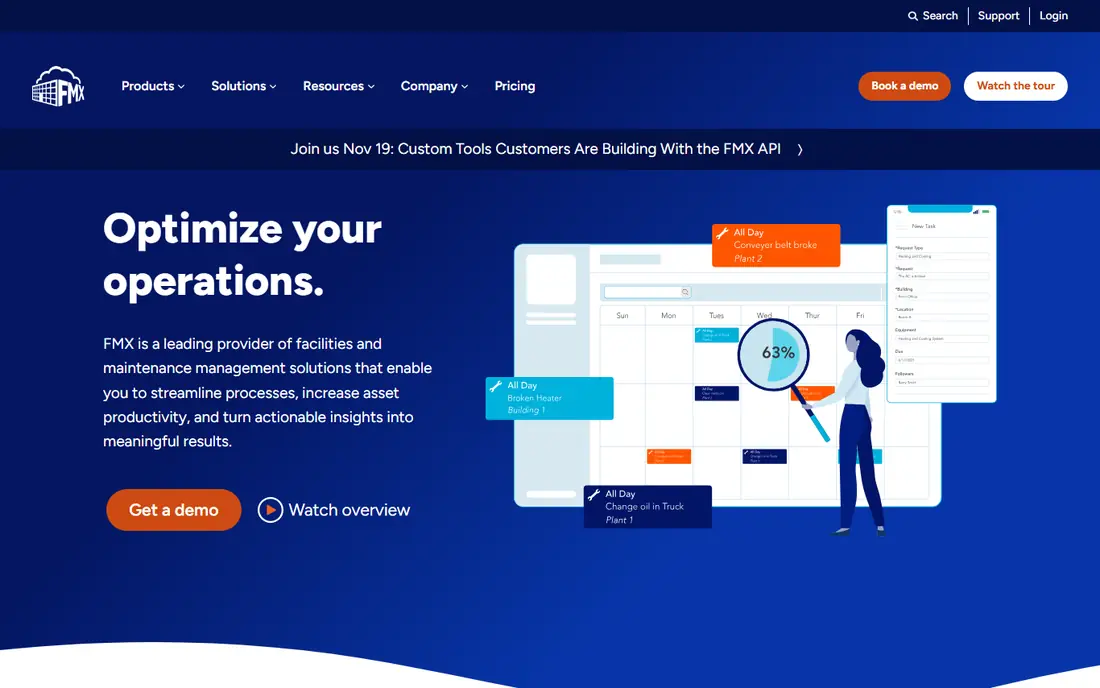
FMX builds facility work around a shared calendar, which makes scheduling, events, and recurring maintenance easy to follow for non-technical staff. Teachers, office staff, and occupants submit requests through a simple portal, and the facilities team triages work from the calendar view. That model suits schools, districts, municipalities, and churches.
Reporting and analytics are basic compared with enterprise tools, and mobile access is less full-featured than rivals with dedicated technician apps. Pricing is also custom in many listings, so public-sector buyers should confirm procurement terms early. For schools and public-sector teams, FMX is a calm, easy-to-adopt option.
- Calendar-led scheduling
- Simple request portal for non-technical staff
- Education and government focus
- Reporting is basic
- Mobile access is more limited than dedicated app rivals
Hippo CMMS offers work order management, preventive maintenance, equipment tracking, and a maintenance request portal in a simple system for small facilities teams. Higher tiers add multi-facility support, floor plans, and purchase orders. The simplicity suits teams that want maintenance tracking without a long implementation.
Hippo is not built for large industrial reliability programmes or complex portfolio analytics. Teams that need deep integrations, advanced analytics, or capital planning should look at enterprise platforms. For a small facilities team that wants a clear, simple system, Hippo is a good fit.
- Simple work order and preventive maintenance tools
- Request portal
- Floor plans on higher tiers
- Limited depth for large industrial portfolios
- Higher tiers needed for API and purchase orders
Limble focuses on preventive maintenance workflows, with work orders, asset tracking, and a mobile app that technicians can use in the field. The workflow design helps teams move from reactive repairs to scheduled maintenance, which can reduce downtime and emergency work. That focus suits maintenance-led teams in manufacturing, healthcare, and facilities.
Limble is a CMMS first, so space management, desk booking, and lease features are not its core strength. Pricing also rises with users and tiers, so multi-site teams should model total cost. For maintenance-focused teams, Limble is a strong, workflow-led choice.
- Strong preventive maintenance tools
- Mobile app
- Asset and work order tracking
- Space planning is limited
- Pricing rises with users and features
Eptura offers workplace, space, and asset management for larger organisations, with desk booking, visitor management, space utilisation analytics, and maintenance tools in one platform. That breadth suits companies managing many offices, hybrid workplaces, and large portfolios. The platform can support space planning decisions, not just maintenance tickets.
Eptura is an enterprise platform, so pricing is custom and implementation needs time, data cleanup, and change management. Small teams will find it more than they need. For larger workplaces that need space and maintenance in one system, Eptura is a leading shortlist candidate.
- Space, desk booking, and workplace analytics
- Maintenance and asset modules
- Multi-site portfolio support
- Enterprise pricing
- Implementation needs planning and data cleanup
Accruent provides enterprise facility and asset management software, covering maintenance, asset lifecycle, space, and capital planning across many sites. Its breadth suits large healthcare, education, government, and corporate portfolios that need consistent reporting and compliance tracking. Professional services support is also part of the enterprise model.
Complexity is the trade-off. Implementation takes planning, data migration, and training, and custom pricing can be high for mid-size teams. Accruent suits organisations that need enterprise depth and can support a structured rollout, rather than a small team that needs a quick start.
- Broad asset lifecycle and maintenance coverage
- Enterprise reporting
- Multi-site and multi-industry support
- Complex implementation
- Custom pricing can be high for mid-size teams
FM:Systems focuses on space and workplace management, with floor-plan visualisation, space utilisation, moves, and occupancy analytics. That focus suits organisations that need to understand how space is used, plan moves, and support hybrid work. Maintenance and asset modules can be added, depending on configuration.
FM:Systems is an enterprise platform with custom pricing, so small teams should expect a larger investment and longer setup than a CMMS. Maintenance depth also depends on which modules are bought. For space-led buyers, FM:Systems is a strong enterprise choice.
- Strong space planning and floor-plan tools
- Workplace and occupancy analytics
- Integration options
- Enterprise pricing
- Maintenance depth varies by module and configuration
How we picked these
We compared official product and pricing pages for CAFM, CMMS, and IWMS tools that cover space, assets, or maintenance in a clear way. We favoured tools with a working website, a stated module set, and a real customer base in facilities, education, healthcare, or corporate workplaces. We left out single-purpose ticketing tools, generic project tools with no facility modules, and vendors whose product pages gave no usable module or pricing information.
What to check before you buy
Start with your main problem. If broken equipment and missed preventive work are the issue, a CMMS such as UpKeep, Fiix, or Limble may be enough. If wasted space, desk booking, and occupancy are the issue, a CAFM or workplace platform such as Eptura or FM:Systems fits better. If leases and capital planning matter too, an IWMS such as Accruent is the broader choice.
Check pricing model, implementation, and data needs together. Per-user pricing suits small teams, while per-site or module pricing can suit multi-site portfolios, but total cost depends on users, sites, and modules combined. Ask how long implementation takes, who cleans asset and space data, and how the mobile app works offline or in low-signal areas. A demo with your own floor plan and asset list will reveal fit faster than a sales presentation.
Implementation tips for a first system
Start with one site, one asset set, and one request workflow, then expand. Clean asset names, locations, and preventive schedules before import, since messy data will carry into the new system. Train requesters as well as technicians, because a system only works if occupants actually submit requests through it. Review reports after 90 days and adjust workflows before rolling out to more sites.
Frequently asked questions
What is CAFM software?
CAFM software is computer-aided facility management software that helps teams manage buildings, spaces, assets, and maintenance from one system. Typical modules include space management, floor-plan views, work orders, preventive maintenance, asset tracking, and reporting. Modern platforms often add desk booking, visitor management, and utilisation analytics.
What is the difference between CAFM, CMMS, and IWMS?
A CMMS focuses on maintenance operations such as work orders, technicians, parts, and preventive schedules. CAFM centres on facilities and space, including floor plans, utilisation, moves, and building operations. IWMS is the broadest category, adding real estate portfolio management, lease administration, and capital planning. Many vendors now blend all three, so compare modules rather than labels.
How much does CAFM software cost?
Costs vary widely. Small-team tools publish pricing or offer free tiers, while enterprise platforms use custom quotes based on sites, users, and modules, often running into five figures annually and up for mid-size deployments. Always confirm whether pricing is per user, per site, or by module, and what implementation and training cost on top of the licence.
Is there free CAFM software?
Fiix offers a free CMMS tier, and UpKeep offers a free trial on its plans, which can help a small team start without a large upfront cost. Full CAFM and IWMS platforms at enterprise level generally do not offer free plans, selling instead through demos and pilots. Free tiers suit maintenance tracking, but space and portfolio features usually need a paid plan.
Which CAFM tool is best for small businesses?
UpKeep and Fiix are the most practical starting points for small maintenance teams, thanks to published or free pricing, quick setup, and mobile apps technicians can use. Hippo CMMS also suits small facilities teams that want simple maintenance tracking. Larger teams with space planning needs should shortlist Eptura or FM:Systems instead.
How long does CAFM implementation take?
Implementation time depends on sites, assets, and data quality. A small team with clean data can start in weeks, while a multi-site enterprise rollout with space data, leases, and integrations can take months. Ask the vendor for a phased plan, data cleanup responsibilities, and training for both technicians and requesters before signing.
Sources we checked (8)

Online Jobs is an independent blog about careers, online work, learning new skills and the tools that help people earn. More about us.
Keep reading
All posts
n8n Alternatives
n8n alternatives compared for 2026, with Zapier, Make, Activepieces, and more, covering visual builders, code steps, self-hosting, and pricing models.

ZoomInfo Alternatives
The best ZoomInfo alternatives in 2026, compared on price, free plans, data coverage, and which tool fits small teams or large sales teams best in detail.

Zoom Alternatives for Webinars
Compare Zoom alternatives for webinars in 2026, from browser-based rooms to enterprise events, with prices, attendee limits, features and honest trade-offs.