Best Business Intelligence Tools in 2026: 9 Tools Compared


Microsoft-centered teams · Starting price: $14 per user per month
How we put this together: we compare official feature and pricing pages, app store listings, privacy policies and public user reviews. Prices change, so check the provider's site before you pay.
Key takeaways
- Power BI Pro costs 14 dollars per user per month, far below Tableau Creator at 75 dollars, which makes it the value leader for Microsoft-centered teams.
- Tableau still leads on visual exploration, with role-based pricing from 15 dollars per month for Viewers to 75 dollars for Creators.
- Looker Studio is free and covers basic dashboards, while Metabase offers a free open-source option for teams that can self-host.
- Qlik Sense Business costs 30 dollars per user per month and suits teams that value associative exploration over fixed dashboards.
- Viewer and consumer licenses often drive the total bill more than author licenses, so count every reader before choosing.
Quick comparison
| Name | Who it suits | Starting price | Free option | |
|---|---|---|---|---|
| Microsoft Power BI | Microsoft-centered teams | $14 per user per month | Yes | Visit |
 Tableau Tableau | Visual exploration | $15 per user per month | Yes | Visit |
 Looker Studio Looker Studio | Free dashboards | Free | Yes | Visit |
 Qlik Sense Qlik Sense | Associative exploration | $30 per user per month | Free trial | Visit |
 Domo Domo | Business-wide dashboards | See website | Free trial | Visit |
 Sisense Sisense | Embedded analytics | See website | Free trial | Visit |
 Zoho Analytics Zoho Analytics | Zoho users on a budget | See website | Free trial | Visit |
 Metabase Metabase | Open-source dashboards | Free | Yes | Visit |
 Looker Looker | Governed enterprise data | See website | No | Visit |
The best business intelligence tools
Business intelligence tools turn raw data into dashboards, reports, and answers. The options below range from free dashboard builders to enterprise platforms with governed data models. We compared official pricing pages, feature lists, and documentation to sort them by cost, audience, and depth.
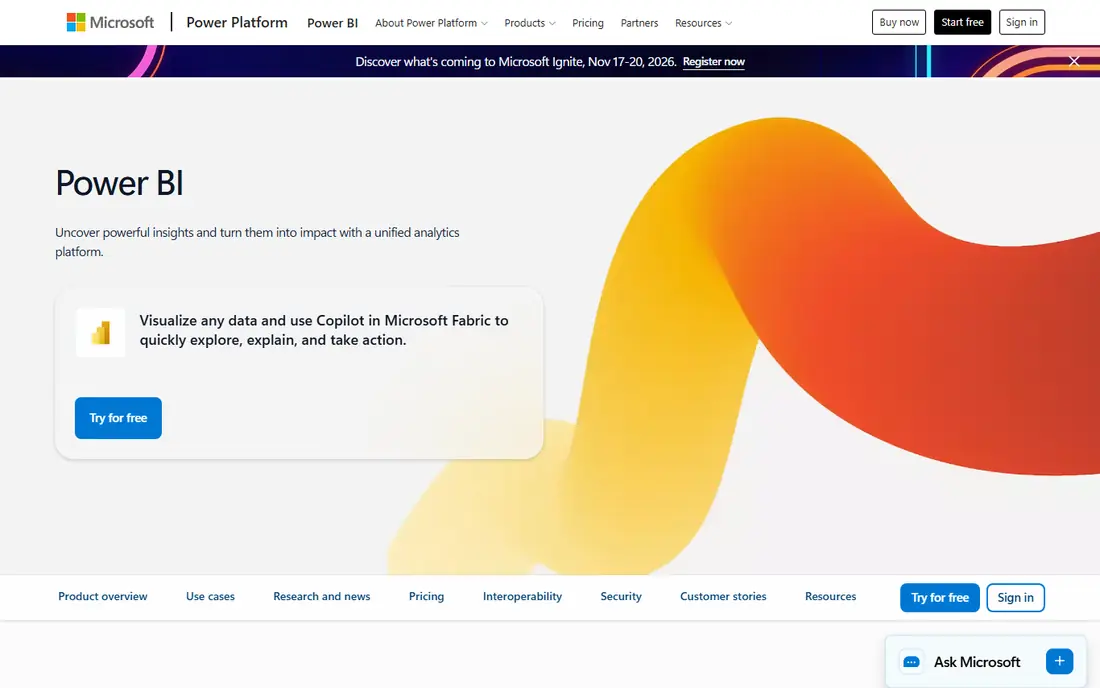
Power BI is our pick for most businesses, mainly on price and integration. Pro costs 14 dollars per user per month, Premium Per User costs 24 dollars, and Power BI Desktop is free for building reports. Reports embed in Teams and SharePoint, refresh from hundreds of sources, and use DAX and Power Query for modeling, which Excel users pick up faster than a brand-new language.
The limits are platform and AI gating. The Desktop app runs on Windows only, with Mac users working through the web service, and Copilot features require a paid Fabric capacity. For a team already on Microsoft 365, though, Power BI's price and native fit are hard to argue against.
- Lowest author price among major platforms
- Deep Microsoft 365 and Teams integration
- Free Desktop app
- Desktop app is Windows only
- AI Copilot needs paid Fabric capacity
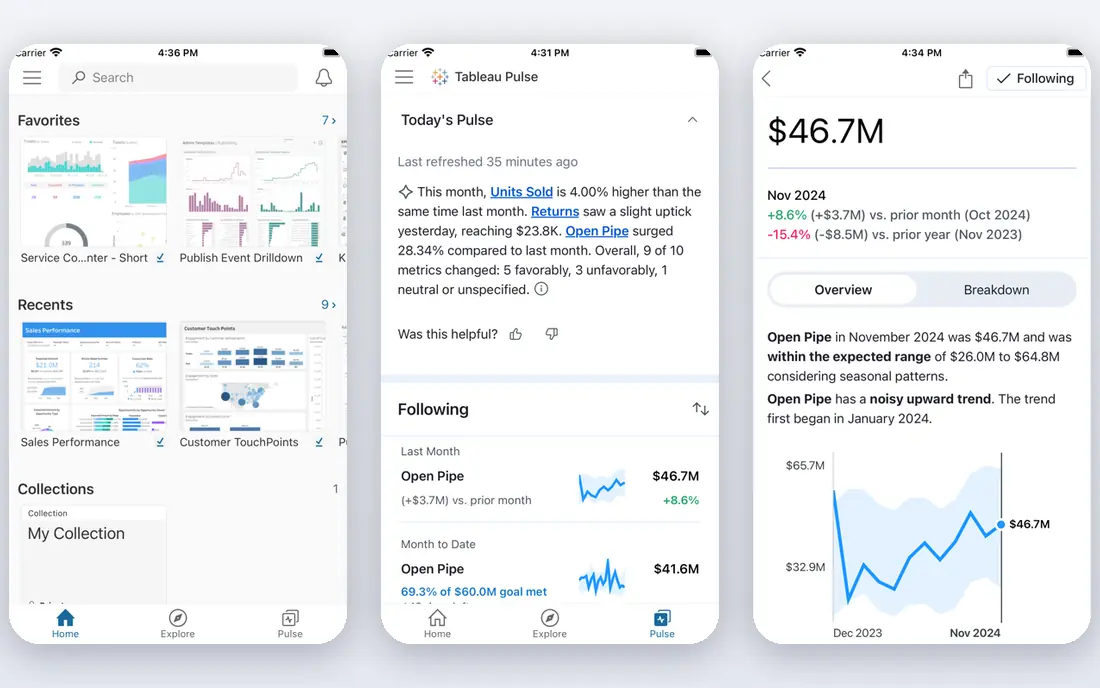
Tableau remains the visual leader. Its drag-and-drop canvas, calculated fields, and level-of-detail expressions let analysts explore data freely, and its Hyper engine handles large datasets well. Pricing is role-based: Viewer at 15 dollars, Explorer at 42 dollars, and Creator at 75 dollars per user per month billed annually, with Tableau Public free for public data.
The cost adds up fast once several Creators join, and new users need more training time than Power BI's Excel-like interface demands. For a team whose main job is deep visual analysis rather than standardized reporting, Tableau still earns its premium.
- Best-in-class visual exploration
- Role-based pricing
- Strong Salesforce integration
- Creator seats cost 75 dollars per user per month
- Learning curve is steeper than Power BI
Looker Studio, formerly Data Studio, is Google's free dashboard tool. It connects to Google Analytics, Sheets, Ads, and BigQuery, plus many third-party connectors, and sharing works like sharing a Google Doc. For a small business that needs marketing and sales dashboards without a budget line, it covers the essentials at no cost.
It lacks the modeling depth of Power BI or Tableau, and very large datasets can slow it down. Teams that outgrow it usually move to Looker proper or Power BI, but as a starting point Looker Studio is the best free BI tool available.
- Completely free
- Connects to Google Analytics, Sheets, and BigQuery
- Easy sharing
- Fewer advanced modeling features
- Performance limits on very large data
Qlik Sense Business costs 30 dollars per user per month and is built around an associative engine. Instead of fixed queries, users click through data and see what is related and what is excluded, which makes unexpected patterns easier to spot. It includes guided storytelling, mobile apps, and a cloud hub for sharing.
The approach takes adjustment for teams used to fixed dashboards, and larger enterprise deployments move to custom pricing. For analysts who value free exploration over pre-built reports, Qlik Sense offers something Power BI and Tableau do not.
- Associative engine lets users explore freely
- Strong data storytelling
- Good mobile apps
- Authoring feels different from dashboard tools
- Enterprise pricing needs a quote
Domo positions itself as a business cloud that connects data, builds dashboards, and pushes alerts to teams. It offers connectors for hundreds of sources, a drag-and-drop dashboard builder, and strong mobile apps for executives checking numbers on the move. A free trial lets teams test the platform before committing.
Pricing is custom, which means a sales conversation before you know the cost, and usage-based elements can grow the bill. For a mid-size company that wants one platform from data connection to executive dashboards, Domo's breadth justifies a quote.
- Connectors for hundreds of sources
- Business-user friendly dashboards
- Mobile-first design
- Pricing is custom
- Can get expensive as usage grows
Sisense is a frequent choice for embedding analytics inside a product or customer portal. Its engine handles large and complex datasets, and its AI features surface explanations for changes in metrics. Developers can embed dashboards with single sign-on and white labeling, which suits SaaS companies selling analytics as a feature.
Pricing is custom and implementation usually needs technical resources, so small teams will find Power BI or Looker Studio simpler. For a product team that needs analytics inside its own app, Sisense is one of the strongest options.
- Strong embedded analytics for products
- Handles large, complex data
- AI-assisted insights
- Custom pricing only
- Implementation needs technical help
Zoho Analytics gives small teams a capable BI tool at a lower price point than Power BI or Tableau, with a free trial to test it. It offers drag-and-drop dashboards, an AI assistant that answers plain-language questions about your data, and tight integration with Zoho CRM, Books, and other Zoho apps.
The connector library is smaller than the leaders, and the most advanced features sit on higher tiers. For a Zoho shop or a small business that wants real dashboards without enterprise pricing, Zoho Analytics is a sensible fit.
- Affordable tiers for small teams
- AI assistant for plain-language questions
- Zoho app integrations
- Smaller connector library than leaders
- Advanced features need higher tiers
Metabase is the open-source option. The self-hosted version is free, letting teams connect databases, build questions with a visual builder, and share dashboards without license fees. Non-technical users can ask questions in plain terms, and the interface stays approachable for a first BI tool.
Self-hosting means someone maintains upgrades, backups, and security, and the paid Cloud plans add features like usage analytics and advanced permissions. For a technical team with a tight budget, Metabase delivers real BI value at the cost of hosting effort.
- Open-source version is free to self-host
- Easy question builder for non-technical users
- Simple sharing
- Self-hosting needs maintenance
- Advanced features sit on paid Cloud plans
Looker, Google Cloud's enterprise BI platform, is distinct from the free Looker Studio. It centers on a governed data model written in LookML, so every team works from the same definitions of revenue, churn, or active users. That governance is its main selling point for large companies, along with deep BigQuery integration.
Pricing is custom with minimums that rule out small teams, and LookML needs data expertise to maintain. For an enterprise that needs one trusted definition of every metric, Looker is worth its cost. For a small team, Looker Studio or Power BI will do.
- Central governed data model with LookML
- Strong for large enterprises
- Deep BigQuery integration
- Custom pricing with high minimums
- Needs data team expertise
How we picked these
We compared official pricing pages, feature lists, and documentation for BI tools that serve US businesses today. Prices are the standard published rates from each vendor's own site, and where pricing is custom we say so rather than guessing. We included free, mid-market, and enterprise options, since a startup and a Fortune 500 company should not be given the same shortlist.
What to check before you choose
Start by counting your users by role. Authors who build dashboards need pricier seats, while viewers who only read them often cost less or nothing, and the mix decides the real bill. A 50-person Tableau team with few Creators costs far less than one where everyone authors.
Match the tool to your data home
Microsoft shops get the most from Power BI, Google shops from Looker Studio and Looker, and Salesforce shops from Tableau. The native integrations save connection work and keep refreshes reliable. A tool that fights your existing stack will cost more in time than it saves in license fees.
Test with your real data, not a demo set
Every BI vendor demos beautifully. Connect your own largest dataset, build three dashboards your team actually needs, and test refresh speed and sharing before buying. Performance and usability gaps show up fast on real data.
Plan for governance early
Small teams can start loose, but metric definitions drift as dashboards multiply. Pick a tool that lets you define key metrics once and reuse them, whether that is Power BI's models, Tableau's published sources, or Looker's LookML, before the sprawl begins.
Frequently asked questions
What is the best business intelligence tool?
Power BI is our pick for most businesses on price and Microsoft integration, while Tableau leads on visual exploration. Looker Studio is the best free option, and Looker suits large enterprises needing governed metrics. The right choice depends on your stack, budget, and how many people author versus view.
What is the best business intelligence software for small businesses?
Power BI Pro at 14 dollars per user per month and Looker Studio for free are the strongest small-business options. Zoho Analytics and Metabase also fit tight budgets, with Metabase free to self-host. Start with a free or low-cost tier and upgrade only when usage demands it.
What is the best BI tool for data visualization?
Tableau is widely regarded as the best for visual exploration, with its flexible canvas and deep chart options. Power BI covers standard business visuals well at a lower price, and Qlik Sense suits free-form exploration. For most reporting needs, Power BI's visuals are enough.
What is the best business intelligence platform for enterprises?
Looker suits enterprises that need a governed data model, while Tableau and Power BI scale through role-based licensing and capacity options. Domo and Sisense also serve enterprises, with Domo favoring business-wide dashboards and Sisense favoring embedded analytics.
Is there a free business intelligence tool?
Yes. Looker Studio is free, Power BI Desktop is free for building reports, Tableau Public is free for public data, and Metabase open source is free to self-host. Free tiers cover many small-team needs, though sharing and collaboration usually require a paid plan.
How much does business intelligence software cost?
Author prices here run from free to 75 dollars per user per month, with Tableau Creator at the top and Power BI Pro at 14 dollars. Viewer seats cost less, and enterprise platforms like Looker and Domo use custom pricing. Count authors and viewers separately to get the true monthly total.
Sources we checked (9)
- https://www.microsoft.com/en-us/power-platform/products/power-bi/pricing
- https://www.tableau.com/pricing
- https://lookerstudio.google.com
- https://www.qlik.com/us/products/qlik-sense/pricing
- https://www.domo.com/pricing
- https://www.sisense.com/pricing
- https://www.zoho.com/analytics/pricing.html
- https://www.metabase.com/pricing
- https://cloud.google.com/looker/pricing

Online Jobs is an independent blog about careers, online work, learning new skills and the tools that help people earn. More about us.
Keep reading
All posts
Workday Alternatives
We compared the best workday alternatives for HR, payroll, and global hiring, from BambooHR and Gusto to Rippling, Deel, and HiBob for growing teams in 2026.

Which SaaS Tools Have the Best Customer Support
Which SaaS tools have the best customer support? Compare eight popular tools on help centres, live help, response options and overall support quality.

Top AI Helpdesk Software
Searching for top AI helpdesk software in 2026? We compared 8 AI helpdesks on automation, pricing, channels and ease of setup for small and growing teams.