Best Bill Organizer Apps Free in 2026: 10 Products Compared


Automatic bill and subscription detection · Starting price: Free
How we put this together: we compare official feature and pricing pages, app store listings, privacy policies and public user reviews. Prices change, so check the provider's site before you pay.
Key takeaways
- Rocket Money and Prism automate bill discovery for users who want due dates found for them, rather than typed in by hand.
- PocketGuard, Fudget and Goodbudget suit manual trackers who prefer control and do not want to link a bank account.
- Spendee, TimelyBills and Goodbudget work well for couples, families and roommates who share bills.
- YNAB and Monarch Money cost more, but they pair bill tracking with full budgeting for households that want one system.
- Start with a free plan, set reminders a few days before each due date, and only pay for automation you actually use.
Quick comparison
| Name | Who it suits | Starting price | Free option | |
|---|---|---|---|---|
| Rocket Money | Automatic bill and subscription detection | Free | Yes | Visit |
 Prism | Free bill aggregation and payment | Free | Yes | Visit |
 PocketGuard | Seeing what is safe to spend after bills | Free | Yes | Visit |
 Spendee | Shared wallets for couples and roommates | Free | Yes | Visit |
 TimelyBills | Family bill reminders and budgets | Free | Yes | Visit |
 Fudget | Simple lists for minimalists | Free | Yes | Visit |
 Goodbudget | Envelope budgeting without bank linking | Free | Yes | Visit |
 Monarch Money | Couples and net-worth tracking | See website | Free trial | Visit |
 YNAB | Strict zero-based budgeting | See website | Free trial | Visit |
 EveryDollar | Simple envelope-style budgeting | Free | Yes | Visit |
The best bill organizer apps free
A bill organizer has one job that matters more than any dashboard: it must make sure you pay on time. The apps below do that job in different ways, from automatic bank sync to simple manual lists and text reminders. Pick the method you will actually maintain, because an app you stop opening cannot remind you of anything.
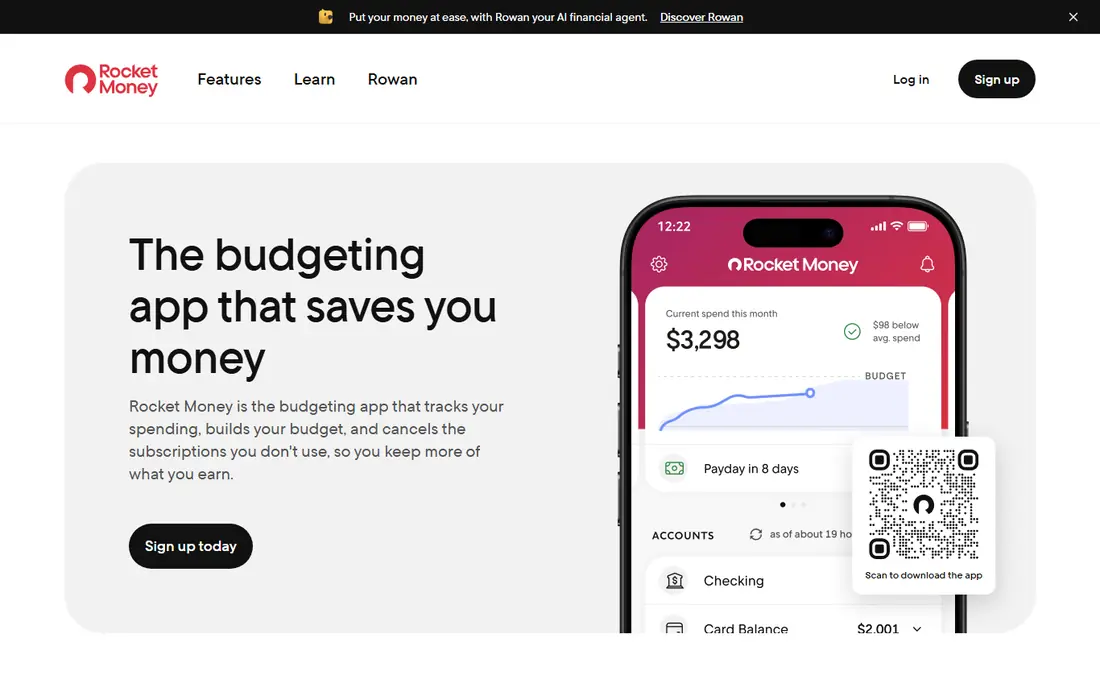
Rocket Money is our pick for people who want bills found, not typed in. Link an account and it surfaces recurring bills and subscriptions, shows upcoming due dates, and flags spending you may have forgotten. That automation suits busy users with many subscriptions across streaming, utilities and cards. The trade is privacy and control. You must link accounts for the full benefit, and some features sit behind Premium. Start on the free plan, check which bills it finds, and correct any it misses by hand. If you prefer not to link accounts, a manual app below will suit you better.
- Finds bills and subscriptions from linked accounts
- Reminders and spending views
- Premium adds negotiation help
- Needs a bank link for full automation
- Premium price is pay-what-you-think-is-fair, so check current terms
Prism pulls bills from many providers into one dashboard, showing balances, due dates and payment history in one place. For users in the United States, that coverage can replace a pile of separate biller logins, and paying inside the app saves a second step. The app itself is free, which makes it easy to test. Coverage is the catch. Not every biller or region is supported, so check your main utilities, cards and loans before you rely on it. Alerts are push-based, so keep notifications on for Prism and set a calendar backup for your largest bills. For free aggregation, Prism remains a strong first try.
- Connects to many billers
- Shows balances and due dates
- Lets you pay in the app
- Availability and biller coverage vary
- Push alerts only, no text alerts
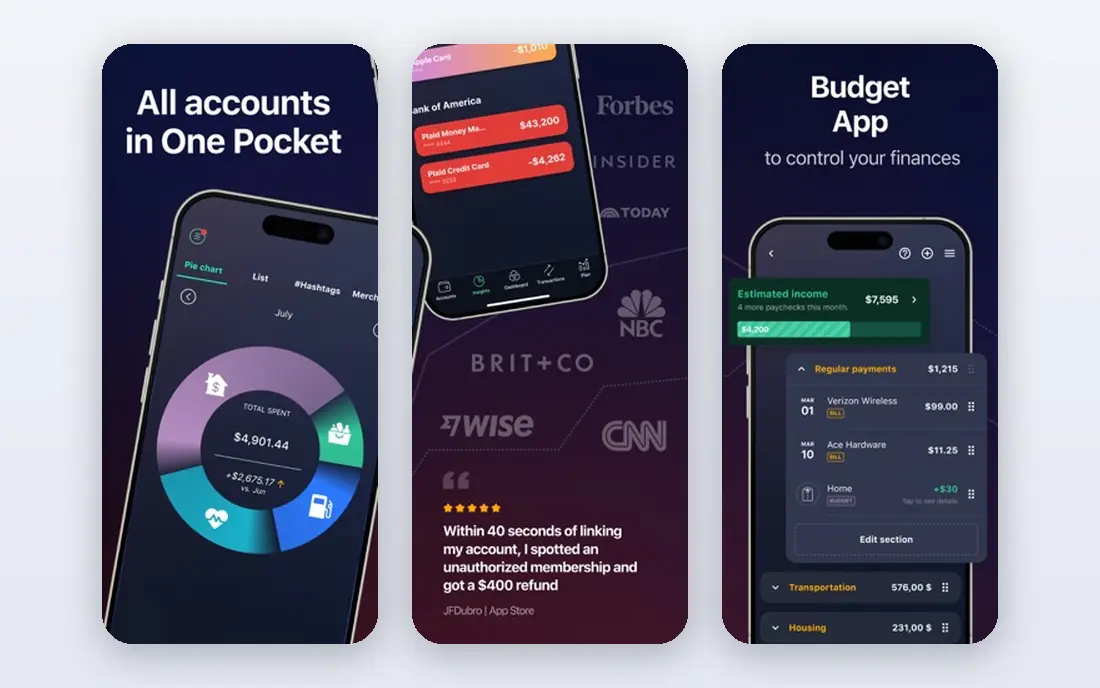
PocketGuard answers a simple question after bills are counted: how much can you spend safely until the next payday. That single figure helps people who track bills mainly to avoid overspending between paydays. Bill and subscription tracking feed into that figure, so late or missed bills show up as a problem early. The free plan covers the basics, but Plus adds deeper features, so check the current price on the vendor site. Like Rocket Money, it works best with linked accounts, though manual entry is possible. If your main worry is spending money already earmarked for bills, PocketGuard is a clear, focused choice.
- Clear "safe to spend" figure after bills
- Tracks bills and subscriptions
- Simple layout
- Paid Plus plan needed for full features
- Bank link needed for automation
Spendee is built for households that share costs. Shared wallets let couples or roommates log rent, utilities, groceries and shared subscriptions in one place, so everyone sees what is due and what has been paid. Categories and charts keep the shared picture readable without a finance background. It is a budget app first and a bill reminder second, so users who only want due-date alerts may find it broader than needed. The free plan covers shared wallets and basic tracking, while Premium adds bank sync and more wallets. For a household that splits bills, that shared view is worth more than a solo reminder list.
- Shared wallets
- Clear categories
- Manual or synced tracking
- Full sync and premium features need a paid plan
- Bill reminders are part of a wider budget tool
TimelyBills combines bill reminders, a calendar of due dates, and family budgets in one app. That mix suits families who want one place for rent, utilities, school costs and subscriptions, with reminders that reach the person who pays each bill. The calendar view makes a busy month easy to scan at a glance. The free download covers core reminders, but some features need a paid upgrade, so check in-app prices before you plan around a premium feature. The app is broader than a pure reminder tool, which is a strength for families and a slight burden for solo users. If you manage bills for a household, TimelyBills is a practical pick.
- Bill reminders and shared budgets
- Calendar view
- Family sharing options
- Premium features need in-app purchase
- Interface is busier than a simple reminder app
Fudget is for people who want a list, not a system. You type in bills and income, and the app keeps a running balance as you mark items paid. There is no bank link, no complex budget, and no learning curve, which makes it easy to start in ten minutes and keep using. That simplicity is also its limit. You must enter every bill by hand, and there is no automatic detection to catch a subscription you forgot. For users with few bills, or users who distrust bank linking, that manual control is a feature. If you have many recurring charges, an automatic app will catch more than Fudget will.
- Very simple list and balance view
- No bank link needed
- Fast to set up
- No automatic bill detection
- No bank sync
- Basic reporting only
Goodbudget brings the cash-envelope method to a phone, without linking a bank account. You assign money to envelopes for rent, utilities, groceries and other bills, then spend from each envelope. Shared envelopes let a partner see the same limits, which helps couples stay aligned without sharing bank logins. The free plan limits the number of envelopes, so larger households may need the paid plan. Manual entry takes discipline, but it also forces a weekly check that automatic apps can skip. If you want bill organisation tied to a spending limit, and you prefer manual control, Goodbudget is a steady, private choice.
- Envelope method without bank linking
- Shared envelopes for households
- Clear limits
- Free plan limits envelope count
- Manual entry only
- No automatic bill detection
Monarch Money is a full finance hub that includes bill and subscription tracking on a calendar, alongside budgets, accounts and net worth. For couples, partner access at no extra cost is a real advantage, since both people can see bills, budgets and goals in one place. That breadth suits households that want one app for money, not several. The cost is the catch. There is no free plan beyond a trial, so check the current monthly or annual price on the vendor site. It also works best with linked accounts. If you only need bill reminders, Monarch is more than you need, but if you want bills inside a full household finance system, it is a polished option.
- Bills and subscriptions on one calendar
- Shared access for a partner
- Net-worth and investment views
- No lasting free plan
- Needs linked accounts for full value
- Higher price than simple trackers
YNAB, short for You Need A Budget, treats bills as jobs for your money. You assign each dollar to rent, utilities, cards and other costs before you spend it, and scheduled transactions show upcoming bills in advance. That forward view helps users who want to stop living payday to payday. YNAB costs more than a simple reminder app, and it asks for a change in habit, not just an app install. The trial period is generous, so use it to test whether the method fits your household. If you want bills organised inside a strict budget, YNAB is the most disciplined tool here. If you only want reminders, a free app above will do.
- Every dollar gets a job, including bills
- Scheduled transactions show upcoming bills
- Strong learning resources
- No lasting free plan
- Learning curve
- Manual discipline needed for full benefit
EveryDollar offers a simple monthly budget where you plan bills and spending before the month starts. The free plan covers manual budgeting well, with a clear layout that suits users who want a plan without complex charts. That simplicity makes it easy to teach to a partner or family member. Bank sync sits behind a paid plan, so free users enter bills by hand. Bill tracking here is part of budgeting, not a dedicated reminder engine, so set phone or calendar alerts for due dates as a backup. For a free, simple budget that includes bills, EveryDollar is a sound starting point.
- Simple zero-based budget
- Free basic plan
- Clear monthly view
- Bank sync needs a paid plan
- Bill reminders are part of budgeting, not a standalone alert system
How we picked these
We started with bill and budget apps that appear in current 2026 comparisons and vendor listings, then kept only apps that are live, work on current phones, and help with due dates, reminders or bill lists. We checked each vendor site or store listing for free or trial terms, bank-link requirements, and sharing options. We favoured apps with a free route and clear pricing, and we dropped apps that had closed, like Mint, or that offered no bill feature at all. Where a price was not stated clearly, we wrote See website. We did not claim hands-on testing. This guide is general information, not financial advice, and app features do not change your legal duty to pay a bill on time.
How to organise bills without missing a payment
Set reminders before the due date, not on it
Set each reminder three days before the due date, plus a second reminder on the day itself for large bills such as rent and mortgage. That buffer gives you time to fix a failed payment, a wrong account, or a missing fund transfer. An alert on the due date alone leaves no room for a bank delay.
Keep a backup outside the app
Write your five largest bills, their due dates and their payees in a calendar or a paper list as a backup. Apps fail, phones break, and notifications get silenced. A backup list means a single app problem does not become a missed payment. Review that list once a month when you check statements.
Decide on bank linking with care
Automatic apps catch forgotten subscriptions, but they need access to your accounts. Before linking, read the app privacy page, check how to remove access, and use a strong password with two-factor authentication where offered. If you are uneasy, choose a manual app such as Fudget or Goodbudget and accept the extra typing.
Review subscriptions every month
Once a month, scan your bill list for subscriptions you no longer use, price rises, and duplicate services. Cancelling one forgotten subscription often saves more than any budgeting trick. Keep the bills you value, cancel the rest, and update the app so next month's list stays accurate.
Frequently asked questions
What is the best free bill organizer app?
Rocket Money is best if you want automatic detection, Prism is best for free aggregation and payment in the United States, and Fudget is best if you want a simple manual list. Pick by whether you want automation or manual control, then test the free plan for a month.
Can a bill app pay my bills for me?
Some apps, such as Prism, let you pay certain billers inside the app, but most apps only remind you and track due dates. You still need to pay through your bank or the biller unless the app states that it supports payment for that biller. Check coverage for your main bills before relying on in-app payment.
Do I need to link my bank account to track bills?
No. Manual apps such as Fudget, Goodbudget and TimelyBills work without a bank link, if you enter bills by hand. Linking helps automatic apps find subscriptions, but it is not required for reminders. Choose manual entry if privacy matters more to you than automation.
What is the best bill app for couples?
Spendee and Goodbudget are strong for shared wallets and envelopes, while Monarch Money suits couples who want bills inside a full finance system. TimelyBills also works for families. Pick the one both partners will actually open each week.
How do I stop missing payments if I ignore notifications?
Use text-style reminders where offered, set a calendar event for large bills, and keep a paper backup for rent and mortgage. Also set reminders three days early, not on the due date. If push alerts fail you often, a manual calendar check once a week is more reliable than another app.
Is a paid bill app worth it?
It can be, if it saves a late fee or cancels a forgotten subscription, but most users should start free. Pay only for a feature you use weekly, such as bank sync, shared access, or negotiation help. A free reminder you check beats a paid dashboard you ignore.
Sources we checked (10)

Online Jobs is an independent blog about careers, online work, learning new skills and the tools that help people earn. More about us.
Keep reading
All posts
n8n Alternatives
n8n alternatives compared for 2026, with Zapier, Make, Activepieces, and more, covering visual builders, code steps, self-hosting, and pricing models.

eBay Alternatives
Looking for ebay alternatives? We compared 9 marketplaces for sellers on fees, buyer reach, categories and ease of listing, to help you sell with confidence.

ZoomInfo Alternatives
The best ZoomInfo alternatives in 2026, compared on price, free plans, data coverage, and which tool fits small teams or large sales teams best in detail.