Best Audio Recording App in 2026: 9 Apps Compared

How we put this together: we compare official feature and pricing pages, app store listings, privacy policies and public user reviews. Prices change, so check the provider's site before you pay.
Key takeaways
- The best app to record conversations depends on whether you need simple voice notes, interview transcripts, or studio-style audio.
- Free voice recorder apps can be excellent for notes and meetings, but check limits on recording length, export formats, and cloud storage.
- The best voice recorder apps for interviews should offer clear audio, easy sharing, and a way to back up files.
- For music and podcasts, favor apps with editing, multi-track support, and lossless export options.
Quick comparison
| Name | Who it suits | Starting price | Free option | |
|---|---|---|---|---|
 Voice Memos | Simple Apple voice notes | See website | Yes | Visit |
 Descript | Transcribed audio editing | See website | Yes | Visit |
 Otter.ai | Transcribed meetings | See website | Yes | Visit |
 Rev Voice Recorder | Interview recording | See website | Yes | Visit |
 Dolby On | Clean mobile audio | See website | Yes | Visit |
 BandLab | Music and multi-track ideas | See website | Yes | Visit |
 Audacity | Free desktop editing | See website | Yes | Visit |
 GarageBand | Apple music and podcasts | See website | Yes | Visit |
 Easy Voice Recorder | Simple Android recording | See website | Yes | Visit |
The best audio recording app
People record audio for very different reasons. A student may need a lecture note, a reporter may need a clean interview, and a musician may need a demo that sounds good enough to share. The best recording apps therefore differ in editing, transcription, export, and file quality, not just in how they press record.
We compared official app pages, store listings, and help material for the apps below. We focused on audio quality options, ease of sharing, transcription where offered, and limits that matter in real use. We did not claim hands-on testing. Always get consent before you record a conversation where consent is required.
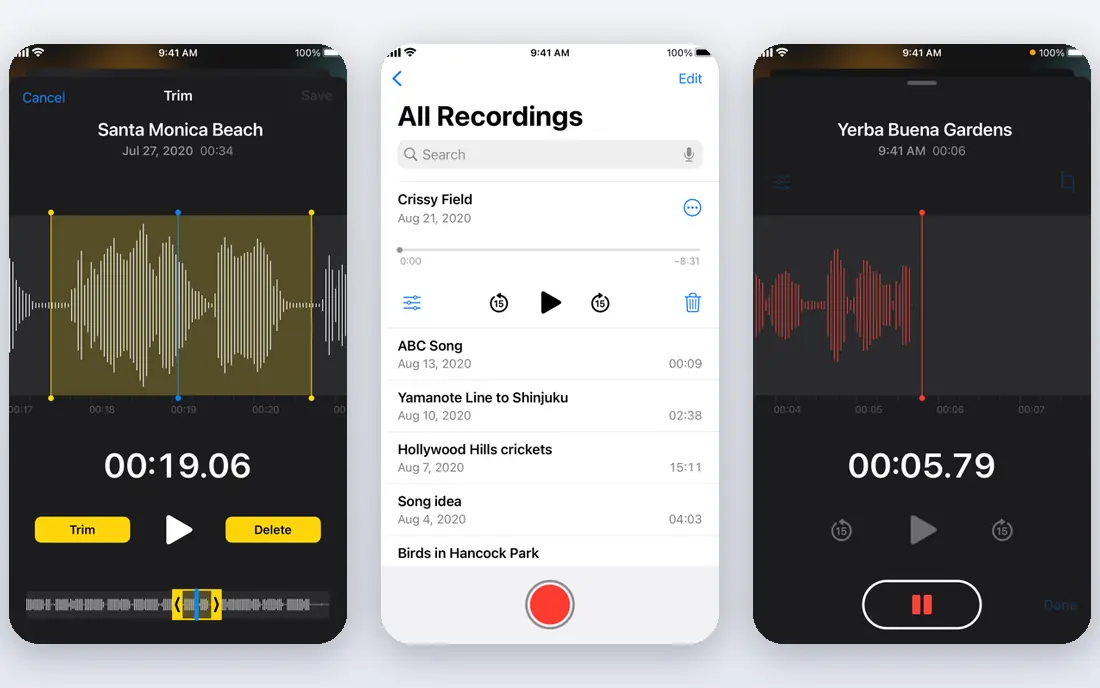
Voice Memos is the easiest choice for many iPhone, iPad, and Mac users because it is already there. Open the app, tap record, and share the file by message, mail, or cloud storage. For quick notes, reminders, and short interviews, that simplicity is hard to beat.
Its limits are also clear. It is not a full podcast editor, and its transcription and multi-track options are limited compared with specialist apps. If you need detailed editing or searchable transcripts, pair it with another tool or choose a dedicated recorder.
- Built into Apple devices
- Simple to start and share
- Useful trimming and folder options
- Limited editing and transcription depth
- Apple-only workflow
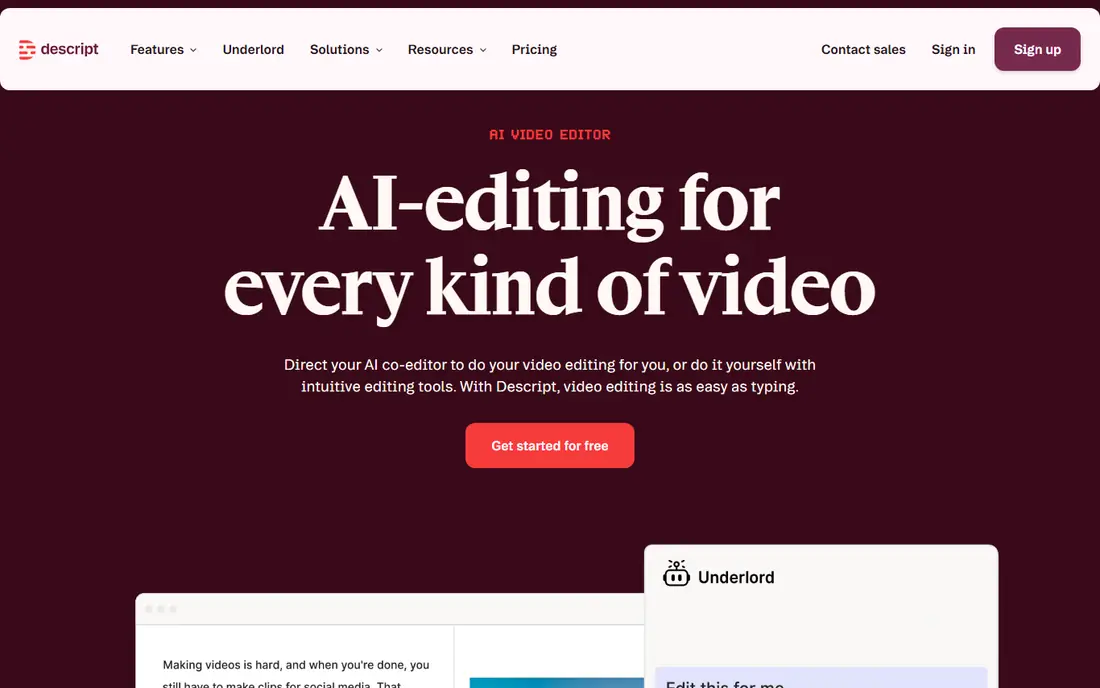
Descript suits podcasters and interviewers who edit by reading a transcript. You can delete words from the transcript to cut the audio, which feels faster than scrubbing a waveform for many users. That workflow helps when you need a clean interview or a short clip from a longer recording.
The transcript-first method is not for everyone. Music editing and detailed sound work still suit a traditional editor such as Audacity or GarageBand better. Check current free plan limits for transcription hours before you rely on Descript for a large project, and always review the transcript against the audio.
- Transcription-based editing
- Useful for podcasts and interviews
- Easy removal of filler words and mistakes
- Editing by transcript takes practice
- Full features and transcription limits depend on plan
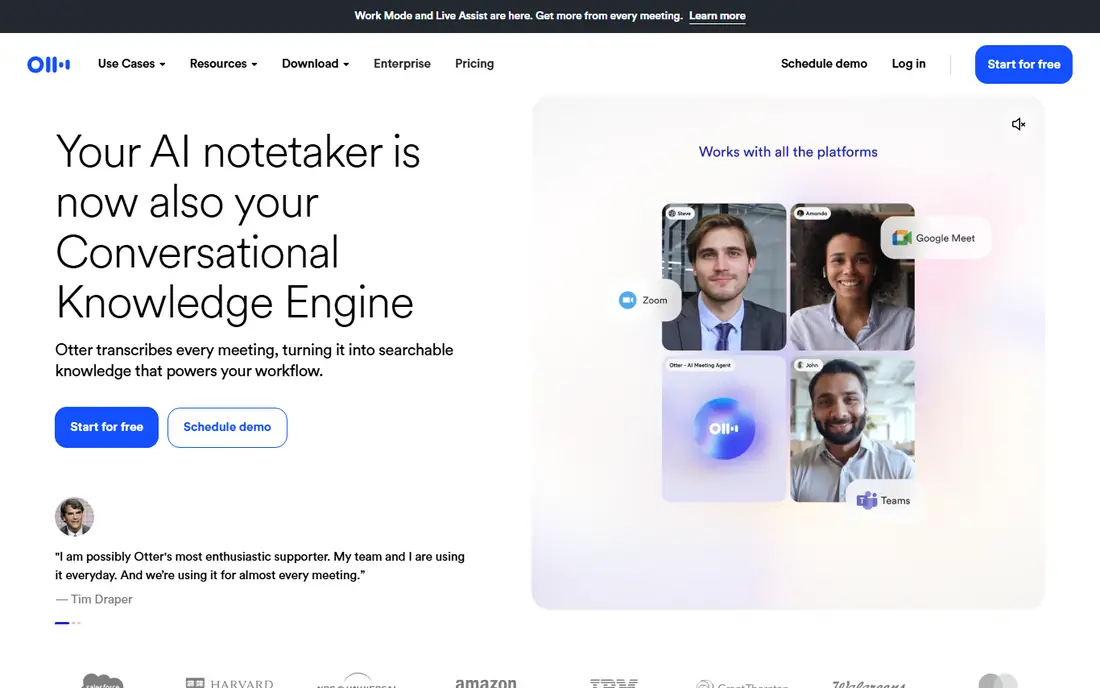
Otter.ai suits meetings, lectures, and interviews where the transcript matters as much as the audio. It can transcribe in real time, highlight key points, and let you search the text later. Teams that share meeting notes often find that search function saves time.
Transcription is not perfect, especially with background noise, overlapping speech, or strong accents. Always review the transcript against the audio for quotes and decisions. Check current free plan limits for minutes, as they affect how much you can record each month without paying.
- Live transcription and summaries
- Searchable meeting notes
- Useful integrations for calls
- Transcription accuracy varies with audio quality
- Free plan limits apply to minutes and features
Rev Voice Recorder is a practical pick for interviews. The app focuses on clear recording and easy sharing, and it connects to Rev transcription services if you need a polished transcript. That link helps reporters and researchers who need accurate quotes.
The recorder itself is not a full editor. If you need to cut, mix, or polish audio, export the file to an editor such as Audacity or GarageBand. For the recording step itself, Rev keeps the process simple and reliable.
- Clean recording interface
- Easy ordering of human transcription
- Useful for interview workflows
- Human transcription is a paid extra
- Editing features are limited
Dolby On helps phone recordings sound cleaner. It can reduce noise and shape the sound for voice, music, and ideas recorded on the go. Musicians who sketch songs on a phone and podcasters who record outside often like that quick cleanup.
Processing is a matter of taste. Some users prefer a natural, unprocessed recording they can edit later, while others want a polished file at once. Try it on a short test recording and compare the processed and original versions before you use it for an important session.
- Audio cleanup for mobile recordings
- Simple trimming and sharing
- Good for music and voice ideas
- Processing can change the natural sound
- Fewer manual controls than a desktop editor
BandLab is closer to a small studio than a voice memo app. You can record multiple tracks, add loops and instruments, and share projects with collaborators. That makes it useful for song ideas, demos, and simple podcast segments with music.
The extra power adds learning time. If you only need a voice note, BandLab is more than you need. If you want to build a track layer by layer on a phone or in a browser, it offers a lot without a high starting cost.
- Multi-track recording on mobile and web
- Loops and virtual instruments
- Easy sharing and collaboration
- More complex than a voice note app
- Some advanced features sit behind paid options
Audacity is a long-running free editor for Windows, Mac, and Linux. It records and edits multiple tracks, applies effects, and exports common audio formats. For podcasts, voice work, and music edits on a computer, it remains one of the most useful free tools available.
New users may find the interface plain and the settings fiddly at first. Take time to set the input device and sample settings before an important recording, and test with a short clip. Once the setup is right, Audacity is a dependable workhorse.
- Free and widely used
- Multi-track editing
- Many export formats and effects
- Interface looks dated
- Recording setup can confuse new users
GarageBand gives Apple users a friendly step up from a simple recorder. You can record voice, add music, arrange segments, and export a finished file. Podcasters and musicians who use Mac, iPhone, or iPad often find it covers early projects well.
It is not a full professional workstation, and it only runs on Apple devices. If you work across Windows and Mac, Audacity or BandLab may fit better. For Apple-only creators, GarageBand is a strong free starting point.
- Friendly for music and podcast projects
- Built-in instruments and loops
- Clean export options
- Apple-only
- Less deep than professional desktop audio workstations
Easy Voice Recorder focuses on doing one job well on Android. You can start a recording quickly, choose quality settings, and manage files without a busy interface. That reliability matters for lectures, notes, and field recordings.
It does not offer deep transcription or multi-track editing. Use it as a dependable recorder, then move files to a transcription or editing app when needed. For Android users who want a simple, clear recorder, it is a solid choice.
- Simple interface
- Useful format and quality options
- Easy file management on Android
- Transcription and editing are limited
- Some features need the paid version
How we picked these
We looked for apps that are actively available, clearly described on official pages or store listings, and suited to a distinct recording need. We included simple voice recorders, transcription tools, and music and podcast editors so readers could compare across use cases. We favored apps with clear export options and a track record of regular updates.
We left out apps that appear abandoned, apps whose main purpose is not recording, and apps whose official page did not clearly match the product. Recording quality also depends on your microphone, room, and device settings, so test any app in your real setting before an important session.
What to check before you choose
Start with your main use. Voice notes need speed and sharing. Interviews need clear audio, backup, and a transcript workflow. Music needs multi-track recording and export quality. Podcasts need editing, chapter or segment handling, and a clean final export. A top 10 audio recording software list can mislead if it ranks a music studio above a simple recorder for a note-taking job.
Check file and sharing details. Look at supported formats, whether you can export without loss, how files are named and stored, and whether cloud backup is automatic. For long recordings, check battery use, storage space, and any limits on recording length. For interviews, check whether the app keeps a local copy if a cloud upload fails.
Think about consent and privacy. Recording laws vary by place, and some settings require all parties to consent. Tell people you are recording, explain how the file will be used, and store sensitive recordings securely. Transcription services may process audio on their servers, so check the privacy policy before you upload private conversations.
A simple setup for better sound
Record in a quiet room, keep the microphone close and steady, and do a short test before the real session. Turn off notifications, plug in power for long recordings, and save a backup copy as soon as you finish. These habits improve results more than switching apps often does.
Frequently asked questions
What is the best app to record conversations on a phone?
For simple recording, Voice Memos on Apple devices and Easy Voice Recorder on Android are strong choices. If you need a transcript, Otter.ai or Descript adds searchable text and transcript editing. Always get consent where required before you record.
What are the best recording apps for interviews?
Rev Voice Recorder and Otter.ai suit interviews because they pair recording with transcription options. Dolby On can help when recording in a noisy place. Back up the original audio file, and check any transcript against the audio before you quote it.
What is the best free voice recorder app?
Voice Memos, Descript, Easy Voice Recorder, and Audacity are strong free options, each for a different need. The best free choice depends on your device and whether you need transcription, editing, or just a clean recording.
What are the best voice recorder apps for podcasts?
GarageBand and Audacity suit podcast recording and editing, while BandLab helps with music segments. For remote interviews, a dedicated recording tool with separate tracks can help, and you can still edit the result in Audacity or GarageBand.
What are the best apps for recording audio for music?
BandLab and GarageBand are good starting points for multi-track ideas, loops, and instruments. Audacity suits editing and mixing on a desktop. For a finished release, you may later move to a professional workstation, but these tools cover demos and early projects well.
How can I improve recording quality on a phone?
Use a quiet room, keep the phone steady and close to the speaker, and test levels before you start. An external microphone can help for interviews and music. Save a backup copy, and avoid relying on a single cloud copy for an important recording.
Sources we checked (9)

Online Jobs is an independent blog about careers, online work, learning new skills and the tools that help people earn. More about us.
Keep reading
All posts
Zoom Alternatives
Zoom alternatives compared for 2026: Google Meet, Microsoft Teams, Webex, Jitsi and more for free calls, large meetings and webinars for teams and classrooms.

Which Software Is Best for PDF Page Removal
Which software is best for PDF page removal? We compare free and paid tools for deleting pages quickly, safely, and without harming your file in this guide.

Which Software Is Best for Data Entry
Compare the best data entry software for forms, OCR scanning, and spreadsheets, with free plans, pricing, and honest limits for each tool before you commit.