Best Asset Management Software in 2026: 9 Tools Compared

How we put this together: we compare official feature and pricing pages, app store listings, privacy policies and public user reviews. Prices change, so check the provider's site before you pay.
Key takeaways
- UpKeep, MaintainX, Fiix, and Limble suit maintenance teams best, with work orders and preventive schedules at the core.
- Asset Panda and Snipe-IT suit tracking best, when knowing where each item is matters more than scheduling repairs.
- ManageEngine AssetExplorer, Lansweeper, and Freshservice suit IT teams that need to track hardware, software, and licences together.
- Free entry points exist, but check user limits, asset limits, and requester access before you build a workflow on a free tier.
- Per-user pricing can grow fast when many staff need accounts, so ask which roles can submit requests without a paid seat.
Quick comparison
| Name | Who it suits | Starting price | Free option | |
|---|---|---|---|---|
 UpKeep UpKeep | Mobile maintenance teams | See website | Free trial | Visit |
 MaintainX MaintainX | Simple mobile work orders | See website | Yes | Visit |
 Fiix Fiix | Preventive maintenance on a budget | See website | Yes | Visit |
 Limble Limble | Small maintenance crews | See website | Free trial | Visit |
 Asset Panda Asset Panda | Mixed equipment tracking | See website | Free trial | Visit |
 ManageEngine AssetExplorer ManageEngine AssetExplorer | IT asset discovery | See website | Yes | Visit |
 Lansweeper Lansweeper | IT network inventory | See website | Free trial | Visit |
 Snipe-IT Snipe-IT | Open source IT tracking | See website | Yes | Visit |
 Freshservice Freshservice | IT service and asset work | See website | Free trial | Visit |
The best asset management software
Asset management covers two different jobs, and mixing them up leads to a poor purchase. Maintenance tools schedule repairs and track equipment health. IT asset tools track laptops, licences, and network devices. This list covers both sides, so start by deciding which job is your main one, then shortlist from that half of the list.
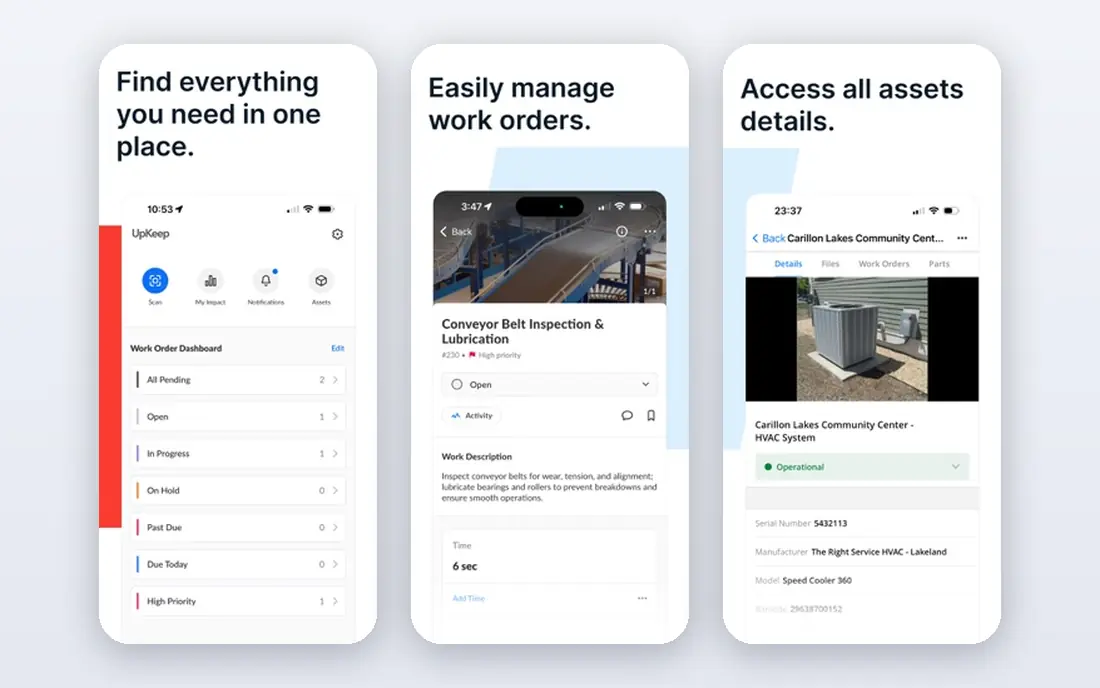
UpKeep suits maintenance teams that work away from desks. Technicians can open a work order on a phone, scan a QR code on a machine, add photos, and close the job without returning to an office computer. Preventive schedules help teams move from reactive fixes to planned checks, which is the main value of any maintenance tool. Managers get a clear view of open jobs, overdue tasks, and asset history in one place. The catch is seat cost. When every technician, supervisor, and requester needs an account, the monthly total grows fast, so check which roles can submit requests without a full paid seat before you sign.
- Strong mobile work orders
- Preventive maintenance schedules
- QR codes for fast asset lookup
- Costs rise as more technicians need paid seats
- Deeper reporting sits on higher plans
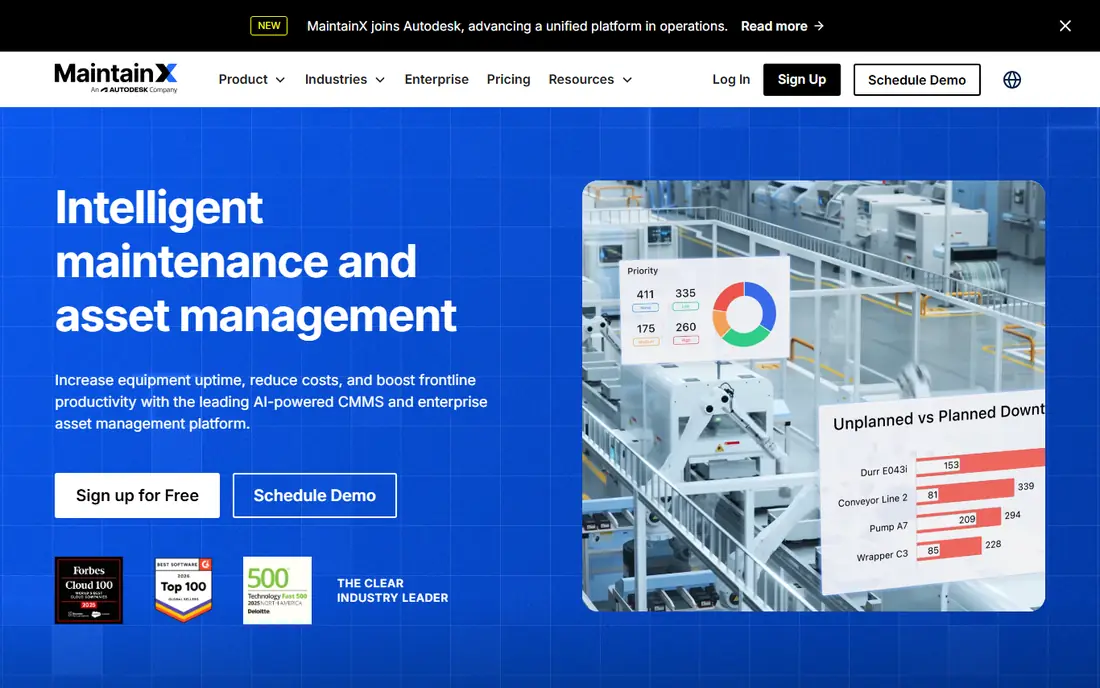
MaintainX is our pick for teams moving off paper or spreadsheets who want a fast start. The mobile app is simple to learn, work orders can carry photos and checklists, and team chat sits inside each job so updates do not get lost in separate messages. A free tier lets small teams prove the workflow before paying, which lowers the risk of a failed rollout. The trade-off is depth. Larger operations that need complex asset hierarchies, advanced analytics, or strict compliance reporting may outgrow the simpler structure. For a single site or a small multi-site team, that simplicity is a strength, not a gap.
- Easy mobile setup
- Free tier for small teams
- Chat-style updates on work orders
- Advanced reporting and controls need paid plans
- Less suited to complex enterprise asset lifecycles
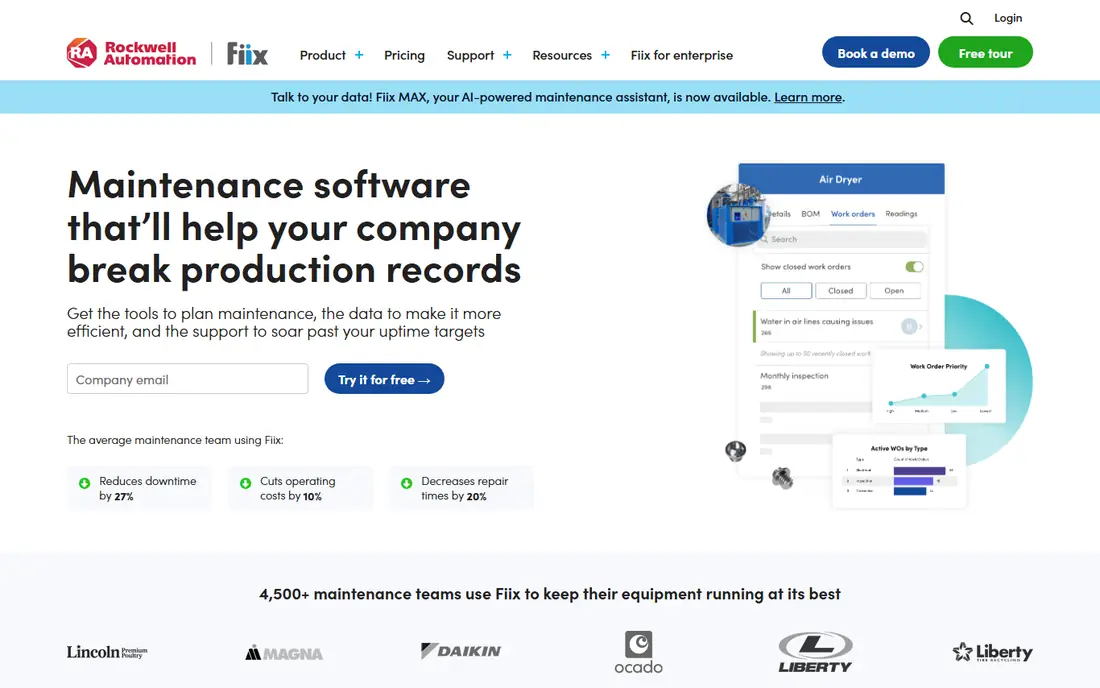
Fiix suits plants and facilities that need solid preventive maintenance without a large upfront spend. The free tier covers core work orders and asset basics, so a team can start tracking repairs and schedules right away. Paid plans add multi-site tools, purchasing, and deeper reporting for growing operations. Integration with the wider Rockwell Automation ecosystem also helps manufacturing teams that already use related tools. The catch is clarity on paid pricing and limits, so confirm what each plan includes for your asset count and user count. Start with one asset group, prove the schedule discipline, then expand.
- Free tier for core maintenance
- Preventive schedules and asset history
- Mobile access for technicians
- Paid plan pricing needs a vendor check
- Reporting setup takes care on larger asset lists
Limble fits small maintenance crews that want to get going in days rather than weeks. Setup is guided, work orders are easy to create and assign, and preventive tasks can repeat on a calendar that technicians can follow from a phone. That low friction matters, because a maintenance tool only works when technicians actually log jobs. The trade-off is scale. Very large operations with complex multi-site hierarchies and advanced reliability work may need a heavier platform. For a crew of a few technicians looking after one or several sites, Limble hits a practical balance of power and ease.
- Quick setup for small crews
- Clear work order and preventive tools
- Good mobile experience
- Quote and plan details need a vendor check
- Enterprise features are thinner than larger platforms
Asset Panda suits teams that track a mixed estate, from tools and vehicles to laptops and furniture, and need custom fields for each type. Admins can build their own asset records, add barcodes, and run audits from a phone, which helps when assets move between sites or people. Check-in and check-out history shows who had an item and when, which cuts losses and disputes. The catch is cost and setup. Entry pricing is annual and can feel high for a micro team, and custom fields only help when someone plans them well. Map your asset types and required fields before you build, and run a small audit pilot first.
- Flexible custom fields for many asset types
- Barcode and mobile tracking
- Audit and check-in tools
- Annual pricing can be a big step for very small teams
- Setup benefits from planning custom fields
ManageEngine AssetExplorer suits IT teams that need to find what is actually on the network, not just what a spreadsheet says should be there. Automated discovery can pull hardware and software details from machines, while licence tracking helps teams spot unused or non-compliant software. A free tier for small asset counts lets small IT teams start without a purchase. The trade-off is focus and feel. The interface is more functional than polished, and the tool is built for IT assets rather than building maintenance. If your main assets are servers, laptops, and software, that focus is exactly right.
- Automated network discovery
- Software licence tracking
- Free tier for small asset counts
- Interface feels dated next to newer tools
- Focus stays on IT rather than physical maintenance
Lansweeper suits IT teams that want a detailed, up-to-date inventory of every device on the network. It can discover workstations, servers, printers, and network gear, track software installs, and flag changes over time. That visibility helps with security checks, licence reviews, and refresh planning, because decisions rest on live data rather than old lists. The catch is setup skill. Getting discovery, credentials, and scanning right takes IT time, and pricing depends on asset volume. Small IT teams should start with a defined network scope, prove the inventory is accurate, then widen coverage.
- Deep network and device inventory
- Software and licence visibility
- Useful reporting for IT teams
- Setup needs IT skill
- Pricing depends on asset count and needs a vendor check
Snipe-IT is our pick for technical teams that want control and low licence cost. As open source software, it can be self-hosted at no licence fee, with check-in and check-out, audits, asset history, and licence tracking included. Teams that can run a server get a capable IT tracker without per-user fees. The trade-off is responsibility. Hosting, updates, backups, and security fall to your team, and that work has a real cost even when the licence is free. A paid cloud option removes much of that burden for teams that prefer a hosted service. Choose self-hosting only when you have the skills to maintain it.
- Free self-hosted option
- Full control over data
- Check-in, audit, and licence tools
- Self-hosting needs server skill
- Support depends on community and paid hosting options
Freshservice suits IT teams that want tickets and assets in one place. When a user reports a fault, the agent can see the device record, its history, and related tickets without switching tools. Automation can route tickets, send approvals, and track service levels, which helps small IT teams handle volume without adding headcount. The catch is depth. Dedicated IT asset tools offer deeper discovery and licence controls, while Freshservice covers asset basics alongside service work. If your main job is IT support with asset visibility, it fits well. If your main job is licence compliance, pair it with a deeper inventory tool or pick one from higher up this list.
- Combines service desk tickets with asset records
- Automation for common IT tasks
- Clean interface
- Asset depth is thinner than dedicated ITAM tools
- Pricing varies by plan and needs checking
How we picked these
We compared official feature pages, pricing pages, app store listings, privacy pages, and public user reviews for each tool. We weighted work order quality, preventive scheduling, asset tracking, discovery, licence controls, mobile access, and pricing clarity. We did not run hands-on trials of every plan, and prices change often, so we mark pricing as See website where we could not verify a current vendor price at the time of writing. Check the vendor pricing page and test with your own asset list before you buy.
How to choose the right asset tool
Start with the job, not the feature list. A tool that does everything poorly is worse than a focused tool that your team actually uses.
Maintenance or IT tracking
Choose UpKeep, MaintainX, Fiix, or Limble when the main job is repairs, preventive checks, and equipment health. Choose Asset Panda or Snipe-IT when the main job is knowing where items are and who holds them. Choose ManageEngine AssetExplorer, Lansweeper, or Freshservice when the main job is IT hardware, software, and licences.
Count users and assets honestly
List every person who will log jobs, approve work, or submit requests, and count every asset you plan to track. Per-user and per-asset pricing can change the ranking fast. Ask vendors which requester roles are free, what happens past asset limits, and how renewal pricing works.
Run a pilot on real assets
Import a real slice of assets, create real work orders, and close them from a phone on site. Check photo uploads, offline behaviour, barcode scanning, and reporting. A pilot with 20 assets will reveal more than a demo with a perfect dataset.
Frequently asked questions
What is the best asset management tool for a small team?
MaintainX and Fiix suit small teams best, thanks to free tiers and simple mobile work orders. Limble also fits small crews that want a quick setup. Start with a free tier or trial, prove the workflow on one site, then pay for the features you actually use.
What is the difference between EAM and CMMS software?
A CMMS manages work orders, preventive maintenance, and spare parts for equipment. EAM covers the full asset lifecycle, including procurement, depreciation, reliability work, and compliance at enterprise scale. Small teams usually need a CMMS, while asset-heavy enterprises need EAM tools.
What is the best IT asset inventory management software?
ManageEngine AssetExplorer, Lansweeper, and Snipe-IT lead for IT inventory, with network discovery, software tracking, and licence visibility. Snipe-IT suits technical teams that want open source control, while Lansweeper suits teams that want deep network discovery.
Can I start with a free asset management tool?
Yes. Fiix and MaintainX offer free plans, ManageEngine AssetExplorer offers a free tier for small asset counts, and Snipe-IT is free to self-host. Check asset limits, user limits, and export options before you build a long-term workflow on a free tier.
How much does asset management software cost?
Costs range from free tiers to quote-based enterprise pricing. Maintenance tools often charge per user per month, IT tools may charge by asset count, and some tools charge an annual fee. Always ask for the total cost for your user and asset counts, including any implementation help.
What are the top asset management software options for facilities?
UpKeep, MaintainX, Fiix, and Limble lead for facilities maintenance, with work orders, preventive schedules, and mobile access. Asset Panda suits facilities that also need to track tools and equipment across sites. Pick based on whether repairs or tracking is your main job.
Sources we checked (9)

Online Jobs is an independent blog about careers, online work, learning new skills and the tools that help people earn. More about us.
Keep reading
All posts
DocuSign Alternatives
We compared the best DocuSign alternatives on price, free plans, templates, audit trails and ease of use, including free DocuSign alternatives for small teams.
Best Spend Management Software
Looking for the best spend management software? We compared 8 platforms on cards, approvals, travel and price to help your finance team pick the right one.
Best Recruitment Software for Direct Hire
Looking for the best recruitment software for direct hire? We compared 8 ATS tools on price, pipelines, interviews and hiring tools to pick the right one.