Best ASO Tools in 2026: 8 Tools Compared

How we put this together: we compare official feature and pricing pages, app store listings, privacy policies and public user reviews. Prices change, so check the provider's site before you pay.
Key takeaways
- AppTweak is the best all-round ASO tool for teams that need keyword depth, competitor tracking, and reporting in one place.
- AppFollow is the strongest pick when review management and reply workflows matter as much as keyword ranks.
- Appfigures and App Radar suit smaller teams and indie developers who want useful ASO data without enterprise pricing.
- Sensor Tower and SplitMetrics suit larger teams that need market data or serious listing tests, and both cost far more.
- Start with the free tools from Apple and Google, then pay only for the data your team will actually use each week.
Quick comparison
| Name | Who it suits | Starting price | Free option | |
|---|---|---|---|---|
 AppTweak | All-round ASO teams | $79 per month | Free trial | Visit |
 AppFollow | Review management | Free | Yes | Visit |
 App Radar | Small team workflow | See website | Free trial | Visit |
 Sensor Tower | Market intelligence | See website | No | Visit |
 MobileAction | Apple Search Ads plus ASO | See website | Yes | Visit |
 ASOdesk | Budget keyword tracking | See website | Yes | Visit |
 Appfigures | Analytics plus ASO | Free | Yes | Visit |
 SplitMetrics | Store listing tests | See website | No | Visit |
The best ASO tools
App store optimisation, or ASO, covers the work of helping people find your app in search, improving its store page, and tracking how it ranks over time. The tools below differ in data depth, price, and focus, so the right pick depends on whether you need keywords, reviews, market data, or listing tests most.
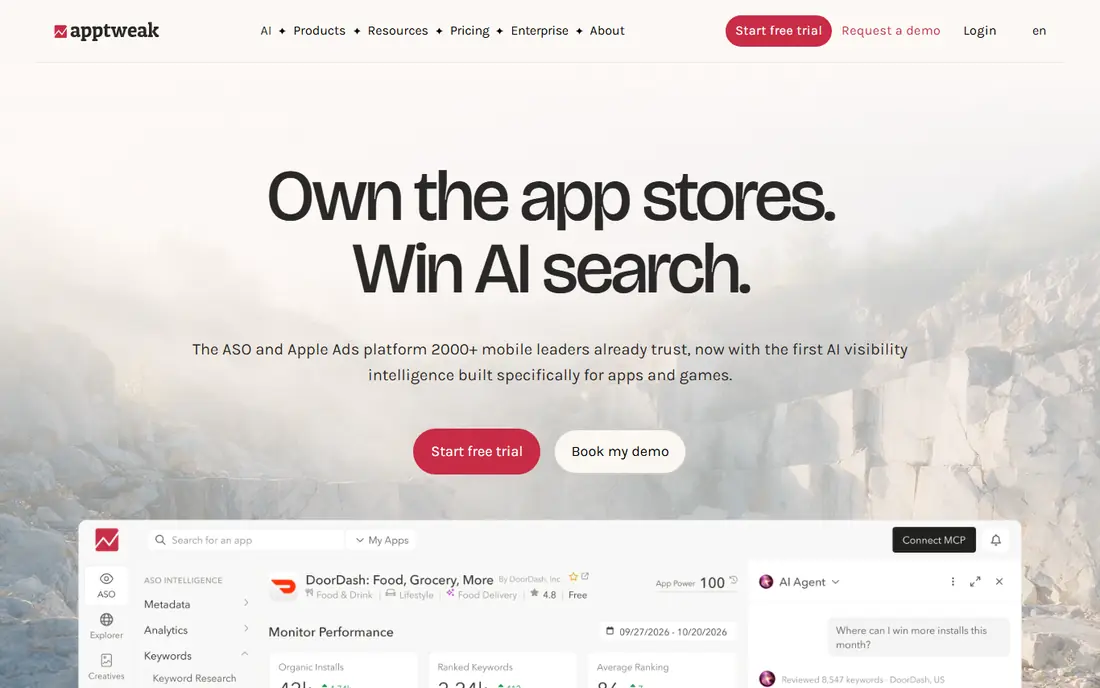
AppTweak is our pick for most ASO teams because it covers the core jobs well in one place. Keyword research, rank tracking, competitor comparison, and metadata suggestions are all part of the same workflow, so a team can move from finding a keyword to tracking its result without switching tools. Its keyword volume and difficulty data are widely used by agencies, which also makes reports easier to share with clients.
The starting plan, at $79 per month when billed annually, suits a small team with a few apps. Larger teams will need higher plans for more keywords, users, and data depth, and API access is priced separately. If you run ASO for several apps or clients, AppTweak is the most complete default. If you run a single indie app, a cheaper tool below may cover your needs.
- Deep keyword data
- Competitor tracking
- Clear reporting for teams and agencies
- Price rises fast on higher plans
- API access sits on separate plans
AppFollow starts with reviews, and that focus sets it apart. It pulls reviews from the App Store, Google Play, and other stores into one inbox, tags sentiment, and lets teams reply at scale. For apps where ratings drive downloads, that workflow matters as much as keyword ranks, since a drop in rating can hurt conversion even when ranks hold steady.
The free plan lets small teams try review tracking and basic ASO features, while paid ASO plans add deeper keyword work. Business plans for larger teams are priced higher, so check the plan that matches your review volume. If reviews and ratings are your main worry, AppFollow should be first on your trial list.
- Strong review aggregation and replies
- Sentiment analysis
- ASO keyword tracking included
- Full business plans are pricier than the free tier suggests
- Some features need higher plans
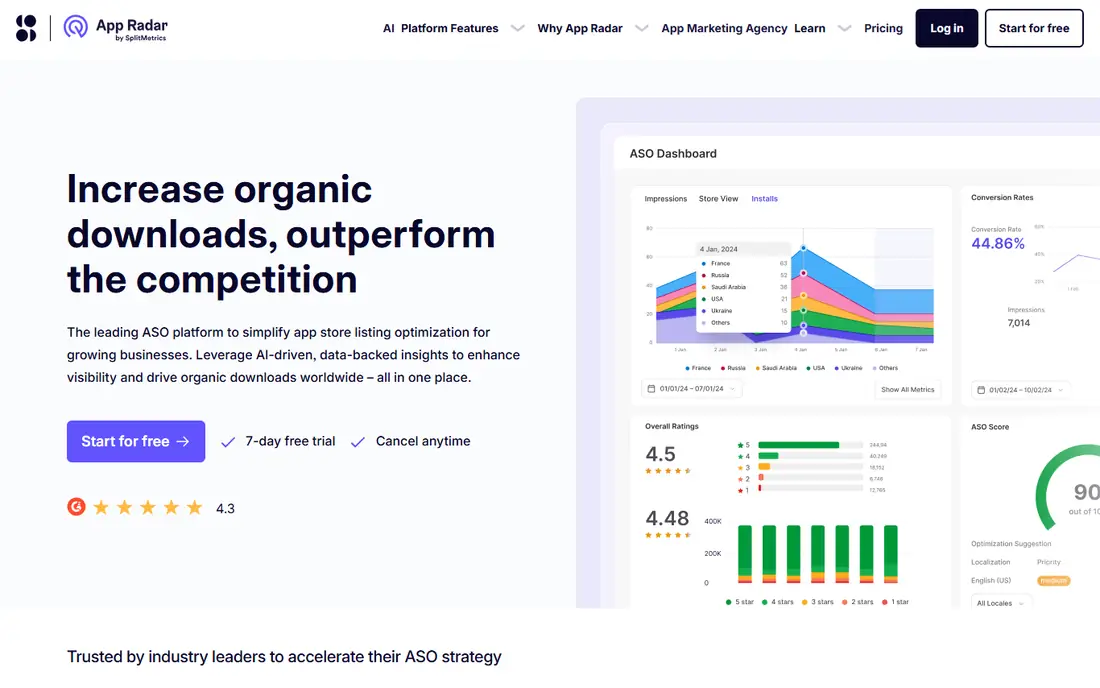
App Radar is built around the daily ASO workflow rather than just data. You can track keywords, draft metadata, and publish listing changes from the same dashboard, which saves time for small teams that handle ASO alongside product work. AI-assisted metadata suggestions help teams test new titles and descriptions without starting from a blank page.
Entry pricing has been listed in euros, so check the current price on the App Radar site for your region before you budget. API access also needs a higher plan or an add-on. For a startup or small team that wants one tool for tracking and publishing, App Radar is a practical, well-judged choice.
- Keyword tracking plus publishing from one dashboard
- AI metadata suggestions
- Team workflow tools
- Pricing varies by region and plan
- API access needs a higher plan or add-on
Sensor Tower is a market intelligence platform first and an ASO tool second. Its strength is estimating downloads, revenue, and ad spend across the market, which helps publishers judge competitors, categories, and growth trends. After its acquisition of data.ai, its market data coverage is wider still, and large publishers rely on it for planning.
That depth comes at enterprise pricing, with quotes rather than a public starting price. A single-app indie team will not need most of what Sensor Tower offers, and the cost will be hard to justify. For a publisher, investor, or large studio that needs market context behind every ASO decision, it is the standard reference point.
- Strong download and revenue estimates
- Ad intelligence
- Wide market coverage
- Enterprise pricing
- More than a single-app team needs
- No simple self-serve price
MobileAction suits teams that run Apple Search Ads alongside organic ASO, since it brings both views together. You can compare paid keyword performance with organic ranks, which helps you decide where to spend and where a listing change might do the same job for free. That combined view is its main advantage over a keyword-only tool.
A free plan lets you test the basics, while paid plans add deeper intelligence and more tracked keywords. Pricing has varied by tier, so confirm the current entry price on the MobileAction site. If paid search is a large part of your app growth, MobileAction deserves a trial alongside AppTweak.
- ASO metrics plus Apple Search Ads intelligence
- Free plan to start
- Unified paid and organic view
- Pricing tiers can be confusing
- Deeper features need paid plans
ASOdesk is a budget-friendly option that covers the core ASO jobs without enterprise pricing. Keyword tracking, competitor comparison, and basic reporting are included, and a free plan lets indie developers start without a subscription. For a solo developer with one or two apps, that coverage is often enough to spot rank changes and test new keywords.
It does not match AppTweak for data depth or reporting polish, and larger teams may outgrow it as their keyword lists grow. Treat ASOdesk as a value pick: strong for the price, best for small teams, and easy to leave behind if you later need deeper market data.
- Affordable keyword tracking
- Competitor comparison
- Useful for indie developers
- Smaller feature set than AppTweak
- Reporting is simpler
Appfigures started as an app analytics tool, and that history still shapes it. It combines downloads, revenue, and review data with keyword tracking, so a small team can see sales and search performance in one place. The free starter plan is genuinely useful for tracking basic app data, which makes it a low-risk first tool.
Keyword features sit on paid plans, with keyword tracking from around $44.99 per month in recent listings, so check the current price on the Appfigures site. If you need analytics and ASO together and you run a small portfolio, Appfigures is a sensible, low-cost choice. If ASO is your main job, AppTweak or App Radar will give you more keyword depth.
- Free starter plan
- App analytics and revenue reporting
- Keyword tracking on paid plans
- Keyword features start on paid plans
- ASO depth is lighter than AppTweak
SplitMetrics focuses on a different ASO job from the tools above: testing which store page converts best. It runs A/B tests on screenshots, icons, and descriptions, and it supports custom product pages for paid campaigns. That testing work can raise install rates without changing ranks, which is why conversion-led teams value it.
The price is high, and it only makes sense once you have enough traffic for tests to reach a clear result. Small apps with low download volume will learn little from a test that never reaches a useful sample size. Add SplitMetrics when listing conversion, not keyword discovery, is your bottleneck, and keep a keyword tool alongside it for rank tracking.
- Strong A/B testing for store pages
- Custom product page insights
- Apple Search Ads support
- High price
- Only earns its cost once you have real traffic to test
How we picked these
We compared official pricing pages, feature lists, and recent ASO tool comparisons, and we kept only tools that cover the App Store, Google Play, or both with real keyword or review data. We favoured tools with clear free or trial options where offered, and we included both budget and enterprise options so teams at different sizes can compare fairly. We also noted where Sensor Tower absorbed data.ai and where SplitMetrics acquired App Radar, since those changes affect which product you actually buy. Prices change by plan and region, so confirm the current price on each vendor site before you sign up.
How to choose an ASO tool for your team
Start with the job you do most each week. If that job is keyword research and rank tracking, pick AppTweak or App Radar. If it is reviews and replies, pick AppFollow. If it is market sizing, pick Sensor Tower. If it is listing tests, pick SplitMetrics. A tool that covers your main job well beats a tool that covers every job thinly.
Use the free baseline first
App Store Connect and Google Play Console already give you impressions, downloads, and basic search data for free. Use those reports for a few weeks to learn your baseline, then add a paid tool only for the gaps you actually hit, such as competitor keywords or review sentiment at scale.
Watch keyword volume with care
Keyword volume figures are estimates, not exact counts, and they differ between tools. Use them to compare keywords with each other, not as a promise of downloads. Track ranks and conversion over time, and judge a keyword by the installs it brings, not by its volume score alone.
Test before you pay for a year
Run a trial with your real app, your real keyword list, and your real competitors. Check data freshness, report exports, and how often ranks update. A tool that looks good in a demo but updates slowly, or lacks your key markets, will frustrate a team quickly.
Frequently asked questions
What is the best ASO tool for beginners?
App Radar and Appfigures are good beginner picks, since both offer a low-cost entry and cover keyword tracking without enterprise complexity. App Store Connect and Google Play Console are also essential free starting points for every app.
What is the best free ASO tool?
Appfigures and AppFollow both offer free plans, and ASOdesk and MobileAction also offer free starting tiers. Free plans limit keywords and history, so they suit a single app better than a large portfolio.
Is Sensor Tower worth the price for a small app?
Usually not. Sensor Tower suits publishers and large studios that need market estimates and ad intelligence. A single-app team will get more value from AppTweak, App Radar, or a budget tool such as ASOdesk.
What is the difference between ASO and Apple Search Ads?
ASO improves organic discovery and store conversion, while Apple Search Ads buys paid placement in App Store search. Tools such as MobileAction help teams manage both together, since paid and organic keywords often overlap.
How often should I update my store listing?
Update metadata when you have data to act on, such as a rank change, a new feature, or a test result, rather than on a fixed schedule. Frequent small changes make it hard to tell what worked, so change one element at a time and track the result.
Do ASO tools work for both iOS and Android?
Most tools in this list cover both the App Store and Google Play. A few smaller tools are iOS-only, so check store coverage for your app before you trial a tool, especially if you publish on both stores.
Sources we checked (8)

Online Jobs is an independent blog about careers, online work, learning new skills and the tools that help people earn. More about us.
Keep reading
All posts
n8n Alternatives
n8n alternatives compared for 2026, with Zapier, Make, Activepieces, and more, covering visual builders, code steps, self-hosting, and pricing models.

ZoomInfo Alternatives
The best ZoomInfo alternatives in 2026, compared on price, free plans, data coverage, and which tool fits small teams or large sales teams best in detail.

Workday Alternatives
We compared the best workday alternatives for HR, payroll, and global hiring, from BambooHR and Gusto to Rippling, Deel, and HiBob for growing teams in 2026.