Best Apps for Time Management in 2026: 8 Apps Compared


Simple task lists with due dates and priorities · Starting price: Free
How we put this together: we compare official feature and pricing pages, app store listings, privacy policies and public user reviews. Prices change, so check the provider's site before you pay.
Key takeaways
- Todoist and TickTick suit most people who want tasks, due dates, and daily planning in one app.
- Toggl Track and Clockify suit freelancers and teams that need to track billable hours and project time.
- RescueTime suits users who want to see where computer time actually goes, while Forest suits users who need a gentle focus aid.
- A time app only helps if you review it weekly, so pick a simple system you will actually maintain.
Quick comparison
| Name | Who it suits | Starting price | Free option | |
|---|---|---|---|---|
| Todoist | Simple task lists with due dates and priorities | Free | Yes | Visit |
 TickTick TickTick | Tasks, habits, calendar, and focus in one app | Free | Yes | Visit |
 Toggl Track Toggl Track | Simple, accurate time tracking for individuals and teams | Free | Yes | Visit |
 Clockify Clockify | Free time tracking for teams and projects | Free | Yes | Visit |
 RescueTime RescueTime | Seeing where computer time actually goes | See website | Free trial | Visit |
 Forest Forest | Staying focused with a visual timer | See website | No | Visit |
 Sunsama Sunsama | Guided daily planning for busy professionals | See website | Free trial | Visit |
 Reclaim.ai Reclaim.ai | Automatic calendar blocking for tasks and habits | See website | Free trial | Visit |
The best apps for time management
Time management apps solve different problems. Some organize tasks, some track hours, some block calendars, and some help you focus for a set period. We compared the apps below on planning, tracking, focus tools, reporting, and ease of daily use, using official app pages and pricing information.
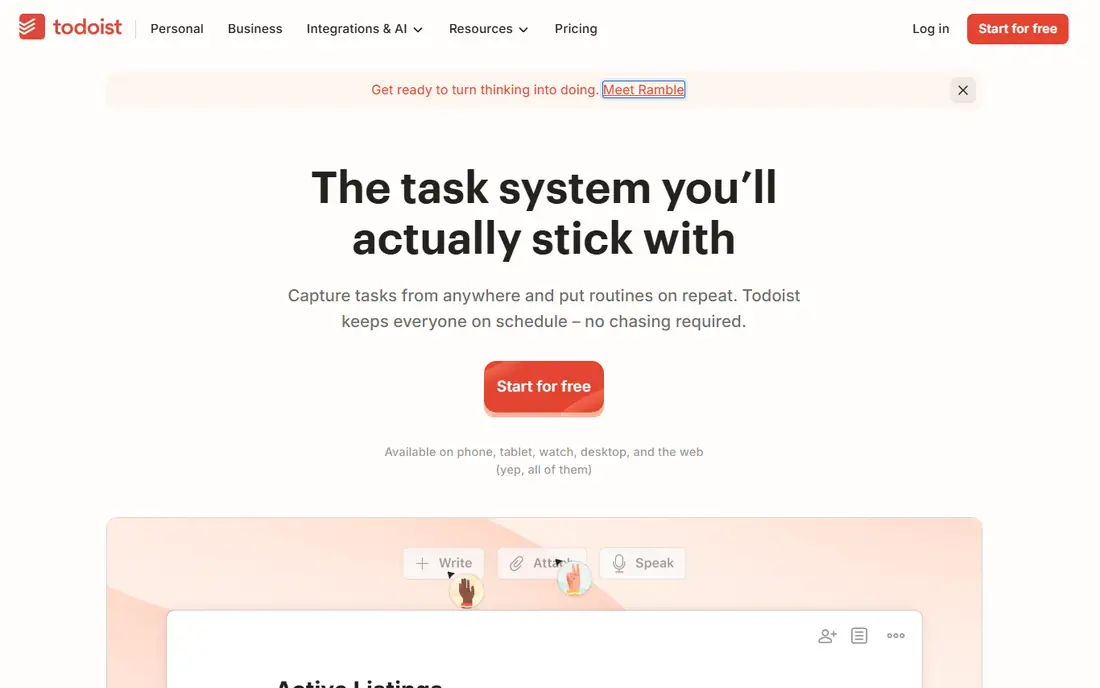
Todoist is our pick for most people who want to get organized without learning a complex system. Tasks can be added in plain language, such as a due date and a project name in one line, and projects, labels, and priorities keep work sorted. The daily view shows what is due today, which helps with morning planning. The free plan covers core task management for individuals, while paid plans add reminders, filters, and team features.
Todoist does not track time on its own, so freelancers who bill by the hour will need an integration with a tracker such as Toggl Track. That is a fair trade for a task app that stays fast and simple. For students, workers, and small teams that mainly need to remember and prioritize work, Todoist is a strong, low-friction choice.
- Clean task lists
- Natural language due dates
- Projects and labels
- Time tracking needs an integration
- Advanced reminders need a paid plan
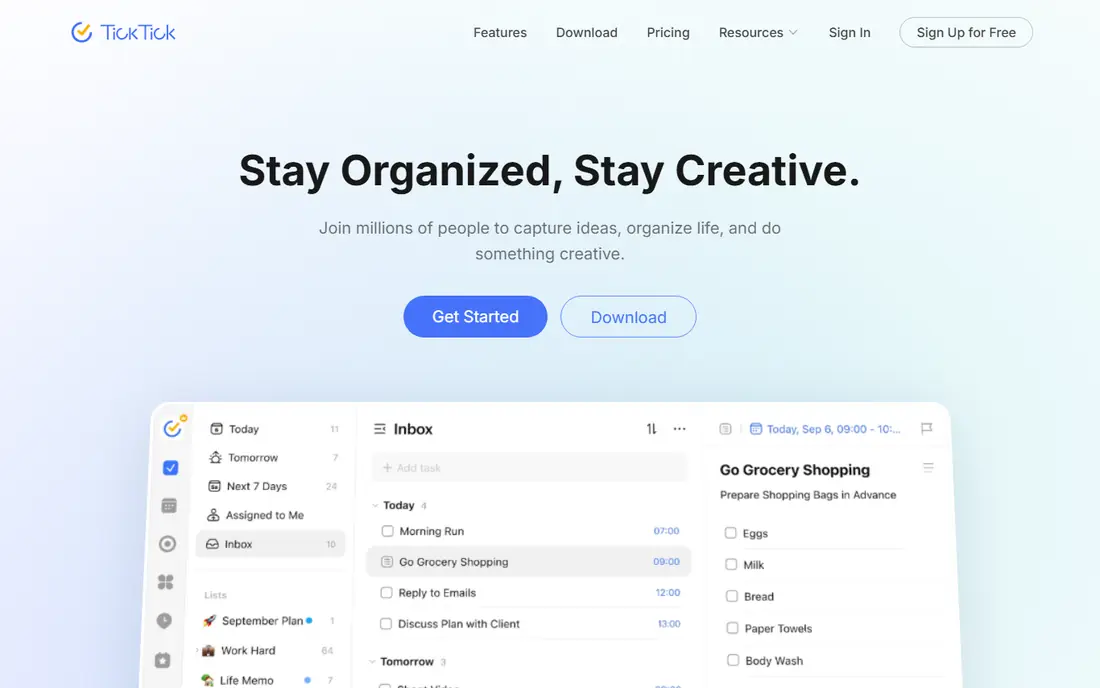
TickTick combines several tools that other apps sell separately: task lists, a calendar, habit tracking, and a Pomodoro focus timer. That mix suits users who want one app for daily planning rather than three separate apps. Tasks can repeat, carry subtasks and priorities, and appear on a calendar view, which helps with planning a week at a glance. The free plan covers a useful amount of core work.
The range of options can feel busy at first, and some calendar and habit features sit behind a paid plan. Users who only want a simple list may prefer Todoist. For users who want tasks, habits, and focus sessions together, TickTick offers more in one place than most rivals.
- Tasks plus calendar and habits
- Built-in Pomodoro timer
- Useful free plan
- Interface has many options
- Some features need a paid plan
Toggl Track
Who it suits: Simple, accurate time tracking for individuals and teams
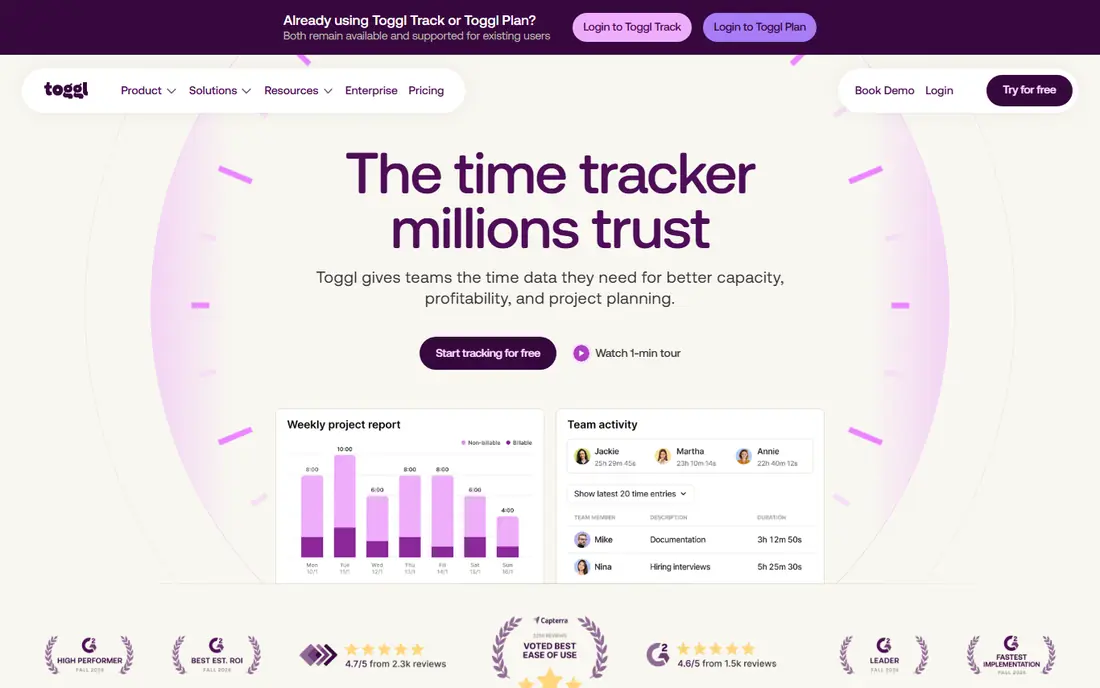
Toggl Track focuses on one job: recording how time is spent. Start a timer, assign a project and client, and stop when work ends. Reports show time by project, client, or team member, which helps freelancers invoice accurately and helps managers see where hours go. The free plan covers core tracking for individuals, and the interface stays simple even for teams.
Toggl Track is not a full task manager, so users who need detailed task planning should pair it with Todoist or TickTick. Paid plans add billable rates, advanced reporting, and team controls. For anyone who bills by the hour or wants an honest record of work time, Toggl Track is the easiest tracker to adopt.
- One-click timers
- Project and client tracking
- Clear reports
- Task planning is limited
- Advanced reporting needs paid plans
Clockify offers time tracking with a generous free plan, which makes it popular with small teams, agencies, and nonprofits. Users can track time with a timer or enter hours manually, assign time to projects and clients, and view reports by person or project. Exports help with invoicing and payroll, and team views help managers spot overloaded staff.
The interface is practical rather than polished, and some advanced features such as forecasting and approvals sit on paid plans. For a team that needs reliable tracking without a per-user fee for basic use, Clockify is hard to beat. Pair it with a task app if you also need detailed project planning.
- Free core time tracking
- Team and project views
- Reports and exports
- Interface is functional rather than elegant
- Some features need paid plans
RescueTime runs in the background on a computer and sorts time into productive, neutral, and distracting categories based on apps and websites used. Weekly reports show where hours went, which often surprises users who feel busy but cannot name what filled the day. Focus sessions and alerts can nudge users back when a distracting site takes over.
RescueTime works best for computer-based work, and it is less useful for field work, meetings, or offline tasks. Users should review privacy settings and decide what data to track, since automatic tracking records app and site use. For knowledge workers who want an honest picture of screen time, RescueTime gives insight that manual timers cannot.
- Automatic tracking of apps and sites
- Focus reports
- Alerts for distracting sites
- Desktop-focused
- Privacy settings need review
- Less useful for offline work
Forest turns focus into a simple visual habit. Start a timer, plant a virtual tree, and keep the phone untouched until the session ends. If you leave the app early, the tree withers, which gives a light consequence without harsh penalties. Friends mode lets people focus together, which can help students and remote workers who study in groups.
Forest does not manage tasks, projects, or calendars, so it works best alongside Todoist or TickTick. It also requires a purchase rather than a free plan on most platforms, though the price is low compared with subscription apps. For users who get distracted by their phone, Forest is a charming and effective focus aid.
- Simple focus timer with a growing tree
- Gentle motivation
- Friends mode for shared focus
- No full task manager
- Best as a companion app, not a planner
Sunsama guides users through a daily planning ritual: pull tasks from connected tools, drag them onto a calendar, estimate time, and review the day at the end. That structure helps professionals who juggle email, meetings, and project work, and who often end the day unsure what they actually completed. Weekly review features support reflection and better planning the next week.
Sunsama is a paid subscription, and users who only need a simple list may find it more than they need. It also works best when tasks and calendars are connected, which takes setup time. For busy professionals who want a calm, guided plan each morning, Sunsama offers a workflow that simpler task apps do not.
- Guided daily planning flow
- Calendar and task integration
- Weekly review
- Subscription pricing
- Less suited to simple list users
Reclaim.ai connects to a calendar and automatically finds time for tasks, habits, breaks, and focus work around existing meetings. That approach suits people whose calendars fill up fast, since tasks that never get a time slot often never get done. Users can set priorities, deadlines, and preferred times, and Reclaim adjusts blocks when meetings move.
Reclaim works best with Google Calendar, and it needs calendar access to function, so privacy-conscious users should review permissions. It also assumes a calendar-led workflow, which may not suit users who prefer a simple list. For meeting-heavy workers who want focus time protected automatically, Reclaim is a smart addition to a task system.
- Auto-schedules tasks and habits around meetings
- Protects focus time
- Calendar integrations
- Works best with Google Calendar
- Setup needs calendar access and planning
How we picked these
We compared official app pages, pricing pages, and feature lists for time management tools that work in the United States in October 2026. We favored tools with a free plan or trial, clear task or tracking features, and a working official homepage, and we mixed task managers, trackers, focus tools, and calendar planners. We did not claim hands-on testing that did not happen, and we wrote See website where pricing was not stable on the vendor page at the time of writing. Users should confirm plan limits and integrations before buying.
Choosing the right time management app for your work
Start with your biggest time problem. If you forget tasks, pick a task manager such as Todoist or TickTick. If you bill by the hour, pick a tracker such as Toggl Track or Clockify. If you lose hours to distraction, try RescueTime for insight or Forest for focus. If your calendar controls your day, try Reclaim or Sunsama for planning. One clear problem leads to a better choice than a long feature list.
A simple weekly system that works
Plan the week in one short session: list the three most important outcomes, assign due dates, and block time for the hardest task first. Track time only for work that needs billing or review, not for every minute of the day. Review the week on Friday, note what slipped and why, and adjust next week rather than adding more tools. A simple system you review beats a complex system you abandon.
Focus, breaks, and realistic days
Use focus sessions of twenty-five to fifty minutes with short breaks, and protect at least one deep-work block each day if your job allows it. Leave buffer time between meetings, since back-to-back calls leave no room for follow-up work. If a day is overloaded, move a task deliberately rather than letting it slip silently. Good time management is less about doing more, and more about choosing what matters and giving it a real slot in the day.
Frequently asked questions
What is the best time management app for students?
Todoist and TickTick are strong student picks, with task lists, due dates, and calendar views for classes and assignments. Forest can help with focus during study sessions. Start free, keep the system simple, and add a tracker only if you need to log study hours.
What is the best time tracking app for freelancers?
Toggl Track is the easiest tracker for freelancers, with one-click timers, client and project tracking, and reports for invoicing. Clockify is also strong, especially for teams and for users who want a generous free plan. Choose based on whether you need billable rates and team reporting.
What is the best app for time management and productivity?
Todoist suits most people for daily task management, while TickTick adds habits, calendar, and focus tools in one app. Sunsama suits professionals who want guided daily planning, and Reclaim suits calendar-heavy workers. Pick based on whether your main problem is tasks, focus, or calendar overload.
Is there a free time management app that is actually useful?
Yes, Todoist, TickTick, Toggl Track, and Clockify all offer free plans that cover core tasks or tracking for individuals. Free plans have limits on features, users, or history, so check those limits. A free plan is often enough for personal use and for learning what you need before paying.
How do I choose between Todoist and TickTick?
Todoist is simpler and faster for pure task lists, while TickTick adds calendar, habits, and a focus timer in one app. If you want one app for several habits, choose TickTick. If you want the cleanest task list and plan to use other tools for calendar and focus, choose Todoist.
Can a time management app really improve focus?
An app helps when it makes planning visible and review regular, but it cannot create focus on its own. Pair an app with focus sessions, phone boundaries, and a realistic daily plan. Review your week, keep the system simple, and change one habit at a time rather than rebuilding your whole routine at once.
Sources we checked (8)

Online Jobs is an independent blog about careers, online work, learning new skills and the tools that help people earn. More about us.
Keep reading
All posts
Best Writing Software
Looking for the best writing software in 2026? We compared 9 writing apps for books, articles and screenplays on price, features and fit. All verified.

Best Weather Apps
Searching for the best weather app? We compared eight top weather apps for accurate forecasts, radar, severe alerts, and daily planning near you today.

Best Video Editing Software
We compared the best video editing software for beginners and pros, checking official pricing, free plans and honest limits before ranking all nine editors.