Best Apps for Sleep Tracking in 2026: 9 Apps Compared

Most sleepers who want phone-only tracking · Starting price: $39.99 per year (Premium)
How we put this together: we compare official feature and pricing pages, app store listings, privacy policies and public user reviews. Prices change, so check the provider's site before you pay.
Key takeaways
- Sleep Cycle is our pick for most people because it tracks from your phone, needs no wearable, and includes a smart alarm on its free plan.
- Pillow and AutoSleep are the strongest choices for Apple Watch owners, with Pillow offering deeper trends and AutoSleep offering a one-time price.
- SleepScore stands out if you want contact-free tracking from your nightstand, using sonar rather than a sensor on your body.
- Rise is different from the rest: it reads sleep data from other apps and focuses on sleep debt and daily energy timing.
- None of these apps is a medical device, and none can diagnose a sleep disorder. Treat their stage and score figures as estimates, not clinical results.
Quick comparison
| Name | Who it suits | Starting price | Free option | |
|---|---|---|---|---|
| Sleep Cycle | Most sleepers who want phone-only tracking | $39.99 per year (Premium) | Yes | Visit |
 Pillow Pillow | Apple Watch and iPhone owners who want detailed trends | $49.99 per year (Premium, annual) | Yes | Visit |
 SleepScore SleepScore | People who do not want to wear anything to bed | $59.99 per year (Premium) | Yes | Visit |
 Rise Rise | People who want to fix their schedule, not just record it | $69.99 per year | Free trial | Visit |
 Sleep as Android Sleep as Android | Android users who want deep customization | See website | Free trial | Visit |
 BetterSleep BetterSleep | People whose main problem is falling asleep | See website | Free trial | Visit |
 AutoSleep AutoSleep | Apple Watch owners who want to pay once and be done | $9.99 one-time | No | Visit |
 SleepWatch SleepWatch | Apple Watch owners who like trend reports | See website | Yes | Visit |
 ShutEye ShutEye | People who want sounds, stories, and tracking in one app | See website | Free trial | Visit |
The best apps for sleep tracking in 2026
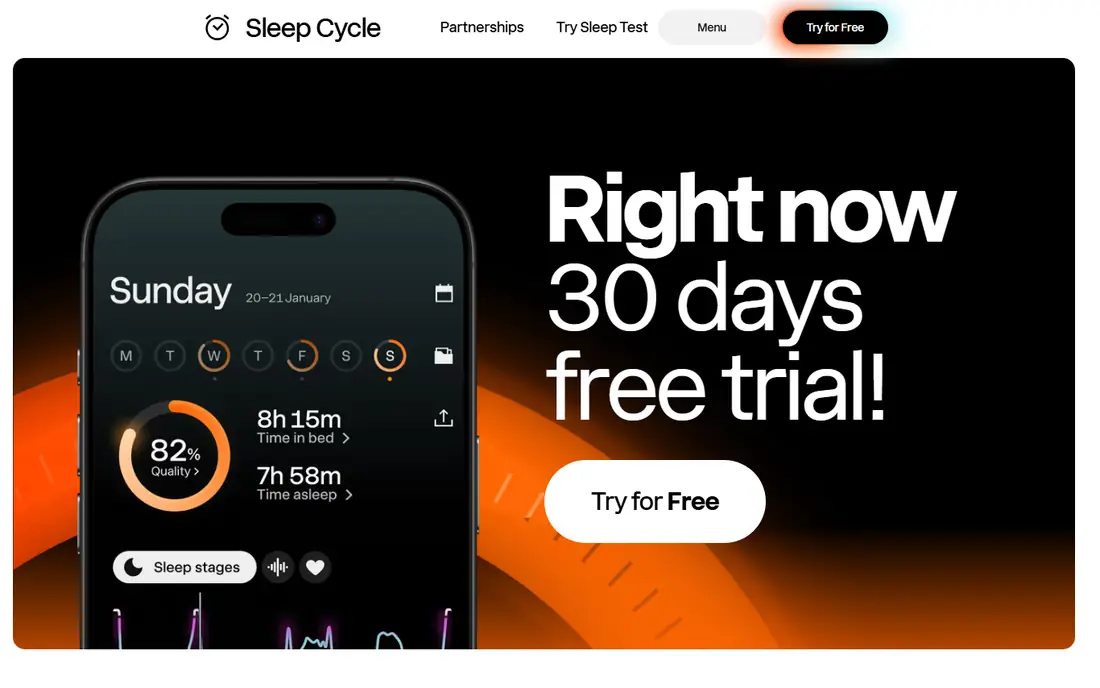
Sleep Cycle is the easiest place to start because it asks for nothing you do not already own. Put your phone on the nightstand or bedside table, and it uses sound and movement to estimate when you fall asleep, how long you sleep, and when to wake you within a window you choose. The free plan covers basic tracking and the smart alarm, which is more than many rivals give away.
Premium adds longer history, snore recording, and a sleep aid library, at $39.99 a year. That is a fair price for an app many people open every morning, but check the free version first. One honest caveat: phone tracking estimates sleep stages from movement and sound, so treat the stage breakdown as a pattern guide rather than a precise measurement.
- Works without a wearable, smart alarm on the free plan, snore recording on Premium
- Phone-based stage estimates are rough, Premium is needed for long-term trends
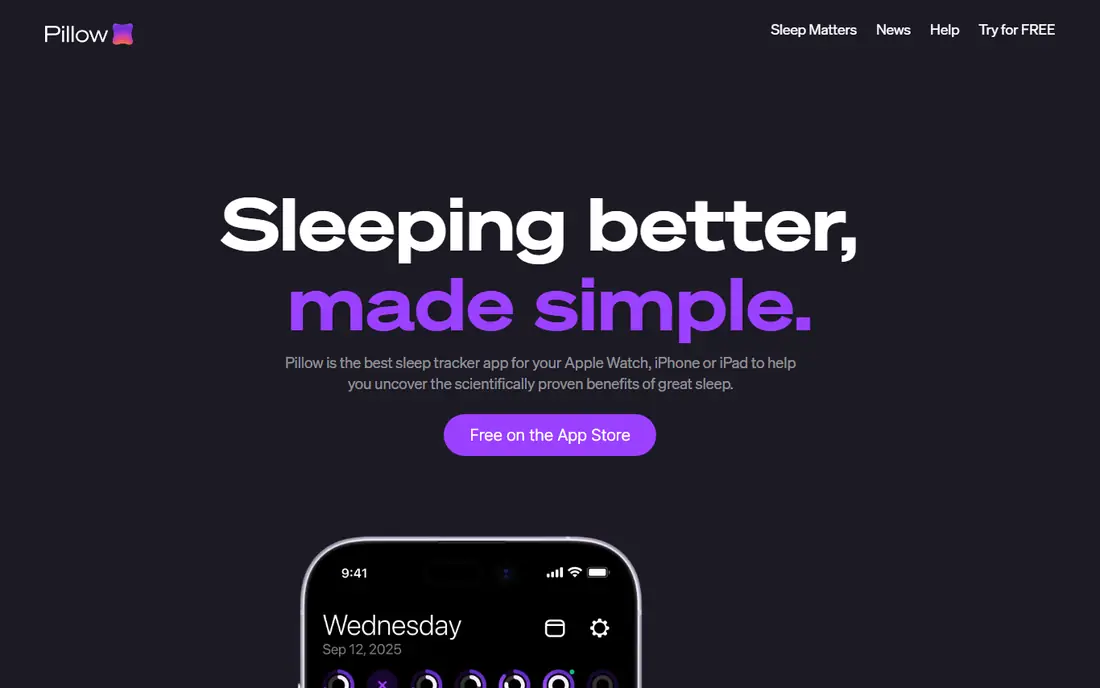
Pillow is built around the Apple ecosystem, and it shows. With an Apple Watch it tracks automatically while you sleep, and with an iPhone alone it can still track from the bedside. Its analysis covers sleep stages, heart rate, and recorded sounds such as snoring, and it compares sleep quality with other Apple Health measures such as steps and caffeine. Analysis happens on your device, and Pillow states that it does not collect or sell your data.
The free version gives you a useful taste, but detailed statistics, unlimited history, and full recordings sit behind Premium at $49.99 a year. Android users should look elsewhere, since Pillow is Apple-only.
- Deep Apple Health integration, on-device analysis, sound recording and smart alarm
- Apple devices only, full trends and history need Premium

SleepScore takes a different technical path from most trackers. Instead of a sensor on your wrist or a phone under your pillow, it uses sonar from your phone speaker and microphone to sense breathing and movement from the nightstand. The result is a single nightly score from 0 to 100, plus a breakdown of light, deep, and REM sleep and advice on improving each stage.
The trade-off is placement. The phone needs a clear spot near chest height, and thick bedding or clutter on the nightstand can interfere. Premium costs $59.99 a year and adds full history, a printable report you can share with a clinician, and deeper coaching. For people who dislike wearables, it is the most capable contact-free option here.
- Contact-free sonar tracking, a simple 0 to 100 nightly score, personalized coaching
- Needs careful phone placement, Premium is needed for full history and reports
Rise works best as a second layer on top of a tracker you already use. It pulls sleep data from Apple Health, Fitbit, Oura, Garmin, and Sleep Cycle, then works out two numbers: how much sleep you personally need, and how much sleep debt you have built up over the past two weeks. From there it predicts your daily energy dips and peaks and suggests a bedtime window.
That focus is useful if your problem is timing rather than measurement. The catch is the price and the setup: at $69.99 a year it is the priciest app here, and on its own it records nothing, so you still need another app or wearable feeding it data. A 7-day trial lets you see whether its numbers change your habits before you pay.
- Sleep debt and circadian timing in plain language, reads data from other trackers, daily energy schedule
- Does not track sleep on its own, most expensive yearly price here
Sleep as Android is the power user's choice, and the only Android-first app on this list. It tracks with your phone sensors, sonar, or a wide range of wearables, and it adds features most rivals skip: a smart alarm with tasks you must complete to stop it, anti-snoring nudges, lullabies, sleep deficit stats, and integrations with lights and health services. Full access comes through a one-time license rather than a yearly subscription, which is rare in this category.
The downside is the experience. The settings run deep, and the interface can feel crowded next to Sleep Cycle or Pillow. If you want something you can set up in two minutes, pick a simpler app.
- Huge feature set, sonar and wearable tracking, one-time license instead of a subscription
- Android only, interface is busy, some features need extra setup
BetterSleep, formerly Relax Melodies, starts from the other end of the night. Its core is a library of mixable sounds, sleep stories, and meditations, and you can layer rain, wind, and music into a personal soundscape that plays until you drift off. A sleep tracker and sound recorder are included, so you can still review your nights, but they are not the main event.
The paid plan opens the whole library, and its price varies by plan and region, so check the app listing before subscribing. BetterSleep is the right pick if racing thoughts at bedtime are your main issue and tracking is a bonus rather than the goal.
- Large library of sounds, stories, and meditations, sleep tracker and recorder included, mixable soundscapes
- Tracking is secondary to audio content, full library needs a paid plan
AutoSleep is the outlier on price: a single $9.99 purchase with no subscription and no extra in-app purchases. Wear your Apple Watch to bed and it tracks automatically, with no buttons to press. It reports time asleep, a sleep rating, sleep rings, heart rate, blood oxygen where the watch supports it, and readings from the Apple Sleep app, and it keeps all data on your devices with no analytics tracking or data upload.
The limits are clear. It is Apple-only, it needs a watch for the best results, and there is no free tier, so $9.99 is the cost of finding out whether you like it.
- One-time purchase with no subscription, automatic tracking, strong privacy stance
- Apple Watch and iPhone only, no free version to try first
SleepWatch turns your Apple Watch into a dedicated sleep tracker with an emphasis on trends over time. Wear the watch to bed, or use your iPhone, and it reports total sleep time, sleep rhythm, resting heart rate dip, heart rate variability, and disruption, then shows how those measures move across weeks and months. Activity tagging lets you note habits such as late caffeine or exercise and see whether they line up with better or worse nights.
The free version covers basic tracking, while deeper analysis sits behind a paid plan whose price is not clearly published on the website, so check the app listing. Android users and people without a watch will get more from a phone-first app such as Sleep Cycle.
- Automatic Apple Watch tracking, clear trend reports, activity tagging
- Apple-focused, advanced analysis needs a paid plan, pricing is not clearly published
ShutEye bundles the two jobs most sleep apps split apart: it tracks your sleep and records night sounds, and it also offers a library of relaxing sounds and bedtime stories to help you fall asleep. A smart alarm wakes you in a lighter phase of sleep, and the app presents a daily report with duration, quality, and recorded sounds. That combination makes it a good single-app choice if you do not want one app for sounds and another for tracking.
Price varies by plan and region, so confirm it in the app store before subscribing. For a straightforward all-in-one that covers both falling asleep and reviewing the night, ShutEye is a solid and simple pick.
- Sleep tracking plus a large sound and story library, smart alarm, sound recording
- Tracking is less detailed than specialist apps, full access needs a subscription
How we picked these
We compared official feature pages, pricing pages, and app-store listings for the leading sleep tracking apps, and we kept only apps whose main job is tracking sleep or helping you fall asleep with tracking included. We looked at how each app measures sleep, whether it needs a wearable, what the free version actually covers, what the paid plan costs, and how clearly the app presents its limits.
We did not test every app overnight ourselves. Our comparisons rest on vendor documentation, app-store listings, and public reviews, and prices were checked against app-store listings and vendor sites in October 2026. App prices vary by region and change often, so check the listing on your own device before you buy.
A short note on health: these apps estimate sleep from movement, sound, heart rate, or sonar, and their stage and score figures are estimates, not clinical measurements. They are not medical devices and cannot diagnose sleep apnea, insomnia, or any other condition. If you regularly struggle to fall asleep or stay asleep, snore heavily, wake up gasping, or feel very sleepy during the day, talk to a clinician rather than relying on an app.
What to look for in a sleep tracking app
Decide whether you will wear something to bed
This is the first choice, and it narrows the list fast. Phone-only apps such as Sleep Cycle and SleepScore need nothing on your wrist, which suits people who dislike sleeping with a watch. Watch apps such as Pillow, AutoSleep, and SleepWatch give richer heart rate data but only help if you actually wear the watch every night. Pick the method you will stick with, because a tracker you leave on the charger tells you nothing.
Treat scores and stages as estimates
Every app here turns noisy sensor data into neat charts, and it is easy to take those charts too literally. Night-to-night stage figures move around even when your sleep feels the same, and a single bad score does not mean a bad night. Look at weekly patterns instead: bedtime consistency, total sleep time, and how often you wake. If a score starts making you anxious about sleep, that is a sign to check the app less, not more.
Check what the free version includes
Free plans differ more than the marketing suggests. Some include full tracking with only history locked away, while others limit the tracker itself. Before paying, use the free version or trial for at least a week and note which features you actually miss. A subscription is only worth it if it gives you something you open regularly, such as long-term trends or sound recordings.
Compare the true yearly cost
A $9.99 one-time purchase and a $69.99 yearly subscription are very different commitments, even if both apps look similar on day one. Add up two years of cost for the plan you would actually buy, and weigh it against how often you will use the app. For many people, a free phone tracker plus a small one-time purchase beats a premium subscription they forget to cancel.
Mind your privacy
Sleep data is health data, and apps handle it differently. Some analyze everything on your device, while others upload recordings and trends to company servers. Read the privacy policy before you record your bedroom, and prefer apps that explain what leaves your phone, offer export, and let you delete your data.
Frequently asked questions
What is the best free sleep tracking app?
Sleep Cycle is our pick for a free sleep tracker because its free plan includes basic tracking and a smart alarm without a wearable. Pillow and SleepWatch also offer useful free tracking for Apple device owners, and Sleep as Android offers a free trial on Android. Try the free version for a week before paying for any of them.
Do sleep tracking apps work without a smartwatch?
Yes. Sleep Cycle, SleepScore, Sleep as Android, BetterSleep, and ShutEye all track from your phone, using movement, sound, or sonar. Watch apps such as Pillow, AutoSleep, and SleepWatch can also work from a phone, but they give their best results with an Apple Watch. Rise is different again: it reads data from other trackers rather than recording sleep itself.
Are sleep tracking apps accurate?
They are useful for patterns and less reliable for exact stages. Phone and watch sensors estimate sleep from movement, sound, and heart rate, and studies of consumer trackers find their stage figures vary from clinical sleep studies. Use them to spot trends in bedtime, duration, and wake-ups, and do not treat a single night score as a medical result.
Can a sleep app tell me if I have sleep apnea?
No. An app can record snoring or surface breathing disturbance data from a compatible watch, but it cannot diagnose sleep apnea or any other sleep disorder. If you snore loudly, wake up gasping, or feel very sleepy during the day, talk to a clinician, who can arrange a proper sleep study.
Which sleep tracking app is best for Apple Watch?
Pillow gives the most polished Apple Watch experience with deep trends and on-device analysis, while AutoSleep gives similar depth for a one-time $9.99 instead of a yearly fee. SleepWatch is a strong third choice if trend reports matter most to you. All three need an Apple Watch for their best results.
Is it worth paying for a sleep tracking app?
It depends on what you use. Pay if the premium tier gives you something you check often, such as long-term trends, full history, or a sound library you use nightly. If the free version already shows your bedtime pattern and duration, keep your money. AutoSleep is the exception worth noting: a one-time purchase removes the subscription question entirely.
Sources we checked (9)

Online Jobs is an independent blog about careers, online work, learning new skills and the tools that help people earn. More about us.
Keep reading
All posts
Surfshark Alternatives
Looking for Surfshark alternatives? We compare 8 VPN services on price, privacy, streaming, and device limits to help you find a VPN that fits your needs.
Spotify Alternatives
Looking for Spotify alternatives? We compare 8 music services on price, sound quality, free tiers, and catalogs to help you find a good alternative to Spotify.
NordPass Alternatives
We compared NordPass alternatives for families, solo users and teams, checking pricing, free plans, passkeys and sharing, so you can switch safely today.