Best Apps for Kids Education in 2026: 8 Tools Compared


Free early learning, ages 2-8 · Starting price: Free
How we put this together: we compare official feature and pricing pages, app store listings, privacy policies and public user reviews. Prices change, so check the provider's site before you pay.
Key takeaways
- Khan Academy Kids, Duolingo ABC, and PBS Kids Games offer strong free learning for ages 2 to 8, with no ads in their core apps.
- ABCmouse and Lingokids suit families who want a structured path with progress tracking, at a subscription price.
- Prodigy Math and ScratchJr work best for school-age children, with game-based math practice and first coding projects.
- Parental controls, ad policies, and data collection differ widely, so check privacy settings before a child starts.
Quick comparison
| Name | Who it suits | Starting price | Free option | |
|---|---|---|---|---|
| Khan Academy Kids | Free early learning, ages 2-8 | Free | Yes | Visit |
 Duolingo ABC | Learning to read, ages 3-8 | Free | Yes | Visit |
 PBS Kids Games | Playful learning, ages 2-8 | Free | Yes | Visit |
 ABCmouse | Structured curriculum, ages 2-8 | See website | Free trial | Visit |
 Epic | Reading library, ages 2-12 | See website | Free trial | Visit |
 Prodigy Math | Game math practice, ages 6-14 | Free | Yes | Visit |
 ScratchJr | First coding, ages 5-7 | Free | Yes | Visit |
 Lingokids | Play-based learning, ages 2-8 | Free | Yes | Visit |
The best apps for kids education
We compared education apps by age range, subject coverage, price, ads, and parental controls, not just by popularity. A good kids app should match the child's age, give clear progress for parents, and avoid ads and purchases that interrupt learning. The apps below cover early reading, math, science, coding, and general learning.
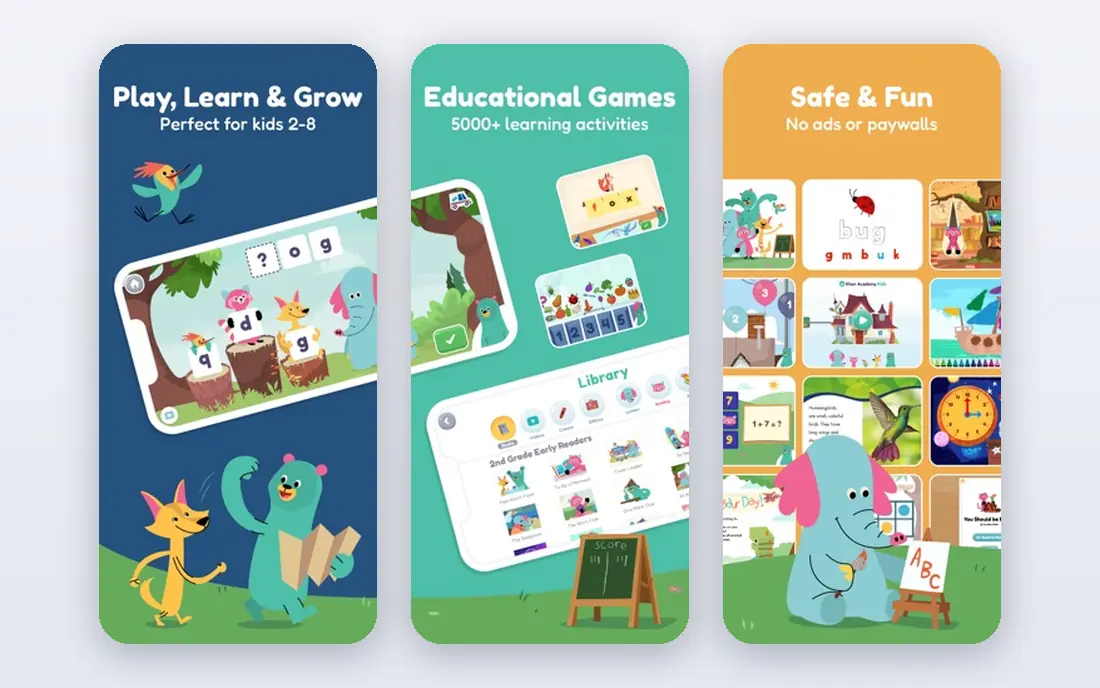
Khan Academy Kids is the strongest free starting point for young children. It covers early reading, phonics, numbers, shapes, and social and emotional learning through short activities, books, and videos, all without ads or in-app purchases in the core app. Children can follow a learning path or choose activities, which suits both guided sessions and free play.
Parents get a simple area to see progress and set up profiles, and the app works offline for many activities once content is downloaded. The main limit is age: children above about eight will find the content too easy, and families who want a strict curriculum with tests may prefer a paid app. For ages 2 to 8, though, it is hard to beat at its price.
- Free with no ads
- Covers reading, math, and social skills
- Parent area included
- Less structured than a paid curriculum
- Older children outgrow it
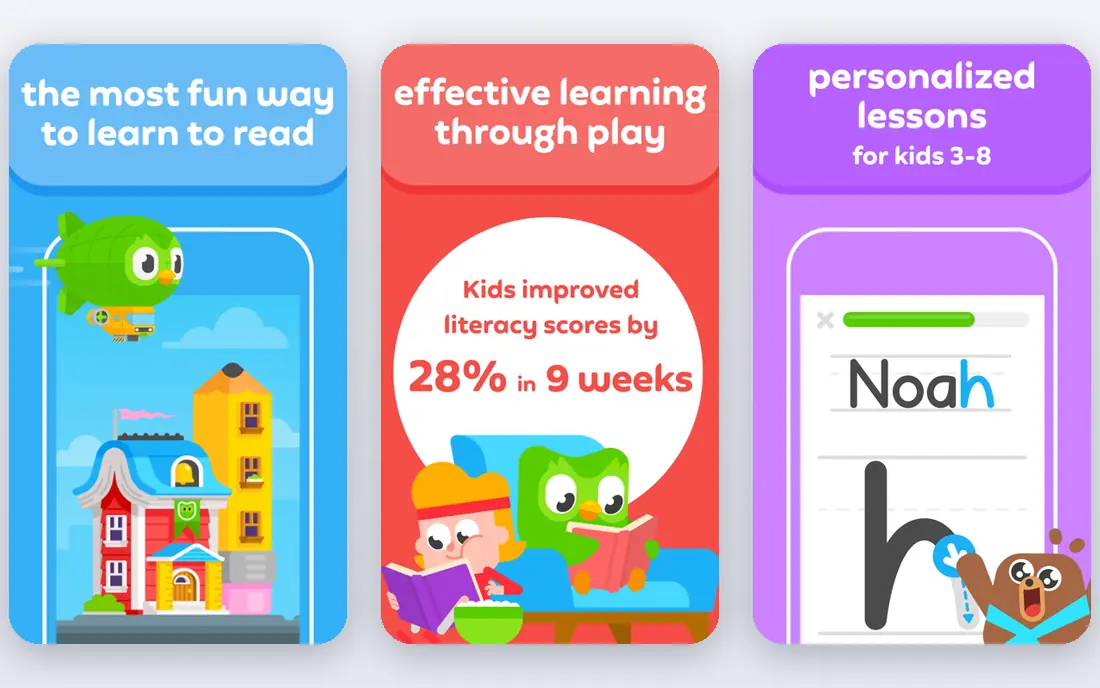
Duolingo ABC does one job well: it helps young children learn to read. Short lessons cover letter sounds, phonics, sight words, and simple stories, with handwriting practice and cheerful feedback that keeps sessions short. The app is free, with no ads and no purchases, which removes the usual worry about accidental taps leading to a shop.
The focus is also the limit. Duolingo ABC does not teach math, science, or art in depth, so it works best alongside a broader app such as Khan Academy Kids or PBS Kids Games. Pair it with real books and reading aloud, and it becomes a useful daily habit rather than a replacement for reading time together.
- Free with no ads or purchases
- Focused phonics lessons
- Short, child-sized sessions
- Reading only, not a full curriculum
- Needs a parent to extend learning offline
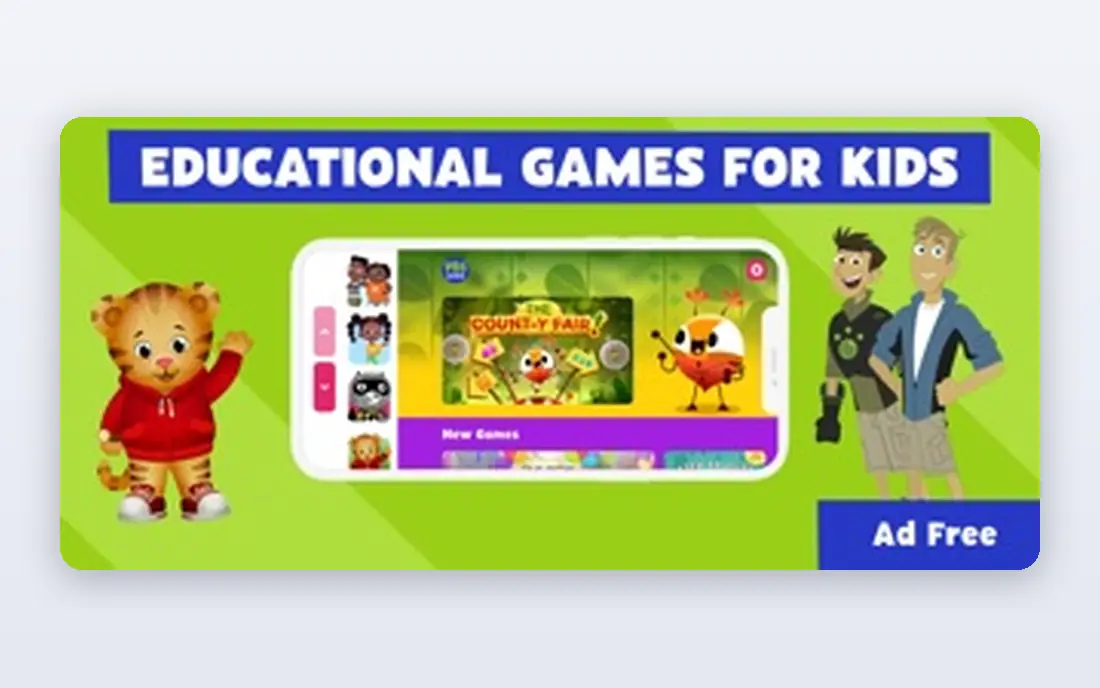
PBS Kids Games brings familiar characters from PBS Kids shows into short learning games for ages 2 to 8. Children can practice counting, letters, patterns, science ideas, and social skills while playing as characters they already know, which helps younger children stay engaged. The app is free and nonprofit-backed, with no subscription needed for its core games.
Parents should know that this is playful practice, not a structured curriculum. It does not track progress in the same depth as ABCmouse, and children may jump between games rather than follow a path. Used as a fun supplement to reading and schoolwork, it is a safe, ad-conscious choice for family devices.
- Free
- Familiar characters
- Games across math, reading, and science
- Learning is game-led rather than curriculum-led
- Progress tracking is light
ABCmouse is the structured option for families who want a clear path. It offers leveled activities for ages 2 to 8 across reading, math, science, art, and music, with tickets and rewards for completing lessons. Parents can track progress by subject and level, which helps when you want to see what a child has practiced rather than just how long they played.
The subscription is the main decision. Check the current monthly and annual prices on the ABCmouse site, since web and app store prices can differ, and use the trial to see whether your child follows the path or just chases rewards. For families who want structure and are willing to pay for it, ABCmouse remains one of the most complete early learning apps.
- Structured levels across subjects
- Progress tracking
- Large activity library
- Subscription needed after trial
- Some children find the rewards system distracting
Epic is a digital library rather than a lesson app, and that is its strength. Children ages 2 to 12 can choose from books, audiobooks, and videos, with read-to-me options for younger readers and quizzes for older ones. Parents can set up separate profiles, which helps siblings with different reading levels share one account.
Epic does not teach math or coding, so it pairs well with a practice app rather than replacing one. Check the current family price and trial terms on the Epic site, since school and home access differ. For families trying to build a reading habit, a large, browsable library often matters more than another set of lessons.
- Large book and audiobook library
- Read-to-me options
- Up to four child profiles
- Reading focus only
- Subscription needed for full home use
Prodigy Math turns math practice into a fantasy adventure for ages 6 to 14. Children answer curriculum-aligned questions to cast spells, explore, and level up, while parents and teachers can see practice by skill. The core game is free, which makes it easy to try without committing to a membership.
Parents should set expectations about the paid membership in advance, since children may ask for extras that do not change the math content. The game layer can also distract some children from the questions themselves. Used in short, regular sessions, and with a parent checking skill reports, Prodigy is a strong supplement to school math practice.
- Free core game
- Curriculum-aligned math practice
- Parent account included
- Paid membership adds extras that children may ask for
- Game can distract from math
ScratchJr introduces coding to ages 5 to 7 through colorful blocks that children snap together to make characters move, talk, and interact. It teaches sequencing, cause and effect, and storytelling without reading-heavy instructions, which suits pre-readers and early readers. The app is free, with no ads or purchases, and projects stay on the device.
The simplicity is intentional, but older children will outgrow it quickly and should move to Scratch, which is aimed at ages 8 and up. ScratchJr works best as a creative tool rather than a lesson app: let a child build a story, then talk about what each block does. That conversation turns play into early coding understanding.
- Free with no purchases
- Teaches sequencing and storytelling
- Works offline
- Limited to younger children
- Projects are simple compared with Scratch
Lingokids offers play-based learning for ages 2 to 8, with games, songs, and videos covering literacy, math, science, and social skills. The app is ad-free, and parents get progress reports and can set up several child profiles. Its playful tone suits younger children who learn best through songs and short games rather than formal lessons.
The free tier covers only part of the library, so families who want the full path will need a subscription. Check the current price on the Lingokids site before subscribing, and try the free content first to see whether the style fits your child. For a calm, ad-free daily learning game, Lingokids is a solid choice.
- Ad-free play
- Covers literacy, math, and science
- Progress reports for parents
- Full content needs a subscription
- Some activities repeat for older children
How we picked these
We checked official age guidance, feature pages, pricing pages, and privacy information for each app, and we favored apps that are actively maintained in October 2026. We looked for a mix of free and paid options, a range of ages, and coverage across reading, math, science, and coding. We also weighed ads, purchases, and parental controls, because those factors matter as much as lesson quality on a child's device.
We did not treat a large download count as proof of learning value. Some popular apps are mainly games with light learning, while quieter nonprofit apps offer stronger, ad-free content. The list favors apps that state their age range clearly and give parents a way to see progress or limit access.
Buying guide: choosing a kids education app
Start with age, not subject. An app built for ages 2 to 8 will frustrate a ten-year-old, and an app built for older children will confuse a preschooler. Check the official age range, try the app with your child, and watch whether they can use it without constant help.
Check parental controls and privacy first
Before a child starts, open the parent area and check what you can control: profiles, time limits, purchase locks, and data settings. Favor apps with no third-party ads, no chat with strangers, and a clear privacy policy for children. Turn on device-level purchase controls too, since app settings alone are not enough.
Match the app to the learning goal
Use a reading app for reading, a math game for math practice, and a library app for reading volume. One app rarely covers everything well, so a small set of two or three apps often works better than one expensive all-in-one. Keep sessions short for younger children, and pair app time with books, play, and conversation.
Watch for upsells and pressure
Many kids apps use rewards, characters, and limited content to encourage a paid upgrade. Decide in advance whether you will pay, and tell your child the plan before they start. If an app constantly pushes purchases or makes free content hard to find, it is not a good fit, no matter how popular it is.
Frequently asked questions
What is the best free app for kids education?
Khan Academy Kids is the best free all-round choice for ages 2 to 8, with reading, math, and social learning and no ads. Duolingo ABC is the best free reading app, and PBS Kids Games is a strong free supplement for playful practice.
Are kids education apps safe for privacy?
Safety varies. Nonprofit apps such as Khan Academy Kids and PBS Kids Games collect less data for advertising, while commercial apps may collect more for personalization. Check the privacy policy, use the parent area, avoid apps with third-party ads, and keep purchase controls on.
How much screen time is reasonable for learning apps?
For ages 2 to 5, keep sessions short and co-view when you can, with plenty of offline play, reading, and outdoor time. For school-age children, use consistent limits that protect sleep, activity, and homework, and focus on quality: a focused 20 minutes of reading practice is better than an hour of unfocused tapping.
Can education apps replace school?
No. Apps work best as supplements for practice, reading, and curiosity, not as a full curriculum. They cannot replace teachers, hands-on science, writing feedback, and social learning. Use them to support schoolwork, and talk with teachers if a child needs extra help in a subject.
Which app is best for a child learning to read?
Duolingo ABC is a strong choice for early phonics and sight words, and Epic is strong for reading volume once a child can read simple books. Pair both with reading aloud together, since hearing and discussing stories builds vocabulary that an app alone cannot.
Do parents need to pay for a good kids app?
No, not always. Several strong apps are free, including Khan Academy Kids, Duolingo ABC, PBS Kids Games, and ScratchJr. Paid apps such as ABCmouse, Epic, and Lingokids add structure or larger libraries, so pay only if those extras match your child's needs and your budget.
Sources we checked (8)

Online Jobs is an independent blog about careers, online work, learning new skills and the tools that help people earn. More about us.
Keep reading
All posts
Best Learn to Read Apps Free
We compared the best learn to read apps free for phonics, sight words, and early reading practice to help families pick the best kids reading app safely.

n8n Alternatives
n8n alternatives compared for 2026, with Zapier, Make, Activepieces, and more, covering visual builders, code steps, self-hosting, and pricing models.

eBay Alternatives
Looking for ebay alternatives? We compared 9 marketplaces for sellers on fees, buyer reach, categories and ease of listing, to help you sell with confidence.