Best Apps for Daily Planning in 2026: 8 Apps Compared

How we put this together: we compare official feature and pricing pages, app store listings, privacy policies and public user reviews. Prices change, so check the provider's site before you pay.
Key takeaways
- Todoist is the best all-round daily planner for most people, with fast capture, a useful free plan, and apps on every platform.
- TickTick gives you the most built-in tools for the money, including a calendar, habit tracker, and focus timer.
- Microsoft To Do and Google Tasks are the best free options if you already use Microsoft or Google accounts.
- Things 3 is the best choice for Apple-only users who would rather pay once than subscribe.
- Any.do suits families and small teams, while Notion suits people who want tasks inside a larger notes and projects system.
Quick comparison
| Name | Who it suits | Starting price | Free option | |
|---|---|---|---|---|
 Todoist Todoist | All-round daily planning | $5 per month | Yes | Visit |
 TickTick TickTick | Calendar, habits, and focus tools | $4.99 per month | Yes | Visit |
 Microsoft To Do Microsoft To Do | Free Microsoft planning | Free | Yes | Visit |
 Google Tasks Google Tasks | Simple Google lists | Free | Yes | Visit |
 Things 3 Things 3 | Apple-only one-time purchase | $9.99 one-time | Free trial | Visit |
 Any.do Any.do | Families and small teams | $4.99 per month | Yes | Visit |
 Remember The Milk Remember The Milk | Powerful lists and smart search | $49.99 per year | Yes | Visit |
 Notion Notion | Tasks inside notes and projects | $10 per month | Yes | Visit |
The best apps for daily planning
A daily planning app has one job: get tasks out of your head and into a list you trust. The best one is rarely the one with the most features. It is the one you open each morning, add to without friction, and check again before bed. The apps below range from simple free lists to full planning systems, so pick based on how much structure your day actually needs.
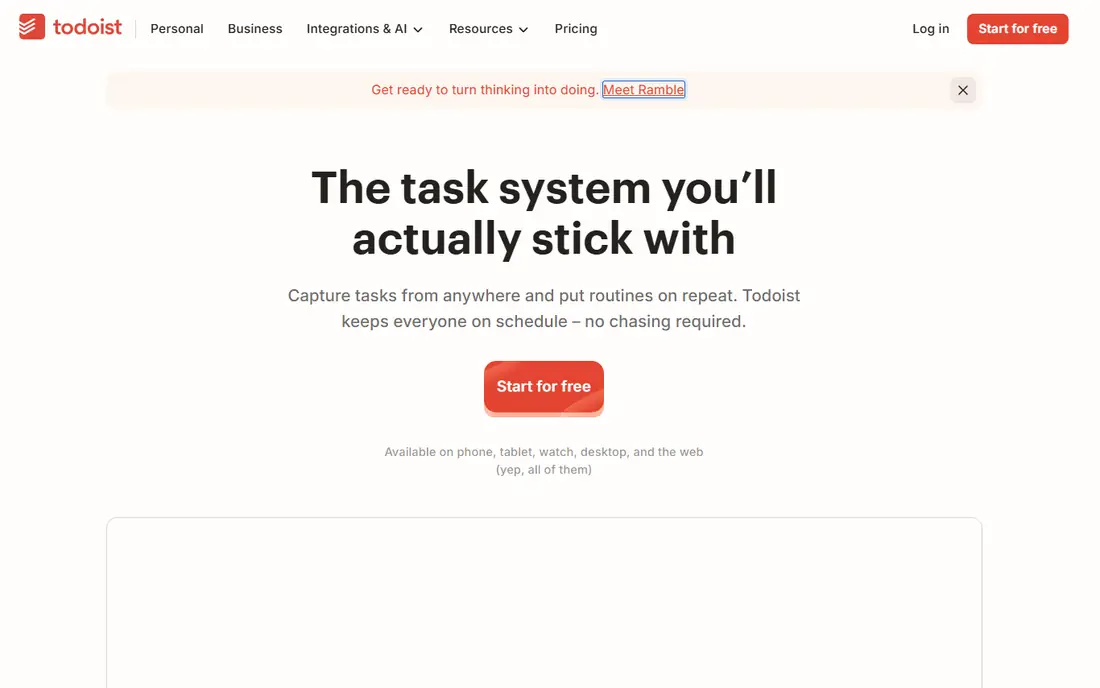
Todoist is our pick for most people because it stays out of the way. Type "Call dentist tomorrow at 9am" and it creates a dated, timed task without extra taps. The free Beginner plan covers 5 projects, task priorities, subtasks, and a few filter views, which is enough for a personal daily list. Pro costs 5 dollars per month billed annually, or 60 dollars per year, with monthly billing at 7 dollars, and adds a calendar layout, reminders, more projects, and full activity history, with a 7-day trial.
The catch is that two features many daily planners want, a calendar view and reminders, are paid. If you need those, TickTick below may cost less. But for clean capture and a list you can trust across every device, Todoist remains the standard other apps are measured against, and its long history means your system is unlikely to vanish.
- Fast natural-language task entry
- Works on phone, desktop, watch, and web
- Useful free plan with projects and filters
- Calendar view and reminders need the paid plan
- Team features sit on a higher tier
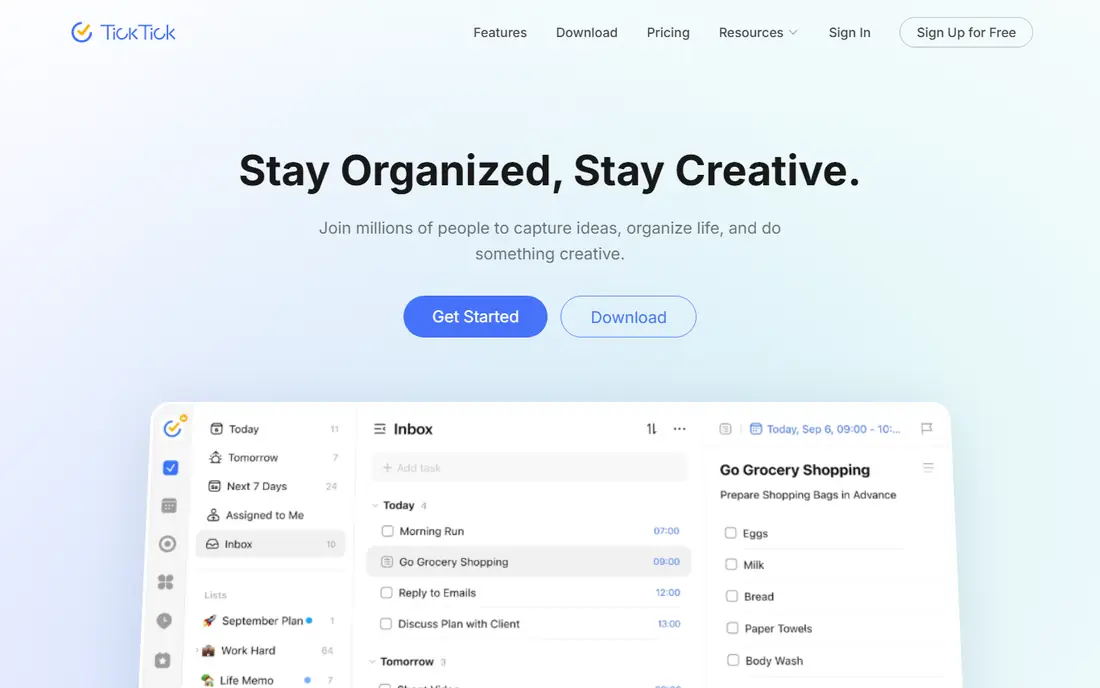
TickTick is the value pick in this list. Beyond tasks, it includes multiple calendar views, a habit tracker, a Pomodoro focus timer, countdowns, and notes, so one app can replace several. The free plan covers 9 lists, natural-language entry, reminders, and sync across platforms. Premium costs 49.99 dollars per year on the web, or 4.99 dollars per month through app stores, and raises limits sharply while adding full calendar views, themes, and statistics.
The trade is density. TickTick packs so much into one screen that new users may take longer to settle in than with Todoist or Microsoft To Do. If you want a single app for tasks, habits, and focus sessions, that density is worth learning. If you only need a simple list, the extra tools may distract more than they help.
- Calendar views, habit tracker, Pomodoro timer, and notes in one app
- Generous free plan
- Works on Windows, Mac, Linux, and mobile
- Interface is denser than Todoist
- Some Premium features are easier to find on the app stores than on the web
Microsoft To Do is the simplest recommendation in this list for anyone with a Microsoft account. It is free, it syncs across phone, desktop, and web, and its My Day view lets you pick each morning's tasks from your lists and focus on only those. Lists, steps, reminders, and shared lists cover most daily planning needs, and Outlook users get a direct link between mail and tasks.
The limits show up for power users. There are no built-in habit tracking, focus timers, or advanced filters to match TickTick, and project features are lighter than Todoist. But free is a strong argument, and for work users whose employer already runs Microsoft 365, To Do is often already available with no extra purchase or setup.
- Completely free with a Microsoft account
- My Day view for daily planning
- Integrates with Outlook and Microsoft 365
- Fewer power features than Todoist or TickTick
- Best inside the Microsoft ecosystem
Google Tasks is the lightest app here, and that is its point. If you live in Gmail and Google Calendar, Tasks appears in the side panel, so you can turn an email into a task, set a date, and see it on your calendar without opening another app. Lists, subtasks, and reminders cover shopping lists, errands, and simple work tasks, and everything syncs with your Google account at no cost.
The catch is scope. Google Tasks has no built-in habit tracking, no board view, and no project tools, so it will not suit someone planning a multi-week project. Treat it as a capture tool for daily life rather than a planning system. For many people, that simplicity is exactly why it sticks, since there is almost nothing to learn or maintain.
- Free with a Google account
- Sits inside Gmail and Google Calendar
- Very quick for simple lists
- No calendar view of its own, no collaboration beyond sharing lists, and few advanced features
Things 3, from Cultured Code, is the favorite of many Apple users, and its pricing is its main selling point. Instead of a subscription, you buy each platform app once: 9.99 dollars for iPhone and Apple Watch, 19.99 dollars for iPad, and 49.99 dollars for Mac, with a 15-day trial on the Mac. Sync through Things Cloud is free, and the Today, Upcoming, Anytime, and Someday views give daily planning a clear shape without forcing a rigid method on you.
The limits are firm. Things runs only on Apple devices, with no web, Windows, or Android version, and it does not support real-time shared lists, so households and teams need another tool for joint planning. If you plan alone and stay inside Apple's ecosystem, Things is a calm, long-lasting choice that costs less over a few years than most subscriptions.
- Calm, well-designed Today, Upcoming, Anytime, and Someday views
- No subscription
- Free cloud sync between purchased apps
- Apple devices only
- Sold separately per platform
- No real-time shared lists
Any.do covers personal planning, family planning, and small-team boards in one app. The free Personal plan includes tasks, lists, reminders, a calendar, and a daily planner with sync across devices. Premium costs 4.99 dollars per month billed annually and adds recurring tasks, color tags, location reminders, WhatsApp reminders, and AI features. A Family plan at 8.33 dollars per month billed annually covers up to four members with a shared family space and grocery list.
The honest catch is that the reminders that make Any.do stand out, such as location and WhatsApp reminders, need Premium. For a single user, Todoist or TickTick may offer better value. For a household that shares shopping and chores, or a small team that wants boards without a full project tool, Any.do's shared lists justify the price.
- Tasks, calendar, and reminders in one app
- Shared family lists and grocery list
- Location and WhatsApp reminders on Premium
- Some useful reminders sit behind Premium
- Team features have grown more complex over time
Remember The Milk is one of the oldest to-do apps still going, and its strength is search. Smart lists let you build views from saved searches, such as tasks due this week tagged with a project, and its keyboard-friendly entry suits people who manage long lists quickly. The free plan covers basic lists, while Pro costs 49.99 dollars per year and adds subtasks, unlimited sharing, mobile reminders, badges, widgets, and connections to other services.
The design is the downside. The web app looks older than Todoist or TickTick, and some features that rivals include free, such as mobile reminders, need Pro here. Still, for a user with many lists who values search and smart views over a modern look, Remember The Milk remains a capable and durable choice.
- Smart lists and saved searches
- Strong keyboard entry
- Works on web, mobile, and with many other apps
- Design feels older than rivals
- Pro subscription is needed for mobile reminders and unlimited sharing
Notion is not a pure to-do app, and that is why it belongs here. Many people plan their day inside the same workspace where they keep notes, project pages, and reference material, and Notion lets a task sit beside the document it relates to. The free plan gives solo users unlimited pages and blocks, with limits on file size and page history, while Plus costs 10 dollars per member per month billed annually, or 12 dollars billed monthly, and adds unlimited uploads, longer history, and more collaboration features.
The trade is setup time. Notion needs you to build or choose a task system before it feels simple, while Todoist works well from the first task. If your day already lives in Notion, adding tasks there keeps everything in one place. If you only need a list, a dedicated app will feel faster and lighter.
- Tasks live beside notes, docs, and databases
- Flexible views including boards and calendars
- Generous free plan for solo users
- More setup than a dedicated to-do app
- Plus is priced per member, so teams pay more
How we picked these
We chose apps that are live in October 2026, that work as daily planners rather than full project suites, and that cover the main ways people plan: free lists, paid task apps, a one-time purchase, and a notes-based system. We checked each vendor's homepage and pricing pages, and we used the vendor's own figures wherever they were published. We did not claim hands-on testing. Instead, we compared free tiers, reminder and calendar features, platform coverage, and sharing options, and we favored apps with a clear reason to exist over near-identical copies.
How to build a daily planning habit that lasts
Pick one app and one daily moment. Each morning, or the night before, choose no more than three tasks that must happen today, and put the rest on a separate list for later. That small rule matters more than any feature, since a list of twenty tasks teaches you to ignore the list. Review the list once at midday and once before you stop work, move unfinished tasks deliberately, and clear completed ones so tomorrow starts clean.
Next, keep capture separate from planning. When a task occurs to you during the day, add it to an inbox list without deciding when to do it. Then, during your daily review, move inbox items to a day or a project. Apps such as Todoist and TickTick make this easy with quick entry, while simpler apps such as Google Tasks work fine if you keep the inbox habit. The system that survives is the one with the fewest steps between thought and list.
When to pay and when to stay free
Stay free if your lists are short, you plan alone, and you do not need calendar views or location reminders. Microsoft To Do, Google Tasks, and the free tiers of Todoist and TickTick cover that well. Pay when you regularly hit a limit, need reminders tied to places or people, or share lists with family or a team. In that case, compare annual prices first, since TickTick at 49.99 dollars per year and Todoist Pro at 60 dollars per year are close, but their included tools differ.
Frequently asked questions
What is the best checklist app?
Todoist is the best all-round checklist app for most people, thanks to fast entry and a useful free plan. TickTick adds a calendar and habit tools for a similar price, while Microsoft To Do and Google Tasks are the best free checklist apps inside their ecosystems. Pick the one you will open every day.
What is the best app for lists?
For simple shared lists, Any.do and Microsoft To Do work well, especially for households. For longer personal lists with priorities and filters, Todoist and TickTick are stronger. Remember The Milk suits users who want smart lists built from saved searches across many lists.
What is the best to do list software for work?
Todoist and Notion are the strongest work choices here. Todoist suits fast personal task management with team sharing on higher tiers, while Notion suits teams that want tasks beside docs and project pages. For Microsoft shops, Microsoft To Do is the natural free choice, and TickTick suits workers who also want habits and focus tools.
Is there a good free app for daily planning?
Yes. Microsoft To Do and Google Tasks are free, and Todoist, TickTick, Any.do, and Notion all have free plans that cover daily planning basics. Paid plans mainly add calendar views, reminders, higher limits, and sharing features, so start free and pay only when a limit gets in your way.
What is the best daily planning app for Apple users?
Things 3 is the best choice for Apple-only users who prefer a one-time purchase and a calm design. Apple users who also use Windows or Android should choose Todoist or TickTick instead, since Things has no version for those platforms. Microsoft To Do and Google Tasks also work well on Apple devices.
Sources we checked (8)

Online Jobs is an independent blog about careers, online work, learning new skills and the tools that help people earn. More about us.
Keep reading
All posts
Best Writing Software
Looking for the best writing software in 2026? We compared 9 writing apps for books, articles and screenplays on price, features and fit. All verified.

Best Weather Apps
Searching for the best weather app? We compared eight top weather apps for accurate forecasts, radar, severe alerts, and daily planning near you today.

Best Video Editing Software
We compared the best video editing software for beginners and pros, checking official pricing, free plans and honest limits before ranking all nine editors.