Best Apps for ADHD in 2026: 9 Products Compared

How we put this together: we compare official feature and pricing pages, app store listings, privacy policies and public user reviews. Prices change, so check the provider's site before you pay.
Key takeaways
- Tiimo and Structured help most when time feels invisible, because they show the day as blocks you can see and follow.
- Todoist is the best general task list here, while Forest, Routinery, and Goblin Tools each solve one narrower problem well.
- Free plans are genuinely useful for Todoist, Forest, Structured, Routinery, and Goblin Tools, so test the free version before paying.
- No single app fixes planning, focus, and habits at once, so pair one planner with one focus or routine tool rather than collecting many apps.
Quick comparison
| Name | Who it suits | Starting price | Free option | |
|---|---|---|---|---|
 Todoist Todoist | A simple task list that works everywhere | Free | Yes | Visit |
 Tiimo Tiimo | Seeing the day as a visual timeline | See website | Yes | Visit |
 Forest Forest | Putting the phone down to focus | Free | Yes | Visit |
 Structured Structured | A calm, time-blocked day plan | Free | Yes | Visit |
 Routinery Routinery | Morning and evening routines, step by step | Free | Yes | Visit |
 Goblin Tools Goblin Tools | Breaking a scary task into small steps | Free | Yes | Visit |
 Focus To-Do Focus To-Do | Pomodoro timers tied to a task list | Free | Yes | Visit |
 Habitica Habitica | Turning habits into a game | Free | Yes | Visit |
 Sunsama Sunsama | A guided start and end to each workday | $17 per month | Free trial (14 days) | Visit |
The best apps for ADHD
We focused on apps that help with a specific ADHD-related problem, such as starting a task, seeing time pass, remembering steps, or keeping a routine going.
Plain disclaimer: these apps can support planning and focus, but they do not replace professional advice, diagnosis, or treatment. If ADHD symptoms affect work, school, or daily life, talk to a qualified health professional.
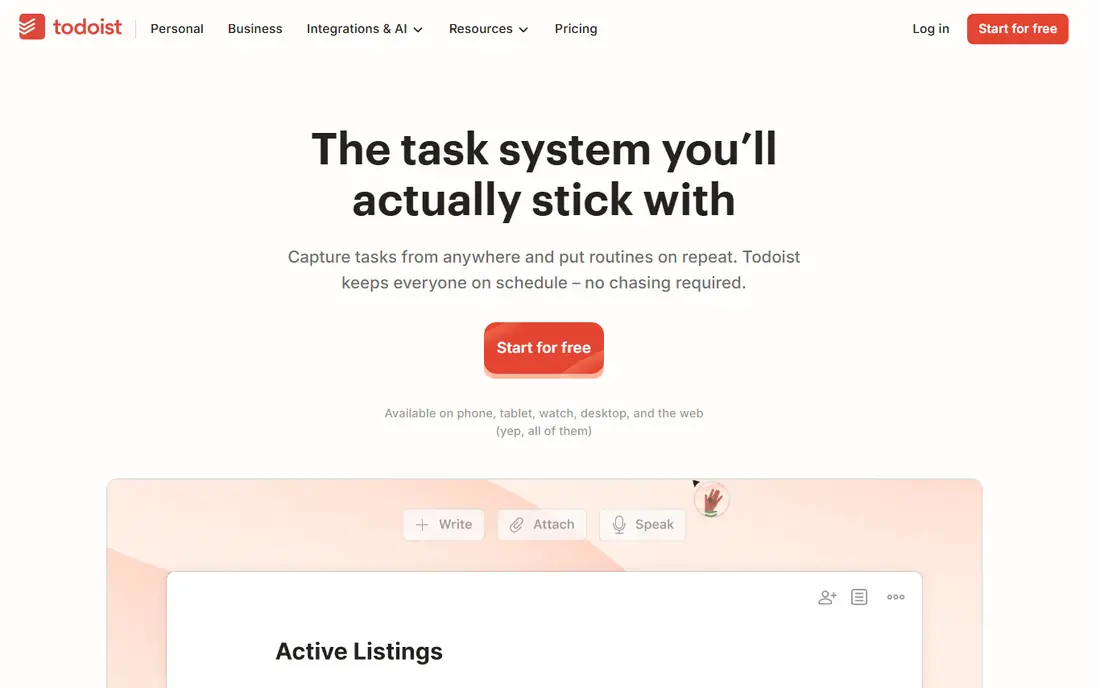
Todoist is the task list we would hand to most people first, because it is fast and it stays out of the way. You can type a task in plain words, add a date, and move on, which matters when the hard part is capturing the task before it slips away. Projects, labels, and filters help you split work, home, and errands without building a complex system.
The free plan is usable, but its five-project limit will pinch if you run many areas of life in one app. Reminders are also a Pro feature, and that is a real gap for ADHD users who rely on a nudge at the right time. Pro is listed at $5 per month billed annually in recent checks, with a higher monthly rate if you pay month to month. If you want one dependable list, start free and upgrade only for reminders and extra projects.
- Fast task entry with natural language dates
- Works on phone, desktop, and web
- Reminders and filters on the paid plan
- Free plan limits projects to five
- Reminders need the Pro plan
- No built-in time blocking
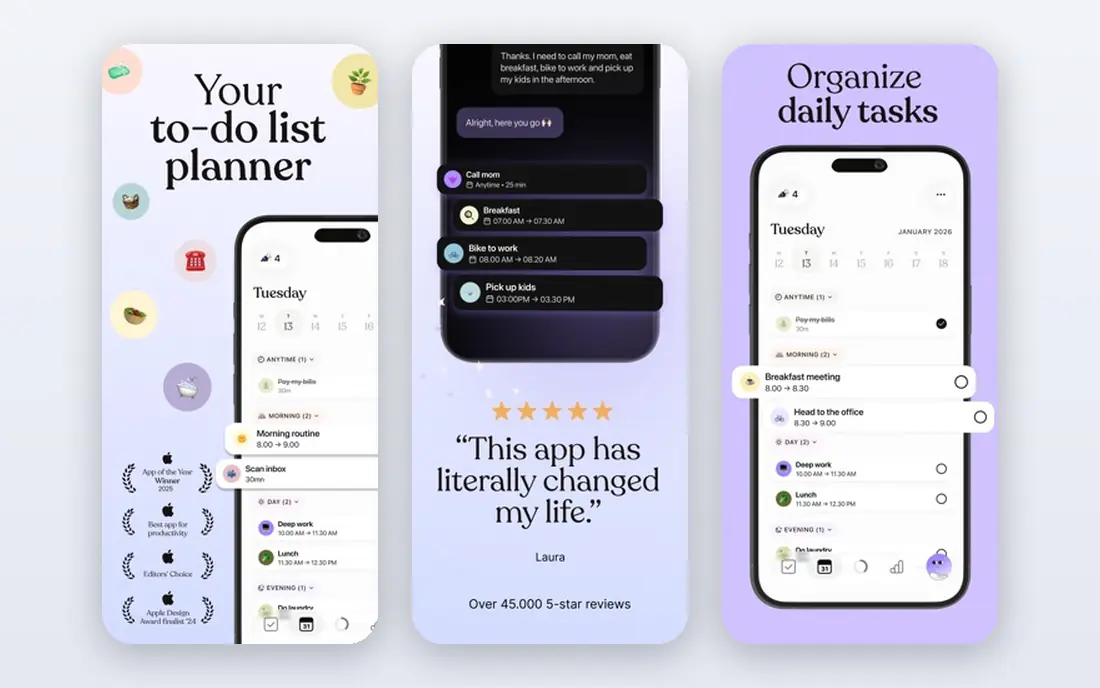
For people who lose track of time, a list of tasks with times attached often does not help enough. Tiimo turns the day into colored blocks on a timeline, so you can see what is now, what is next, and how long each block lasts. A focus timer counts down inside each activity, and widgets keep the next task visible without opening the app.
The pricing needs a check at checkout, because Tiimo does not show a single public monthly price on its pricing page and store prices vary by region. The free version covers basic planning on phone apps, while the web planner and AI task breakdown need Pro. If lists leave you cold and pictures help you plan, Tiimo is worth the free test.
- Color-coded timeline makes time visible
- Focus timer and widgets show what is next
- Built with neurodivergent users in mind
- Web planner needs Pro
- Full price varies by store and region
- AI task breakdown is a Pro feature
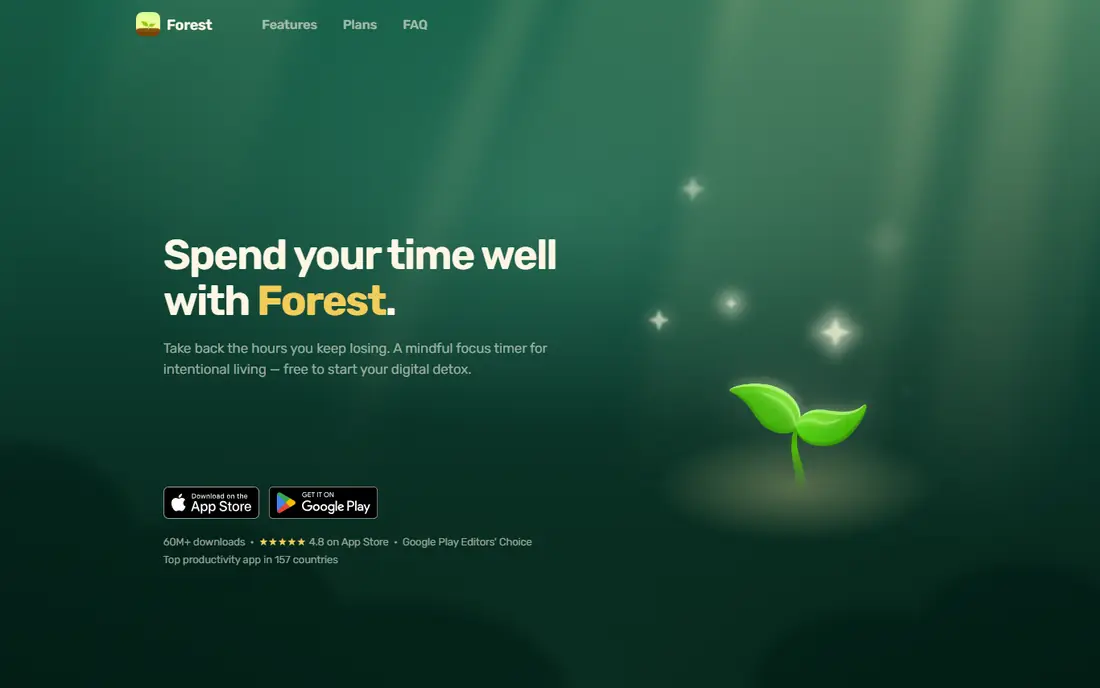
Forest works because it makes distraction visible. You plant a virtual tree, set a timer, and if you leave the app early, the tree dies. That small consequence is often enough to keep a phone face down for 25 minutes, and the growing forest gives you a record of focused time at the end of the week. Group sessions let friends focus at the same time, which can help on a low-motivation day.
Forest is not a planner. It will not break a project into steps or remind you about appointments, so pair it with a task app. The core focus experience is free, while Plus adds extra tree species, analytics, and custom allowlists, with prices shown in the app store. If phone distraction is your main problem, Forest is a cheap and pleasant first step.
- Simple timer with a clear visual reward
- Group focus sessions
- Core focus tools are free
- Plus features need a subscription
- Real-tree redemption has limits
- It does not manage tasks in depth
Structured suits people who plan better when each task has a time slot. You drag tasks onto a timeline, see gaps and overlaps at a glance, and move blocks around when the day changes. The design is calm and uncluttered, which helps when a busy planner feels overwhelming before you even start.
The free version covers core timeline planning, while Pro is listed at $6.49 per month or $19.99 per year in recent comparisons, with a lifetime option also offered. That lifetime option is useful if you dislike subscriptions. Structured does not try to be a team tool or a deep analytics app, so judge it on one question: does seeing your day as blocks help you start the next task.
- Clear timeline that mixes tasks and calendar events
- Easy to build a day in minutes
- One-time lifetime option exists
- No team features
- Analytics are limited
- Some advanced features need Pro
Routinery solves a very specific gap: knowing what to do, but stalling between steps. You build a routine as an ordered list, give each step a time, and the app moves you from one step to the next with a timer and a spoken cue. That outside structure replaces the internal nudge that is easy to lose in the morning, when decisions feel heavy.
The free plan covers two routines, which is enough to test a morning routine properly. Premium is listed at $5 per month or $36 per year in recent app store checks, and it lifts the routine cap and removes ads. There is no web version, and Routinery does not sync directly with calendars. If routines fall apart between steps, this focused tool beats a general planner.
- Timers on every step with voice guidance
- Routines run offline
- No account needed to start
- Free plan covers two routines
- No web version
- No direct calendar sync
Goblin Tools is the smallest tool on this list, and that is why it works. Type in a task such as cleaning the kitchen, choose how detailed you want the breakdown, and Magic To Do returns a list of small steps. When a task feels too big to start, seeing the first tiny step often makes starting possible, and that first step is usually the hardest part.
The web tools are free, with no account needed, and Pro at $3 per month adds sync, saved results, and templates. The limit is clear: Goblin Tools hands you the list and then steps back. It will not remind you, track completion over time, or sync with Todoist. Use it at the moment you feel stuck, then move the steps into your main task app.
- Magic To Do breaks tasks into steps at a level you choose
- All web tools are free with no account
- Simple, single-purpose tools
- No reminders, calendar, or task app sync
- Outputs must be copied elsewhere
- Saved results need Pro
Focus To-Do pairs two useful habits in one place: a task list and a Pomodoro timer. You pick a task, start a timed focus session, take a short break, and repeat, while the app records how much focused time each task received. That record helps at the end of the week, when you want to see where time actually went rather than where you planned it to go.
The app is free with in-app purchases, and Premium is listed at low monthly and lifetime prices in app stores, though exact figures vary by store. The interface packs in more options than Forest, which some users like and others find distracting. If you want timers and tasks together, and you like seeing stats, Focus To-Do is a practical free starting point.
- Combines tasks with Pomodoro sessions
- Works across phone and desktop
- Reports show focus time by task
- Design feels busy compared with Forest
- Some features need Premium
- Sync details are not clearly published
Habitica turns habits and daily tasks into a role-playing game, with an avatar, experience points, gold, and pets earned for completing tasks. Missed daily tasks cost health, and parties let friends tackle quests together. For people who respond to streaks, rewards, and social accountability, that game layer can make a dull habit feel worth doing.
The game can also become the point, rather than the habit, and that is the main risk. Setting up habits, rewards, and parties takes more time than a simple tracker, and losing health for a missed day feels punishing to some users. The core app is free, with a subscription listed at $4.99 per month or $47.99 per year for extra features. Try it if points and quests motivate you, and skip it if they pull your attention away from the task.
- Habits, daily tasks, and to-dos in one game system
- Parties and challenges add social motivation
- Free core features
- Game layer can distract from the habit itself
- Missed days cost health points, which some users dislike
- Setup takes time
Sunsama is the most structured planner here, and also the most expensive. Each day starts with choosing what realistically fits, time-blocking those tasks against your calendar, and ends with a shutdown review. It pulls tasks from tools such as Asana, Todoist, Gmail, and Slack, so you plan from one daily view instead of checking many apps.
That structure helps professionals whose days are split across work tools, but the price is a hurdle. Sunsama lists $17 per month billed annually, or $22 per month billed monthly, with a 14-day trial and no permanent free plan. If you want a simple personal list, Todoist or Structured will do the job for less. If you want a daily ritual that forces you to pick a realistic day, Sunsama is the strongest version of that idea here.
- Guided daily planning and shutdown ritual
- Pulls tasks from many work tools
- Calm, focused daily view
- No permanent free plan
- Price is high compared with simple task apps
- Mainly built for work planning
How we picked these
We checked each vendor's own product pages, pricing pages, and app store listings, and compared what each app actually does for focus, planning, routines, or reminders. We favored apps with a clear free plan or trial, a specific job they do well, and current availability in October 2026. We left out apps that were mainly coaching programs or medical devices, because this list is about everyday planning tools, not treatment.
How to choose without collecting too many apps
Start with the problem that costs you most each week. If you forget tasks, start with Todoist. If time slips away, start with Tiimo or Structured. If mornings stall, start with Routinery. If starting feels impossible, start with Goblin Tools. Add only one app at a time, and give it two full weeks before you judge it, because the first few days are mostly setup.
Keep the system small on purpose. One planner, one focus tool, and one routine or habit tool is enough for most people. More apps mean more places to check, more notifications to ignore, and more chances to lose a task between tools. Turn off notifications you do not need, and keep the planner on your home screen so it is easier to open than a social app.
A simple setup that works for many people
A workable starting setup is Todoist for tasks, Structured or Tiimo for the day plan, and Forest for focus sessions. Routinery can replace the day planner for mornings, and Goblin Tools can sit in a browser bookmark for stuck moments. Review the setup after two weeks, keep what you actually opened, and delete the rest without guilt.
What to check before paying
Check whether reminders, widgets, calendar sync, and task breakdown are free or paid, because those are the features ADHD users tend to rely on most. Check whether the app works offline, whether it syncs across your phone and computer, and whether you can export your tasks if you leave. A yearly plan saves money only if you still use the app after three months, so start monthly where that option exists.
Frequently asked questions
What is the best app for ADHD time management?
Tiimo and Structured are the strongest time management picks here, because both show the day as visible blocks rather than a plain list. Tiimo suits people who want color, timers, and widgets, while Structured suits people who want a calmer timeline. Try both free versions for a week each and keep the one you actually open each morning.
Are there good free apps for ADHD?
Yes. Todoist, Forest, Structured, Routinery, Goblin Tools, Focus To-Do, and Habitica all offer useful free versions. Free plans usually limit projects, routines, or advanced features, but they cover the core job well enough to test. Start free, and pay only for a feature you have already missed during the trial.
Do ADHD apps replace treatment?
No. These apps support planning, focus, and routines, but they do not diagnose ADHD or replace professional advice, coaching, or medication where that is part of a treatment plan. If symptoms affect work, school, relationships, or safety, talk to a qualified health professional about assessment and support options.
Which app helps most with starting tasks?
Goblin Tools helps most at the exact moment of starting, because it breaks a large task into small steps you can do one at a time. Forest helps once you have started, by keeping your phone out of reach during a timed session. Pairing the two covers both the stuck start and the distraction that follows.
Is Sunsama worth the price for ADHD?
Sunsama is worth it mainly for professionals who plan workdays across many tools and want a guided daily ritual. At $17 per month billed annually, it costs far more than Todoist or Structured. If you only need a personal task list or a visual day plan, the cheaper apps on this list will serve you better.
Can I use more than one ADHD app at once?
Yes, and most people do better with a small combination than with one app trying to do everything. A common pairing is one planner plus one focus timer, with a routine app added only for mornings. Keep the total to two or three apps, and make sure each one has a clear job, so tasks do not get lost between tools.
Sources we checked (9)

Online Jobs is an independent blog about careers, online work, learning new skills and the tools that help people earn. More about us.
Keep reading
All posts
Zoom Alternatives
Zoom alternatives compared for 2026: Google Meet, Microsoft Teams, Webex, Jitsi and more for free calls, large meetings and webinars for teams and classrooms.

What Is the Best Free Tool to Rotate a PDF
What is the best free tool to rotate a PDF? We compare eight free rotation tools on per-page control, limits, privacy and saved output quality in detail.

What Is the Best AI Dubbing Tool
We compared the best AI dubbing tools in 2026, from ElevenLabs and HeyGen to Rask AI, Dubverse and Veed, for videos and creators in many languages worldwide.