Best App to Edit Photos in 2026: 8 Apps Compared

How we put this together: we compare official feature and pricing pages, app store listings, privacy policies and public user reviews. Prices change, so check the provider's site before you pay.
Key takeaways
- Snapseed is the strongest free all-round editor, with no subscription and no ads in the app itself.
- Adobe Lightroom suits photographers who want RAW editing, presets and cloud sync across phone and desktop.
- VSCO suits a film-style look, while Picsart suits creative effects, collages and social content.
- Facetune and Lensa suit portrait retouching, but check the yearly cost before you commit.
Quick comparison
| Name | Who it suits | Starting price | Free option | |
|---|---|---|---|---|
 Snapseed | Free all-round editing | Free | Yes | Visit |
 Adobe Lightroom | RAW and cloud workflow | Free | Yes | Visit |
 VSCO | Film-style presets | Free | Yes | Visit |
 Picsart | Creative effects and collage | Free | Yes | Visit |
 Facetune | Portrait retouching | See website | Yes | Visit |
 Lensa | AI portrait edits | See website | Yes | Visit |
 Darkroom | Fast iOS RAW editing | Free | Yes | Visit |
 Canva | Templates plus photo edits | Free | Yes | Visit |
The best apps to edit photos
Photo editing apps split into three groups: precise editors, preset-led editors and creative editors. Precise editors give you control over light and colour. Preset editors give you a look in one tap. Creative editors add effects, text and collage. The eight apps below cover those groups, so you can pick by the kind of photo you edit most.
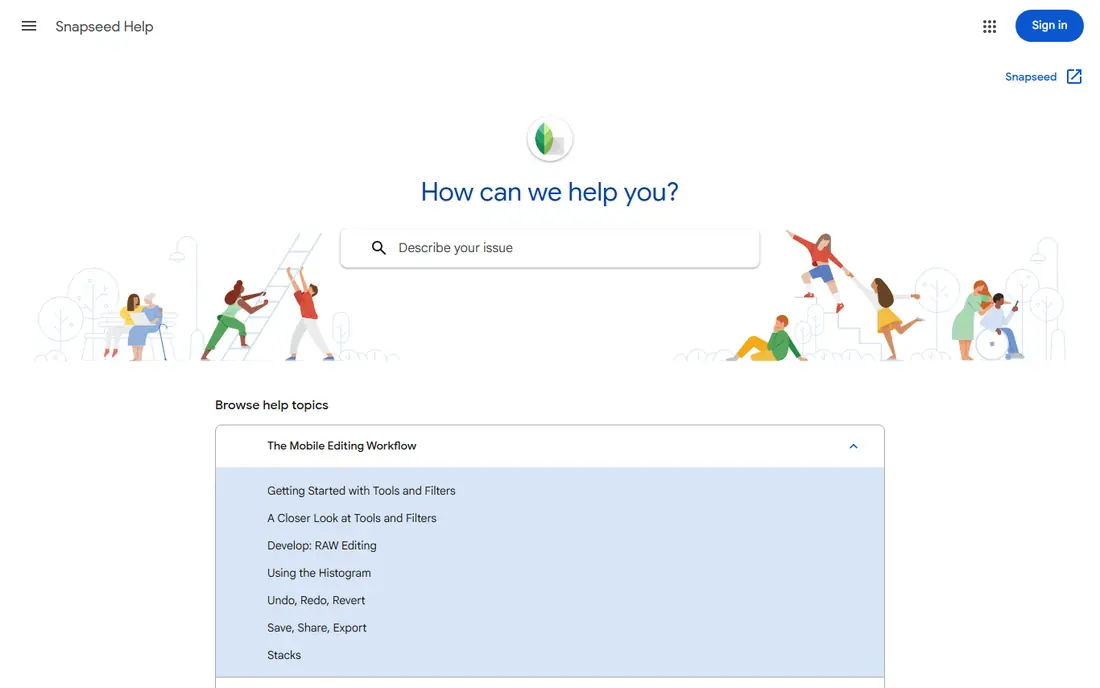
Snapseed remains the best free starting point for serious phone editing. It offers 29 tools, including selective adjustments, brushes, perspective correction and a healing tool, all without a paywall. RAW files can be edited with a non-destructive workflow, which matters for photographers who want to return to an edit later.
The gaps are in newer AI features. You will not find the same one-tap background removal or generative tools as in paid rivals, and there is no cloud library to sync edits across devices. For a free editor that covers the core job well, though, Snapseed is hard to beat. Start here, and pay only when you hit a specific limit.
- Fully free with no subscription
- RAW support
- Selective edits and healing tool
- No cloud sync
- No modern AI background tools
- Development pace has been slow at times
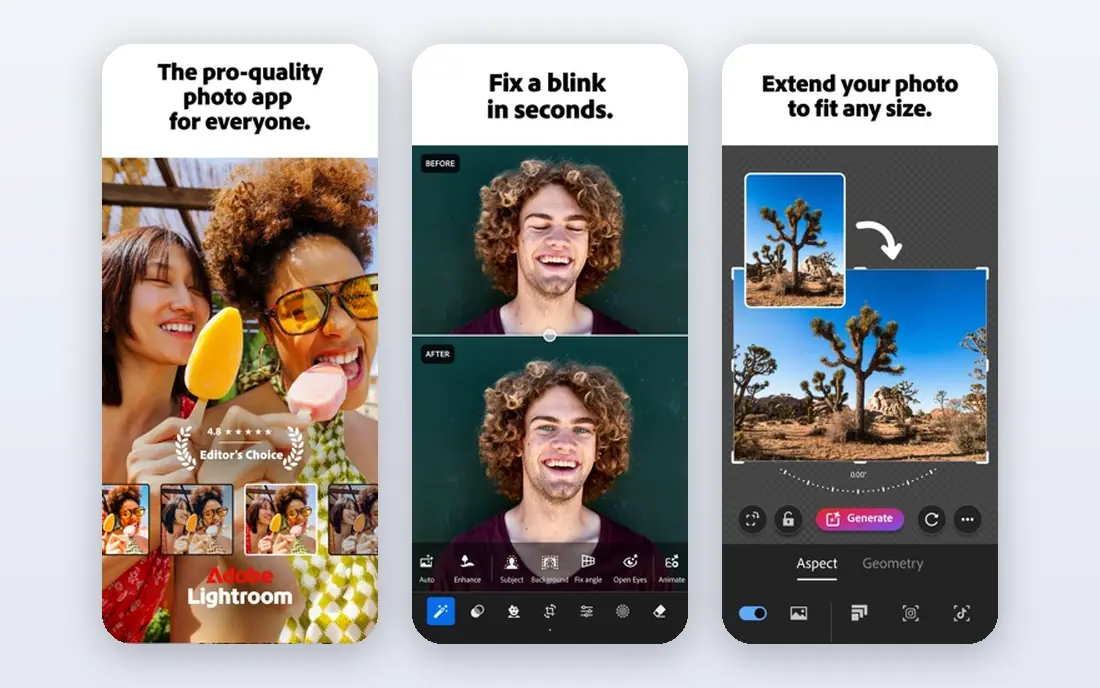
Lightroom is the pick for photographers who edit on more than one device. You can start an edit on a phone, refine it on a desktop, and keep presets and masks in sync. RAW support, curves, colour grading and selective masks give it more control than most phone-only editors, while presets keep batch editing fast.
The free mobile app covers basic edits, but the full set of tools sits behind a paid Photography plan. That cost is worth it for regular photographers and creators, but casual editors may find Snapseed enough. If you already use Adobe tools or need a consistent look across many photos, Lightroom is the safer long-term choice.
- Strong RAW editing
- Presets and masks
- Cloud sync across phone, tablet and desktop
- Full features need a paid plan
- Plan pricing varies by region and bundle
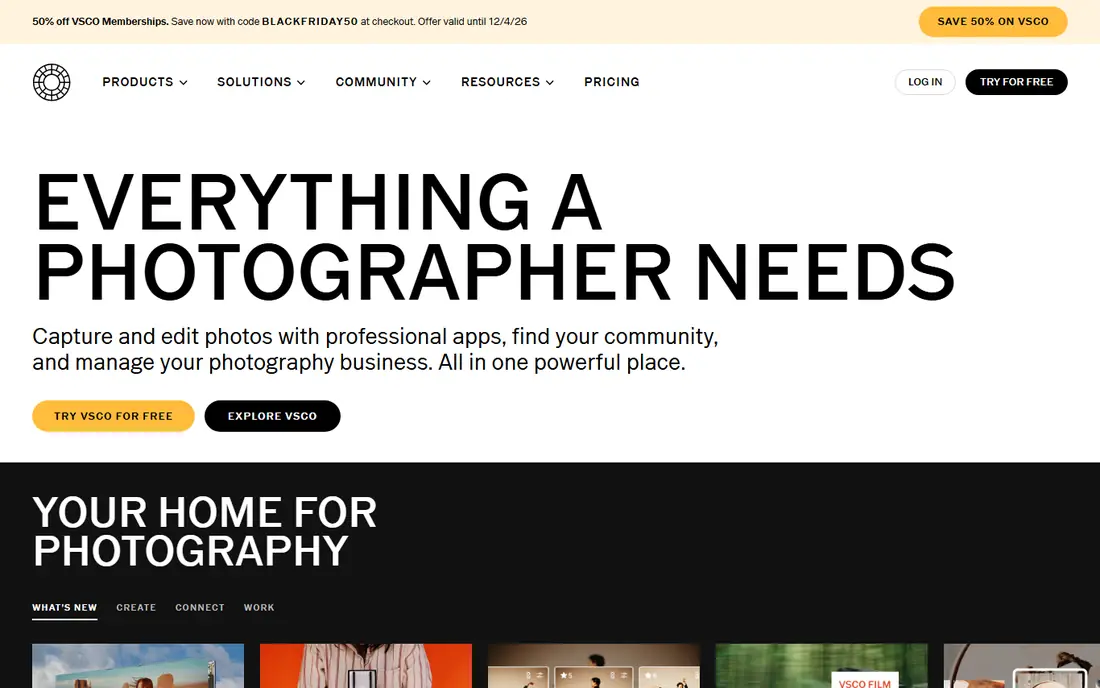
VSCO is known for its film-style presets, which give photos a consistent, muted or warm look without heavy manual work. The editing tools cover exposure, contrast, grain and tone, and the app encourages a simple, photo-first interface. For social feeds that need a steady look, VSCO presets save time.
The free tier is limited, and the most popular presets sit behind Plus or Pro plans. VSCO also lacks the deep RAW and masking workflow of Lightroom. It suits creators who care about a look and a feed, rather than photographers who need precise control over every file.
- Strong film-style preset library
- Clean editing tools
- Community for sharing work
- Best presets need a paid plan
- No full RAW workflow for pros
- Community features may not suit everyone
Picsart is the creative editor in this list. It combines photo edits with stickers, text, collage layouts and AI effects, which suits social posts, thumbnails and playful edits. The range is wider than a pure photo editor, and the web version helps when you want a larger screen.
That range can feel crowded, and the free tier includes ads and limits on some AI tools. Picsart is less suited to precise RAW work than Lightroom or Snapseed. For creators who want one app for a photo, a collage and a social graphic, it is a practical choice.
- Wide effects, stickers and collage tools
- AI effects
- Web and mobile editing
- Interface can feel crowded
- Many AI features need credits or a paid plan
- Ads in the free tier
Facetune focuses on people. Its tools smooth skin, whiten teeth, reshape features and adjust hair with fine control, and the before-and-after view makes it easy to check each change. For portrait photographers and creators who post headshots, that focus saves time compared with a general editor.
The risk is over-editing. Facetune makes strong changes easy, so a light touch gives a more natural result. The yearly price is also high if you only retouch occasionally. Use it for portraits, keep edits subtle, and use a general editor for outdoor scenes and product photos.
- Detailed portrait retouching
- Skin, teeth and hair tools
- Easy before-and-after view
- Yearly cost is high for casual use
- Easy to over-edit portraits
- Limited outdoor photo editing
Lensa uses AI to enhance portraits, adjust lighting and blur backgrounds with little manual work. It suits users who want a polished headshot or social photo quickly, without learning masks and curves. The results can be striking on a good source photo, especially for profile pictures.
AI edits are less predictable than manual edits. A photo with unusual lighting or a busy background may produce an odd result, and the full feature set needs a subscription. Lensa is best as a portrait helper, not as a main editor. Keep Snapseed or Lightroom for photos that need precise control.
- AI portrait enhancement
- Background blur and lighting tools
- Fast one-tap results
- AI results vary by photo
- Subscription needed for full features
- Limited manual control
Darkroom is the fastest RAW editor in this list for Apple users. It handles RAW files from iPhone and iPad cameras with curves, selective colour and batch tools, and it feels quick even on large files. The interface stays focused on the photo, which helps when you edit many shots from a trip.
The main limit is platform: Darkroom does not run on Android or Windows. Its preset community is also smaller than Lightroom, and cloud sync is less central. For iPhone photographers who want speed and RAW control without an Adobe plan, Darkroom is a strong alternative.
- Fast RAW editing on iPhone and iPad
- Curves and colour tools
- One-time purchase option
- Apple devices only
- Cloud sync is limited
- Smaller preset community than Lightroom
Canva is not a pure photo editor, but it is the best pick when the photo is part of a design. You can adjust brightness, contrast and filters, then add text, shapes and a template layout for a post, story or thumbnail. The free tier is generous, and the template library saves time for non-designers.
For precise photo work, Canva falls short of Lightroom, Snapseed and Darkroom. It lacks deep RAW control and advanced masking. Use Canva after you edit the photo, or for simple edits inside a design, and keep a dedicated editor for photos that need careful colour and light work.
- Templates for social posts
- Easy text and layout tools
- Generous free tier
- Photo editing control is limited
- RAW support is not a focus
- Pro needed for brand tools
How we picked these
We looked for apps that are live in October 2026, that edit photos on a phone as a core job, and that offer a free tier or a free app to test. We checked vendor and app listings for prices, free tiers and RAW support, and we left out desktop-only software that does not fit an app search. Where pricing varies by store, region or billing cycle, we marked it as such.
We also kept the groups distinct. A list of eight preset apps would not help a photographer who needs RAW control, and a list of eight pro editors would not help a creator who needs a collage. That is why this list mixes precise, preset-led and creative editors, with a clear note on who each one suits.
Choosing the right photo editor
Start with the photo type
Portraits need retouching tools. Outdoor scenes need RAW control and colour tools. Social posts need presets, text and templates. Picking by photo type avoids paying for a pro editor when a preset app would do, and avoids frustration when a creative app cannot handle a RAW file.
Test the free tier on your own photos
Edit five of your own photos, not sample images, in each shortlisted app. Check skin tones, skies and shadows, since those reveal weak colour handling. Also check export quality and whether the app adds a watermark in the free tier. A short real test tells you more than a feature list.
Watch subscription costs over a year
Several apps in this list charge yearly, and those fees add up if you keep three editors. Keep one main editor and one helper app, and cancel tools you do not open weekly. A one-time purchase, such as Darkroom, can be cheaper over time for Apple users.
Keep edits natural for portraits
Retouching tools make strong changes easy, but natural edits age better and look better in print. Use a light touch on skin, keep eyes and teeth realistic, and compare with the original often. For client work, agree on a retouching style before you start.
Frequently asked questions
What is the best app to edit photos for free?
Snapseed is the best free app for most people, because it offers a full set of editing tools, RAW support and no subscription. Lightroom and VSCO also offer free tiers, but their full features need a paid plan. For a completely free editor with no ads, Snapseed is the clearest pick.
What is the best app to retouch photos?
Facetune suits detailed portrait retouching, while Lensa suits fast AI portrait enhancement. For general retouching inside a full editor, Lightroom and Snapseed offer healing, selective edits and colour tools. Choose Facetune for control over portraits, and Lensa for speed.
What are the top 10 photo editing software options for phones?
The strongest phone options include Snapseed, Lightroom, VSCO, Picsart, Facetune, Lensa, Darkroom and Canva, plus Photoshop Express and Polarr for specific needs. This list focuses on eight that cover precise, preset-led and creative editing, rather than ranking near-identical apps.
What is the best photo edit app for beginners?
Snapseed and VSCO suit beginners well. Snapseed teaches core tools such as exposure, selective edits and healing without a paywall, while VSCO gives a good look in one tap with presets. Start with Snapseed to learn control, then add VSCO if you want a consistent feed look.
Does a free photo editor add a watermark?
Snapseed does not add a watermark, and most paid tiers in this list export without one. Some free tiers in creative apps may limit exports or show ads, so check export settings before you publish. Always export at full quality for print or client work.
Should I edit on a phone or a desktop?
A phone suits quick edits, social posts and travel photos, while a desktop suits large RAW libraries and print work. Lightroom bridges both, since edits sync across devices. For most daily photos, a phone editor is enough, and a desktop adds value only when volume or print quality rises.
Sources we checked (8)

Online Jobs is an independent blog about careers, online work, learning new skills and the tools that help people earn. More about us.
Keep reading
All posts
Zoom Alternatives
Zoom alternatives compared for 2026: Google Meet, Microsoft Teams, Webex, Jitsi and more for free calls, large meetings and webinars for teams and classrooms.

Which Software Is Best for Data Entry
Compare the best data entry software for forms, OCR scanning, and spreadsheets, with free plans, pricing, and honest limits for each tool before you commit.

What's the Best App to Read PDFs
Find what's the best app to read PDFs in 2026, from Adobe Acrobat Reader and Foxit to PDF Expert and Xodo, with free options and honest limits for every device.