Best App for Writing a Book in 2026: 8 Apps Compared


Long manuscripts with lots of research · Starting price: $59.99 one-time
How we put this together: we compare official feature and pricing pages, app store listings, privacy policies and public user reviews. Prices change, so check the provider's site before you pay.
Key takeaways
- Scrivener remains our pick for long, complex manuscripts because it keeps chapters, research and notes in one project.
- Reedsy Studio is the strongest free starting point for writers who want a clean editor and simple ebook export.
- Dabble and LivingWriter suit writers who want cloud access and visual planning without a steep learning curve.
- Atticus is worth the one-time price only if you plan to format and publish more than one book yourself.
- No single app fits every writer, so match the tool to how you plan, draft and publish.
Quick comparison
| Name | Who it suits | Starting price | Free option | |
|---|---|---|---|---|
| Scrivener | Long manuscripts with lots of research | $59.99 one-time | Free trial | Visit |
 Dabble Dabble | Cloud writing with visual plotting | $19 per month | Free trial | Visit |
 Atticus Atticus | Self-publishing authors who format their own books | $147 one-time | No | Visit |
 Novlr Novlr | Simple, distraction-free cloud drafting | $8 per month | Yes | Visit |
 LivingWriter LivingWriter | Planning, drafting and exporting in one place | See website | Free trial | Visit |
 Reedsy Studio Reedsy Studio | Free writing with simple ebook export | Free | Yes | Visit |
 Plottr Plottr | Outlining and visual story structure | $60 per year | Free trial | Visit |
 yWriter yWriter | Scene-based writing at no cost | Free | Yes | Visit |
The best apps for writing a book
A book app should do more than hold text. It should help you move scenes, track characters, keep research close and export a clean manuscript when you finish. These eight apps cover that range, from free editors to full formatting tools.
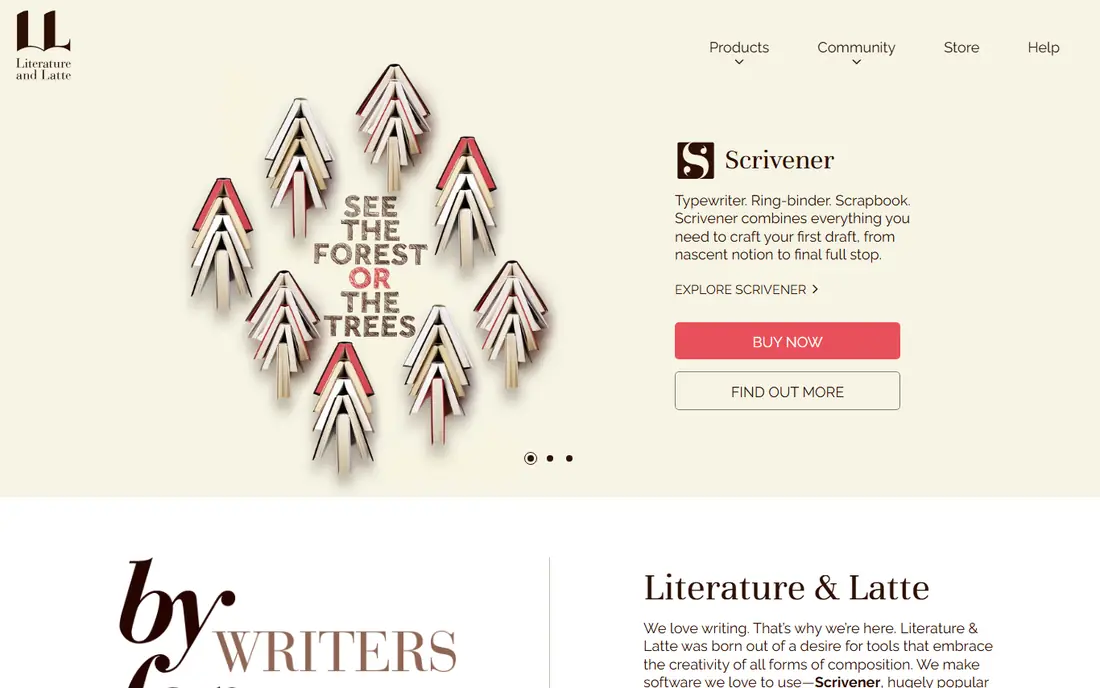
Scrivener works like a binder for a whole book. You can split a manuscript into chapters and scenes, store PDFs and notes beside the draft, and rearrange sections with the corkboard or outliner view. For a novel, memoir or nonfiction book with many moving parts, that structure saves time once you learn it.
The catch is the learning curve. New writers may find the compile settings and project layout confusing at first, and syncing between devices takes setup through a third-party service. If you want a simple editor, this may feel like too much tool. If you want control over a long project, it is still hard to beat for the price.
- Strong organisation for chapters and research
- Flexible compile and export
- One-time purchase
- Steep learning curve
- No built-in cloud sync
- Android app is not available
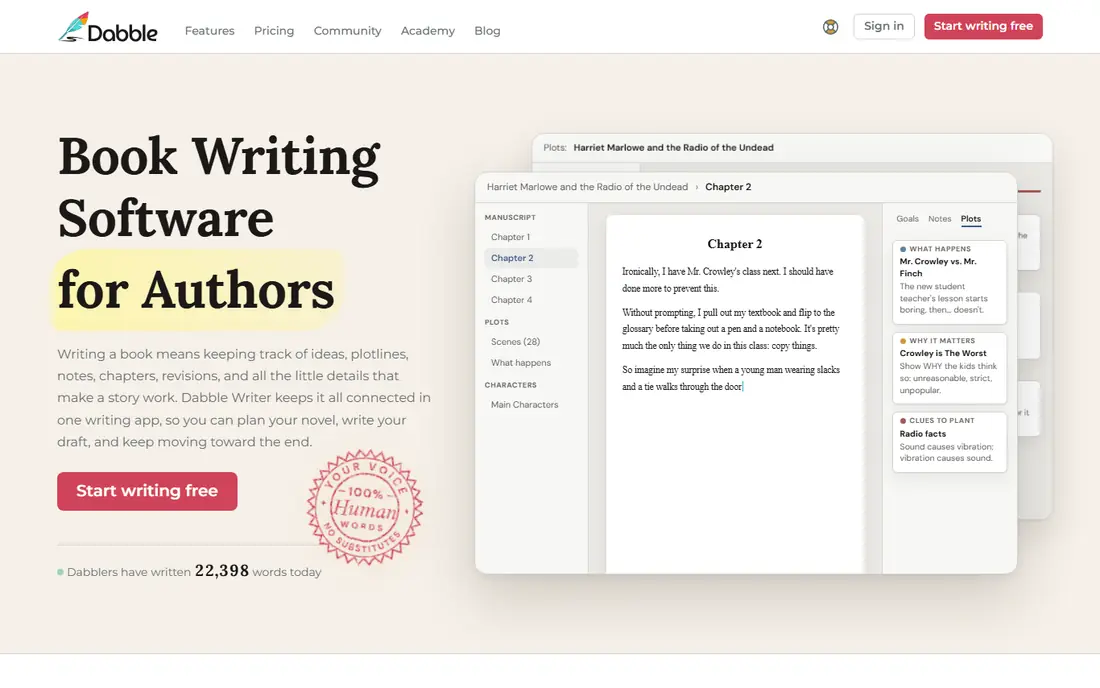
Dabble is built for writers who move between a laptop, tablet and phone. Your work syncs on its own, and the plot grid lets you track scenes against plotlines without opening a separate tool. Character notes, story notes and word count goals sit in the same workspace, which keeps a draft tidy.
The monthly price is the main drawback, especially for a slow draft that takes a year or more. Dabble also does not format a finished ebook for you, so you will still need another tool at publication time. For drafting and planning in the cloud, though, it is one of the easiest apps to live with day to day.
- Automatic cloud sync across devices
- Clear plot grid
- Co-authoring and sharing
- Monthly cost adds up
- No ebook formatting
- Export options are more limited than Scrivener
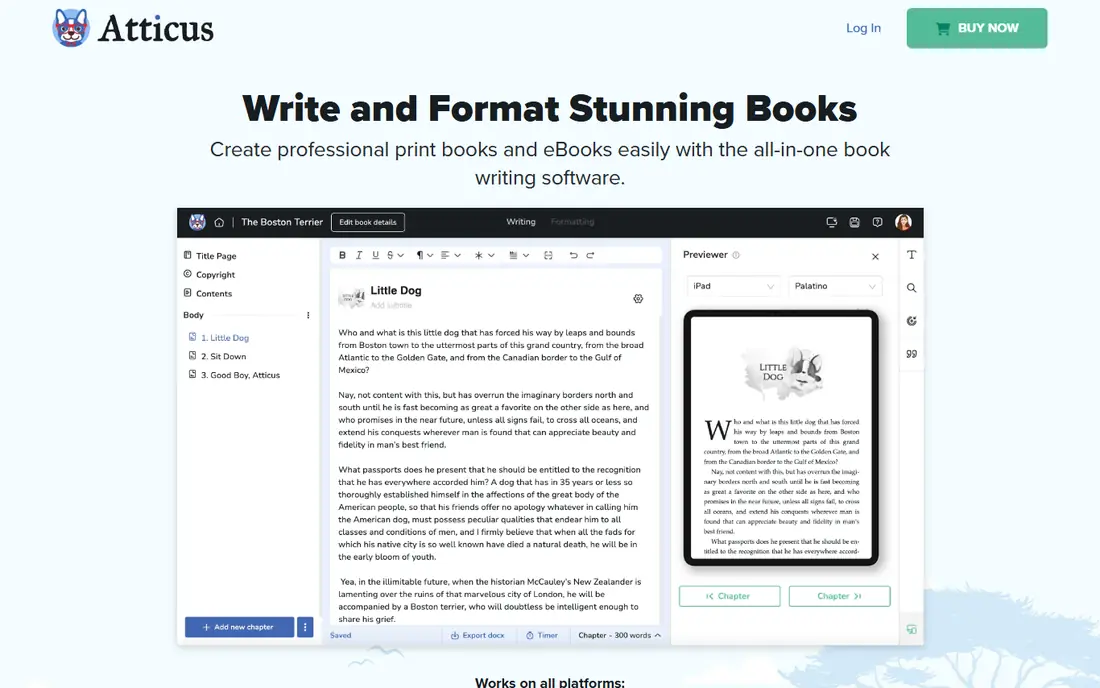
Atticus appeals to authors who want to write and then produce a finished book without learning separate layout software. You can draft chapters, apply themes, and export ebook and print-ready files from the same project. For writers who publish often, the one-time price can work out cheaper than paying for formatting each time.
It is less strong as a pure planning tool, and its offline use has limits, since projects need an online start for some tasks. Writers who only need a draft editor will pay for formatting features they may not use. Writers who self-publish regularly are the ones who get the full value here.
- Writing and formatting in one tool
- Print and ebook export
- One-time purchase
- Higher upfront cost
- Limited offline use
- Fewer planning tools than Scrivener or Dabble
Novlr keeps the focus on the words. The editor is clean, chapters and scenes are easy to organise, and automatic backup means you are less likely to lose work. A free tier lets new writers try the basics before paying, and the paid price sits below most cloud rivals.
What you give up is depth. There is no full corkboard or detailed worldbuilding system, and it is a web tool first, so offline writing is limited. That trade may suit writers who want a calm place to draft and do their planning elsewhere. It is less suited to writers who want every research note inside the app.
- Clean editor
- Automatic backup and version history
- Low monthly price
- Lighter planning tools
- Needs an internet connection
- Fewer export options than desktop apps
LivingWriter tries to cover the full path from idea to manuscript. It offers boards for planning, templates for common story structures, and tools for characters and settings alongside the draft. Export to common formats helps when you send work to an editor or move to formatting.
The interface packs in a lot, so writers who prefer a bare editor may find it busy at first. As a subscription, it also costs more over a long draft than a one-time purchase. If you want planning and drafting together, and you like working in a browser, it is a solid middle ground between a plain editor and a heavy desktop app.
- Story boards and templates
- Cloud access
- Ebook and Word export
- Subscription pricing
- Interface can feel busy
- Pricing is not always easy to compare at a glance
Reedsy Studio is our pick for writers who want to start now at no cost. The editor is clean, chapters are easy to manage, and you can export an ebook without paying for a separate formatter. For a first draft, that combination is hard to argue with, and there is no subscription clock ticking while you write slowly.
The limits show up on complex projects. Planning boards are limited, and writers who need deep research storage or print layout will need other tools later. Still, for many novels and nonfiction books, Reedsy Studio covers drafting and a basic ebook well, and you can move the manuscript elsewhere if your needs grow.
- Free core editor
- Clean chapter layout
- Ebook export included
- Planning tools are basic
- No desktop app
- Advanced formatting needs another tool
Plottr is a planning tool first, and it is excellent at that job. You can map scenes on a timeline, track plotlines side by side, and use templates for structures such as the hero journey or a simple three-act shape. Writers working on a series can keep books, characters and places organised across projects.
Do not buy Plottr expecting it to replace your drafting app. It is best paired with Scrivener, Reedsy Studio, Word or another editor, and it does not export a finished ebook. If your main problem is structure, though, seeing the whole book at a glance can prevent a messy middle and a rewrite later.
- Strong timeline and outline views
- Templates for common structures
- Useful for series planning
- Not a full drafting app
- No ebook export
- Best used alongside another editor
yWriter has served novelists for years, and its core idea still works: break a book into scenes, attach characters and locations to each scene, and track word counts as you go. It is free, it works offline, and it does not push you toward a subscription. For writers on a tight budget, or writers who like a scene-by-scene method, it covers the basics well.
The interface looks dated, and there is no built-in cloud sync, so moving between devices takes manual file handling. Export polish also lags behind newer tools. If you can live with an older look and you back up your files, yWriter gives you serious novel structure for nothing.
- Free scene and chapter organisation
- Character and location tracking
- Works offline
- Dated interface
- No cloud sync
- Limited formatting and export polish
How we picked these
We compared official feature pages, pricing pages and app store listings for book writing software, and we checked what each app actually covers: drafting, planning, research storage, sync and export. We favoured apps that are still maintained and that fit a real stage of book writing, from first outline to finished manuscript. We did not claim hands-on testing, and we left out generic word processors that add nothing specific for book-length work, except where they help explain a gap.
What to check before you commit
Start with how you write, not with the feature list. If you plan on paper and just need a clean draft, a simple cloud editor or Reedsy Studio may be enough. If you juggle many scenes, characters and research files, a structured tool such as Scrivener or LivingWriter will pay off. Try the trial or free tier with a real chapter, not just a test paragraph, and check export early.
Cost over a full draft
A monthly app can cost more than a one-time purchase if your book takes two years. Add up the likely months, and weigh that against formatting. A cheaper draft app plus a separate formatter can still beat an all-in-one price, or the reverse can be true if you publish often. Check whether a trial needs a card, and whether your files export in Word or ebook formats you can use elsewhere.
Sync, backup and ownership
Ask where your manuscript lives and how you get it out. Cloud apps make device switching easy, but you should still keep your own backups. Desktop apps give you local files, but you must set up your own sync and backup. Before you commit to any app, export a test chapter and confirm the file opens cleanly in another program.
Frequently asked questions
What is the best app to write a book for beginners?
Reedsy Studio or Novlr are good first choices. Both offer a clean editor and a low or no cost start, so you can focus on finishing a draft before you worry about formatting or advanced planning tools.
What is the best book writing app for novels?
Scrivener suits long novels with many scenes and research notes, while Dabble suits novelists who want cloud sync and a visual plot grid. Pick Scrivener for depth and Dabble for ease across devices.
Is there a best writing software for writing a book that is free?
Yes. Reedsy Studio is free for its core writing and ebook export, and yWriter is free for scene-based novel writing. Both have limits, but either can carry a full draft.
What is the best platform for writing a book if I plan to self-publish?
Atticus is the strongest choice here because it covers writing and formatting in one purchase. Pair it with a planning tool such as Plottr if you need detailed outlining first.
Can I write a book on my phone with these apps?
Dabble, Novlr, LivingWriter and Reedsy Studio work in a browser or on mobile, while Scrivener has an iOS app. yWriter and Plottr are mainly desktop tools, so check the platform list before you rely on phone writing.
Sources we checked (8)

Online Jobs is an independent blog about careers, online work, learning new skills and the tools that help people earn. More about us.
Keep reading
All posts
Zoom Alternatives
Zoom alternatives compared for 2026: Google Meet, Microsoft Teams, Webex, Jitsi and more for free calls, large meetings and webinars for teams and classrooms.

What Is the Best Free Tool to Rotate a PDF
What is the best free tool to rotate a PDF? We compare eight free rotation tools on per-page control, limits, privacy and saved output quality in detail.

What Is the Best AI Dubbing Tool
We compared the best AI dubbing tools in 2026, from ElevenLabs and HeyGen to Rask AI, Dubverse and Veed, for videos and creators in many languages worldwide.