Best App for Contractors in 2026: 8 Apps Compared

How we put this together: we compare official feature and pricing pages, app store listings, privacy policies and public user reviews. Prices change, so check the provider's site before you pay.
Key takeaways
- Service contractors who book repeat visits tend to do best with Jobber or Housecall Pro, while builders running full projects tend to need Buildertrend or Procore.
- The cheapest monthly plan is rarely the cheapest setup once you add users, payment processing and add-on tools.
- A good contractor app should cover quotes, scheduling, invoicing and client messages in one place, so work does not fall between separate tools.
- Always run a real job through a trial before paying, and check how the app handles offline work, photos and accounting exports.
Quick comparison
| Name | Who it suits | Starting price | Free option | |
|---|---|---|---|---|
 Jobber | Small service teams | See website | Free trial | Visit |
 Housecall Pro | Home service marketing | See website | Free trial | Visit |
 Buildertrend | Residential builders | See website | See website | Visit |
 ServiceTitan | Larger service operations | See website | See website | Visit |
 Fieldwire | Field teams and plans | See website | Yes | Visit |
 Procore | Commercial project teams | See website | See website | Visit |
 JobNimbus | Roofing and exterior crews | See website | Free trial | Visit |
 CompanyCam | Photo documentation | See website | Free trial | Visit |
The best app for contractors
Contractors do not all need the same app. A plumber booking ten short visits a day has a different day from a builder managing a three month remodel, and a roofing crew measuring roofs has different needs again. We compared official feature pages, pricing pages and app store listings to sort tools by the kind of work they fit best. Use the list below to match the app to your trade, team size and the jobs you actually run.
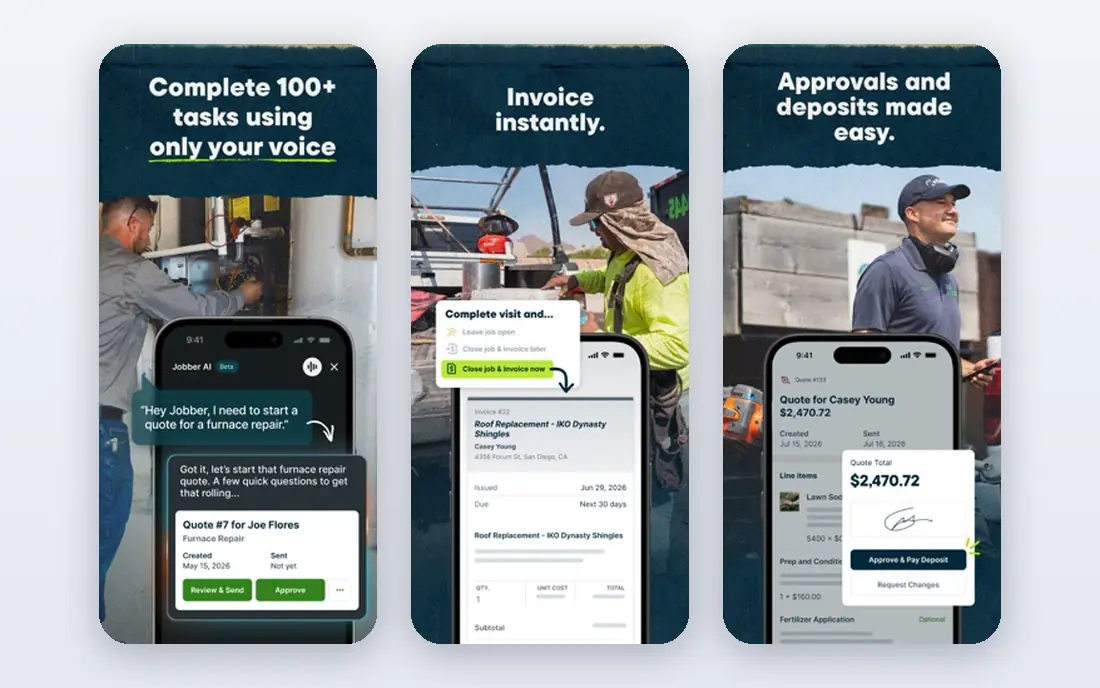
Jobber is our pick for most small service contractors because it keeps the daily work in one flow. You can turn a request into a quote, book the visit, send a reminder and invoice the client without switching apps. That matters when the office is one person and the crew is out on the road. The calendar, client records and job history stay linked, so repeat customers do not need to be re-entered each time.
The catch is scale. A solo operator will find the entry plans easy to use, but a growing team may need a higher tier for more users and extra features. Check the price for your exact team size, and check payment processing fees separately. If your work is mostly short service visits, Jobber is a strong first shortlist choice.
- Clear scheduling and quoting in one place
- Client reminders and online payments
- Accounting connections for common tools
- Costs rise as you add users and higher tiers
- Some marketing features sit on higher plans
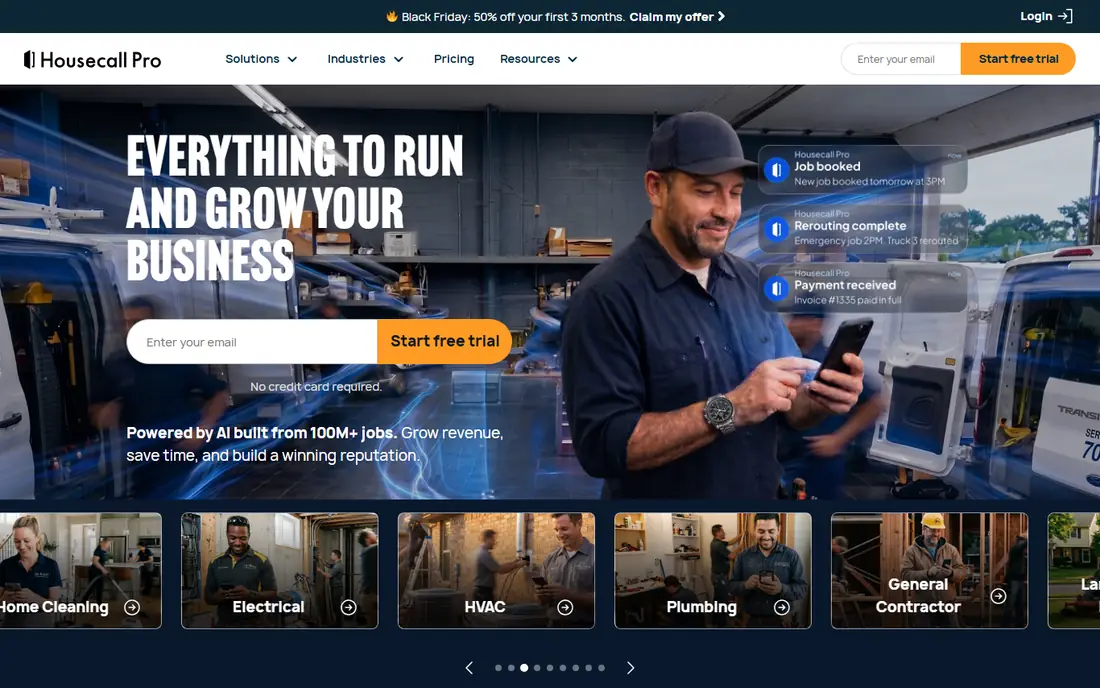
Housecall Pro suits home service firms that want booking, dispatch and follow-up marketing in the same system. Customers can book online, the office can dispatch jobs, and the team can collect reviews after the work is done. That combination helps firms that depend on local reputation and repeat bookings. The mobile app is built for technicians in the field, with job details and client messages close at hand.
The trade-off is that the most useful marketing tools are not all on the lowest plan. Compare the plan that includes the features you will actually use, rather than the headline starting price. Firms that already get most work by referral may not need the top tier, while firms trying to grow in a new area may find the extra tools worth the cost.
- Built-in review and marketing tools
- Online booking and dispatch
- Payment and financing options on higher plans
- Higher tiers are needed for the full marketing set
- Pricing changes with user count
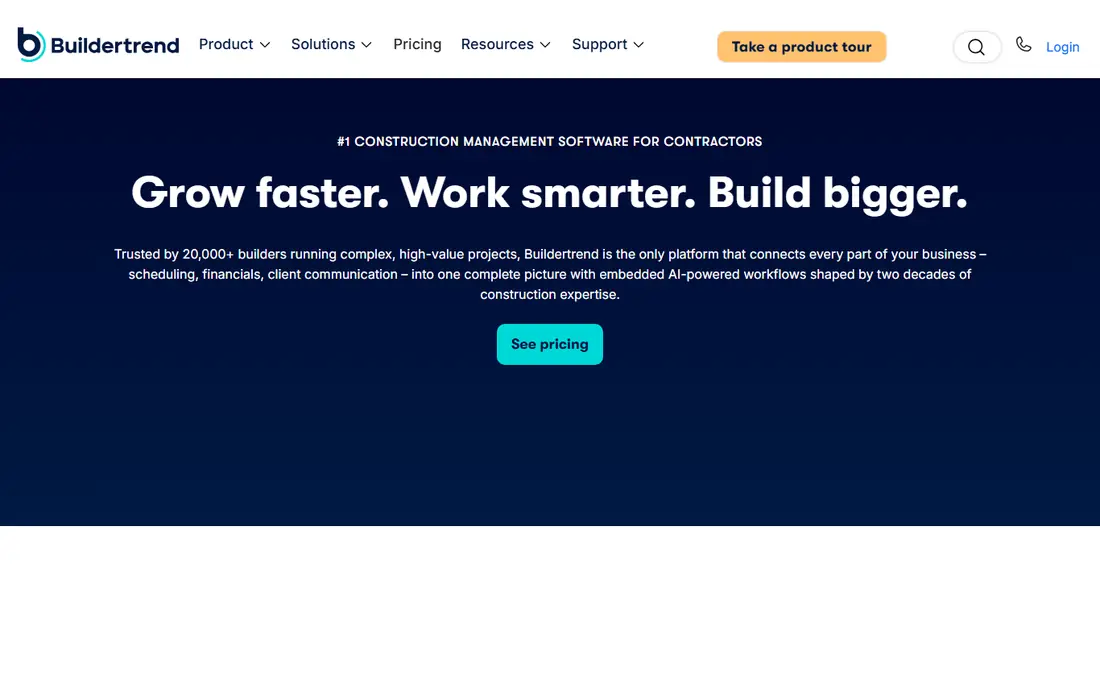
Buildertrend is built for construction projects rather than single visits. It brings schedules, budgets, documents, change orders and client communication into one project hub. Home builders and remodelers can share progress photos and updates with clients, which cuts down on phone calls asking where a job stands. Selections and change orders stay tied to the project, so costs are easier to track.
That depth comes with a learning curve. A small crew doing only repairs may find it heavier than needed. For a builder running several projects at once, though, the structure pays off. Ask for a demo using one of your own projects, and confirm what is included in the quote before you commit.
- Project schedules, budgets and client updates in one place
- Document and change order handling
- Client portal for selections
- More setup than a simple service app
- Priced by quote for many firms
ServiceTitan is aimed at larger home service companies with multiple crews and high call volume. It combines dispatch, scheduling, marketing, call tracking and reporting in a system built to handle many jobs at once. Managers get a clearer view of capacity, revenue and marketing results, and office staff can manage bookings without juggling separate tools.
For a one or two person firm, ServiceTitan is usually more than needed, and the price reflects its enterprise focus. It makes more sense when you have several technicians, a dedicated office team and a steady flow of calls to manage. Smaller firms should compare the total contract cost against Jobber or Housecall Pro before choosing it.
- Deep dispatch, marketing and reporting tools
- Built for multi-crew operations
- Strong phone and booking features
- High cost for small firms
- Setup and training take time
Fieldwire focuses on what happens on site. Crews can view plans, track tasks, complete checklists and manage punch lists from a phone or tablet. Foremen can assign work, attach photos and keep a record of what was done and when. That record helps when a client or general contractor asks for proof of progress.
Fieldwire is not meant to replace invoicing or accounting software. Firms that need quotes and payments will still need another tool for that side of the business. Its strength is coordination on the job site, and it fits general contractors and subcontractors who already have an office system for billing.
- Plan viewing and task tracking for field crews
- Punch lists and checklists
- Works well on mobile devices
- Not a full accounting or invoicing system
- Best paired with other tools for billing
Procore is the best-known platform for commercial construction project management. It covers drawings, documents, requests for information, submittals, schedules and project finances in one system. Large general contractors use it to keep owners, architects and subcontractors working from the same current documents. That control reduces confusion on complex jobs with many parties.
Small firms should think twice before adopting Procore. It is priced by quote, it needs training, and its value shows most on larger projects with formal document control. If your jobs are small residential repairs, a lighter tool will be faster to run. If you work on commercial projects with strict documentation needs, Procore belongs on the shortlist.
- Project management, documents and financial tools for large jobs
- Strong controls for teams and subcontractors
- Wide integration options
- Priced by quote and built for larger projects
- Too much system for small residential work
JobNimbus is popular with roofing and exterior contractors because it follows the sales and production flow those firms use. Leads, estimates, jobs and payments move along boards that show where each job stands. Crews and office staff can see the same status, which helps when weather delays a job or a material order changes. Photos and documents stay with the job record.
It is less focused on the day to day dispatch of short service calls than Jobber or Housecall Pro. Roofing firms will likely find the fit natural, while a plumbing firm may prefer a dispatch-first tool. Try it with a real roofing pipeline during the trial to see if the boards match how your team already works.
- Built for roofing workflows and sales tracking
- Boards and automations for job stages
- Photo and document storage
- Less suited to general service dispatch
- Some features need setup to work well
CompanyCam solves one problem very well: keeping job photos organised. Photos taken in the app are tied to the right project, location and time, and the team can share and annotate them without digging through phone galleries. That record helps with client updates, warranty questions and insurance claims. It is easy for crews to adopt because photo capture is the main task.
CompanyCam is not a replacement for scheduling, quoting or invoicing. Think of it as a companion to your main contractor app, or as a first step for a firm that still runs jobs from spreadsheets. If photo proof is a weak spot in your business, it can improve that part of the job quickly and at a lower cost than a full platform switch.
- Simple photo capture tied to each job
- Team sharing and annotations
- Useful record for clients and insurers
- Not a full scheduling or invoicing app
- Works best alongside a main job system
How we picked these
We compared official feature pages, pricing pages and app store listings for contractor tools that serve US small businesses and construction teams. We looked for tools that cover real contractor work: quotes, scheduling, job tracking, client communication and payments, or, in the case of Fieldwire and CompanyCam, a clear field or documentation job. We kept tools that are actively sold and supported, and we left out tools that only handle one narrow task without fitting the wider job flow. We did not claim hands-on testing. Our picks reflect what each vendor publishes about its own product, plus how well the tool matches a specific trade and team size.
What to check before you pay
Start with your job type, not with a feature list. A service firm should test booking, dispatch and invoicing on a busy day. A builder should test schedules, change orders and client updates on a live project. A roofing firm should test lead to job tracking and photo records. In each case, use your own job data in the trial, not a demo project, so you see where the app slows your team down.
Next, add up the full cost. Ask about per-user fees, payment processing, text message limits and add-ons for marketing or reporting. Check whether the app works offline or in areas with weak signal, and check how data exports if you later switch. Finally, confirm accounting connections. An app that cannot send invoices and payments to your accounting tool will create manual work every month, even if the mobile app looks good.
Questions to ask on a demo
Ask how a quote becomes a scheduled job and then an invoice, step by step. Ask who can see client data, and how photos and documents are stored. Ask what support is included, and how long setup usually takes for a firm your size. The answers will tell you more than a long feature list, because they show whether the app fits your daily routine.
Frequently asked questions
What is the best software for contractors?
The best software for contractors depends on the work you do. Jobber and Housecall Pro fit small service teams, Buildertrend fits residential builders, and Procore fits larger commercial projects. Start with your job type, then compare price for your team size.
What are the best contractor apps for a small construction business?
Small construction businesses often do best with a tool that covers quotes, scheduling and invoicing without a long setup. Jobber is a good starting point for service work, Buildertrend is a good starting point for project work, and CompanyCam can add photo records to either setup.
What are the best app tools for contractors on a tight budget?
On a tight budget, start with a tool that has a free plan or a free trial, and only pay for features you will use every week. Fieldwire has a free plan for field work, and several paid tools offer trials. Avoid paying for marketing or reporting add-ons until you know you need them.
Is there best software for contractors that also handles invoicing?
Yes. Jobber, Housecall Pro, Buildertrend and ServiceTitan all include invoicing as part of their wider job system, with online payment options on most plans. Fieldwire and CompanyCam do not replace invoicing, so pair them with an accounting or invoicing tool.
What are the best contractor software tools for roofing firms?
Roofing firms often choose JobNimbus for sales and production tracking, or Buildertrend for full project management. Both keep job stages, photos and client records in one place. Test the board or project view with a real pipeline before choosing.
Do contractor apps work offline on a job site?
Some apps offer limited offline access, while others need a connection to sync jobs and photos. Check the vendor page for offline support, and test the app in a low signal area during your trial. Crews should know what will sync later and what needs a connection at the time.
Sources we checked (8)

Online Jobs is an independent blog about careers, online work, learning new skills and the tools that help people earn. More about us.
Keep reading
All posts
n8n Alternatives
n8n alternatives compared for 2026, with Zapier, Make, Activepieces, and more, covering visual builders, code steps, self-hosting, and pricing models.

ZoomInfo Alternatives
The best ZoomInfo alternatives in 2026, compared on price, free plans, data coverage, and which tool fits small teams or large sales teams best in detail.

Zoom Alternatives for Webinars
Compare Zoom alternatives for webinars in 2026, from browser-based rooms to enterprise events, with prices, attendee limits, features and honest trade-offs.