Best Android Apps in 2026: 10 Products Compared

Driving, walking, and finding local places · Starting price: Free
How we put this together: we compare official feature and pricing pages, app store listings, privacy policies and public user reviews. Prices change, so check the provider's site before you pay.
Key takeaways
- The best Android setup covers a few everyday jobs well: getting around, messaging, notes, music, learning, news, and passwords.
- Most picks here are free to start, with paid plans adding offline access, extra storage, or removal of ads and limits.
- Google Maps, WhatsApp, and Google Keep suit almost any Android phone, while Spotify, Duolingo, and Feedly depend more on personal taste.
- Try the free version first, and pay only for a feature you already miss, such as offline maps, offline music, or unlimited password sharing.
Quick comparison
| Name | Who it suits | Starting price | Free option | |
|---|---|---|---|---|
| Google Maps | Driving, walking, and finding local places | Free | Yes | Visit |
 WhatsApp WhatsApp | Messaging friends and family | Free | Yes | Visit |
 Google Keep Google Keep | Fast notes, lists, and reminders | Free | Yes | Visit |
 Spotify Spotify | Music, podcasts, and audiobooks in one app | Free | Yes | Visit |
 Todoist Todoist | A task list that syncs everywhere | Free | Yes | Visit |
 Duolingo Duolingo | Short daily language lessons | Free | Yes | Visit |
 Pocket Casts Pocket Casts | Listening to podcasts without clutter | Free | Yes | Visit |
 Google News Google News | A quick daily news briefing | Free | Yes | Visit |
 Snapseed Snapseed | Editing photos on your phone for free | Free | Yes | Visit |
 1Password 1Password | Passwords, passkeys, and secure notes | $3.99 per month | Free trial (14 days) | Visit |
The best Android apps
We picked apps that are widely available on Android in October 2026, that cover different everyday needs, and that work well for ordinary users, not just power users.
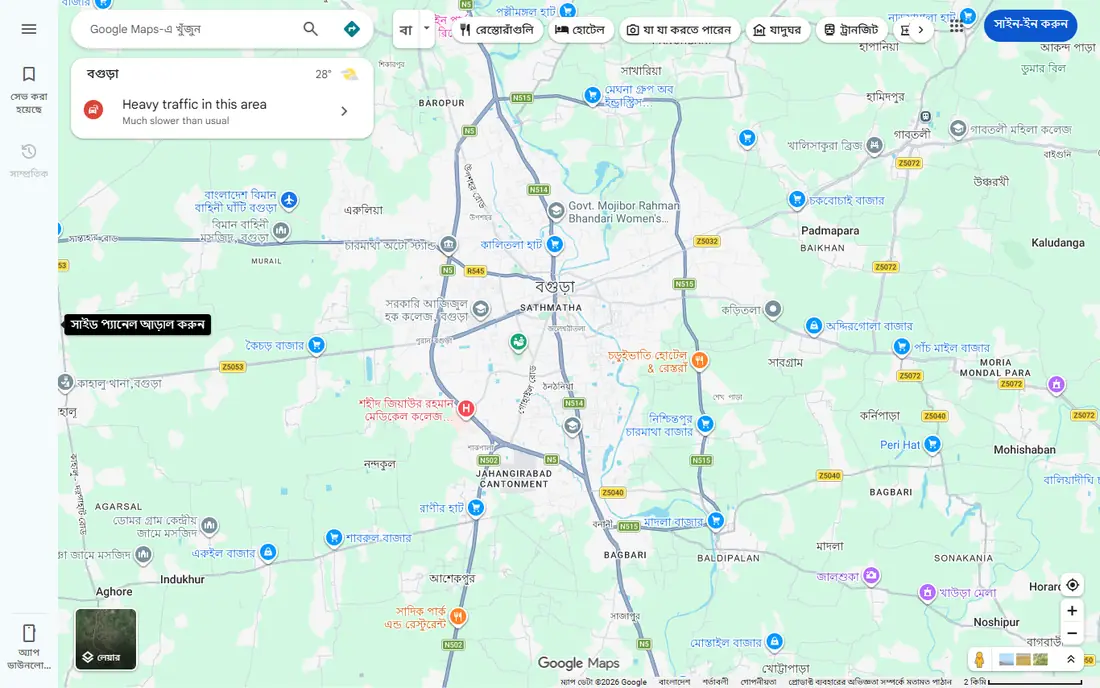
Google Maps is the app most Android owners open first when they leave the house, and for good reason. It covers driving, transit, walking, and cycling directions, with live traffic, arrival times, and shop details such as hours and busy times. Offline maps let you download an area before a trip.
The trade-off is data. Maps works best when it can use your location, and that means thinking about location settings and history controls in your Google account. Business details also depend on owners keeping listings current, so check hours for small shops before a special trip. For everyday travel and local search, no other single app on this list gets used as often.
- Reliable directions for driving, transit, walking, and cycling
- Live traffic and business hours
- Offline maps for trips without signal
- Uses location data heavily
- Business listings can be out of date
- Battery use rises on long navigation trips
WhatsApp remains the simplest way to stay in touch with people who use different phones, because it works on Android and iPhone alike. You can send texts, photos, voice notes, and documents, make voice and video calls, and run group chats. Messages are end-to-end encrypted in normal chats.
The main limits are practical, not technical. Your account is tied to a phone number, so changing numbers needs care, and backups are only as private as the backup settings you choose. Group chats can also fill a phone with photos and notifications if you do not mute them. For everyday messaging, WhatsApp is hard to beat for reach alone.
- Free messages, voice notes, calls, and video calls
- End-to-end encryption for chats
- Works across Android, iPhone, and desktop
- Tied to a phone number
- Backup and privacy settings need checking
- Group chats can become noisy
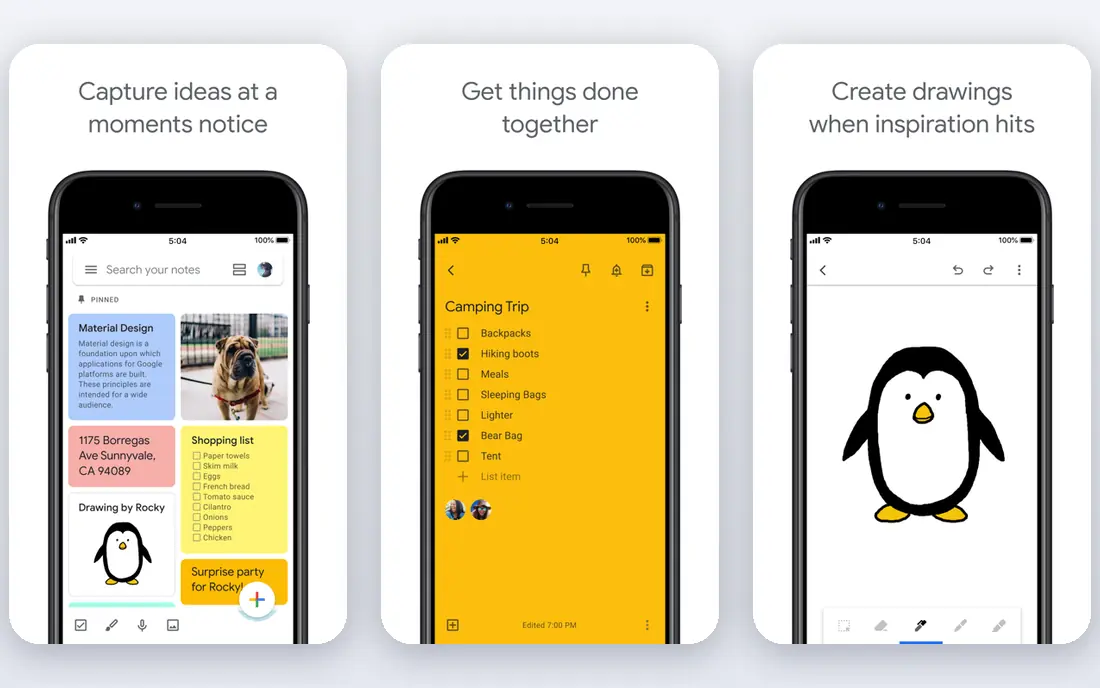
Google Keep is best for notes you need in seconds, not notes you plan to keep for years. Open the app, type a thought, set a reminder, and move on. Checklists work well for shopping, packing, and small errands, and labels plus color coding give just enough organization without turning note-taking into a project.
Keep is not a replacement for a full notes app if you write long documents or need folders and rich formatting. That simplicity is also its strength, because there is almost nothing to learn. If your current notes app feels heavy, or you keep losing thoughts because capturing them takes too long, Keep is a free fix worth trying.
- Very fast to open and capture a note
- Checklists, labels, and reminders
- Syncs across Android, web, and other devices
- No folders or deep organization
- Not built for long documents
- Note formatting is basic
Spotify is the most complete audio app for most Android users, because music, podcasts, and audiobooks live in one place. Playlists and discovery tools make it easy to find new music, and the free tier lets you listen without paying. Podcasts are included, so you do not need a separate app unless you want more controls.
The free tier has real limits on mobile, including ads, shuffle-heavy playback, and limited skips. Premium Individual costs $12.99 per month in the US in 2026, with Duo at $18.99, Family at $21.99, and Student at $6.99, and paid plans include offline downloads and 15 audiobook hours per month for the plan manager. If you listen daily, Premium is worth it. If you listen rarely, the free tier may be enough.
- Huge music and podcast catalog
- Strong playlists and discovery
- Free tier works for casual listening
- Free tier has ads and limited skips on mobile
- Premium Individual rose to $12.99 per month in 2026
- Audiobook hours are capped on paid plans
Todoist works on Android because it is fast, clear, and syncs well. You can add a task from your phone, check it off from your computer, and see the same list on the web, without learning a complex system. Natural language entry means you can type a due date in words, and the app turns it into a proper date.
The free plan covers basic lists, but the five-project limit will matter if you track work, home, health, and errands separately. Reminders sit behind Pro, which is the feature many people actually pay for. If you want a dependable list that follows you across devices, Todoist is a strong free start, with a clear upgrade path.
- Fast task entry with natural language dates
- Projects, labels, and filters
- Syncs across Android, desktop, and web
- Free plan limits projects to five
- Reminders need Pro
- Pro costs $5 per month billed annually in recent checks
Duolingo turns language learning into a daily habit, which is the hardest part for most beginners. Lessons are short, visual, and game-like, with points, streaks, and reminders that nudge you to practice for a few minutes each day. That low time cost makes it easier to keep going than a long textbook chapter after work.
The free version includes ads and a hearts system that limits mistakes before you need to wait or practice again, which can frustrate keen learners. Advanced students will also outgrow Duolingo and need reading, listening, and conversation practice elsewhere. As a free, daily starting point for a new language, though, it is still the easiest app to recommend.
- Short, game-like lessons that fit into a few minutes
- Many languages
- Streaks and reminders help daily habit building
- Free version has ads and a hearts limit
- Depth is limited for advanced learners
- Some lessons feel repetitive over time
Pocket Casts is for listeners who want podcasts handled properly, rather than squeezed into a music app. You can build a queue, skip silences, change playback speed, set sleep timers, and sync progress across devices.
The core app is free, with a paid Plus plan for extra features such as desktop apps and cloud storage in past listings, so check the current price in the app before you upgrade. Pocket Casts does not create podcasts itself, so shows depend on public feeds from creators. If you listen to several podcasts each week, this dedicated player is a clear step up from a general audio app.
- Clean player with speed controls and trim silence
- Cross-device sync
- Good discovery and queue management
- Some advanced features need a paid plan
- Catalog depends on public podcast feeds
- Social features are limited
Google News is the news pick for readers who want a fast briefing without paying for one newspaper. It gathers headlines from many publishers, lets you follow topics, places, and sources, and shows a mix of top stories, local news, and coverage from different outlets on the same story. That mix helps you see more than one angle on a major event.
The feed is shaped by an algorithm, so it can narrow over time toward topics you already click, which is worth watching. Full articles still live on publisher sites, so paywalls apply where a publisher charges. For a free, everyday news check on Android, Google News is the simplest starting point, and Feedly is a good second app if you want to follow specific sites by feed instead.
- Free headlines from many publishers in one feed
- Topics and sources you can follow
- Local news and fact-check labels where available
- Algorithm picks can narrow what you see
- Full articles open on publisher sites with their own paywalls
- No offline reading for most stories
Snapseed is unusual in 2026 because it is a full photo editor with no subscription and no ads in the core app. You can adjust brightness, color, and detail, crop and straighten, remove small blemishes, and apply filters that still look natural. Selective edits let you brighten one part of a photo without changing the whole image, which is a tool usually found in paid editors.
Snapseed does not sync photos to the cloud or manage albums, so it works best alongside Google Photos or your gallery app. The menu layout takes a short while to learn, because many tools hide behind taps and swipes. If you edit photos on your phone and dislike subscriptions, Snapseed remains one of the best free tools available.
- Completely free with no subscription
- Strong tuning, cropping, and selective edits
- Works well for quick fixes before sharing
- No cloud sync or shared albums
- Interface takes a little learning
- Not built for video editing
1Password solves a problem almost every Android owner has: too many passwords, reused across too many sites. It generates strong, unique passwords, fills them in apps and browsers, stores passkeys and secure notes, and alerts you when a password is weak or exposed. That reduces the risk from one leaked password opening many accounts.
There is no permanent free plan, only a 14-day trial, and the Individual plan costs $3.99 per month billed annually, with a lower first-year price for new direct customers in recent listings. Families costs $5.99 per month billed annually for up to five people. If you already use a free password manager you trust, stay with it. If you do not use one yet, 1Password is a clear, well-supported place to start.
- Strong password generation and autofill
- Watchtower alerts for weak or exposed passwords
- Works across Android, desktop, and browsers
- No permanent free plan
- Regular price is $3.99 per month billed annually
- Family sharing needs the Families plan
How we picked these
We checked each vendor's own product and pricing pages and app store listings, and favored apps that are current on Android in October 2026, free or low-cost to start, and useful for a common everyday job. We aimed for range across maps, messaging, notes, music, tasks, learning, podcasts, news, photos, and passwords, rather than listing ten apps from one category. Prices shown are starting prices, and app store prices can vary by country and billing method.
How to set up a new Android phone with these apps
Start with the essentials: Google Maps for travel, WhatsApp for messaging, Google Keep for quick notes, and 1Password or another password manager for logins. Add Spotify or Pocket Casts for listening, Todoist for tasks, and Google News for headlines. Add Duolingo and Snapseed only if language practice or photo editing is part of your week, because a phone full of unused apps helps no one.
Check permissions as you install each app. Location access makes sense for Maps, but not for every app that asks for it. Turn off notifications you do not need, and remove apps you have not opened in a month.
Free versus paid: what is actually worth paying for
Pay for offline access if you travel, commute without signal, or listen daily, because offline maps and offline music change how useful those apps are. Pay for a password manager if you do not already use one, because unique passwords protect more accounts than any single security app. For most other picks here, the free version covers the core job, so upgrade only when you hit a limit you actually feel, such as ads, storage, or a missing feature.
Keeping news and social feeds in balance
Google News is useful, but a feed that only shows what you already agree with can narrow your view over time. Follow a few sources you disagree with, check the full coverage view for major stories, and read at least one longer article from a publisher you trust each day. Set a time limit for news apps if headlines start to crowd out work, sleep, or time with other people.
Frequently asked questions
What are the best Android apps to download first?
Start with Google Maps, WhatsApp, Google Keep, and a password manager such as 1Password. Add Spotify for music, Todoist for tasks, and Google News for headlines. That set covers travel, messaging, notes, security, listening, planning, and news without filling your phone with apps you may never open.
What is the best news app for Android?
Google News is the best free starting point for most Android users, because it gathers headlines from many publishers and lets you follow topics and local news. If you prefer to choose exact sources yourself, Feedly is a strong second option, with a free plan for up to 100 sources. Try Google News first, and add Feedly only if you want feed-based reading.
Are these Android apps free?
Most apps on this list are free to start, including Google Maps, WhatsApp, Google Keep, Spotify, Todoist, Duolingo, Pocket Casts, Google News, and Snapseed. Paid plans add features such as offline downloads, extra storage, or removal of limits and ads. 1Password is the main exception, with a 14-day trial and no permanent free plan.
Is Spotify free on Android?
Yes, Spotify has a free, ad-supported tier on Android, with music and podcasts included. Free mobile listening has ads, limited skips, and shuffle-heavy playback for many playlists. Premium Individual costs $12.99 per month in the US in 2026 and adds ad-free listening, offline downloads, and full playback control.
Do I need a password manager on Android?
A password manager helps if you reuse passwords, forget logins, or manage accounts for work and family. It generates unique passwords, fills them in apps and browsers, and stores passkeys and secure notes. If you already use a trusted free manager, you do not need to switch, but using no manager at all leaves many accounts at risk from a single leaked password.
Which Android app is best for learning a language?
Duolingo is the best free starting point for daily language practice, because lessons are short, regular, and easy to fit into a few minutes. It works best for beginners and lower-intermediate learners. Advanced learners should add reading, listening to native content, and conversation practice, because an app alone rarely builds fluency.
Sources we checked (10)

Online Jobs is an independent blog about careers, online work, learning new skills and the tools that help people earn. More about us.
Keep reading
All posts
Zoom Alternatives
Zoom alternatives compared for 2026: Google Meet, Microsoft Teams, Webex, Jitsi and more for free calls, large meetings and webinars for teams and classrooms.

What Is the Best Free Tool to Rotate a PDF
What is the best free tool to rotate a PDF? We compare eight free rotation tools on per-page control, limits, privacy and saved output quality in detail.

What Is the Best AI Dubbing Tool
We compared the best AI dubbing tools in 2026, from ElevenLabs and HeyGen to Rask AI, Dubverse and Veed, for videos and creators in many languages worldwide.