Best Analytics Tools for Ecommerce in 2026: 8 Tools Compared


Free traffic and ecommerce tracking · Starting price: Free
How we put this together: we compare official feature and pricing pages, app store listings, privacy policies and public user reviews. Prices change, so check the provider's site before you pay.
Key takeaways
- Google Analytics 4 is the free baseline every store should run, even if a paid tool later becomes the main dashboard.
- Triple Whale and Polar Analytics suit Shopify brands that need ad attribution tied to profit, not just revenue.
- Littledata fixes tracking accuracy, which matters more than a new dashboard when ad platform numbers disagree.
- Mixpanel and Klaviyo cover behaviour and email revenue in depth, while Shopify Analytics covers built-in store basics.
- Most dedicated tools price by revenue or volume, so budget for growth rather than comparing entry prices alone.
Quick comparison
| Name | Who it suits | Starting price | Free option | |
|---|---|---|---|---|
| Google Analytics 4 | Free traffic and ecommerce tracking | Free | Yes | Visit |
 Shopify Analytics | Built-in Shopify store reporting | See website | No | Visit |
 Triple Whale | Shopify attribution and profit | See website | Yes | Visit |
 Polar Analytics | Larger DTC brands and BI | See website | No | Visit |
 Littledata | Accurate GA and ad tracking | See website | Free trial | Visit |
 Mixpanel | Funnel and behaviour analytics | Free | Yes | Visit |
 Klaviyo | Email and SMS revenue attribution | See website | Yes | Visit |
 Lifetimely | Profit and lifetime value tracking | See website | Free trial | Visit |
The best analytics tools for ecommerce
Ecommerce analytics answers three questions: where did the sale come from, what did it really cost, and will the customer buy again. No single tool answers all three perfectly, which is why most growing stores run a free baseline plus one paid tool for their main problem. The tools below cover those jobs separately.
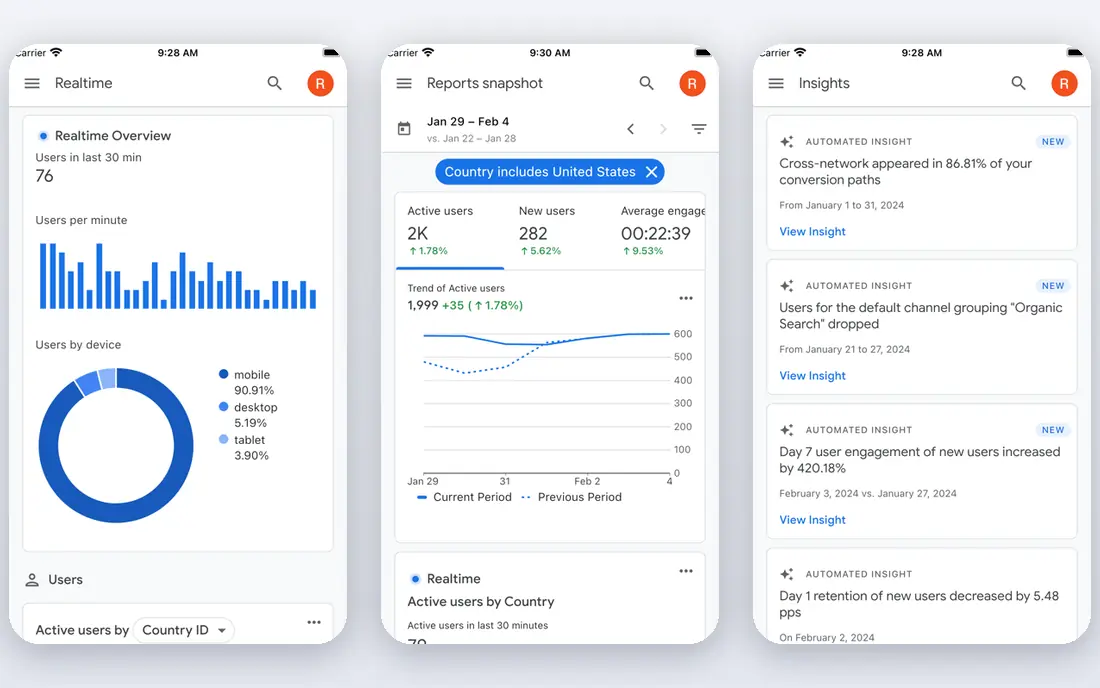
Google Analytics 4 remains the free baseline for ecommerce, tracking traffic sources, product views, add-to-cart steps and purchases across a store. It connects to Google Ads and Search Console, so a store can see search and ad performance beside on-site behaviour. For a new store, it is the first tool to install, before any paid dashboard.
The limits are real. GA4 does not show profit or margin, its interface takes learning, and poor setup produces misleading numbers. Treat it as the traffic and behaviour record, then add a profit or attribution tool when the business grows. A correctly set up GA4 property is worth more than three dashboards built on broken tracking.
- Free and comprehensive
- Ecommerce events and funnels
- Integrates with Google Ads and Search Console
- Learning curve
- No profit or margin view
- Sampling and setup errors are common

Shopify Analytics comes with a Shopify store, covering sales over time, top products, order sources and customer cohorts at a basic level. Because it reads store data directly, its revenue figures match the store, which avoids the mismatch that sometimes appears between ad platforms and analytics tools. For a new Shopify store, it answers most early questions.
Deeper reporting, including more detailed customer and sales reports, sits on higher Shopify tiers, and cross-platform attribution is limited. Stores spending heavily on ads usually add a dedicated attribution tool beside it. As a built-in baseline, though, Shopify Analytics is solid and free of extra integration work.
- Included with a Shopify plan
- Clear sales, order and customer reports
- No extra setup for basic metrics
- Deeper reports are gated to higher tiers
- Attribution across ad platforms is limited
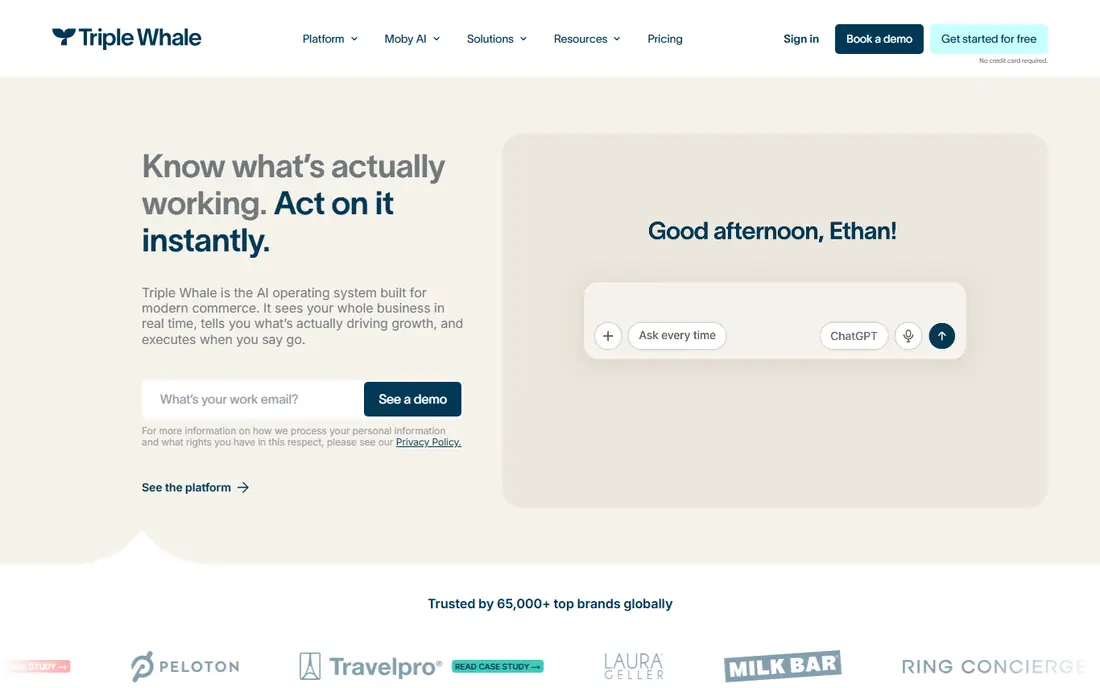
Triple Whale positions itself as an operating system for Shopify brands, combining attribution, profit tracking and dashboards in one place. Its first-party pixel and cost inputs help a brand see not just revenue by channel, but profit after ad spend, shipping and product costs. That profit view is what growing DTC brands actually need to decide where to spend next.
Pricing scales with revenue, so check the current tier at your store's volume, and expect modelled attribution to differ from native ad platform reports. A limited free dashboard is available for smaller stores. If paid ads drive your growth, Triple Whale is a strong first paid tool.
- Attribution tied to profit and costs
- First-party pixel
- Dashboards for Shopify DTC brands
- Pricing scales with revenue
- Attribution is modelled, so numbers differ from ad platforms
Polar Analytics suits mid-market and larger DTC brands that have outgrown single-app dashboards and want business intelligence across channels. It pulls marketing, store and order data into custom reports, so a team can compare channels, products and cohorts without exporting to spreadsheets. That depth helps brands with complex ad mixes.
Pricing is quote-based and tied to scale, so it is not a small-store tool. Implementation also takes more work than a plug-and-play dashboard. For a larger brand that needs a single reporting layer across channels, Polar is worth a demo.
- Warehouse-style reporting for larger brands
- Cross-channel metrics
- Custom dashboards
- Quote-based pricing
- More than a small store needs
Littledata solves a different problem from most tools on this list: it makes the numbers trustworthy. When ad platforms, GA4 and Shopify disagree, the cause is often broken or incomplete tracking, and Littledata's Shopify-focused setup and server-side options aim to fix that layer. Accurate tracking then improves every dashboard built on top of it.
It is not a full profit dashboard on its own, so many stores pair it with GA4 or a tool such as Triple Whale. A free trial lets a store check whether its tracking improves. If your numbers disagree across platforms, fix tracking before buying another dashboard.
- Fixes GA4 and ad tracking accuracy
- Server-side tracking options
- Shopify-focused setup
- It improves tracking rather than replacing a full dashboard
- Pricing depends on store size
Mixpanel tracks what users actually do, step by step, through funnels, cohorts and retention views. For ecommerce, that means seeing where shoppers drop off between product view, cart and checkout, and which cohorts return to buy again. Its free plan suits smaller volumes, which makes it easy to trial.
Mixpanel does not replace profit or ad attribution tools, so it works best beside GA4 and a commerce dashboard. Event naming and setup need planning, or reports become messy. If behaviour and conversion detail is your main gap, Mixpanel fills it well.
- Detailed funnels and cohorts
- Event-based behaviour tracking
- Free plan for smaller volumes
- Ecommerce profit and attribution need other tools
- Event setup takes planning
Klaviyo is best known as an email and SMS platform, but its analytics matter for ecommerce because they tie campaigns and flows directly to revenue. A store can see which flows, campaigns and segments drive orders, and use predictive signals for customer lifetime value and churn risk. Its Shopify integration keeps order and customer data in sync.
Pricing scales with the number of contacts, so costs rise as a list grows, and Klaviyo does not replace a general analytics or profit tool. A free plan covers small contact counts. For brands where email and SMS drive a large share of revenue, Klaviyo's attribution view is essential.
- Email and SMS revenue tracking
- Predictive customer value and churn signals
- Deep Shopify integration
- Pricing scales with contacts
- It is a marketing platform first, not a general analytics suite
Lifetimely focuses on profit and customer lifetime value, with cohort and retention reports that show whether a store is building repeat buyers or only buying one-time orders. Subscription brands in particular benefit from its retention views. It connects to Shopify and related tools, keeping setup manageable.
Its attribution is simpler than a dedicated attribution platform, so high-spend ad teams may pair it with Triple Whale or Polar. A free trial is available. If your main question is whether customers are profitable over time, rather than which ad got the last click, Lifetimely answers it clearly.
- Profit, lifetime value and cohort reports
- Subscription and retention views
- Shopify-focused
- Attribution is simpler than dedicated attribution tools
- Pricing scales with store size
How we picked these
We compared official pricing and product pages, plus current ecommerce analytics guides that summarise vendor pricing, and we kept tools that are live in 2026 and used by real stores for traffic, attribution, profit or behaviour. We favoured tools that cover distinct jobs rather than eight near-identical dashboards, and we noted where pricing is quote-based or scales with revenue. We did not claim hands-on testing.
Choosing the right analytics stack
Start with the free baseline: GA4 plus your store's built-in analytics. Then name your main problem. If ad numbers disagree, fix tracking with Littledata. If you cannot tell which ads make profit, add Triple Whale or Polar. If repeat buying is weak, add Lifetimely for lifetime value. If email drives revenue, use Klaviyo's revenue reports.
Avoid buying three dashboards that all claim to answer everything. Each extra tool adds setup, cost and conflicting numbers, which slows decisions rather than speeding them. Pick one main dashboard for weekly decisions, keep GA4 as the record, and review the stack when revenue or ad spend doubles.
Data quality comes first
Check that purchase events, revenue and refunds match your store records before trusting any dashboard. Test a purchase yourself, check that discounts and refunds flow through, and confirm that consent and privacy settings are handled correctly for your markets. A dashboard built on broken data will confidently recommend the wrong spend.
Frequently asked questions
What are the best ecommerce analytics tools?
Google Analytics 4 is the free baseline, Triple Whale and Polar Analytics lead for Shopify attribution and profit, and Mixpanel leads for behaviour. The best stack pairs a free baseline with one paid tool for your main problem.
What is the best analytics platform for ecommerce on Shopify?
Shopify Analytics covers built-in basics, Triple Whale covers attribution and profit, and Lifetimely covers lifetime value. Most growing Shopify stores run Shopify Analytics plus one of those paid tools.
What is the best ecommerce analytics software for attribution?
Triple Whale and Polar Analytics are the strongest attribution-focused choices for DTC brands, with modelled attribution that ties spend to profit. Expect their numbers to differ from native ad platform reports, since models differ.
Is Google Analytics free for ecommerce?
Yes, the standard Google Analytics 4 property is free, with a paid 360 tier for very large enterprises. The free version covers traffic, funnels and ecommerce events, but it does not show profit or margin.
How do I choose between profit tools and behaviour tools?
Choose a profit tool if your main question is which channels make money after costs, and a behaviour tool such as Mixpanel if your main question is where shoppers drop off. Many growing stores eventually need both, but start with the question that blocks decisions today.
Sources we checked (8)

Online Jobs is an independent blog about careers, online work, learning new skills and the tools that help people earn. More about us.
Keep reading
All posts
n8n Alternatives
n8n alternatives compared for 2026, with Zapier, Make, Activepieces, and more, covering visual builders, code steps, self-hosting, and pricing models.

ZoomInfo Alternatives
The best ZoomInfo alternatives in 2026, compared on price, free plans, data coverage, and which tool fits small teams or large sales teams best in detail.

Zoom Alternatives for Webinars
Compare Zoom alternatives for webinars in 2026, from browser-based rooms to enterprise events, with prices, attendee limits, features and honest trade-offs.