Best AI Tools to Animate Photo in 2026: 8 Tools Compared


Animating old family portraits · Starting price: See website
How we put this together: we compare official feature and pricing pages, app store listings, privacy policies and public user reviews. Prices change, so check the provider's site before you pay.
Key takeaways
- MyHeritage Deep Nostalgia is the simplest choice for animating old family portraits, while general video generators give you far more control over motion.
- Runway, Pika, Luma, Kling, and Hailuo all turn a still photo into a short video clip, but their free allowances and export limits differ a lot.
- Kaiber and Viggle suit music-led and character-led clips, so pick them only when that style matches the result you want.
- Always check the free plan first, because watermark rules, clip length, and credit costs change how useful a tool is for regular use.
- For photos of real people, use your own images or images you have permission to use, and check the tool rules on faces before you publish.
Quick comparison
| Name | Who it suits | Starting price | Free option | |
|---|---|---|---|---|
| MyHeritage Deep Nostalgia | Animating old family portraits | See website | Free trial | Visit |
 Runway | High quality photo to video | See website | Yes | Visit |
 Pika | Short creative clips | See website | Yes | Visit |
 Luma Dream Machine | Natural motion from photos | See website | Yes | Visit |
 Kling AI | Detailed motion prompts | See website | Yes | Visit |
 Hailuo AI | Quick social clips | See website | Yes | Visit |
 Kaiber | Music-led video | See website | Free trial | Visit |
 Viggle AI | Character movement | See website | Yes | Visit |
The best AI tools to animate photo
A still photo can now become a short moving clip in a few minutes. The tools below take different paths to that result, from one-click face animation to prompt-led video generation. We compared them on motion quality, ease of use, controls, pricing clarity, and export options.
MyHeritage Deep Nostalgia
Who it suits: Animating old family portraits
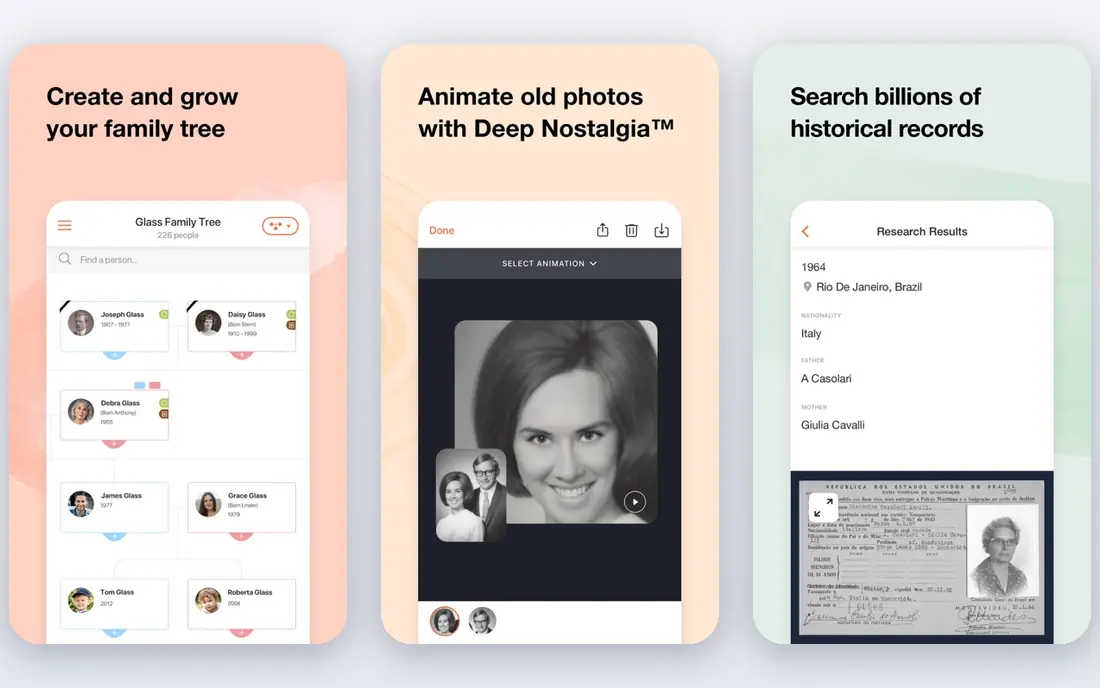
MyHeritage Deep Nostalgia is the easiest starting point in this list when the photo is a portrait, especially an old family photo. You upload a face photo, and the tool applies a preset sequence of movements such as blinking, smiling, and turning the head. There is no prompt to write and no timeline to edit, which keeps the whole process short.
That simplicity is also the main limit. You cannot direct a specific action in the way a video generator allows, and the result will look like a preset animation rather than a scene you directed. The tool fits family history projects, memorial posts, and quick shares with relatives. For a first test, the free trial is enough to judge whether the movement looks natural on your photo.
- Very simple to use
- Designed for faces in old photos
- Automatic photo enhancement before animation
- Limited control over the exact movement
- Full use sits inside a wider MyHeritage subscription

Runway turns a photo into video through its image to video tools, and it stands out when you want the result to look polished rather than playful. You can describe the motion you want, and the model fills in movement, camera drift, and scene detail. For product shots, outdoor scenes, and portraits that need a calm, steady result, it is a dependable pick.
The trade-off is cost and complexity. Runway is a full creative platform, not a single-purpose animator, so new users may need a few tries to get prompts and settings right. Check the current plan page before a larger project, because credits are spent on each generation, and failed attempts still count. When quality matters more than speed, Runway earns its place at the top of this list.
- Strong image to video quality
- A broad creative toolset in one workspace
- Useful controls for camera and motion
- Credit costs can rise fast on longer or repeated clips
- The full workspace takes time to learn
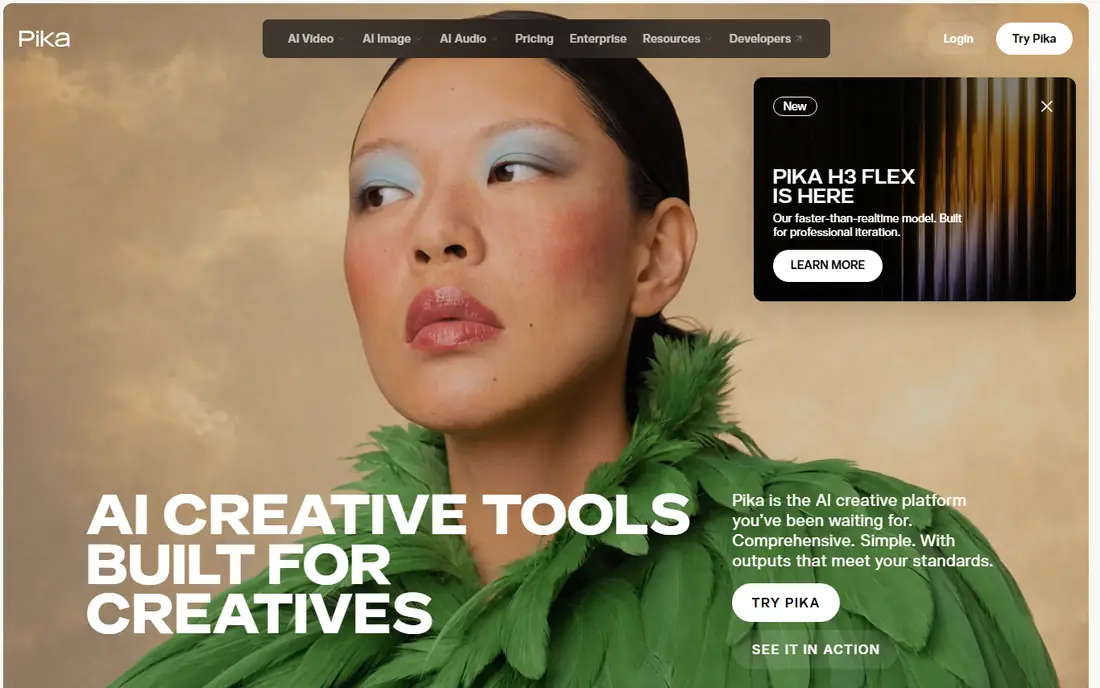
Pika is a good middle ground between a one-click animator and a full video suite. Upload a photo, write a short description of the movement, and generate a clip you can review in minutes. It works well for social posts, memes, and short creative experiments where a few seconds of motion is enough.
Pika is less suited to long, precise scenes. If you need a person to perform an exact sequence, expect to run more than one generation and pick the best take. The free plan lets you learn that rhythm without paying first. For casual creators, that low barrier is the main reason to start here.
- Fast to try
- Good for stylised and playful motion
- Simple prompt-led workflow
- Short clips by design
- Detailed or realistic motion can need several attempts
Luma Dream Machine is known for motion that feels fluid rather than jittery, which matters most on faces, hair, water, and cloth. A still photo of a street, a pet, or a person can gain a gentle sense of life without looking like a filter has been pasted on top. The interface stays simple, so you spend time on the prompt, not on settings.
The catch is that natural motion is not the same as exact motion. A prompt such as a person waving may produce a wave, but the timing and angle may differ from what you pictured. Treat the first output as a draft, refine the wording, and keep the best version. For everyday photo animation, Luma is one of the most pleasant tools to use.
- Smooth, natural-looking motion
- Simple photo upload and prompt flow
- Good for scenes and portraits
- Prompt control is less precise than some rivals
- Free allowance limits regular use
Kling AI suits users who want to write a fuller description of the movement and let the model follow it closely. It handles scenes with more than one moving part better than many simpler tools, and its image to video mode keeps the original photo recognisable while adding motion. That makes it a strong choice for short stories, ads, and creative projects.
Beginners should expect a learning curve. The extra settings are useful, but they also mean more choices before you press generate. Start with a short, clear prompt, then add detail only when the first result is close. If you plan to animate photos often, Kling rewards that patience with more control than one-click tools offer.
- Detailed prompt controls
- Strong motion on complex scenes
- Good image to video mode
- Generation can take longer at busy times
- The interface has many options for beginners
Hailuo AI, from MiniMax, is built for speed. You upload a photo, add a prompt, and get a short clip that is ready to share. It works well for turning a single image into a loop, a reaction clip, or a short post, and it does not ask you to learn a full editing workspace first.
The limit is scope. Hailuo is not the best pick for a long, carefully directed scene, and some photos animate better than others, especially clear, well-lit subjects. Use it when you want a quick result and you are happy to try twice. For that job, its simplicity is a genuine advantage.
- Fast results for short clips
- Simple upload and prompt flow
- Good for social sharing
- Clip length and detail are limited
- Quality varies by photo type
Kaiber takes a different route from the other tools here. It is aimed at creators who want a photo or artwork to move in time with music, with stylised looks that suit music videos and visual loops. If your project has a soundtrack, Kaiber can make the motion feel tied to the beat in a way a plain animator cannot.
That focus means it is not the first pick for a realistic portrait animation. Faces can look stylised, and the best results come from images chosen for that effect. Check the current free trial terms before you start, because regular use will need a paid plan. For musicians and visual creators, Kaiber is still worth a test.
- Strong for music videos and stylised motion
- Audio-reactive options
- Distinct visual styles
- Less suited to realistic face animation
- Paid plans are needed for regular use
Viggle AI is the most playful tool in this list. It can take a character photo and apply movement from a reference, which makes it popular for dance-style clips and short character animations. When the reference and the photo match well, the result is lively and easy to share.
When they do not match, the motion can look awkward, especially around hands and feet. Viggle works best when you treat it as a creative toy with a clear use case, not as a tool for faithful, realistic animation. Try the free option first, and judge it on your own photo rather than on polished examples online.
- Character motion from a photo or video reference
- Fun for dance and movement clips
- Simple templates
- Results depend heavily on the reference motion
- Realistic detail can look uneven
How we picked these
We started with tools that clearly accept a photo as input and return a moving clip, then checked each official homepage to confirm the product still exists and matches this use. We read official feature pages, pricing pages, and app store listings where available, and we compared free plans, credit systems, export options, and controls. We left out tools that only edit still images, tools that had closed, and tools that required a different input type. Prices change often, so where a price was not clear on the vendor site at check time, we wrote See website rather than guessing.
What to check before you pay
Start with the free allowance
Run a test on the exact photo type you plan to use, not only on a sample image. A tool that animates an outdoor scene well may handle a face poorly, and the reverse is also true. Check whether free exports carry a watermark, how long clips can run, and how many credits each generation uses.
Match the tool to the motion
One-click face animation, prompt-led video, music-led video, and character motion are different jobs. Picking the wrong type leads to repeated generations and wasted credits. If you only need a portrait to blink and smile, a simple tool will beat a powerful one. If you need a scene to move in a specific way, a prompt-led generator is the better fit.
Check rights and privacy
Only animate photos you own or have permission to use, and be careful with photos of other people, especially children. Read the privacy policy for each tool before uploading sensitive family photos, and avoid publishing an animation of a real person in a misleading context. For client work, confirm whether the plan you buy allows commercial use.
Frequently asked questions
What are the best ai tools to animate photos?
The best ai tools to animate photos depend on the photo. MyHeritage Deep Nostalgia suits old portraits, Runway and Luma suit polished photo to video clips, and Pika and Hailuo suit quick social clips. Try two free plans on the same photo before you pay, because motion quality varies by subject.
What is the best ai app to animate photos on a phone?
Pika, Luma, Kling, and Hailuo all work well in a browser or app flow, and MyHeritage works through its website and app. The best ai app to animate photos for you is the one whose free plan, export size, and watermark rules fit your sharing plans. Check the app store listing for the current version and device requirements.
What are the best ai tools to animate a photo for free?
Runway, Pika, Luma, Kling, Hailuo, and Viggle all offer a free way to start, usually with credits or a limited number of generations. Free plans often add a watermark or limit clip length, so read the plan page before you rely on free exports for a finished project.
Can AI animate any photo?
Most tools handle clear, well-lit photos best, and they struggle with very low resolution images, heavy blur, or crowded scenes. Face animation works best on a front-facing, clearly visible face. If a result looks odd, try a sharper photo or a simpler prompt before switching tools.
Is it safe to upload family photos to these tools?
Reputable tools publish privacy policies that explain storage and deletion, but policies differ, so read the one for the tool you choose. Avoid uploading photos of other people without permission, and delete uploads from your account when you no longer need them. For very sensitive photos, a local or family-history tool with clear deletion controls is the safer choice.
Do I need video editing skills to animate a photo?
No. One-click tools need no editing skill, and prompt-led tools only need a clear sentence describing the motion. Editing skill helps when you want to trim, loop, or combine clips, but it is not required to produce a first animation.
Sources we checked (8)

Online Jobs is an independent blog about careers, online work, learning new skills and the tools that help people earn. More about us.
Keep reading
All posts
What's the Best AI App for Creating Images
Find what's the best AI app for creating images, from Midjourney and Adobe Firefly to Ideogram and Leonardo AI, with free plans and honest limits for beginners.

Best AI Photo Generator Apps
We compared the best ai photo generator app options for art, posters, and social posts, covering free plans, pricing, text handling, and commercial use.
Best AI Image Generation Tools
Looking for the best ai image generation tools in 2026? We compare 8 leading options on price, text handling, commercial use, ease of use and free plans.