Best AI Tools to Animate Image to Video in 2026: 8 Tools Compared

How we put this together: we compare official feature and pricing pages, app store listings, privacy policies and public user reviews. Prices change, so check the provider's site before you pay.
Key takeaways
- Kling and Hailuo are strong free starting points, with daily credits that suit regular short tests.
- Runway is the pick for more control over camera movement and editing, while Luma suits realistic motion and physics.
- Pika and PixVerse suit fast social clips and playful effects, where speed matters more than realism.
- Most free tiers watermark output and meter credits, so check commercial use terms before publishing a clip for a business.
Quick comparison
| Name | Who it suits | Starting price | Free option | |
|---|---|---|---|---|
 Kling | Realistic human motion | $6.99 per month | Yes | Visit |
 Runway | Camera control and editing | $12 per month | Yes | Visit |
 Luma Dream Machine | Realistic movement and physics | $30 per month | Yes | Visit |
 Pika | Playful effects and beginners | $8 per month | Yes | Visit |
 Hailuo | Lifelike motion on a budget | $9.99 per month | Yes | Visit |
 PixVerse | Fast social clips | See website | Yes | Visit |
 Adobe Firefly | Commercially safer generation | $9.99 per month | Yes | Visit |
 Vidu | Anime and character consistency | $9.99 per month | Yes | Visit |
The best ai tools to animate image to video
Image to video tools take a still photo and generate motion from it, guided by a text prompt. The image fixes what the subject looks like, and the prompt decides what it does. That split is why results vary so much: the same photo can become a slow camera move, a talking portrait or a short animated scene, depending on the tool and the prompt. We compared official pricing pages, feature pages and public guides to build this list.
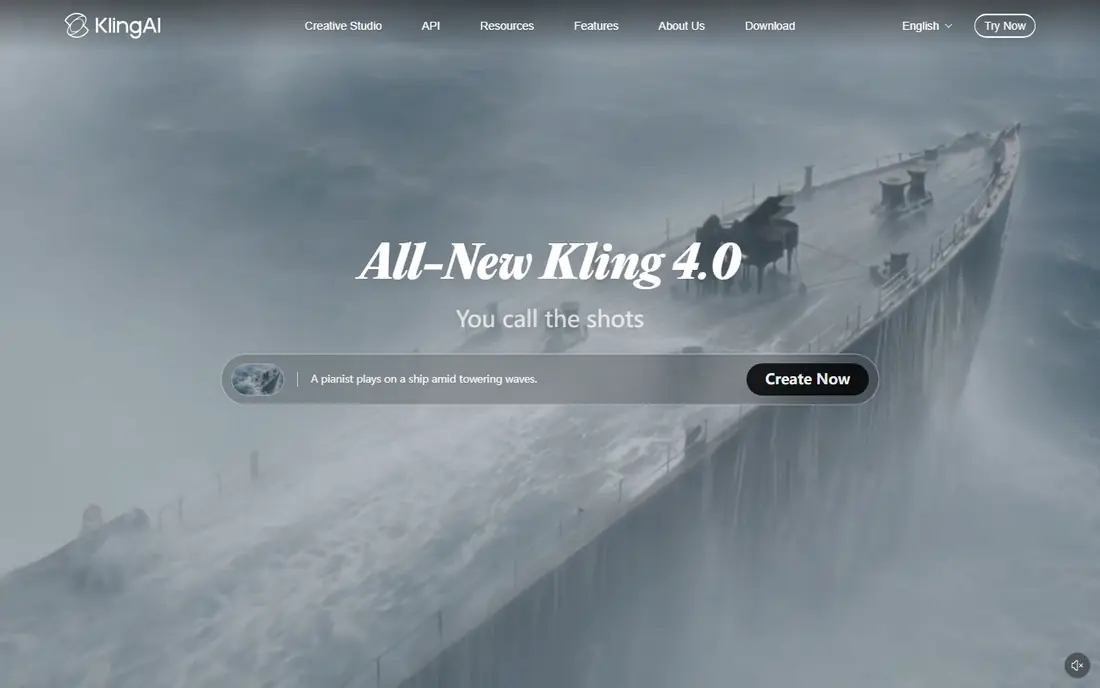
Kling is our first pick for most people learning image to video, because the daily free credits let you test often without paying. Human motion is a strength, from walking and gestures to more complex action, and the results tend to hold their shape better than many rivals at the same price. For social clips, product shots and short stories, that reliability matters.
The free tier has limits that shape how you use it. Credits refresh daily, unused credits expire, and free clips carry a watermark. Paid plans remove the watermark and raise resolution and volume. If you plan to publish regularly, budget for a paid plan early, and use the free tier to learn prompts and motion styles first.
- Daily free credits for regular testing
- Strong human motion and action
- Good value on paid plans
- Free credits expire daily and do not roll over
- Free output is watermarked

Runway suits creators who want control, not just a quick clip. Camera moves, scene edits and generation settings are more detailed than in many rivals, which helps when a clip needs to match a larger video project. The workflow feels built for people who edit, rather than for people who only want a single social post.
The free tier is a one-time credit grant, so it works as a trial rather than an ongoing free plan. Once those credits are gone, you need a paid plan to continue. That makes Runway a better second step than a free forever tool. Try it with your own photos, compare the control with Kling, and pay only if the editing tools save you real time.
- Strong camera and editing controls
- Polished workflow for creators
- Credits on free tier do not expire
- Free credits are one-time, not monthly
- Higher quality generations burn credits faster

Luma Dream Machine is known for realistic movement, especially for scenes where physics should look believable. A product shot with a slow camera move, an outdoor scene with natural motion, or an object interacting with its setting tends to look more grounded here than in tools built mainly for effects. For creators who care about realism over speed, that difference is visible.
The entry price is higher than Kling, Pika or Hailuo, so Luma is harder to justify for casual use. Free access has also changed over time, so confirm the current free terms on the vendor site before planning around it. If realism is your main need and you publish often, the quality may still justify the cost.
- Natural, realistic motion for environments and objects
- Good for cinematic camera moves
- Strong visual quality
- Higher entry price than several rivals
- Free tier terms have changed over time, so check current limits
Pika is the friendliest starting point in this list for someone who wants a fun clip fast. Effects, stylised motion and short social videos are its strengths, and the interface does not demand much technical knowledge. For memes, playful product clips and quick social tests, Pika gets you from photo to video with little friction.
Complex, realistic scenes are not its best work, and free clips are limited in resolution and length. Paid plans raise those limits and remove some constraints. Use Pika when the goal is a quick, eye-catching clip, and use Kling or Luma when the clip needs to look like real footage.
- Easy for beginners
- Fun effects and stylised motion
- Low entry price on annual billing
- Free clips are capped at lower resolution
- Realism lags behind Kling and Luma on complex scenes
Hailuo, from MiniMax, is a strong budget option for lifelike motion, especially for characters and talking heads. Templates help beginners get a usable clip without writing a detailed prompt, and the motion tends to feel fluid for short clips. For creators who animate portraits or characters often, Hailuo deserves a trial alongside Kling.
Free access is limited, so treat it as a way to test quality rather than a long-term free plan. Check the current credit rules and commercial terms before using clips for a business, since free tiers often restrict commercial use. Paid plans are reasonably priced for the quality on offer.
- Lifelike motion and character animation
- Daily free credits on some tiers
- Good for talking heads and characters
- Free credits are limited and may not refresh monthly
- Free output is watermarked
PixVerse suits creators who need many short social clips quickly and do not need cinematic realism. Generation is fast, styles are varied, and the free credits let you test a photo in several styles before committing. For a social calendar that needs fresh motion every day, speed is a real advantage.
The drawback is change. Pricing, credit amounts and plan names in this category shift often, so we list See website rather than a figure that may already be out of date. Confirm the current plan before you subscribe, and check watermark and commercial terms for the tier you intend to use.
- Fast generation for social content
- Stylised motion suits short clips
- Signup and daily credits for testing
- Pricing and credit rules change often
- Free clips are watermarked and capped in quality
Adobe Firefly is the pick when commercial safety matters more than experimental motion. Adobe positions Firefly as trained on licensed content, which reduces the rights risk that worries brands and agencies. For marketing teams, that position can matter more than a slightly more realistic clip from another tool.
Video generation in Firefly is useful but narrower than in Runway or Kling, and credits are shared across Adobe creative tools. If you already use Adobe apps, Firefly fits naturally into that workflow. If you only need image to video and nothing else, a specialist tool may give you more motion control for the same money.
- Built for commercial use with licensed training approach
- Daily free generations
- Integrates with Adobe tools
- Video features are more limited than specialist video tools
- Credits meter use across Adobe apps
Vidu suits anime, illustration and character work, where keeping a face or character consistent across clips matters. Reference features help the model hold onto a character design, which is a common failure point in other tools. For illustrators and animation fans, that consistency is the main reason to try Vidu.
Free credits are limited, and higher quality generations use them faster, so a free trial may only cover a handful of good clips. Paid plans remove the watermark and raise volume. If your work is realistic live-action motion, Kling or Luma will likely serve you better, but for character and anime animation, Vidu is a strong specialist.
- Strong anime and character output
- Reference tools help keep a character consistent
- Monthly credits on paid plans
- Free credits go quickly at higher quality
- Free output is watermarked
How we picked these
We compared official pricing pages, feature pages and public guides for tools that accept a still image and generate video, and we kept only tools that are available now with a usable free tier or trial. We favoured a mix of realistic, social, anime and commercially focused tools, so readers with different goals can find a fit. Where pricing was unclear or changing fast, we wrote See website rather than guessing.
What to check before you choose
Start with your image type. A product shot that needs a slow camera move points to Luma, a face that must stay consistent points to Vidu, and a social clip that needs speed points to PixVerse or Pika. Test with your own photo, not just the gallery examples, since gallery images are chosen because they already worked well.
Next, check the licence before the price. A clip you cannot use commercially is of little value to a business, whatever it cost. Confirm watermark rules, resolution caps and commercial rights for the exact tier you will use, and keep a note of the terms when you publish. Finally, write a clear prompt. Describe the motion, the camera and what should stay still, and keep the first clips short while you learn how each tool responds.
Free plans and watermarks
Free tiers are best for learning, not for publishing client work. Most watermark output, cap resolution and limit commercial use. If you publish regularly, budget for a paid plan and compare cost per finished clip, not just the monthly price, since credit burn varies by length and quality.
Talking photos and consent
Animating a photo of a real person raises consent and privacy questions, especially for talking head videos. Only animate photos you own or have permission to use, and be clear with viewers when a video is AI-generated. That care protects the people in your photos and your own reputation.
Frequently asked questions
What are the best free ai tools to animate image to video?
Kling and Hailuo are strong free starting points, with daily or trial credits for testing. Pika, PixVerse and Vidu also offer free tiers, though most watermark output. Use free tiers to learn prompts and compare motion, then pay when you need clean, publishable clips.
What are the best ai tools to animate images to video free for social posts?
For social posts, Pika and PixVerse are fast and easy, while Kling gives more realistic motion for the same effort. Pick by style: playful and fast points to Pika or PixVerse, realistic points to Kling. Check watermark rules before posting to a business account.
Can I animate a photo into a video for free?
Yes, several tools in this list offer free credits, but free clips are usually short, watermarked and limited in resolution. For a one-off personal clip, a free tier is enough. For regular publishing or client work, a paid plan is usually needed for clean exports and commercial rights.
How long are AI image to video clips?
Most clips in this list are short, often around five to ten seconds per generation, depending on the tool and plan. Longer videos are usually built by chaining several clips together in an editor. Check the maximum length for your plan before planning a longer project.
Do I need a text prompt as well as an image?
Usually yes. The image fixes the subject, and the prompt decides the motion, camera move and mood. A clear prompt, such as a slow push-in while the subject stays still, gives better results than a vague request. Some tools also offer templates that reduce the need for detailed prompting.
Which tool is best for animating a portrait?
Hailuo and Vidu are strong for portraits and characters, with Hailuo suiting lifelike motion and Vidu suiting anime and illustrated characters. Kling also handles human motion well. Test the same portrait in two tools before choosing, since face consistency varies by photo and prompt.
Sources we checked (8)

Online Jobs is an independent blog about careers, online work, learning new skills and the tools that help people earn. More about us.
Keep reading
All posts
Zoom Alternatives
Zoom alternatives compared for 2026: Google Meet, Microsoft Teams, Webex, Jitsi and more for free calls, large meetings and webinars for teams and classrooms.

Which Software Is Best for PDF Page Removal
Which software is best for PDF page removal? We compare free and paid tools for deleting pages quickly, safely, and without harming your file in this guide.

Which Software Is Best for Data Entry
Compare the best data entry software for forms, OCR scanning, and spreadsheets, with free plans, pricing, and honest limits for each tool before you commit.