Best AI Tools for App Development in 2026: 8 Products Compared

How we put this together: we compare official feature and pricing pages, app store listings, privacy policies and public user reviews. Prices change, so check the provider's site before you pay.
Key takeaways
- Code editors such as Cursor and GitHub Copilot suit professional developers who write code daily, while browser builders such as Lovable and Bolt.new suit fast prototypes.
- Terminal agents such as Claude Code handle larger multi-file changes, but they need clear prompts, tests and review to stay safe.
- Free tiers are useful for trying a tool, yet agent usage, premium models and team features usually sit behind paid plans.
- Model choice, codebase context and review workflow matter more than any single feature claim, so trial tools on your real codebase.
- AI output still needs human review, testing and security checks, especially for authentication, payments and user data.
Quick comparison
| Name | Who it suits | Starting price | Free option | |
|---|---|---|---|---|
 Cursor | Agentic editing in an IDE | See website | Yes | Visit |
 GitHub Copilot | GitHub-native code help | $10 per month | Yes | Visit |
 Claude Code | Terminal-first agentic coding | See website | No | Visit |
 Windsurf | Cursor-style IDE at lower cost | See website | Yes | Visit |
 Lovable | Browser-based app prototypes | See website | Free trial | Visit |
 Replit Agent | Building and hosting web apps | See website | Free trial | Visit |
 Bolt.new | Rapid browser prototyping | See website | Free trial | Visit |
 v0 | React interface building | See website | Free trial | Visit |
The best AI tools for app development
AI app development now covers three different jobs. Some tools help you write code faster in an editor. Some agents carry out multi-file tasks with less supervision. Some browser tools turn a prompt into a working web app. We compare all three types here, because picking across types without knowing the difference leads to poor buys.
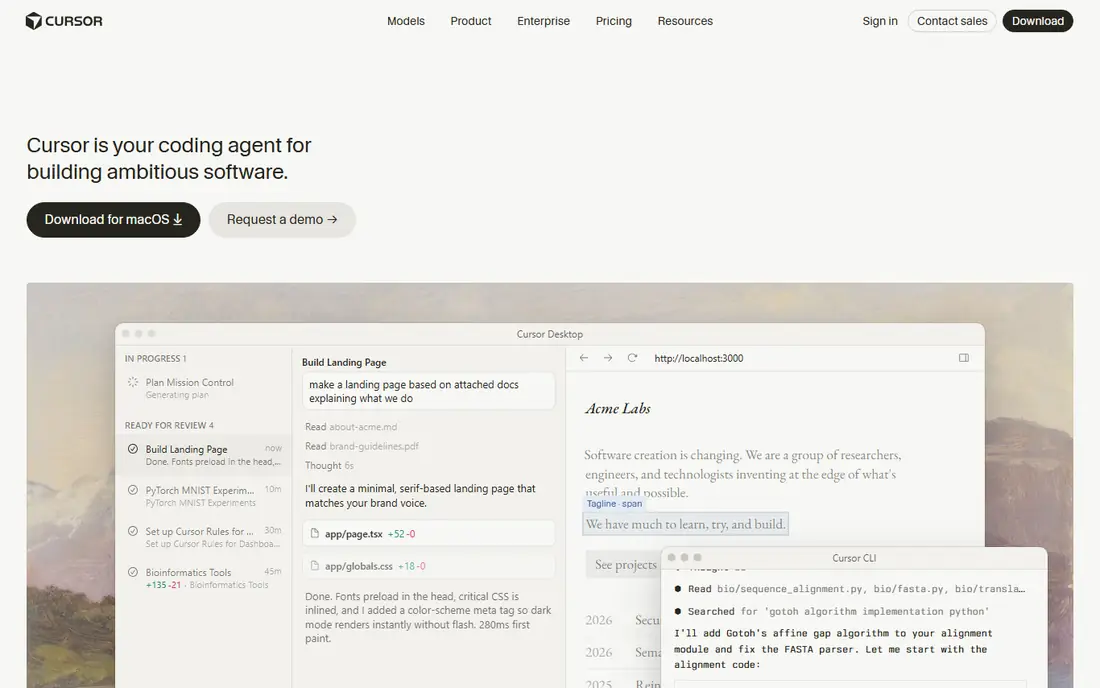
Cursor is an AI-native editor built as a fork of Visual Studio Code. Its strength is the agent: you can describe a change, and Cursor can edit several files, run commands and fix errors in a loop. Codebase indexing helps it find relevant files, and model choice lets a team pick a model for speed or for harder tasks. For professional developers, that combination is the main draw. The catch is cost control and change. Cursor pricing and plans have shifted during 2026, so the plan you read about in an old guide may not match the current page. Heavy agent use also burns through allowances faster than simple completions. Cursor fits best for developers who work in code all day and who want agent help inside the editor. Check the current pricing page, set usage limits where available, and review agent changes file by file.
- Strong multi-file agent
- Model choice
- Codebase indexing
- Pricing and plan packaging have changed
- Heavy agent use can cost more
GitHub Copilot is the default choice for many teams because it lives where their code already lives. It offers completions, chat, agent mode and pull request help in Visual Studio Code, JetBrains and GitHub itself. The entry price is low, and the free tier gives limited completions and chat for trying it out. For a team that wants steady help without switching editors, Copilot is hard to beat on value. Copilot is less focused on long autonomous tasks than a dedicated agent tool, and recent plans use credits for premium work, so heavy use needs monitoring. It fits best for GitHub-centred teams, for developers who mainly want completions and chat, and for organisations that need simple per-seat billing. Check the credit allowance on your plan, and test agent mode on a real feature branch before relying on it for large refactors.
- Low entry price
- Works in common editors
- Pull request and chat help
- Agent depth varies by plan
- Credit limits apply on some plans

Claude Code is Anthropic's agentic coding tool for the terminal, with editor integrations for Visual Studio Code and JetBrains. It can plan a task, edit many files, run tests and iterate, which suits repo-scale work such as migrations, refactors and feature builds. Developers who like working in the terminal often prefer this flow to a chat panel inside an editor. The tool is included with paid Claude plans or paid through API usage, so there is no free standalone tier in the same way as some editors. It also rewards clear instructions and good tests. Vague prompts produce vague changes, and large autonomous edits need careful review. Claude Code fits best for experienced developers on larger codebases who want an agent that can carry a task across files. Start with small tasks, use plan mode where available, and keep tests running.
- Strong autonomous multi-file work
- Terminal workflow
- Plan mode for review
- No free tier for the tool itself
- Terminal style suits experienced developers
Windsurf, formerly Codeium, offers an AI-native editor with an agent called Cascade that can work across files, run commands and use tools. The pitch is Cursor-style agentic editing at a lower entry price, with a free tier for light use. For developers who want an agent IDE but find other options costly, Windsurf is a serious alternative. Windsurf changed hands during 2026, so check the current vendor, pricing page and plan terms rather than relying on older reviews. The community and extension range are also smaller than the GitHub ecosystem. Windsurf fits best for developers who want agentic editing, who are comfortable with a newer editor, and who will trial it on a real project for at least two weeks. Compare agent quality on your own tasks, since benchmark claims do not predict your codebase.
- Agentic IDE workflow
- Cascade agent
- Competitive pricing
- Ownership and plan changes in 2026
- Smaller community than Copilot
Lovable turns a written prompt into a working web app in the browser, with a preview, editing and hosting in one place. Founders, designers and small teams use it to test an idea quickly, show a prototype to users, and iterate without setting up a local toolchain. For a minimum viable product demo, that speed is the whole point. Generated code is a starting point, not a finished product. Authentication, database design, security and performance need review by a developer before a real launch, and complex apps can outgrow the prompt-based flow. Lovable fits best for prototypes, landing pages, internal tools and early validation. Treat the first build as a draft, keep prompts specific, and plan a code review step before you invite real users or handle real payments.
- Fast prompt-to-app building
- Hosted preview
- Good for non-developers
- Generated code needs review
- Scaling beyond a prototype takes work
Replit Agent builds on Replit's browser workspace, where code, preview and hosting sit together. You describe an app, the agent scaffolds it, and you can run and deploy it without local setup. Collaboration features help a small team or a class work on the same project, and the platform suits web apps, bots and learning projects. Agent usage and hosting costs can rise as a project grows, so check the current plan and credit rules before a long build. Like other builders, Replit Agent produces code that needs testing, especially around data handling and user accounts. It fits best for web prototypes, student projects, internal tools and founders who want one place to build and host. Keep backups of important code outside the platform, and test each major feature by hand.
- Agent builds and deploys in one workspace
- Collaboration
- Hosting included
- Costs rise with agent use
- Generated apps need testing
Bolt.new, from StackBlitz, generates full-stack web apps in the browser from a prompt, with an editor for refining the result. It is built for speed: a landing page, a dashboard mock or a small app can appear in minutes, which makes it useful for demos, hackathons and early product tests. The browser workflow removes setup friction for non-developers. Pricing is token-based on paid plans, so long conversations and large refactors use credits faster than a short prompt. That makes cost tracking important for a longer project. Bolt.new fits best for rapid prototypes and demos, and for developers who want a fast scaffold to refine in code. Set a budget for tokens, save work often, and move a serious project into a proper repository with tests once the prototype proves the idea.
- Very fast web app generation
- Browser editing
- Good for demos
- Token-based pricing can surprise
- Complex apps need developer help
v0, from Vercel, turns prompts into React interfaces using Tailwind styling, with easy deployment to Vercel. It excels at user interface work: landing pages, dashboards, forms and component layouts look polished fast, and developers can iterate on the design in the browser. For a team building a React front end, v0 is a strong starting point. v0 is interface-first. Backend logic, databases, authentication and business rules need separate design and code, even when the interface looks complete. That gap surprises buyers who expect a full app from one prompt. v0 fits best for front-end prototypes, marketing pages and React interface work inside a larger project. Pair it with a clear backend plan, and review the generated components for accessibility and responsive behaviour before launch.
- Strong React and Tailwind output
- Vercel deployment
- Interface focus
- Interface-first tool
- Backend logic needs separate work
How we picked these
We selected tools that are live in October 2026, that build or help build real apps, and that offer a trial, free tier or paid plan a reader can actually buy. We included editors, terminal agents and browser builders, because each serves a different stage of app development. We weighted agent quality on multi-file work, model choice, codebase context, deployment path, pricing clarity and how well each tool fits a real team workflow. We did not rank on demo speed alone, since a fast demo can hide weak code, poor tests or costly usage. Where pricing was not clearly published or had recently changed, we wrote See website rather than copying an older figure into the table. Check the vendor pricing page on the day you buy, especially for credit and token rules.
How to trial AI coding tools safely
Trial on a real but low-risk task. Pick a small feature, a bug fix or a refactor in a branch, and compare tools on the same task where possible. Watch three things: how much editing the output needs, whether tests pass without extra fixes, and how long review takes. A tool that writes fast code but needs long review may save less time than it appears to save. Set guardrails before the trial. Keep AI changes in branches, require human review for every merge, run tests and security checks, and forbid pasting secrets, private user data or unreleased code into tools your organisation has not approved. For apps that handle payments, health data or personal data, check the vendor data policy and your own compliance needs. A short written trial note, with time saved and defects found, gives a fairer verdict than a feeling after one good demo.
Choosing between an editor, an agent and a builder
Choose an editor tool when developers write code daily and want help inside their normal workflow. Choose a terminal agent when tasks span many files and the team is comfortable reviewing large changes. Choose a browser builder when the goal is a fast prototype, a demo or an internal tool, and when a developer can review the result before launch. Many teams use more than one type, with an editor for daily work and a builder for early validation.
Frequently asked questions
Which AI tool is best for app development?
It depends on the job. Cursor and GitHub Copilot suit daily professional coding, Claude Code suits larger agentic tasks, and Lovable, Replit Agent, Bolt.new and v0 suit prototypes and interface work. Match the tool to the task, and trial it on your own codebase before committing a team.
Can AI build a complete app on its own?
AI can scaffold an app and build many features, but a complete production app still needs human design, testing, security review and maintenance. Authentication, payments, data rules and edge cases are where generated apps most often fail. Treat AI output as a draft that a developer reviews and tests.
Is GitHub Copilot enough for professional development?
For many developers, yes, especially for completions, chat and pull request help inside GitHub workflows. Developers who want deeper autonomous multi-file work may prefer Cursor, Claude Code or Windsurf alongside or instead of Copilot. The right mix depends on task size and team workflow.
Do AI coding tools train on my code?
Policies vary by vendor and plan, and enterprise plans often offer stronger data controls than free tiers. Read the vendor data policy for your exact plan, avoid pasting secrets or sensitive data into unapproved tools, and use private or enterprise settings where your organisation requires them.
What skills do I still need when using AI tools?
You still need to read code, design systems, write tests, review changes and debug problems. AI speeds up writing, but it does not remove the need to understand what the code does, why it works and where it can fail. Strong fundamentals make AI output safer and more useful.
How much do AI app development tools cost?
Entry prices range from free tiers to about $10 to $20 per month for individual plans, with higher tiers for heavy agent use and teams. Token and credit models can push costs above the headline price, so check allowances, overage rules and team pricing on the vendor page before you buy.
Sources we checked (8)

Online Jobs is an independent blog about careers, online work, learning new skills and the tools that help people earn. More about us.
Keep reading
All posts
Eventbrite Alternatives
Compare the best Eventbrite alternatives for ticketing fees, free events and event pages, with honest notes on cost, discovery and fit for organisers.

Best Free PDF Split Software
Find the best free PDF split software in 2026. We compare 8 free tools for splitting PDFs by pages, ranges, bookmarks, and size offline or online in detail.

Best Data Recovery Software
Find the best data recovery software for PC and Mac in 2026. We compare 8 tools for deleted files, formatted drives, photos, and video recovery in detail.