Best AI Tool for Summarizing PDFs in 2026: 9 Tools Compared

How we put this together: we compare official feature and pricing pages, app store listings, privacy policies and public user reviews. Prices change, so check the provider's site before you pay.
Key takeaways
- ChatPDF is our pick for most people because it offers fast single document summaries and Q&A with page citations, starting on a free plan.
- NotebookLM is best for research across many sources, with free multi document summaries and audio overviews for study.
- Adobe Acrobat AI Assistant is best if PDFs already live in Acrobat, because summaries sit inside the editor you already use.
- SciSpace and Humata suit researchers who need citations, tables and cross document comparison.
- Always verify AI summaries against the original PDF for contracts, medical, legal or financial documents, because AI can misstate details.
Quick comparison
| Name | Who it suits | Starting price | Free option | |
|---|---|---|---|---|
 ChatPDF | Fast single PDF summaries | See website | Yes | Visit |
 NotebookLM | Multi source research summaries | Free | Yes | Visit |
 Adobe Acrobat AI Assistant | PDFs already in Acrobat | See website | Free trial | Visit |
 Smallpdf | PDF toolkit plus AI chat | See website | Yes | Visit |
 Humata | Research and team document Q&A | See website | Yes | Visit |
 SciSpace | Academic papers and research | See website | Yes | Visit |
 PDF.ai | Simple PDF chat with citations | See website | Yes | Visit |
 AskYourPDF | Model choice and document chat | See website | Yes | Visit |
 UPDF | Editor plus AI in one app | See website | Yes | Visit |
The best AI tool for summarizing PDFs
An AI PDF summarizer should turn a long document into a clear summary, answer questions with citations, and let you check each answer against the original pages. We compared official feature pages, pricing pages and public reviews, and we kept only tools that still summarise PDFs in 2026. Our pick for most people is ChatPDF, with NotebookLM for research and Adobe Acrobat AI Assistant for Acrobat users.
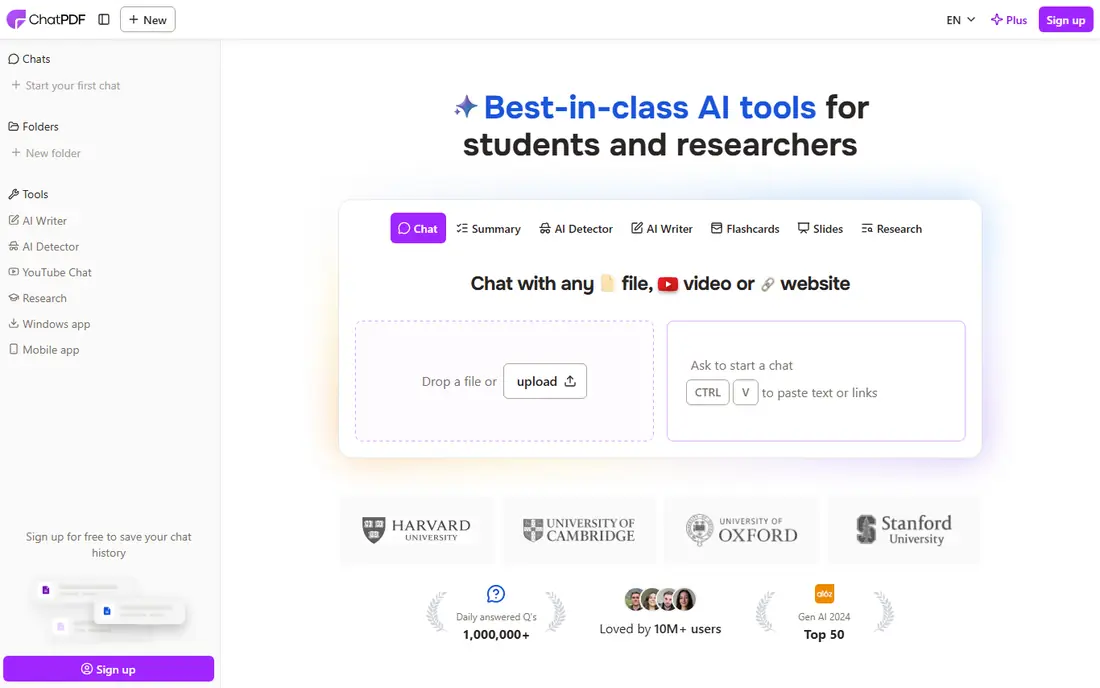
ChatPDF is the simplest tool on this list, and that simplicity is why it leads. Upload a PDF, ask a question or request a summary, and get an answer with page references you can check. No account is needed to start on the free plan, and the free tier covers a small number of documents per day, which is enough for occasional use. For students, professionals and anyone facing a long report, that fast path matters more than a large workspace.
Limits appear with complex documents. Tables, charts and scanned pages can be harder to parse, and multi document research needs a tool like NotebookLM or Humata instead. Pricing has varied by plan and region in public listings, so check the live pricing page before paying. If you mainly need one PDF summarised quickly and accurately, start with ChatPDF.
- Very simple upload and ask workflow
- Summaries and Q&A with page citations
- Free plan for daily use
- Single document focus, with limited multi document search
- Complex tables and charts can be misread
NotebookLM, from Google, is built for research across many sources, not only one PDF. Upload PDFs, docs, web pages and other sources into a notebook, then ask questions that draw only on those sources, with citations back to the original material. Audio overviews turn a set of sources into a listenable summary, which helps students and commuters review material without reading every page.
It is not a PDF editor, and it will not replace Acrobat for signing, redaction or form work. Heavy users may hit limits that need a paid Google AI plan. For research, revision and multi document summaries, NotebookLM offers the strongest free value on this list, provided you are comfortable working inside Google tools and checking citations before you rely on a summary.
- Free multi source summaries and Q&A
- Audio overviews for listening
- Citations linked to uploaded sources
- Best inside Google ecosystem
- Heavy use needs a paid Google plan for higher limits
- Not a PDF editor
Adobe Acrobat AI Assistant brings summaries into the PDF app most professionals already use. You can read a document, ask for a summary, ask follow up questions and get citations, then edit, sign, redact or share the same file without switching tools. That workflow saves time for lawyers, analysts and managers who live in PDFs all day, and enterprise plans add security and compliance controls.
Cost is the catch. Many plans need Acrobat plus an AI add on, so the total monthly cost is higher than a standalone summarizer. Public listings have shown add on prices around $5 per month on top of Acrobat, but plans and bundles change, so check the live Adobe pricing page. Choose Adobe AI Assistant when PDFs already live in Acrobat and you want summaries without a new tool.
- AI summaries and Q&A inside Acrobat
- Strong handling of complex layouts
- Enterprise security and compliance options
- Needs Acrobat plus an AI add on in many plans
- No free plan for ongoing use
- Multi document work is limited compared with NotebookLM
Smallpdf pairs AI chat with a practical PDF toolkit. If you already compress, convert, merge or sign PDFs in Smallpdf, adding AI summaries in the same account avoids another subscription. The interface is simple, and the AI can summarise text PDFs and answer questions quickly. That combination suits office users who handle PDFs as part of a wider workflow, not only for research.
Verification matters. Public comparisons have noted cases where Smallpdf AI gave a fact not in the document, so always check citations and key figures against the original, especially for contracts or reports. Scanned PDFs also need OCR, which can vary in quality. Smallpdf fits users who want one PDF toolkit with AI added, provided they verify important answers.
- AI chat plus a full PDF toolkit for compress, convert, merge and sign
- Simple interface for everyday PDF tasks
- Useful for teams already using Smallpdf
- AI answers need careful verification, especially on scanned or complex PDFs
- Paid plan needed for full AI and tool limits
Humata turns a set of PDFs into a searchable knowledge base. Upload research papers, reports or company documents, ask questions across them, compare documents and trace answers back through citations. Team plans add shared workspaces, folders and permissions, which helps study groups, research teams and companies that need everyone to ask the same documents the same questions.
Free limits are tight for heavy users, with a small monthly page allowance in public listings, so researchers with large libraries will need a paid plan. OCR for scanned documents also varies by tier, so test your document types before paying. Humata fits researchers and teams whose main need is cross document Q&A, not only a single file summary.
- Ask questions across many documents
- Citations for answers
- Team workspaces and folder organisation for shared knowledge
- Free page limits are low for heavy use
- Paid plans needed for large document sets and OCR on some tiers
SciSpace is designed for researchers reading academic papers. It can summarise papers, explain methods and results, handle equations and tables better than general chat tools, and link to a large library of published papers. That research focus helps students and academics who need to understand a paper quickly, compare findings and find related work without reading every page in full.
Free credits limit heavy use, and paid plans are needed for regular research. Business users with contracts, manuals or reports may find ChatPDF or Adobe simpler and cheaper. SciSpace fits students, researchers and clinicians who read papers often and need citations, explanations and paper discovery in one tool.
- Built for academic papers, with equations, tables and citations
- Large paper search library
- Explanations of complex research language
- Free credits are limited
- Paid plans needed for heavy research use
- Less suited to general business PDFs than ChatPDF
PDF.ai offers a clean chat experience for PDFs, with summaries, questions and citations, plus data extraction for users who need key facts pulled from documents. The interface is easy to learn, and team plans allow shared documents and workspaces for small teams. For individual users who want a simple alternative to ChatPDF, PDF.ai is worth a trial.
The free plan is limited to a small number of documents and questions, so regular users will need a paid plan quickly. Advanced research features are thinner than SciSpace or NotebookLM, and the ecosystem is smaller than Google or Adobe. Choose PDF.ai if you like its interface and extraction features, and test it on your real documents during the free tier before paying.
- Simple chat interface for PDFs
- Citations and data extraction features
- Team plans for shared documents
- Free plan is very limited
- Multi document and advanced features need paid plans
- Smaller ecosystem than NotebookLM
AskYourPDF appeals to users who want to choose their AI model. Different models suit different tasks, such as summarising, detailed Q&A or creative explanations, and AskYourPDF lets you pick rather than locking you to one model. A browser extension gives quick access to PDFs on the web, and some plans offer audio style conversion for listening to document content.
Free use is limited, with one document per day in public listings, so daily users need a paid plan. The interface is functional rather than polished, and model choice adds complexity for beginners who just want a summary. AskYourPDF fits advanced users who know which model they prefer and want flexibility across document types.
- Choice of AI models for document chat
- Browser extension for quick access
- Podcast style conversion for some documents
- Free plan is limited to one document per day in public listings
- Paid plan needed for regular use
- Interface is less polished than ChatPDF
UPDF combines a full PDF editor with AI features in one app. You can edit text, annotate, convert, sign and organise PDFs, then ask AI for summaries and explanations without exporting to another tool. That all in one design suits professionals who annotate reports, edit contracts or prepare study notes, and who want AI help inside the same workflow.
AI access is an add on, so total cost includes the editor plus AI, and pricing should be checked on the live UPDF page. The full feature set can also feel busy for users who only need a quick summary, where ChatPDF is simpler. Choose UPDF when editing and AI summarising need to live together, and when you already need a PDF editor.
- Full PDF editor plus AI summaries and chat
- Offline editing tools
- Good for users who edit as well as summarise PDFs
- AI is an add on cost on top of the editor
- Interface has many features, which can overwhelm simple summary users
How we picked these
We compared official feature pages, pricing pages and public reviews, focusing on summary quality, Q&A citations, free limits, scanned PDF handling, multi document support, privacy policies and price transparency. We kept only tools that still summarise PDFs in 2026. We did not claim hands on testing that did not happen, and where pricing varied by plan, region or page limits, we used See website instead of a single guessed figure.
Privacy mattered, especially for sensitive documents. We favoured tools with clear data policies, options to delete documents, and enterprise controls where relevant. Never upload confidential contracts, medical records or unpublished research to a free AI tool without reading its privacy policy and data retention terms first.
What to check before you pay
Verify every important summary
AI summaries can miss nuance, misread tables or invent details. Check key dates, figures, names and obligations against the original PDF, especially for legal, financial or medical documents.
Test scanned PDFs before you commit
Native text PDFs summarise well, while scanned pages need OCR. Upload a real scanned document during a free trial and check whether citations, tables and handwriting are handled correctly.
Check data retention and deletion
Read the privacy policy for how long uploaded documents are kept, whether they train models, and how to delete them. For sensitive work, prefer tools with clear deletion controls and enterprise privacy options.
Frequently asked questions
What is the best AI tool for summarizing PDFs?
ChatPDF is our pick for most people for fast single document summaries with citations. NotebookLM is better for research across many sources, and Adobe Acrobat AI Assistant is better if PDFs already live in Acrobat.
Is there a free AI PDF summarizer?
Yes. ChatPDF, NotebookLM, SciSpace, Humata, PDF.ai and AskYourPDF all offer free tiers, with limits on documents, pages or questions per day. NotebookLM offers the most generous free research use, while ChatPDF offers the simplest free single document workflow.
Can AI summarize a scanned PDF?
Many tools can, using OCR, but accuracy varies. Adobe Acrobat AI Assistant, Humata on paid tiers and other OCR capable tools handle scans better than text only tools. Always test a real scanned document before paying, and verify tables and figures manually.
Is it safe to upload PDFs to AI summarizers?
It depends on the tool and the document. Read the privacy policy for data retention, model training and deletion options, and avoid uploading confidential, unpublished or highly sensitive documents to a free tool without enterprise privacy controls.
Can AI summarize multiple PDFs at once?
Yes, with the right tool. NotebookLM, Humata and SciSpace support multi document Q&A and summaries, while ChatPDF and Adobe Acrobat AI Assistant focus mainly on single documents or limited workspaces. Choose by whether your work is one report or a research set.
How accurate are AI PDF summaries?
AI summaries are useful for overviews and first drafts, but they can miss nuance and occasionally misstate details. Treat them as a starting point, check citations against the original, and do not rely on a summary alone for legal, financial or medical decisions.
Sources we checked (9)

Online Jobs is an independent blog about careers, online work, learning new skills and the tools that help people earn. More about us.
Keep reading
All posts
Zoom Alternatives
Zoom alternatives compared for 2026: Google Meet, Microsoft Teams, Webex, Jitsi and more for free calls, large meetings and webinars for teams and classrooms.

Which Software Is Best for Data Entry
Compare the best data entry software for forms, OCR scanning, and spreadsheets, with free plans, pricing, and honest limits for each tool before you commit.
What's the Best App to Read PDFs
Find what's the best app to read PDFs in 2026, from Adobe Acrobat Reader and Foxit to PDF Expert and Xodo, with free options and honest limits for every device.