Best AI Software for Legal Research in 2026: 9 Tools Compared

How we put this together: we compare official feature and pricing pages, app store listings, privacy policies and public user reviews. Prices change, so check the provider's site before you pay.
Key takeaways
- Most leading legal AI tools price by quote, so expect a sales conversation and ask about seat minimums, contract length, and renewal terms before you commit.
- Firms already on Westlaw or Lexis+ usually get the best value by adding that vendor's AI layer, rather than buying a separate research tool.
- Smaller firms have real options now, including tools with published prices, free trials, and plans built for solo lawyers.
- No AI output should go straight into a filing. Check every citation in the underlying database, because even grounded tools can get details wrong.
- Contract drafting tools and research tools solve different problems, so match the tool to the work you do most often.
Quick comparison
| Name | Who it suits | Starting price | Free option | |
|---|---|---|---|---|
 Harvey | Large firms and corporate legal teams | See website | No | Visit |
 CoCounsel | Firms already using Westlaw | See website | No | Visit |
 Lexis+ AI | Firms already using Lexis+ | See website | No | Visit |
 vLex Vincent AI | Research across many countries | See website | Free trial | Visit |
 Luminance | Large document review and due diligence | See website | No | Visit |
 Spellbook | Contract drafting inside Microsoft Word | See website | Free trial | Visit |
 Robin AI | Contract review with human oversight | See website | Yes | Visit |
 StrongSuit | US litigation firms wanting clear pricing | $249 per month | Free trial | Visit |
 LawDroid Copilot | Solo lawyers and small firms | $25 per month | Free trial | Visit |
The best AI software for legal research
Legal research AI has moved past simple chat. The tools below answer from legal databases, link claims to sources, and draft from your own documents. We compared official feature pages, pricing pages, and public reviews to see which fit fits which kind of practice.
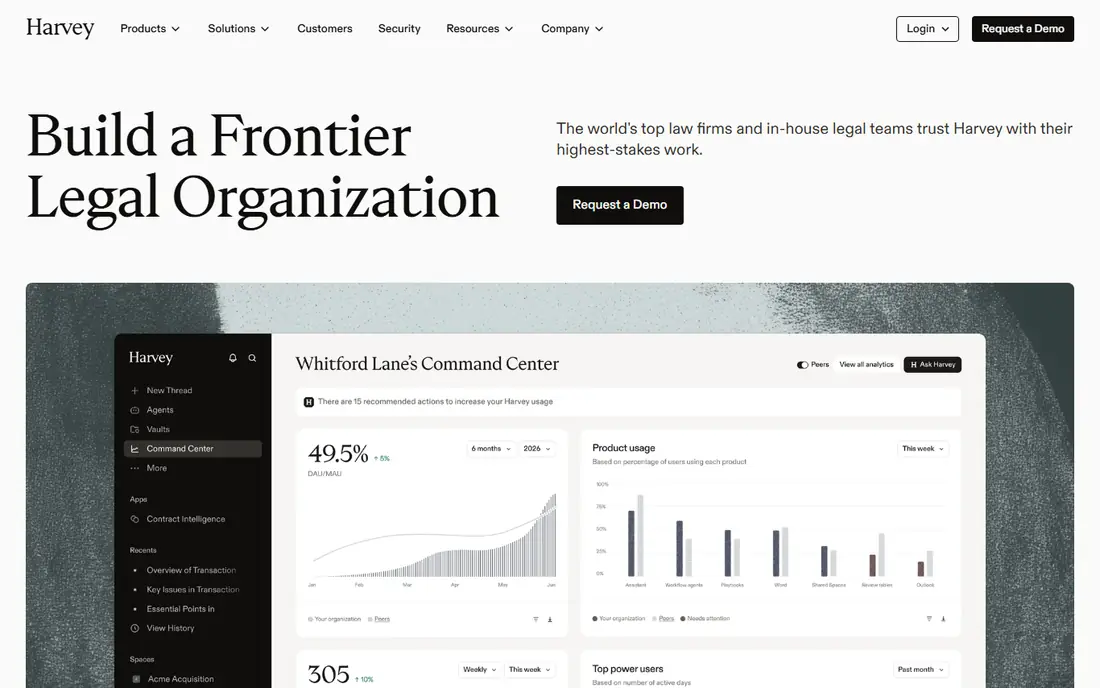
Harvey is the enterprise benchmark in this category. It handles research questions, contract analysis, due diligence, and litigation support in one workspace, and firms can shape it around their own documents and practice groups. That breadth is why large firms choose it when they want one platform for many kinds of legal work rather than a set of narrow tools.
The trade-off is access. Pricing is quoted, seat minimums are reported to be high, and there is no self-serve plan for a solo lawyer to try on a card. If you run a large team with heavy document volume, that structure may be fine. If you are a small firm, the tools further down this list will give you a faster start and a clearer bill.
- Works across research, drafting, and document review
- Builds firm-specific workflows
- Strong enterprise security and controls
- Quote-only pricing
- Built for larger teams, so solo lawyers will find it hard to buy
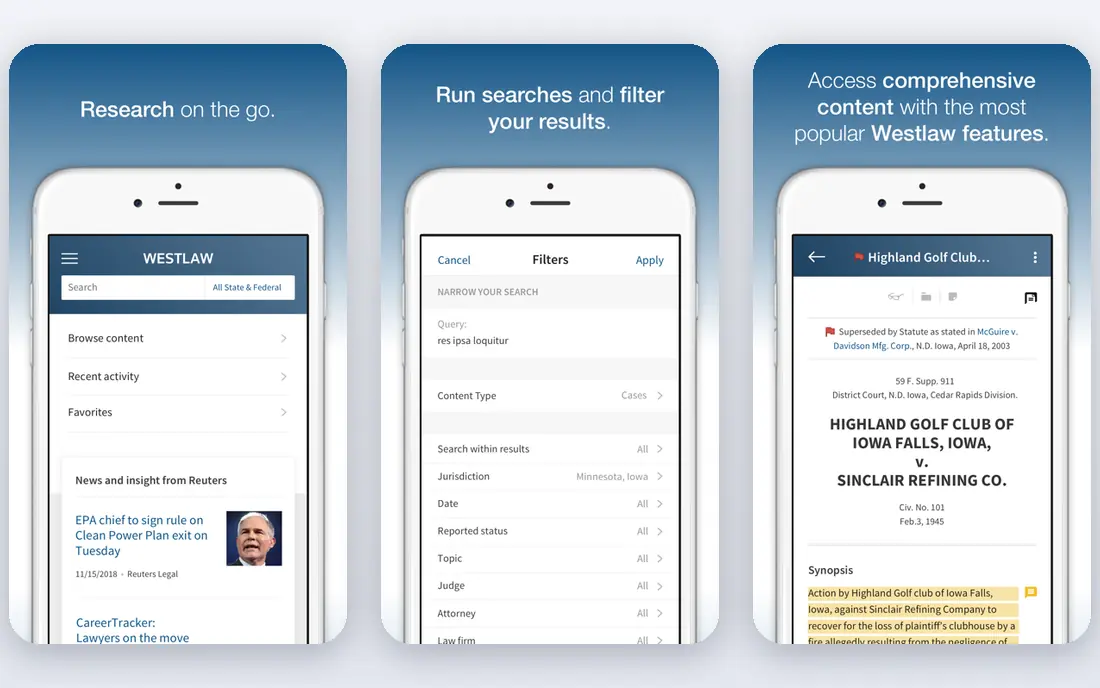
CoCounsel began as Casetext and is now part of Thomson Reuters, which means it draws on Westlaw research and Practical Law guidance. It can search a database, summarize documents, compare versions, and prepare deposition material, with citations you can follow back to the source. For a litigation firm, that grounding matters more than a clever answer.
The catch is the bundle. CoCounsel makes most sense if you already pay for Westlaw, and the total cost depends on the research plan underneath it. Ask for the combined price, not just the AI add-on, and check whether your plan covers the matters you handle most. Firms outside that stack should compare Lexis+ AI or an independent tool before committing.
- Sits on Westlaw and Practical Law content
- Gives inline citations
- Strong for litigation research and document work
- Pricing is quoted and varies by plan
- Works best inside the Thomson Reuters stack
Lexis+ AI, now presented with the Protégé assistant, lets lawyers move between a conversational question and the full Lexis+ database without switching tools. That matters when a first answer needs checking against primary law, secondary sources, and practical guidance in the same session. Shepard's validation gives a clear way to test whether a cited case is still good law.
Cost is the main question. The AI feature sits on top of a Lexis+ subscription, so the real comparison is the combined monthly figure per seat. If your firm already relies on Lexis for research and guidance, adding its AI layer is usually simpler than retraining staff on a new database. If you do not use Lexis, start with a trial of a tool that matches your current library.
- Combines conversational research with the full Lexis database
- Shepard's citation checking
- Strong secondary sources and guidance
- Quote-only pricing
- The AI layer adds cost on top of a Lexis+ subscription
Vincent AI stands out for firms with work outside one country. It searches vLex content from a wide set of jurisdictions and returns answers tied to the documents behind them, which helps when a question spans US, UK, EU, or Latin American law. A lawyer handling a cross-border contract or a comparative research task will feel the difference quickly.
Depth is not uniform everywhere, so test it on your own jurisdictions before you buy. Run the same question through Vincent and your current research tool, then compare the sources each one cites. If Vincent covers your main countries well, it can replace several single-country subscriptions. If not, keep it as a second tool for international matters only.
- Covers legal content from more than 100 countries
- Useful for cross-border questions
- Links answers to source documents
- Quote-only pricing for full plans
- Depth varies by jurisdiction
Luminance is less a question-and-answer tool and more a review engine. It reads large sets of contracts and documents, groups similar clauses, flags anomalies, and helps reviewers work through a data room far faster than a manual read. For mergers, large disputes, and regulatory reviews, that scale is the point.
For routine research, Luminance is the wrong shape. It is priced for enterprise teams and set up for projects with thousands of documents, not for a lawyer who needs a quick answer on one point of law. Choose it when document volume is your bottleneck. Choose a research-first tool when questions, not files, are the daily work.
- Built for high-volume review
- Finds patterns across large document sets
- Strong for due diligence and discovery
- Enterprise pricing
- More than a small firm needs for everyday research
Spellbook lives inside Microsoft Word, which is where most contract work already happens. It can draft clauses, review language against your playbook, and flag risky terms without forcing you to copy text into another app. For transactional lawyers, that small change in workflow saves more time than a separate research portal.
Do not buy Spellbook expecting a research database. It is a drafting assistant first, and its value depends on how much contract work you do in Word. If drafting is half your week, the trial will show the benefit fast. If your work is mostly litigation research, put your budget toward CoCounsel, Lexis+ AI, or Vincent instead.
- Works inside Word where lawyers already draft
- Suggests and reviews clauses
- Fast for routine contracts
- Focused on drafting, not full legal research
- Pricing is quoted after the trial
Robin AI reviews contracts, produces plain summaries, and pairs its AI output with human legal review on higher plans. That combination suits in-house teams and firms that want speed without handing a final answer to software alone. The free tier also makes it easy to test on a real agreement before paying.
The limit is scope. Robin AI is built for contracts, so it will not replace a research database for case law or regulatory questions. Use it to clear routine agreements faster and to give business teams readable summaries. Keep a research tool alongside it if litigation or advisory research is a regular part of your practice.
- Combines AI review with lawyer oversight
- Clear contract summaries
- A free tier to start
- Contract-focused, so research coverage is limited
- Advanced plans are quoted
StrongSuit earns its place here by publishing a price in a category where most vendors do not. It is built for US litigation firms, with research and drafting support aimed at court work rather than general business law. That focus makes the comparison simple: if your practice is US litigation, you can judge it on features and trial experience without waiting for a quote.
The same focus is its limit. Transactional lawyers and international practices will find gaps that a broader database covers better. StrongSuit also charges per user, so a large team should model the full seat count before deciding. For a small or mid-size litigation firm that wants transparent pricing, it is a strong first trial.
- Published starting price
- Built for US litigation research
- Clear trial before purchase
- US litigation focus narrows its fit for transactional or international work
- Per-user cost adds up in large teams
LawDroid Copilot is the most accessible tool on this list for a solo lawyer. At a low monthly price with a trial, it helps with research questions, drafting, and everyday firm tasks without an enterprise contract. For a new practice or a small team watching costs, that low barrier matters more than having every database in the world.
Be clear about what it replaces and what it does not. LawDroid works well as a daily assistant and a first research pass, but a complex litigation matter may still need Westlaw or Lexis for depth and citation checking. Many small firms use it as their everyday tool and buy deeper research only when a case demands it. That split keeps costs down without giving up quality where it counts.
- Low starting price
- Built for solo and small-firm workflows
- Includes document and research help
- Shallower database than Westlaw or Lexis
- Best as a daily assistant, not a sole research library
How we picked these
We compared official feature pages, pricing pages, and app and review listings for tools that answer legal questions from legal content, not just general chat. We kept tools that exist and work today, link answers to sources where possible, and fit a real practice type, from solo lawyers to large firms. We left out general chatbots with no legal database, and we marked pricing as See website where the vendor quotes rather than publishes a price, instead of repeating third-party estimates as facts.
What to check before you pay
Start with the work, not the demo. List the five tasks you repeat most, such as case research, contract review, or due diligence, and test each tool on a real example from your own files. Check whether citations open to the source document, whether the tool handles your jurisdictions, and whether your documents stay private under the vendor's terms. For firms, confirm seat minimums, contract length, data retention, and who can see client material. A short pilot with two lawyers will tell you more than a polished sales demo, and it will show whether the tool saves time on ordinary work or only on showcase examples.
Questions to ask on a sales call
Ask for the total per-seat price including the research library underneath the AI feature. Ask about minimum seats, annual uplifts, and what happens to your data if you cancel. Ask how the tool handles confidential client documents, whether it trains on your data, and which security standards it meets. Get the answers in writing. In a category where pricing is often quoted, a written quote with those terms is the only comparison that holds up.
Frequently asked questions
Which AI tool is best for legal research?
It depends on your current library. Firms on Westlaw tend to do best with CoCounsel, firms on Lexis+ tend to do best with Lexis+ AI, and firms with cross-border work should test vLex Vincent AI. Solo lawyers should start with LawDroid Copilot or StrongSuit, depending on whether their work is general practice or US litigation.
Is AI legal research accurate enough to trust on its own?
No, not on its own. These tools reduce research time, but they can still misstate a holding, cite a case that does not support the point, or miss a recent change. Treat AI output as a first draft, verify every citation in the underlying database, and keep a human lawyer responsible for the final answer.
How much does AI software for legal research cost?
Most enterprise tools are quoted, so there is no single price. Published starting points on this list run from $25 per month for LawDroid Copilot to $249 per month for StrongSuit, while Harvey, CoCounsel, Lexis+ AI, and Vincent are quoted by seat and bundle. Always ask for the combined price including any research subscription underneath.
What is the best AI legal research platform for a small firm?
LawDroid Copilot is the easiest low-cost start, and StrongSuit is a good trial for US litigation firms that want a published price. Robin AI and Spellbook help if contracts, rather than case research, dominate your week. Test two tools on your own matters before choosing, since fit varies by practice area.
Can AI replace a lawyer for legal research?
No. AI can find cases, summarize documents, and draft first versions, but it cannot weigh judgment, spot a weak authority, or take responsibility for advice. The best use is as a research assistant that speeds up the mechanical work and leaves the judgment to the lawyer.
What is the best AI app for legal research on the go?
Most of these tools work through a browser, and several offer mobile access, but legal research is still best done on a larger screen where you can open sources side by side. If mobile access matters, check the vendor's app and offline limits during the trial, and confirm that citations remain easy to open and verify.
Sources we checked (9)

Online Jobs is an independent blog about careers, online work, learning new skills and the tools that help people earn. More about us.
Keep reading
All posts
n8n Alternatives
n8n alternatives compared for 2026, with Zapier, Make, Activepieces, and more, covering visual builders, code steps, self-hosting, and pricing models.

ZoomInfo Alternatives
The best ZoomInfo alternatives in 2026, compared on price, free plans, data coverage, and which tool fits small teams or large sales teams best in detail.

Zoom Alternatives for Webinars
Compare Zoom alternatives for webinars in 2026, from browser-based rooms to enterprise events, with prices, attendee limits, features and honest trade-offs.