Best AI Photo Restoration Tools in 2026: 9 Tools Compared

How we put this together: we compare official feature and pricing pages, app store listings, privacy policies and public user reviews. Prices change, so check the provider's site before you pay.
Key takeaways
- Adobe Photoshop offers the most control for serious restoration, combining AI filters with manual repair tools.
- MyHeritage suits family historians, with photo enhancement and colorization built into a genealogy platform.
- VanceAI and Hotpot focus on one-click restoration, which suits quick fixes for scratched and faded prints.
- Remini and Topaz Photo AI excel at sharpening faces and upscaling, though results vary with the original damage.
- GFPGAN and CodeFormer are free open-source options for technical users who want restoration without a subscription.
Quick comparison
| Name | Who it suits | Starting price | Free option | |
|---|---|---|---|---|
 Adobe Photoshop Adobe Photoshop | Full manual control | See website | Free trial | Visit |
 MyHeritage MyHeritage | Family photo history | See website | Free trial | Visit |
 VanceAI VanceAI | One-click restoration | See website | Free trial | Visit |
 Hotpot AI Hotpot AI | Quick online fixes | See website | Free trial | Visit |
 Remini Remini | Face sharpening | See website | Free trial | Visit |
 Topaz Photo AI Topaz Photo AI | Upscaling and denoising | See website | Free trial | Visit |
 GFPGAN GFPGAN | Free open-source repair | Free | Yes | Visit |
 CodeFormer CodeFormer | Free face restoration | Free | Yes | Visit |
 Nero AI Nero AI | Simple online restoration | See website | Free trial | Visit |
The best AI photo restoration tools
Old photos fade, scratch, tear, and lose detail, and AI tools can now repair much of that damage in minutes. The options below range from one-click web tools to professional editors and free research models. We compared official feature pages, pricing pages, and documentation to sort them by control, quality, and cost.
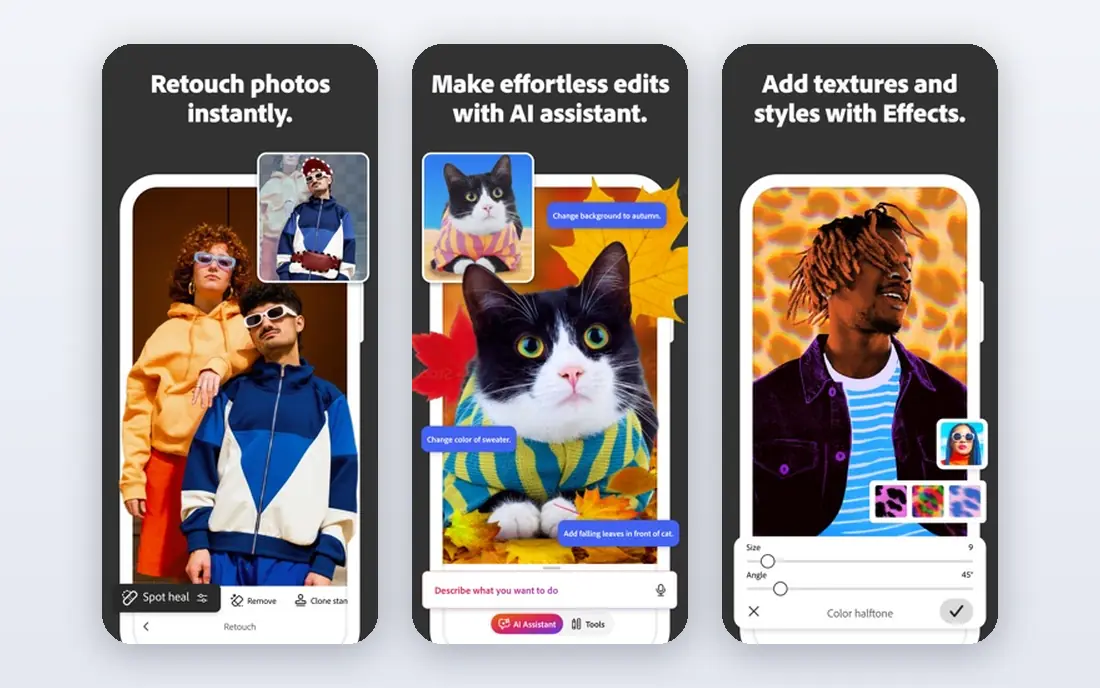
Photoshop remains the most capable restoration tool because it pairs AI with manual control. Neural Filters can colorize, sharpen, and repair, while clone, healing, and content-aware tools handle tears, stains, and missing pieces that AI alone guesses wrong. A free trial covers evaluation, with subscription plans listed on Adobe's site.
The learning curve is real, and the subscription costs more than a one-off web tool. For a precious print with real damage, or for anyone restoring photos regularly, Photoshop's combination of AI and hand repair is unmatched.
- Neural Filters for restoration plus full manual tools
- Best for torn and damaged prints
- Industry standard
- Subscription pricing
- Learning curve for beginners
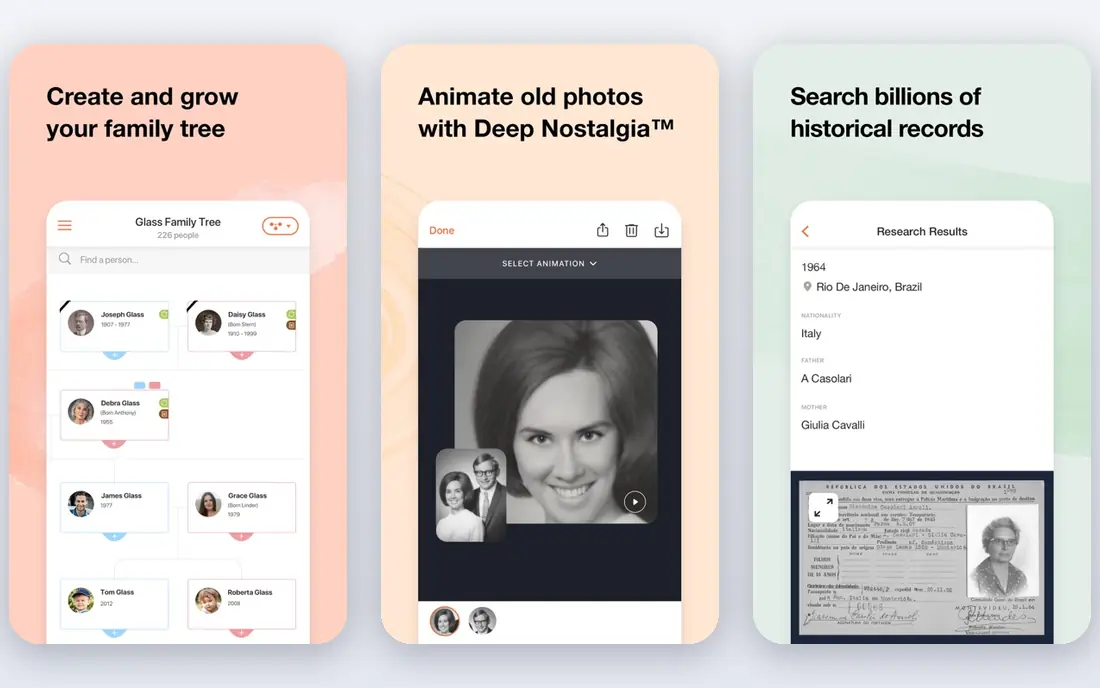
MyHeritage suits family historians first. Its photo tools enhance, sharpen, and colorize old photos with one click, and the results slot straight into family trees alongside names, dates, and records. A free trial covers testing, with subscription plans for deeper genealogy features.
Control is limited next to Photoshop, and the best value comes with a genealogy subscription. For someone restoring grandparents' photos while building a family tree, MyHeritage's combined workflow is the most convenient option.
- Photo enhancement and colorization built in
- Ties into family trees
- Easy for non-technical users
- Best inside a genealogy subscription
- Less control than Photoshop
VanceAI offers a dedicated photo restorer that targets scratches, fading, and blur in old prints, with batch processing for whole albums. The web interface needs no install, and a free trial lets you test results before buying credits or a plan. Pricing is listed on VanceAI's site.
Heavily damaged photos still need manual work, since AI guesses at missing detail and can invent faces that never existed. For a box of faded prints needing quick improvement, VanceAI's one-click approach saves hours.
- Dedicated photo restorer for scratches and fading
- Batch processing
- Simple web interface
- Quality varies with damage severity
- Credits-based pricing
Hotpot AI runs entirely in the browser, offering restoration, colorization, and enhancement tools without installing software. Upload a scan, pick the repair, and download the result in minutes, with a free trial for testing. Its speed suits quick fixes for social sharing or a family chat group.
Quality trails Photoshop and dedicated restorers on serious damage, and credit-based pricing adds up across an album. For a fast improvement to share online, Hotpot AI is a practical choice.
- Fast web-based restoration
- Colorization and enhancement in one place
- No install
- Quality below dedicated editors
- Pricing by credits
Remini built its name on face enhancement, turning blurry, low-resolution portraits into sharp images with a mobile app that takes seconds to use. It excels on faces in old snapshots and phone photos, with a free trial and subscription plans listed on its site.
The risk is over-processing. Remini can smooth skin into a plastic look and invent facial details that were never in the original, which matters for historical accuracy. For a blurry portrait you want to share, Remini's face work is among the best available.
- Excellent face enhancement
- Easy mobile app
- Good for blurry portraits
- Subscription pricing
- Can over-smooth skin and invent details
Topaz Photo AI focuses on image quality: upscaling low-resolution photos, removing noise, and sharpening soft images, with batch processing on the desktop. It suits scanned prints that are small or grainy, and its autopilot picks settings per image. A free trial covers testing, with purchase options listed on Topaz's site.
It does not specialize in repairing tears or missing pieces the way Photoshop does. For a faded scan that mainly needs size, sharpness, and clean noise, Topaz Photo AI delivers some of the best results in this category.
- Strong upscaling, denoising, and sharpening
- Desktop app with batch processing
- One-time purchase option
- Less focused on tears and scratches
- Price higher than web tools
GFPGAN is a free, open-source face restoration model from Tencent researchers. It repairs blurry, damaged faces in old photos with impressive results, and running it locally keeps private family photos off third-party servers. No subscription or account is needed.
Setup needs technical skill, from installing Python packages to running the model, and like all face AI it can invent details. For a technical user restoring family photos privately and free, GFPGAN is the best no-cost option.
- Free and open source
- Strong blind face restoration
- Runs locally for privacy
- Needs technical setup
- Results vary and can invent facial details
CodeFormer is another free, open-source face restoration model, notable for a fidelity control that balances repair strength against faithfulness to the original. That control matters for historical photos, where inventing a new face is worse than leaving blur. It runs locally with no subscription.
Like GFPGAN, it needs technical setup and runs slower than a web tool on large batches. For a user who wants free restoration with a say in how much the AI invents, CodeFormer is the most thoughtful open option.
- Free and open source
- Controllable fidelity for face repair
- Good on degraded photos
- Technical setup required
- Slower than web tools on large batches
Nero AI offers web-based photo restoration with colorization and enhancement in a simple interface. Upload a scan, apply the repair, and download the result, with a free trial for testing. It suits casual users who want a quick improvement without learning an editor.
The feature set is smaller than VanceAI's, and credit pricing adds up across an album. For a handful of old photos needing a fast, simple fix, Nero AI is an easy option.
- Simple web interface for photo restoration
- Colorization and enhancement
- Quick results
- Smaller feature set than VanceAI
- Credit-based pricing
How we picked these
We compared official feature pages, pricing pages, and documentation for photo restoration tools that work today. We favored tools with real restoration features over generic enhancers, and we included professional, web, and open-source options rather than only one style. Prices are the standard published rates from each vendor's own site, and where pricing is credit-based or tiered we say so rather than guessing.
What to check before you choose
Start with the damage. Fading and scratches suit one-click tools, blurry faces suit Remini or GFPGAN, and tears or missing pieces need Photoshop's manual repair. Matching the tool to the damage saves both money and disappointment.
Scan at high resolution first
AI restoration works from what the scan contains, so scan prints at 600 dpi or higher before uploading. A low-resolution phone photo of a print limits every tool, no matter how good its AI. Clean the scanner glass and scan flat for the best starting point.
Watch for invented details
Face AI can invent eyes, teeth, and expressions that were never in the original photo. For historical or family records, prefer tools with fidelity controls like CodeFormer, and compare the result against the original before accepting it. A slightly blurry true face beats a sharp invented one.
Keep the original safe
Always work on a copy and keep the original scan untouched. Save restored versions separately, and note which tool and settings produced each result. Future AI will be better, and a preserved original lets you restore again later.
Frequently asked questions
What is the best AI photo restoration tool?
Adobe Photoshop is our pick for serious restoration, thanks to its AI filters plus manual repair tools. MyHeritage suits family historians, VanceAI suits quick one-click fixes, and GFPGAN suits technical users who want a free local option. The best tool follows the damage and your skill level.
What is the best AI tool for photo restoration of old photos?
For old family photos, MyHeritage combines enhancement and colorization with family tree tools, while VanceAI and Hotpot offer quick one-click restoration. For damaged prints with tears, Photoshop's manual tools beat any one-click option. Scan at high resolution first for the best results.
What is the best photo restoration software for faded photos?
VanceAI and Hotpot handle fading well with one-click tools, while Topaz Photo AI improves faded, grainy scans through upscaling and denoising. For severe fading with color loss, Photoshop's manual color correction gives the most control.
Is there a free AI photo restoration tool?
GFPGAN and CodeFormer are free and open source, running locally with no subscription. Hatchful-style free tiers from web tools cover quick tests, but full restoration usually needs credits or a plan. For free, private restoration, GFPGAN is the best start if you can handle the setup.
Can AI restore torn photos?
AI alone struggles with tears and missing pieces, since it must invent what was there. Photoshop's content-aware and clone tools, guided by a human, handle tears far better than any one-click tool. For a torn original, scan it carefully and expect some manual repair.
Does AI photo restoration change faces?
Yes, face AI can sharpen but also invent details, smoothing skin or altering expressions. Tools with fidelity controls, like CodeFormer, let you limit invention, and comparing against the original is essential. For historical accuracy, a conservative repair beats a dramatic one.
Sources we checked (9)

Online Jobs is an independent blog about careers, online work, learning new skills and the tools that help people earn. More about us.
Keep reading
All posts
Zoom Alternatives
Zoom alternatives compared for 2026: Google Meet, Microsoft Teams, Webex, Jitsi and more for free calls, large meetings and webinars for teams and classrooms.

What Is the Best Free Tool to Rotate a PDF
What is the best free tool to rotate a PDF? We compare eight free rotation tools on per-page control, limits, privacy and saved output quality in detail.

What Is the Best AI Dubbing Tool
We compared the best AI dubbing tools in 2026, from ElevenLabs and HeyGen to Rask AI, Dubverse and Veed, for videos and creators in many languages worldwide.