Best AI Image Generation Tools in 2026: 8 Apps Compared

How we put this together: we compare official feature and pricing pages, app store listings, privacy policies and public user reviews. Prices change, so check the provider's site before you pay.
Key takeaways
- Midjourney still leads on pure visual style, but it has no free plan and starts at $10 per month.
- Adobe Firefly is the safer pick for client work because it is built around commercially usable training data and Adobe apps.
- Ideogram is the strongest choice when readable words must appear inside the image, such as on posters and logos.
- ChatGPT Images and Google Gemini are the easiest starting points because image tools sit inside apps many people already use.
- Stable Diffusion suits people who want local control and no subscription, if they can handle the setup.
Quick comparison
| Name | Who it suits | Starting price | Free option | |
|---|---|---|---|---|
 Midjourney Midjourney | Artistic, stylised images | $10 per month | No | Visit |
 ChatGPT Images ChatGPT Images | Everyday prompts and edits in chat | Free | Yes | Visit |
 Adobe Firefly Adobe Firefly | Commercial work in Adobe apps | $9.99 per month | Yes | Visit |
 Ideogram Ideogram | Readable text in images | Free | Yes | Visit |
 Leonardo AI Leonardo AI | Game and design assets | Free | Yes | Visit |
 Stable Diffusion Stable Diffusion | Local control and custom models | Free | Yes | Visit |
 Recraft Recraft | Logos and vector-style graphics | Free | Yes | Visit |
 Canva Canva | Quick social and marketing designs | Free | Yes | Visit |
The best ai image generation tools
We compared tools on image quality, text handling, commercial terms, price and how much effort each one takes to learn. The list below covers art, design, marketing and casual use, so the right pick depends on the job, not on one overall winner.
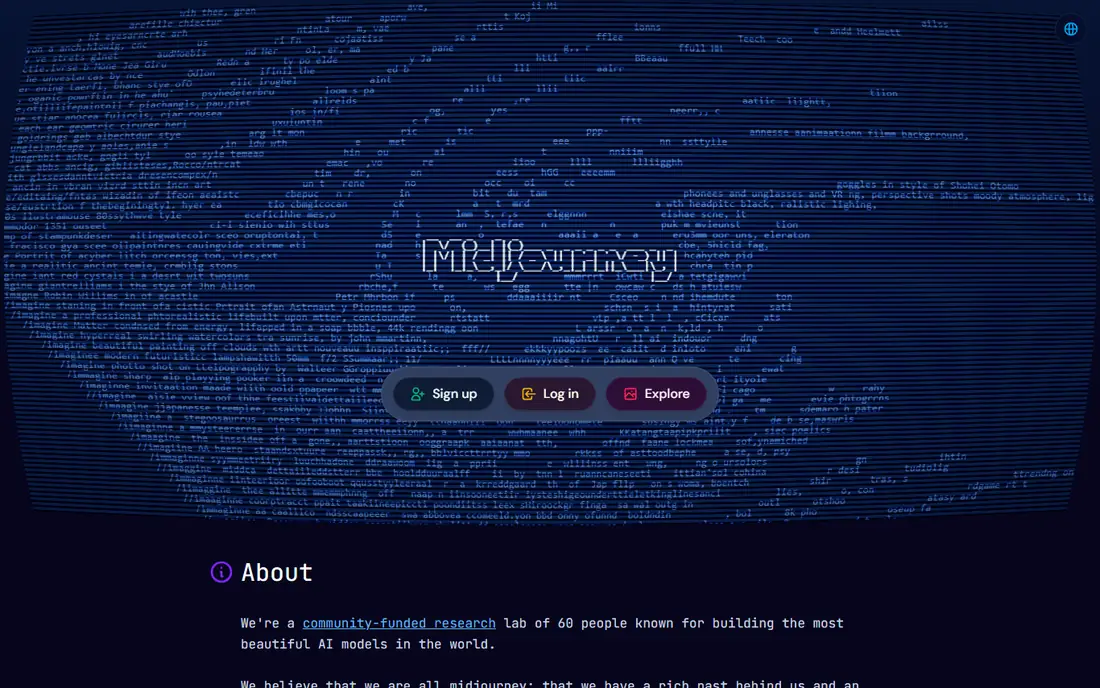
Midjourney remains our pick when the look of the image matters most. Its results often have a polished, cinematic feel straight from a short prompt, and style references help keep a series of images feeling related. Concept artists, illustrators and marketers use it for mood boards, campaign heroes and editorial-style art, and the plan ladder is clear, with higher tiers adding more fast generation time and private mode. The catch is cost and control. There is no free tier to test it properly, and prompt wording needs care when exact detail matters. Short words and phrases work better than long blocks of text, and people who need precise layouts will want a second tool. For pure visual impact, though, few rivals match it.
- Distinctive visual style
- Strong style references
- Web app plus Discord access
- No free plan
- Text in images can still be unreliable

ChatGPT Images fits people who already work in chat and want images without switching tools. You describe a picture, ask for a change, and keep refining in plain language, which makes it friendly for social posts, blog art and quick mockups. It also follows detailed prompts well, so a request for a specific scene, object or composition often lands close to what was asked. The trade-off is depth. It is not a production studio for game assets or brand systems, and heavy users will hit the limits of the free tier and need a paid plan. For casual and everyday work, that simplicity is the point, and it is the easiest place for a beginner to start.
- Conversational editing
- Easy to refine by asking follow-up questions
- No separate app to learn
- Paid limits vary with demand
- Less fine-grained style control than specialist tools
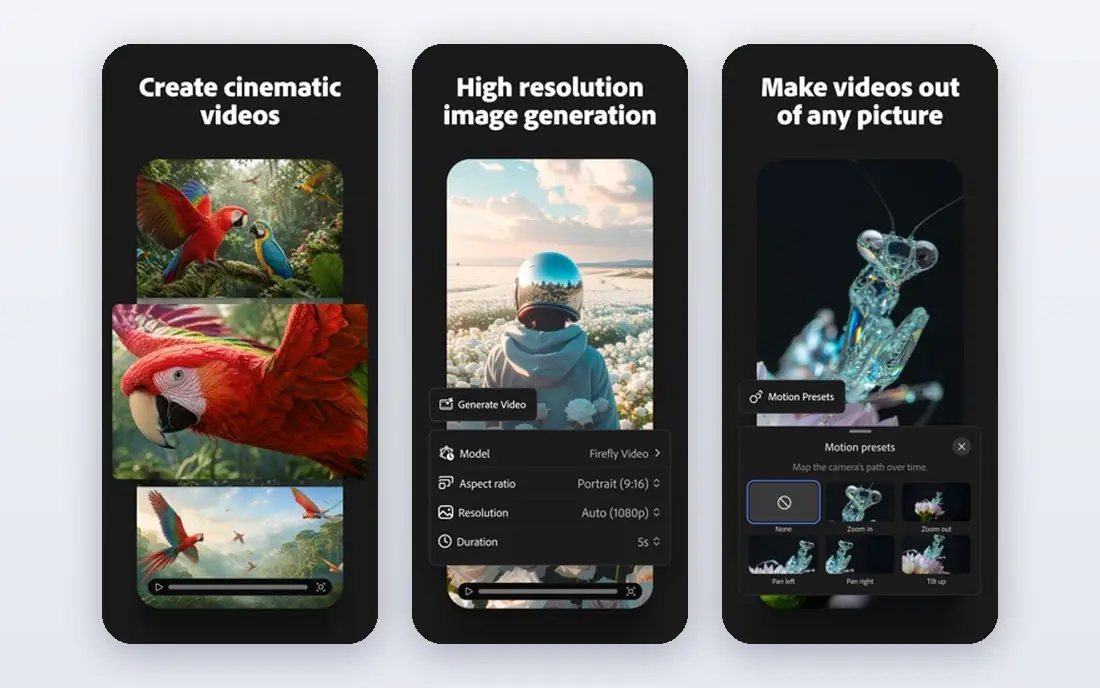
Firefly is the pick for client work where licensing questions matter. Adobe positions its models around commercially usable content, and the integration with Photoshop, Illustrator and Express means generated art can move straight into a layout, a photo edit or a brand file. Generative Fill is a practical highlight, letting you extend a photo, remove an object or replace part of a scene without leaving the editor. It is less exciting as a pure art toy, and the full value depends on already using Adobe tools. If your work ends up in client decks, ads or product pages, that trade is worth making, because the workflow and the licensing story are both clearer than with most rivals.
- Commercially focused training approach
- Strong Photoshop and Express integration
- Generative Fill for editing photos
- Best features sit behind Adobe subscriptions
- Less distinctive artistic flair than Midjourney
Posters, book covers, memes and ads live or die on readable words, and Ideogram handles that job better than most general tools. Long prompts are supported, and text placement is a clear strength, so a tagline or product name is far more likely to come out spelled correctly. Designers and small business owners who need marketing graphics without a design team will notice the difference at once. The free tier lets you test that claim before paying, but paid plans are priced above the cheapest rivals. Ideogram is also more specialised than an all-round studio, so pair it with a vector or layout tool when a logo needs to scale or a full brand kit is the goal.
- Strong, legible text rendering
- Good for posters, logos and ads
- Free tier to test
- Paid plans start higher than some rivals
- Fewer production controls than Leonardo
Leonardo AI suits creators who generate a lot of images and want control over style. The free plan gives daily tokens, paid plans add larger token banks and private generations, and personal models let game developers and designers train a consistent look for characters, props or product mockups. The canvas editor adds a practical workspace for refining results rather than starting over each time. Token maths is the honest catch. Different models and settings spend tokens at different rates, so costs are harder to predict than a simple monthly plan. Once you learn the system, though, it is one of the best value options for high-volume creative work, especially for games and concept art.
- Generous free tokens each day
- Custom model training
- Canvas and editing tools
- Token system takes time to understand
- Output quality varies by model
Stable Diffusion is the choice for people who want ownership of the whole process. Run it on your own hardware and there is no monthly fee, no queue and no outside server seeing your prompts or images. The community around it is large, with custom models, styles and tools that cover everything from photorealism to anime, and developers can build it into their own products. Setup is the barrier. You need a capable graphics card, time to install the software and patience to learn settings that other apps hide. Hosted versions exist, but they charge for convenience. If privacy, cost over time and control matter more than instant ease, this is the strongest long-term pick.
- Free to run locally
- Huge range of community models
- Full privacy on your own machine
- Needs a capable computer and technical setup
- No simple hosted free tier from the maker
Recraft stands out where most image tools stop, which is editable graphics. Logos, icons and illustrations can be produced as vectors, so they scale cleanly from a social avatar to a printed banner without turning blurry. Brand kits help keep colours and styles consistent, which matters for small teams producing a steady stream of marketing art. It is not the best tool for photorealistic scenes or long artistic series. Credits also run out faster on the entry plan if you generate in bulk. For brand assets, icons and clean graphic design, however, the vector output alone makes it worth a place on this list.
- Vector output for logos and icons
- Brand kit features
- Free tier to test
- Narrower than a general image studio
- Credits limit heavy use on low plans
Canva is the practical pick for non-designers. You generate an image and drop it straight into a social post, presentation, flyer or ad, using templates, brand kits and resizing tools in the same place. That end-to-end flow saves more time than a slightly better image from a separate app, especially for small businesses and social teams. Specialist tools still win on artistic range and fine control, and Canva rations AI uses on the free plan. If design speed, templates and team sharing matter more than gallery-level art, Canva is hard to beat, and it pairs well with a specialist generator for hero images.
- Huge template library
- Images generated inside a full design editor
- Easy sharing and resizing
- Image quality lags specialist tools
- Heavy AI use needs a paid plan
How we picked these
We checked official feature pages, pricing pages and app store listings, and compared them with public reviews and comparison guides. We favoured tools with a clear free or paid path, a distinct strength and a current product that a reader can actually sign up for today. Prices change often, so we list the starting price shown by the vendor and advise checking the pricing page before you subscribe. We did not claim hands-on testing of every feature, and we left out tools that were discontinued, invite-only or too narrow for general use.
How to choose the right image tool
Start with the job, not the hype
A poster needs legible text, a game needs a consistent style, and client work needs clear commercial terms. Write down the one job you will do most often, then shortlist only the tools that are strong at that job. A general tool that is average at everything will frustrate you faster than a specialist that nails your main use.
Test with your own prompts
Free tiers and trials are the fastest way to judge a tool. Run the same three prompts in each finalist, one simple, one detailed and one with text in the image, and compare the results side by side. Pay attention to spelling, hands, faces and how many tries each good result takes, because that retry count is your real cost in time.
Check the commercial terms before client work
Read the terms for the plan you will actually buy, including who owns the output and whether large companies need a higher tier. Keep a copy of the terms for client projects, and avoid using a free plan for paid work if its terms limit commercial use. When in doubt, Firefly and paid plans from the major vendors are the safer starting point.
Watch the meter, not just the monthly price
Some tools charge a flat monthly fee, others use credits or tokens, and some meter fast generation time. Estimate your monthly volume first, then compare the plan that covers it, including top-ups. A cheap entry plan that runs out in a week is not cheaper than a mid-tier plan that lasts the month.
Frequently asked questions
What is the best ai app for image generation for beginners?
ChatGPT Images and Canva are the easiest starting points, because both sit inside tools many people already know. Canva adds templates and resizing, while ChatGPT Images adds conversational editing. Try both free tiers with your own prompts before paying for anything.
Which ai tool is best for image generation with text in it?
Ideogram is our pick for readable text, especially for posters, ads and logos. Recraft is a strong second choice when the text sits inside a logo or icon that must scale. Always proofread the output, since even the best tools can misspell a word.
Is there a best ai image generation app that is free?
Yes, with limits. Ideogram, Leonardo AI, Canva and Adobe Firefly all offer free tiers, and Stable Diffusion is free to run locally. Free tiers usually cap generations, queue speed or commercial use, so read the terms before using free output for paid work.
What is the best ai art app for commercial use?
Adobe Firefly is the most straightforward answer for commercial work, thanks to its training approach and Adobe integration. Paid plans from Midjourney, Ideogram and Leonardo AI also allow commercial use, but the exact terms vary by plan and company size, so check the plan you buy.
Do I need a powerful computer for AI image generation?
No, unless you choose Stable Diffusion locally. Most tools on this list run in a browser or an app, so a normal laptop or phone is enough. Local generation is the exception, since it needs a capable graphics card and disk space for models.
Can I use AI images for my business logo?
You can, but a vector tool such as Recraft is a better fit than a raster-only generator, because logos must scale. Check the commercial terms of the plan you use, keep the source files, and consider a designer review before the logo goes on packaging or signage.
Sources we checked (8)

Online Jobs is an independent blog about careers, online work, learning new skills and the tools that help people earn. More about us.
Keep reading
All posts
Surfshark Alternatives
Looking for Surfshark alternatives? We compare 8 VPN services on price, privacy, streaming, and device limits to help you find a VPN that fits your needs.
Spotify Alternatives
Looking for Spotify alternatives? We compare 8 music services on price, sound quality, free tiers, and catalogs to help you find a good alternative to Spotify.
NordPass Alternatives
We compared NordPass alternatives for families, solo users and teams, checking pricing, free plans, passkeys and sharing, so you can switch safely today.