Best AI Design App Free in 2026: 8 Apps Compared

How we put this together: we compare official feature and pricing pages, app store listings, privacy policies and public user reviews. Prices change, so check the provider's site before you pay.
Key takeaways
- Canva Free is the best starting point for most people, because templates, social sizes, and AI tools cover everyday marketing work without payment.
- Microsoft Designer Free is the strongest free image generation option, with no watermark on core outputs in published guides, but credits can run out.
- Adobe Express Free suits users who want Adobe fonts and stock assets, while its fuller AI credits and brand tools sit behind Premium.
- No free plan covers everything, so the smart setup is often two free apps, one for layouts and one for generated images.
- Check export rules before committing to a design, since free plans may limit file types, background removal, or brand kit features.
Quick comparison
| Name | Who it suits | Starting price | Free option | |
|---|---|---|---|---|
 Canva | Everyday social and marketing designs | Free | Yes | Visit |
 Microsoft Designer | Free AI image generation and quick layouts | Free | Yes | Visit |
 Adobe Express | Adobe fonts, templates, and stock assets | Free | Yes | Visit |
 Figma | Interface and product design collaboration | Free | Yes | Visit |
 VistaCreate | Animated social templates | Free | Yes | Visit |
 Leonardo AI | Controllable AI artwork and images | Free | Yes | Visit |
 Ideogram | AI images with readable text | Free | Yes | Visit |
 Photopea | Free photo editing in the browser | Free | Yes | Visit |
The best free AI design apps
Free AI design tools have moved past simple filters. The best ones now generate images from a prompt, suggest full layouts, remove backgrounds, and resize a design for every social platform. We compared them on what is actually free, not just what is advertised, including templates, AI credits, export options, and the point where a paywall appears.
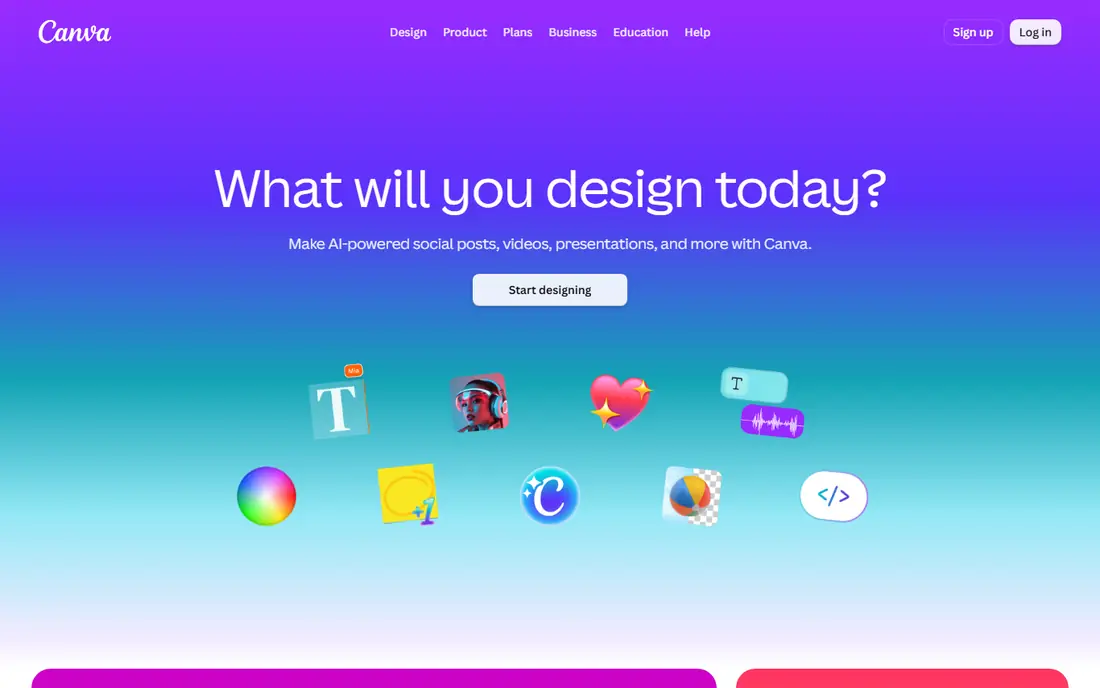
Canva Free remains the default recommendation for beginners, freelancers, and small teams. Open the app, pick a format such as an Instagram post or a presentation, and start from a template rather than a blank page. Magic Studio tools can draft a layout from a prompt, rewrite copy, and generate images, which shortens the time from idea to finished post for everyday marketing work. The free plan is generous, but it is not the whole product. Background removal, Brand Kit controls, and many premium templates and stock assets require Pro, and heavy AI use can hit credit limits. For most social and marketing work, those limits arrive late, after the free plan has already proven its value. Start free, upgrade only when a specific gated feature, such as background removal or brand controls, is costing more time than the subscription costs money.
- Huge free template library
- Magic Studio AI tools for design, writing, and image edits
- Pre sized social formats
- Easy sharing and team editing
- Background remover and Brand Kit sit behind Pro
- Some premium templates and assets need payment
- AI credit limits apply on free plans
Microsoft Designer
Who it suits: Free AI image generation and quick layouts
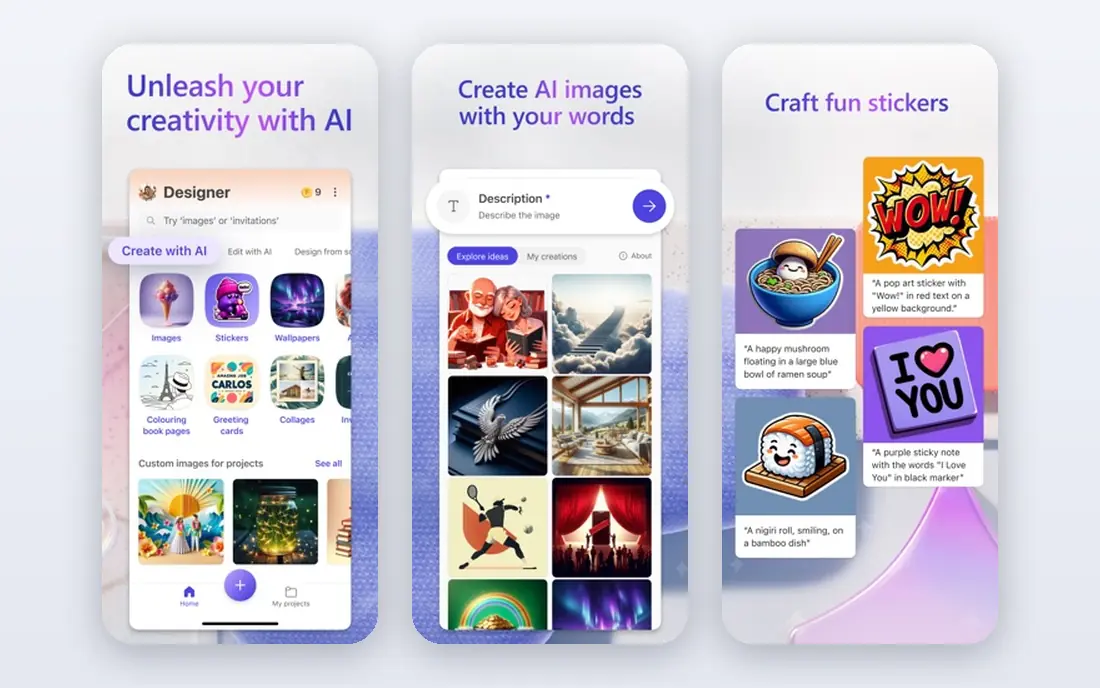
Microsoft Designer is the strongest free pick when image generation matters most. Describe a post, and Designer produces layouts, copy suggestions, and imagery together, which suits solo creators who post a few times a week and want polished results without learning a full editor. Published guides note a free monthly credit allowance, with fuller AI use tied to a Microsoft 365 subscription. The trade off is depth. Designer is fast and simple, but it offers less fine control than Canva or Adobe Express, and its template library is smaller and more curated. Output can also look generic if prompts stay vague, so specific prompts about subject, colors, and layout help. Use Designer free for generated images and quick posts, and pair it with Canva when you need a wider template range or team features.
- Free with a Microsoft account
- Text to image generation with no watermark in published guides
- Automatic design suggestions from a prompt
- One click resizing for social formats
- Monthly AI credits on the free plan can run out
- Template variety is smaller than Canva
- Finer design control is limited
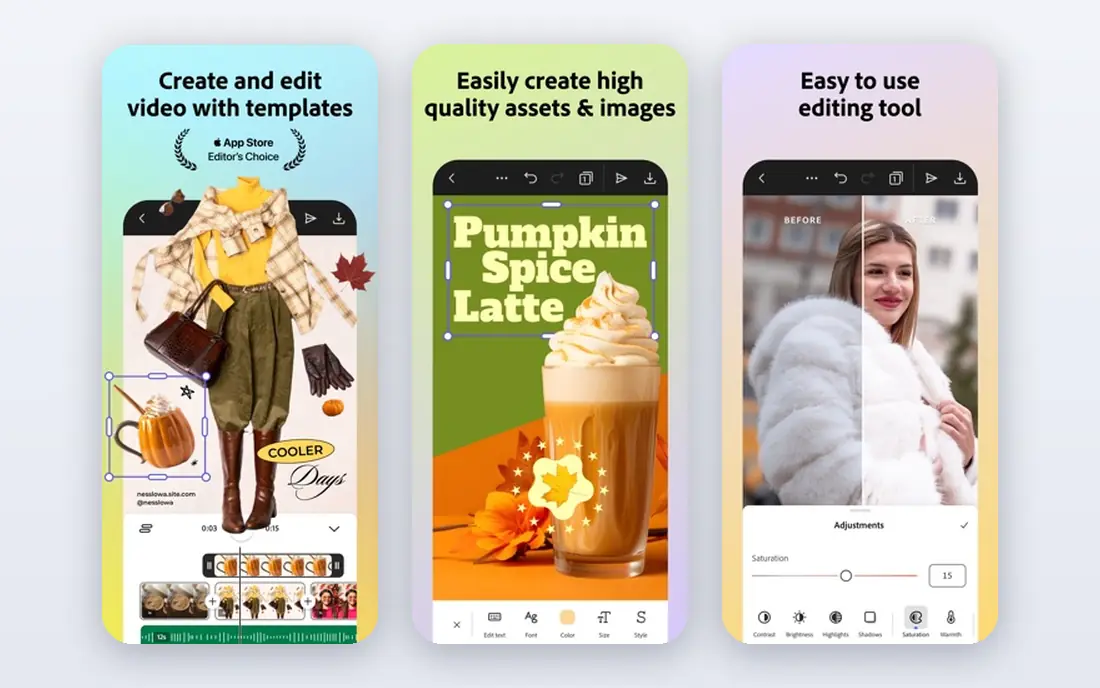
Adobe Express Free gives users a taste of the Adobe system without a Creative Cloud subscription. Templates come pre sized for social platforms, Adobe Fonts add polish that free rivals sometimes lack, and Firefly AI tools support image generation, generative fill, and text effects. For brand focused creators who already use Adobe products, that ecosystem fit matters. The free plan is decent rather than generous. AI credits run out with heavy use, and premium templates and brand controls sit behind Premium, listed at $9.99 per month in published guides. Express also feels more structured than Canva, which some beginners prefer and others find slower. Choose Express free if image quality and Adobe assets matter more than template volume, and check current credit limits on its pricing page before a large project.
- Free plan with templates, Adobe Fonts, and core tools
- Firefly AI image features
- Strong stock asset library
- Clean export for social and print
- Free AI credits are limited
- Fuller brand kit features need Premium
- Smaller free template range than Canva in published comparisons
Figma is a different kind of design app. It is built for interface and product design, wireframes, and team collaboration, rather than quick social posts. The free Starter tier lets solo makers create files, share links, and collaborate in real time, which makes it a practical starting point for app screens, websites, and client handoffs. Community files also provide ready made UI kits and templates. AI features exist, but they are not the reason to choose Figma. Users who only need social graphics will find Canva or Designer faster. Figma earns its place here for creators who design products, landing pages, or pitch decks with structured layouts and reusable components. Solo non commercial use fits the free tier well, while teams that need unlimited version history and shared libraries will need a paid plan, listed from $16 per month per editor in published guides.
- Free Starter tier for solo use
- Real time collaboration
- Strong component and prototyping tools
- Large community file library
- AI features are secondary to its design environment
- Free tier limits editors and version history in published guides
- Learning curve is steeper than Canva
VistaCreate, formerly Crello, focuses on fast social content with motion. Its animated templates stand out for stories, ads, and short social videos, where a moving design catches attention faster than a static image. The editor stays simple, with drag and drop text, shapes, and media, so beginners can finish a post in minutes rather than learning layers and masks. The limits are scale and AI depth. VistaCreate does not match Canva on template volume, and its AI tools are lighter than those in Designer or Leonardo AI. Pro, listed at $10 per month in published guides, adds premium templates and features. Use VistaCreate free when animated social content is the main need, and pair it with a dedicated image generator when custom artwork matters more than template motion.
- Free plan with many templates
- Strong animated templates for social posts
- Easy resizing and brand color tools
- Simple editor for beginners
- Smaller asset library than Canva
- Some premium templates need Pro
- Fewer AI image controls than dedicated generators
Leonardo AI is the pick when generated images need direction, not just a prompt and a hope. Users can choose models, adjust style controls, use reference images, and edit in a canvas view, which helps for hero images, thumbnails, and ad backgrounds that need a consistent look. That control beats the simpler generators in Canva and Designer for custom artwork. The free plan is genuinely usable, but tokens are the limit. Heavy days with many generations and upscales will exhaust the daily allowance, and beginners may find the settings overwhelming at first. Start with a preset model and a simple prompt, then add one control at a time, such as style strength or a reference image. Leonardo AI suits marketers and creators who generate images daily and want results that look custom rather than generic.
- Fine tuned models for product shots, characters, and cinematic scenes
- Canvas editing and upscaling
- Transparent background options
- Strong style control
- Free daily token allowance runs out fast on heavy days
- Interface has more controls than beginners need
- Text rendering is weaker than Ideogram
Ideogram earns its place for one specific strength that most image generators still struggle with, which is readable text inside an image. Posters, sale graphics, book covers, and social posts with headlines come out cleaner, with fewer misspelled words and warped letters than many rivals produce. That makes it a useful companion tool rather than a full design suite. The workflow is prompt first. Type a description that includes the exact text you want, generate options, and pick the cleanest result. Ideogram does not replace Canva for layouts, brand kits, or multi page documents, and free generation limits mean it suits occasional graphics rather than bulk production. Use it when a design lives or dies on its words, then finish layout and resizing in Canva or Express.
- Strong text rendering inside generated images
- Good for posters, logos, and social graphics with words
- Simple prompt based workflow
- Free tier for trying the tool
- Free generation limits apply
- Less layout and template tooling than Canva
- Editing options are lighter than full design editors
Photopea is not an AI generator, but it completes a free AI design setup. Generated images often need cropping, color fixes, text overlays, or background cleanup, and Photopea provides layered editing in a browser tab without installing software or paying for a photo editor. It opens Photoshop files and common formats, which helps when a template or asset arrives in a professional format. The free version is ad supported, and very large files can feel slow on modest devices. Beginners may also find layers and masks confusing at first, though basic edits such as crop, resize, and brightness are quick to learn. Use Photopea free to polish AI images and prepare exports, and keep Canva or Designer for the layout and generation steps. Together, the free tools cover most everyday design work.
- Free in the browser with no install
- Opens PSD, XCF, and common image formats
- Layers, masks, and selection tools
- Useful for editing AI images
- Ad supported free version
- No AI generation of its own
- Browser performance depends on device and file size
- Learning curve for beginners
How we picked these
We started with design apps that offer a real free plan with AI features or a clear role in a free AI workflow, and we checked official homepages to confirm each app still operates and matches its stated focus. We compared free template ranges, AI credit limits, text rendering, export options, and paid upgrade prices using official feature pages, pricing pages, app store listings, and public reviews. We favored tools where free users can finish and export real work, not just preview it, and we marked credit limits and gated features honestly. Pricing and credit allowances change often, so vendor pages are the final word before a large project.
How to build a free design setup that works
Start with one layout app and one image app
Pick Canva Free for layouts and Microsoft Designer Free or Leonardo AI for generated images. That pair covers templates, social sizes, and custom artwork without paying for two subscriptions that overlap. Add Ideogram only when text in images matters, and add Photopea when images need cleanup.
Write specific prompts
Vague prompts produce generic images. Name the subject, setting, colors, mood, and layout, and include exact text when the image must carry words. Generate several options, keep the best, and edit rather than regenerating endlessly, since free credits run out faster through repeated full generations than through small edits.
Check exports before you publish
Free plans differ on file types, resolution, background removal, and watermark rules. Export a test design early, check it at full size on the platform where it will appear, and confirm that fonts and colors survive the export. A design that looks fine in the editor can lose quality if the free export compresses it.
Know when paying makes sense
Pay when a gated feature saves real time every week, such as background removal for product photos, Brand Kit controls for a team, or higher AI credit limits for daily posting. Pay for one tool that covers the bottleneck, not for every app in the stack, and recheck free plans first, since credit allowances and free features change with updates.
Frequently asked questions
What is the best free AI design app?
The best free AI design app for most people is Canva Free, because it combines templates, AI layout and writing tools, and social formats in one easy editor. Microsoft Designer Free is the stronger pick for pure image generation, while Adobe Express Free suits users who want Adobe fonts and assets. The best choice depends on whether layouts or generated images matter more.
What are the best free AI design tools?
The best free AI design tools are Canva, Microsoft Designer, Adobe Express, Figma, VistaCreate, Leonardo AI, Ideogram, and Photopea, each covering a different part of the workflow. Canva and VistaCreate handle layouts and social templates, Designer and Leonardo AI handle image generation, Ideogram handles text in images, and Photopea handles editing. Most creators need two of them, not all eight.
What is the best AI design app free for social media?
The best AI design app free for social media is Canva Free for static posts and VistaCreate Free for animated posts, with Microsoft Designer Free as a strong alternative for quick AI layouts. All three offer pre sized formats and simple editors, so the deciding factor is whether you need animation, templates, or image generation most.
Can free AI design apps really replace paid tools?
Free AI design apps can replace paid tools for everyday social, marketing, and presentation work, but they do not replace professional editors for complex print, video, or brand system work. Free plans limit AI credits, background removal, brand controls, and some exports, so heavy users will hit a paywall. For solo creators and small teams with moderate volume, a free stack is genuinely workable.
Does Microsoft Designer have a free plan?
Yes, Microsoft Designer has a free plan with a Microsoft account, including text to image generation and automatic design suggestions. Published guides note a monthly AI credit allowance on the free plan, with fuller AI use tied to a Microsoft 365 subscription. Check the current credit terms on the official site, since allowances change.
Is Canva Free enough for a small business?
Canva Free is enough for many small businesses that need social posts, flyers, and simple presentations, because templates and core AI tools cover those formats. Businesses that need Brand Kit controls, background removal, premium stock, or team approval workflows will likely need Pro. Start free, track which gated feature you miss most, and upgrade for that feature only.
Sources we checked (8)

Online Jobs is an independent blog about careers, online work, learning new skills and the tools that help people earn. More about us.
Keep reading
All posts
Top Rated Poster Maker Software
Top rated poster maker software compared for 2026: Canva, Adobe Express, VistaCreate, PosterMyWall and more for events, sales and classrooms for US users.
Best Tools for Print Design
Compare the best tools for print design, from professional layout and vector software to browser tools, free editors, team publishing platforms and press prep.
Best Tools for Motion Design
Compare the best tools for motion design in 2026. We review 8 apps for 2D animation, 3D motion, interactive graphics, pricing and free plans. Start here.