Best AI Coding Tools in 2026: 9 Tools Compared

How we put this together: we compare official feature and pricing pages, app store listings, privacy policies and public user reviews. Prices change, so check the provider's site before you pay.
Key takeaways
- GitHub Copilot suits daily inline coding in a familiar IDE, while Cursor suits developers who want an AI-native editor for multi-file work.
- Claude Code suits complex, multi-step engineering tasks in the terminal, but it is tied to Anthropic models.
- Windsurf and Cline offer strong value for developers who want agentic features without the highest subscription price.
- Tabnine suits privacy-conscious teams, with private deployment options that many consumer tools do not offer.
- The right tool depends more on workflow, terminal or IDE or browser, than on a single benchmark score.
Quick comparison
| Name | Who it suits | Starting price | Free option | |
|---|---|---|---|---|
 GitHub Copilot GitHub Copilot | Daily IDE coding | $10 per month | Yes | Visit |
 Cursor Cursor | AI-native editing | Free | Yes | Visit |
 Claude Code Claude Code | Complex terminal tasks | $20 per month | Yes | Visit |
 Windsurf Windsurf | Agentic IDE value | Free | Yes | Visit |
 Tabnine Tabnine | Privacy-conscious teams | $12 per month | No | Visit |
 Amazon Q Developer Amazon Q Developer | AWS workflows | Free | Yes | Visit |
 Cline Cline | Open-source agent | Free | Yes | Visit |
 JetBrains AI JetBrains AI | JetBrains IDE users | $10 per month | Yes | Visit |
 Replit Replit | Browser prototyping | Free | Yes | Visit |
The best ai coding tools
AI coding tools have split into different shapes: inline completions in your IDE, AI-native editors, terminal agents, and browser builders. Each shape suits a different way of working, and the best tool for a quick fix is not always the best tool for a large refactor. We compared official feature pages, pricing pages, documentation and public reviews to match each tool to the developer it serves best.
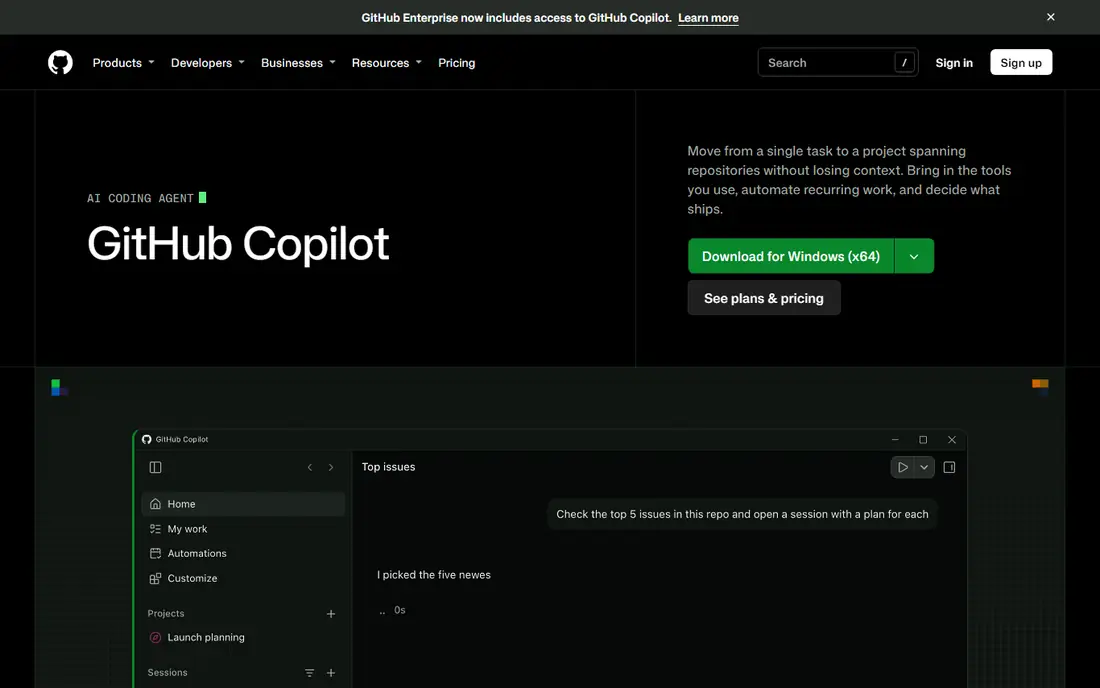
GitHub Copilot is the default choice for many developers because it stays out of the way. It suggests lines and blocks as you type, explains code in chat, and helps with tests, docs and debugging without forcing a new editor. For daily work in VS Code or JetBrains, that inline speed is hard to beat, and GitHub integration means pull requests, issues and repos are close at hand.
Copilot is less specialised for long, autonomous tasks than Claude Code or Cursor agent modes. It can handle multi-file edits, but developers doing large refactors often pair it with a dedicated agent tool. For most teams, Copilot is the safe, low-friction pick, especially where GitHub is already the centre of the workflow.
- Fast inline completions in VS Code, JetBrains and other IDEs
- Strong GitHub integration
- Agent and chat features on paid plans
- Best value depends on already using GitHub
- Multi-file agent work is less deep than dedicated agent tools
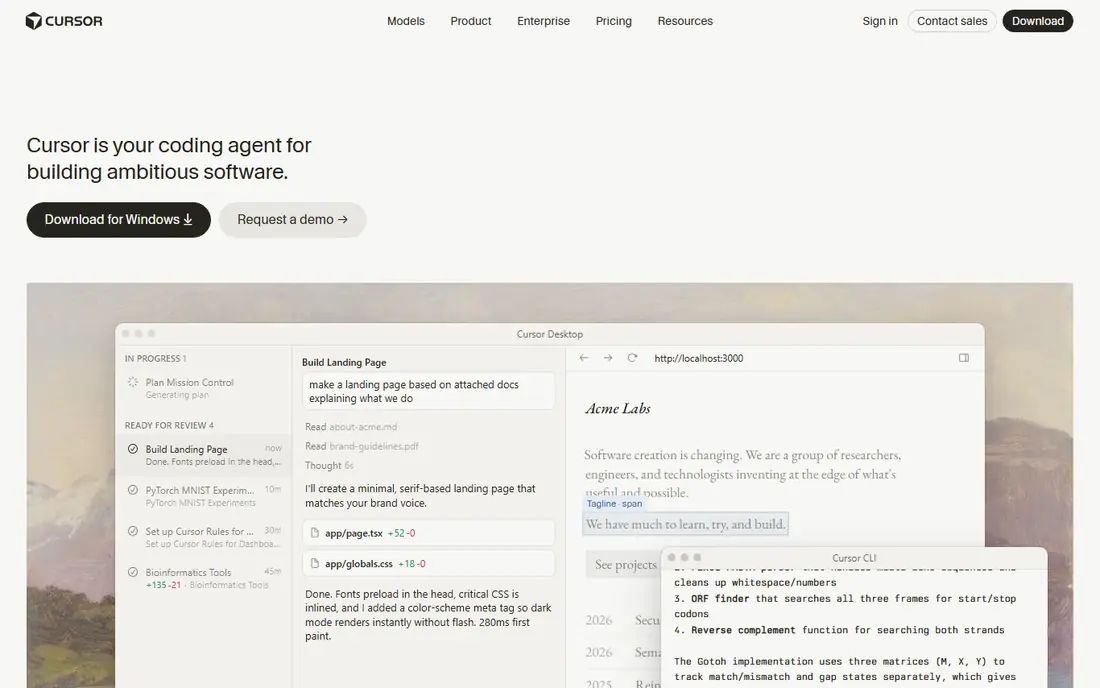
Cursor is a full editor built around AI, not an IDE with AI added on top. Its chat and agent modes understand your whole codebase, make edits across files, and can run commands and tests as part of a task. That makes it strong for building features, fixing bugs across a repo, and working on a project from start to finish. The VS Code foundation also means many extensions and shortcuts feel familiar.
The Pro plan, reported at $20 per month in several 2026 sources, opens the best agent usage, so the free tier is a trial rather than a full replacement for paid work. Cursor also asks you to switch editors, which can be a barrier in teams with strict tooling rules. For developers who want one AI-first editor, Cursor is the most complete pick in this list.
- AI-native editor with codebase-aware chat and agent mode
- Multi-file edits and familiar VS Code foundation
- Strong for full app work
- Paid Pro plan needed for best agent features
- Learning a new editor takes time for some teams
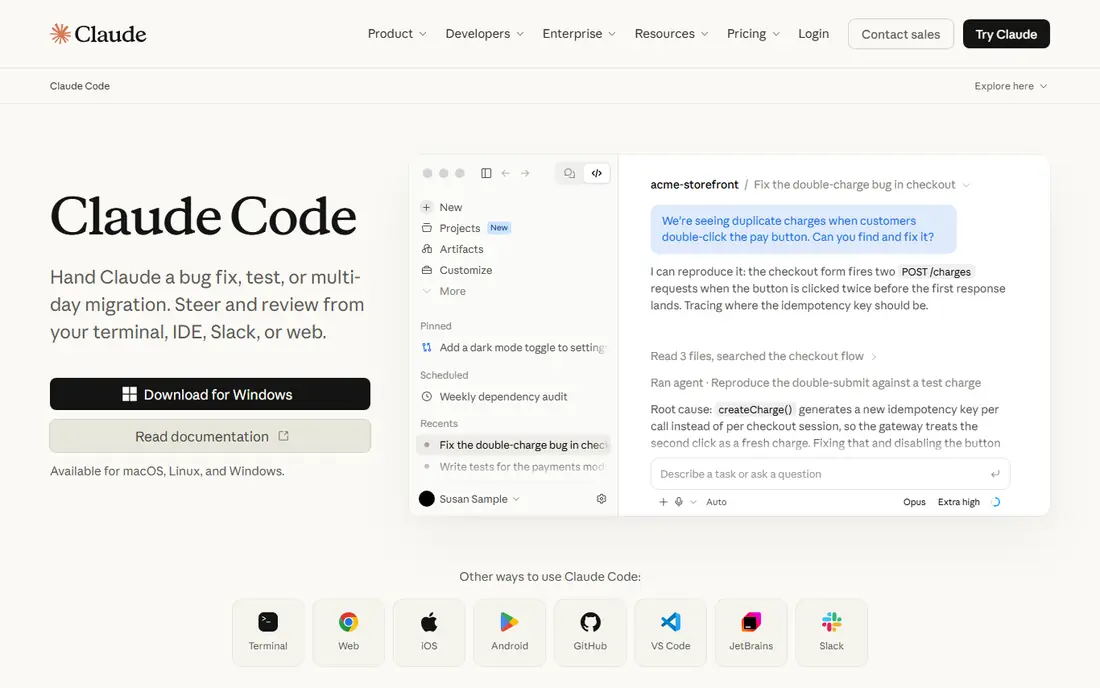
Claude Code is a terminal agent for engineering work that needs depth. It reads a repo, plans a task, makes changes across files, runs tests and fixes failures, which suits large refactors, CI fixes and complex debugging sessions. In 2026 benchmark discussions, Claude Code is often cited for deep, multi-step work, and its ability to keep track of what it has already done helps on long tasks.
The limits are clear. It only uses Anthropic models, so teams that want model choice must look elsewhere, and the terminal workflow is a poor fit if you dislike the command line. It is also slower for quick inline edits than Copilot. Claude Code fits developers who live in the terminal and want an agent they can trust with larger, planned work.
- Strong reasoning for multi-step refactors and debugging
- Terminal-first workflow for large codebases
- Good at tracking work across many files
- Anthropic models only, with no GPT, Gemini or local model choice
- Terminal focus will not suit developers who prefer an IDE
Windsurf, formerly Codeium, offers an AI-native IDE at a competitive price. Its agent mode can plan and edit across files, and the free tier is generous enough to test real work before paying. For developers who want Cursor-style agentic editing without the highest price, Windsurf is a strong value choice, and its paid plan is reported at around $15 per month in several sources.
As a newer brand, Windsurf has a smaller ecosystem and community than GitHub Copilot, and heavy agent use still needs a paid plan. Some teams may also prefer a tool from a vendor they already trust for enterprise support. For solo developers and small teams, Windsurf gives a good balance of agent power and price.
- Agentic IDE with a generous free tier
- Multi-file editing and agent flows
- Lower paid price than some rivals in 2026 sources
- Newer ecosystem than Copilot or Cursor
- Best features still need a paid plan for heavy use
Tabnine suits teams where code privacy is a hard requirement, not a preference. It offers private deployment options and enterprise controls that help organisations keep code inside their own environment, and it works across common IDEs without forcing a new editor. For regulated industries and large companies, that control can matter more than a slightly better completion.
The price is higher than Copilot for some plans, and Tabnine gets less attention in public benchmark discussions than Cursor or Claude Code. That does not mean it is weaker for everyday completions, but developers who want the latest agent features may find other tools more advanced. Choose Tabnine when privacy and deployment control decide the purchase.
- Private deployment and enterprise controls
- Code privacy focus
- Works across many IDEs
- Higher price than Copilot in some sources
- Less public hype and fewer community examples than larger tools
Amazon Q Developer is the natural pick for teams building on AWS. It understands AWS services, helps with code, infrastructure and troubleshooting, and can explain AWS-specific errors that general tools handle less well. The free tier lets individual developers test it, and the paid tier adds higher limits and team features. For a team that spends most of its time in AWS consoles and services, that specialism saves time.
Outside AWS, Q Developer is less compelling than Copilot or Cursor as a general coding tool. Its strength is context about AWS, not a broader agent ecosystem. Use it as a specialist beside a general tool, or as the main tool if your work is almost entirely AWS-based.
- Strong AWS-specific assistance for services, IAM and infrastructure
- Free tier for individuals
- Fits teams already on AWS
- Less general appeal outside AWS work
- Paid Pro features need a subscription for larger teams
Cline is an open-source coding agent that runs in VS Code and lets you bring your own model API key. That freedom matters for developers who want model choice, local models or a specific provider, and who do not want to be locked into one vendor subscription. It can plan tasks, edit files, run commands and work through GitHub issues toward a pull request, which suits technical teams with clear workflows.
The cost model is different. Cline itself is free, but you pay the model provider for tokens, so a large task can cost more than a flat subscription, and a small task can cost less. Setup also needs more knowledge than a one-click subscription. Cline fits developers who value control and model freedom over a simple monthly price.
- Open-source agent for VS Code
- Bring your own API key and choose your model
- Strong for issue-to-PR workflows
- You pay for model API usage separately
- Setup and model choice need more technical knowledge than a subscription tool
JetBrains AI suits developers who already live in IntelliJ IDEA, PyCharm, WebStorm or another JetBrains IDE. It adds AI completion, chat, explanations and refactoring without forcing a switch to VS Code or a new editor. For JVM, Python and Kotlin teams, that native fit matters, because the IDE already understands the project structure, tests and build tools.
Outside JetBrains IDEs, JetBrains AI is not a useful pick, and its agent features are less central than Cursor or Claude Code. It is best as a productivity boost inside a workflow you already use, rather than as a standalone agent platform. If your team is standardised on JetBrains, it is a low-friction, well-priced addition.
- Native AI inside IntelliJ, PyCharm and other JetBrains IDEs
- Code completion, chat and refactoring in a familiar workflow
- Good for JVM and Python work
- Best value only inside JetBrains IDEs
- Agent depth varies by IDE and task compared with dedicated agent tools
Replit is the easiest way to start coding with AI, because everything runs in the browser. You can describe an app, let the AI agent build it, run it and share a link, without installing tools or setting up a local environment. That makes Replit strong for beginners, students, hackathons and quick prototypes, where speed matters more than production control.
Large, complex codebases are a different story. Replit is less suited to enterprise production work, team workflows and deep repo refactoring than Cursor or Claude Code, and heavy agent use needs a paid plan. Use Replit to learn, prototype and test an idea fast, then move a serious project to a local IDE and agent tool when it grows.
- Browser-based coding with no local setup
- AI agent can build full apps from a prompt
- Good for learning and quick prototypes
- Less suited to large production codebases
- Paid plans needed for serious use, and costs rise with agent usage
How we picked these
We compared official feature pages, pricing pages, documentation and public reviews, and we checked that each tool offers a real AI coding product in October 2026. We favoured tools with a clear workflow, IDE or terminal or browser, and we noted where a free tier is a real starting point and where paid plans open the best agent features. We also weighed privacy, model choice and ecosystem fit, because those factors often decide a purchase more than a single benchmark.
We did not claim hands-on testing for every tool. Where prices vary by billing period, region or usage, we used the most recent published figure or See website in other articles, and here we used the figures most often reported in 2026 sources. Check the current price, model limits and privacy terms on the vendor site before committing, especially for team plans.
How to choose the right AI coding tool
Start with where you already work. If you live in VS Code and GitHub, Copilot is low friction. If you want an AI-first editor, try Cursor or Windsurf. If you live in the terminal, try Claude Code. If you live in JetBrains IDEs, JetBrains AI keeps you in place. Switching workflow for a slightly better model usually costs more time than it saves.
Check privacy, cost model and model choice together
Check whether code is used for training, whether private deployment is available, and whether the price is flat, per seat or per token. A flat subscription suits predictable work, while a bring-your-own-key tool such as Cline suits variable work but needs budget control. For teams, get the privacy and data terms in writing before rolling a tool out widely.
Test on your own repo, not a demo project
A tool that shines on a small demo can struggle on a large, messy repo with legacy code, custom build steps and strict tests. Test your shortlist on a real task from your own work, such as a bug fix or a small refactor, and judge the result, the time saved and the review effort needed. The best AI coding tool is the one that reduces review work, not just typing.
Frequently asked questions
Which AI tool is best for coding?
Cursor is often cited as the best all-round AI coding tool in 2026, because it combines an AI-native editor with multi-file agent work. GitHub Copilot is best for daily IDE work, and Claude Code is best for complex terminal tasks. The best AI tool for coding depends on your workflow, IDE, privacy needs and budget, so test two tools on your own code before choosing.
What is the best AI coding tool for beginners?
Replit is the easiest start for beginners, because it runs in the browser and can build an app from a prompt with no setup. GitHub Copilot is also beginner-friendly inside VS Code, with inline suggestions that teach by example. Beginners should still learn to read and review code, because AI output needs checking, especially for security and edge cases.
Is GitHub Copilot better than Cursor?
GitHub Copilot is better for fast inline work inside a familiar IDE and GitHub workflow, while Cursor is better for AI-native, multi-file agent work in its own editor. Many developers use both, with Copilot for daily completions and Cursor for larger features. If you can only choose one, pick Copilot for familiarity and Cursor for agent depth.
What is the best free AI coding tool?
Cline and Windsurf both offer strong free starting points, with Cline free as open-source software and Windsurf offering a generous free tier. GitHub Copilot, Claude Code and JetBrains AI also offer free tiers, but paid plans open higher limits. Free tools often cost model API usage or limit agent runs, so check the real cost for your workload.
Do AI coding tools replace developers?
No, they change the work. AI tools speed up boilerplate, tests, docs and first drafts, but developers still need to design systems, review output, handle edge cases and take responsibility for security. Teams that review AI code carefully get the most value, while teams that accept output without review risk bugs and security issues.
How do I keep code private with AI coding tools?
Check the vendor privacy terms, disable training on your code where offered, and consider private deployment tools such as Tabnine for sensitive work. Avoid pasting secrets, keys or personal data into any AI tool, and use your normal code review and secret scanning before merging AI-generated code. For regulated work, get approval from your security team first.
Sources we checked (9)

Online Jobs is an independent blog about careers, online work, learning new skills and the tools that help people earn. More about us.
Keep reading
All posts
Zoom Alternatives
Zoom alternatives compared for 2026: Google Meet, Microsoft Teams, Webex, Jitsi and more for free calls, large meetings and webinars for teams and classrooms.

PowerPoint Alternatives
Compare the best PowerPoint alternatives, from free Google Slides and Canva to Prezi and Gamma, with prices, collaboration and export options covered.

Gmail Alternatives
Gmail alternatives compared for 2026: Proton Mail, Outlook, Tuta, Fastmail, Zoho Mail and more for privacy, business and cross-platform use for US readers.