Best 3D Design Software in 2026: 8 Tools Compared

How we put this together: we compare official feature and pricing pages, app store listings, privacy policies and public user reviews. Prices change, so check the provider's site before you pay.
Key takeaways
- The best software for 3D design depends on the output: animation, product engineering, architecture or 3D printing need different tools.
- Blender is the best free all-rounder for modelling, animation and rendering, while Fusion suits product design with real manufacturing constraints.
- Beginners should start with Tinkercad or SketchUp, not a full CAD or sculpting suite, because early wins keep learning going.
- Check file formats, system requirements and licence terms before a project, because switching tools mid-project costs time and data.
Quick comparison
| Name | Who it suits | Starting price | Free option | |
|---|---|---|---|---|
 Blender | Free modelling and animation | Free | Yes | Visit |
 Autodesk Fusion | Product design and engineering | See website | Free trial | Visit |
 SketchUp | Architecture and quick 3D models | See website | Free trial | Visit |
 Tinkercad | Beginners and 3D printing | Free | Yes | Visit |
 FreeCAD | Free parametric CAD | Free | Yes | Visit |
 Rhino | Precise surface modelling | See website | Free trial | Visit |
 Cinema 4D | Motion graphics and rendering | See website | Free trial | Visit |
 ZBrush | Digital sculpting | See website | Free trial | Visit |
The best 3D design software
We grouped tools by use, not by price alone. A sculpting tool, a parametric CAD tool and an animation suite may all be called 3D design software, but they solve different problems and use different workflows.
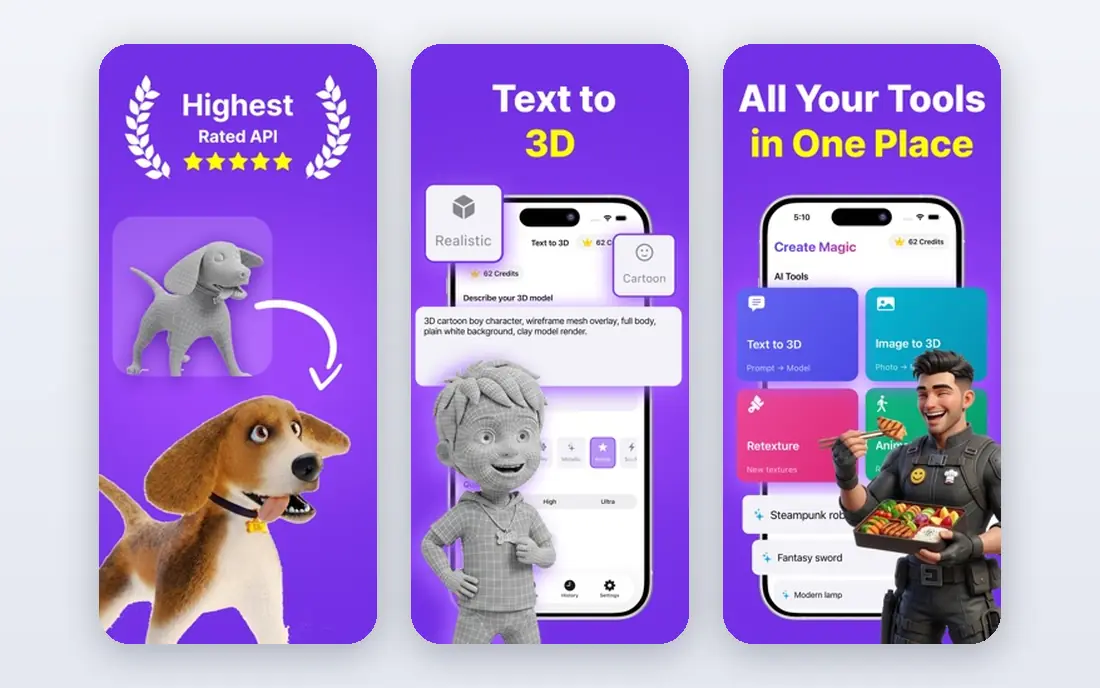
Blender is the best free pick for most 3D work. It covers modelling, sculpting, animation, rendering, video editing and 3D printing preparation in one free, open-source package, with no subscription and no watermark. The community around it is large, so tutorials, add-ons and asset libraries are easy to find for almost any project type.
The learning curve is real. Blender packs many tools into one interface, and beginners can feel lost in the first week. Start with one workflow, such as hard-surface modelling or basic animation, and learn the shortcuts for that workflow before exploring the rest. For students, hobbyists and indie creators, Blender offers professional depth at no cost, which no paid tool on this list can match.
- Free and open source
- Modelling, animation, rendering and sculpting
- Large community
- Learning curve
- Interface can overwhelm beginners
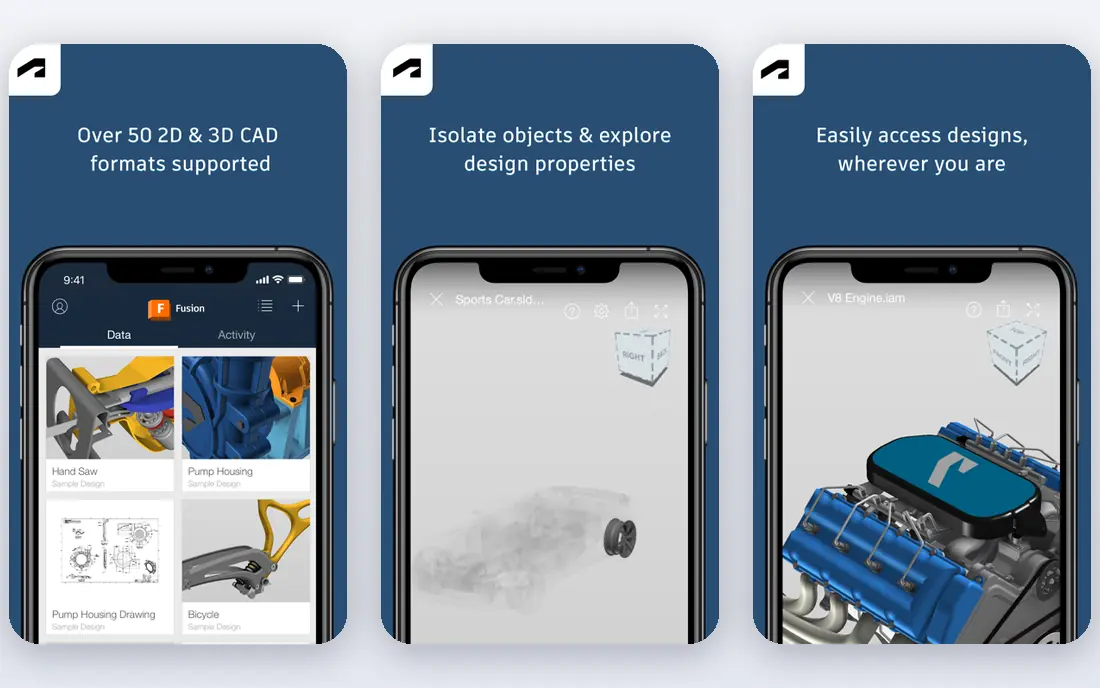
Autodesk Fusion, formerly Fusion 360, is the product design pick. It combines parametric modelling, assembly design, simulation, rendering and computer-aided manufacturing in one workflow, so a part designed in Fusion can move toward machining or 3D printing with fewer format changes. Cloud collaboration helps small engineering teams share designs and track versions.
It is a subscription tool, and some features depend on cloud services, so check current pricing and licence terms for personal, startup or commercial use before you commit. For product designers, engineers and makers who need accurate dimensions, tolerances and manufacturing output, Fusion is more practical than a pure animation tool.
- Parametric CAD
- Simulation and CAM links
- Cloud collaboration
- Subscription pricing
- Needs internet for some features
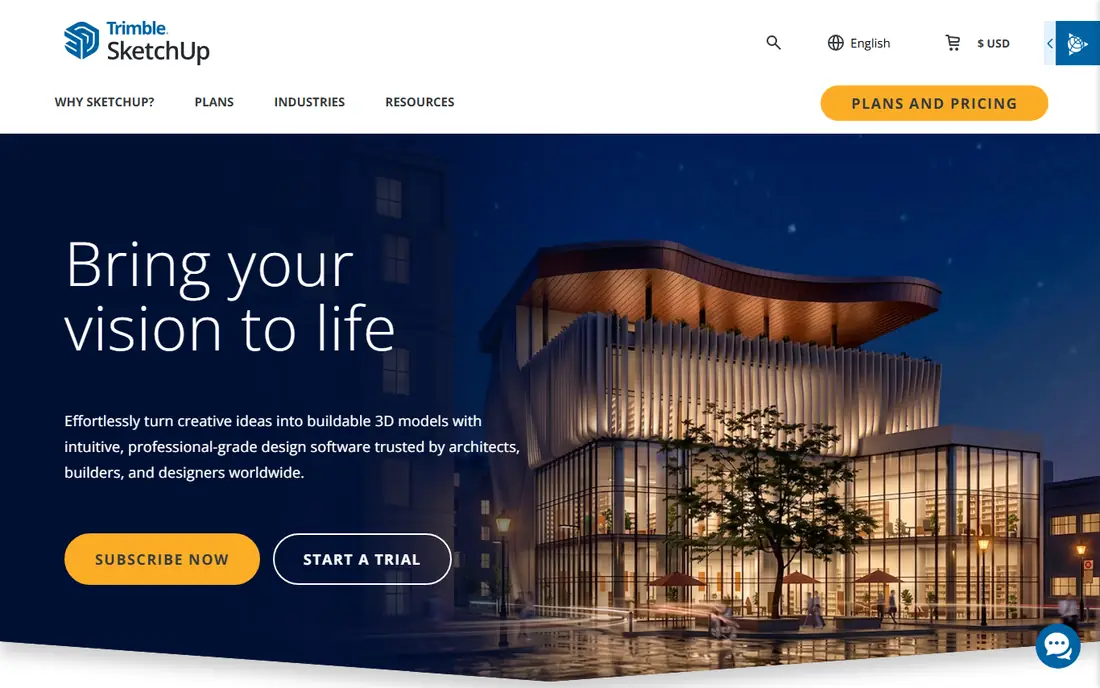
SketchUp is the speed pick for architecture, interiors and concept models. You draw, push, pull and arrange shapes into buildings, rooms and site layouts quickly, and the 3D Warehouse library provides furniture, fixtures and components to fill a scene. That speed makes it popular with architects, interior designers and builders who need a clear visual model, not a full engineering simulation.
It is not the best choice for precise mechanical parts or organic sculpting. Paid plans add pro features, layout tools and export options that the free web version lacks. If your goal is to show a client a room, a house or a shop layout this week, SketchUp will get you there faster than a CAD or animation suite.
- Fast to learn
- Strong for buildings and interiors
- Large 3D Warehouse library
- Less suited to complex engineering
- Paid plans for pro features
Tinkercad is the beginner pick, and it is free in a browser with no install. You build models from basic shapes, combine and cut them, and export files for 3D printing. Teachers use it in schools, and makers use it for simple brackets, holders, toys and prototypes. The low barrier matters, because a first successful print teaches more than a week of theory in a complex tool.
The limits are clear. Tinkercad cannot match Blender or Fusion for detail, curves or engineering precision, and large or complex models become awkward. Use it as a starting point, then move to Fusion, FreeCAD or Blender when your projects need more control. For a first 3D design tool, especially for children or new makers, it is the right choice.
- Free
- Browser-based
- Very easy to learn
- Good for schools and first prints
- Limited detail and precision
- Not for professional engineering
FreeCAD is the free CAD pick for engineering-minded users. It uses parametric modelling, so you can change a dimension and watch dependent parts update, which is essential for parts that must fit, assemble or be revised. It supports 2D sketches, 3D parts, assemblies and technical drawings, and it runs on Windows, Mac and Linux.
The interface is functional rather than polished, and some advanced workflows rely on community workbenches and add-ons. That makes FreeCAD less smooth than Fusion for a new user, but it costs nothing and keeps your files in an open format. For hobby engineers, open-source hardware projects and students learning CAD principles, FreeCAD is a strong, honest choice.
- Free and open source
- Parametric modelling
- Suitable for engineering parts
- Interface is less polished
- Some workflows need add-ons
Rhino, also called Rhinoceros 3D, is the surface modelling pick. It uses NURBS geometry, which suits smooth, precise curves and surfaces for jewellery, footwear, automotive form, architecture and product design. Designers can control form with a precision that polygon modelling tools do not offer, and plugins such as Grasshopper add parametric and generative design.
Rhino is not a beginner tool, and commercial licences cost more than a free app, though students and educators may get education pricing. It also focuses on modelling, so animation and rendering often need another tool or plugin. If your work lives or dies on surface quality and exact form, Rhino belongs on your shortlist.
- Precise NURBS surfaces
- Strong for jewellery, architecture and product form
- Plugin ecosystem
- Higher learning curve
- Licence cost for commercial use
Cinema 4D is the motion graphics pick. It is widely used for broadcast graphics, title sequences, product visualisation and 3D animation, with a workflow that many motion designers find faster to learn than Blender for that specific job. Its rendering tools, including Redshift integration, help studios produce polished visuals on deadlines.
It is a subscription product, and it is not a CAD tool for engineering parts, so product designers should look at Fusion or Rhino instead. For motion designers, agencies and video teams who need reliable 3D graphics that fit an After Effects pipeline, Cinema 4D remains a professional standard worth testing.
- Strong motion graphics tools
- Fast rendering options
- Good After Effects links
- Subscription pricing
- Less suited to engineering CAD
ZBrush is the sculpting pick. It lets artists shape digital clay at very high detail, making it a standard for game characters, film creatures, collectibles and jewellery prototypes. Brushes, dynamic subdivision and polypaint tools give sculptors control that polygon modelling alone cannot match for organic forms.
The interface is unlike other 3D tools, so new users need dedicated learning time. ZBrush is also a subscription product through Maxon, and it is not a parametric CAD tool, so engineering parts should be made elsewhere. If your goal is characters, creatures or organic detail, ZBrush is the tool professionals reach for, and Blender sculpting is the free alternative to test first.
- Industry-standard sculpting
- High-detail organic models
- Strong for characters and creatures
- Unique interface
- Subscription pricing
- Not for parametric engineering
How we picked these
We compared official feature pages, pricing pages and public documentation for 3D design software, and we favoured tools that are still available, clearly state their main use, and fit a real workflow: modelling, animation, CAD, sculpting or printing. We checked file formats, platform support and licence models, and we noted where a tool is free, trial-based or subscription-only. We did not claim hands-on testing, and where pricing is not published we wrote See website.
How to choose the right 3D design software
Start with the output, not the tool. If you need a printed part that fits, choose Fusion or FreeCAD. If you need a character or animation, choose Blender or ZBrush. If you need a building visual, choose SketchUp or Rhino. If you need motion graphics, choose Cinema 4D or Blender. That one decision removes most of the list at once.
Next, check your computer. 3D rendering and sculpting need a capable graphics card, memory and storage, and a weak laptop will frustrate learning no matter how good the software is. Check system requirements on the vendor site, start with a small project, and test export to your next step, whether that is a printer, a game engine or a client presentation. Finally, weigh licence cost against learning time. A free tool you learn well beats a paid tool you abandon, and a paid tool with good support may be worth it if it saves weeks on a commercial project.
Frequently asked questions
What is the best software for 3D design?
Blender is the best free all-rounder, Fusion is the best product design tool, SketchUp is the best quick architecture tool, and ZBrush is the best sculpting tool. The best software for 3D design for you depends on whether you need animation, engineering, architecture or sculpting.
What is the best 3D drawing software for beginners?
Tinkercad is the easiest start for beginners and 3D printing, while SketchUp is the easiest start for buildings and interiors. Both run with less setup than Blender or Fusion, and both let you make a finished model in your first session.
Is Blender really free?
Yes, Blender is free and open source, with no subscription, watermark or paid tier for core features. You can use it for personal and commercial work under its licence, though you should check the licence terms for bundled add-ons and assets.
Can I use 3D design software for 3D printing?
Yes, most tools on this list export files for printing, commonly STL or OBJ, and slicer software prepares them for your printer. Tinkercad, Fusion, FreeCAD and Blender are all used for printable models, with Fusion and FreeCAD giving more dimensional control for functional parts.
Do I need a powerful computer for 3D design?
For basic modelling, a mid-range computer is often enough, but rendering, sculpting and large scenes need more graphics power, memory and storage. Check the vendor system requirements, close other heavy apps while rendering, and start with smaller projects if your computer is older.
Which 3D tool is best for product design?
Fusion and Rhino are the strongest product design picks here, with Fusion adding simulation and manufacturing links, and Rhino adding precise surface control. FreeCAD is the best free alternative for parametric parts, though its interface is less polished.
Sources we checked (8)

Online Jobs is an independent blog about careers, online work, learning new skills and the tools that help people earn. More about us.
Keep reading
All posts
Zoom Alternatives
Zoom alternatives compared for 2026: Google Meet, Microsoft Teams, Webex, Jitsi and more for free calls, large meetings and webinars for teams and classrooms.

Which Software Is Best for Data Entry
Compare the best data entry software for forms, OCR scanning, and spreadsheets, with free plans, pricing, and honest limits for each tool before you commit.

What's the Best App to Read PDFs
Find what's the best app to read PDFs in 2026, from Adobe Acrobat Reader and Foxit to PDF Expert and Xodo, with free options and honest limits for every device.