Basecamp Alternatives in 2026: 8 Tools Compared


Cross-team task coordination · Starting price: $10.99 per user per month
How we put this together: we compare official feature and pricing pages, app store listings, privacy policies and public user reviews. Prices change, so check the provider's site before you pay.
Key takeaways
- Basecamp charges a flat style of pricing that suits larger teams, so most alternatives win by offering a free plan or cheaper per-user pricing for small teams.
- Asana and monday.com are the safest general replacements, with clear task ownership and visual boards that most teams learn quickly.
- ClickUp and Notion pack the most into one workspace, but both need more setup time than a simple board tool.
- Trello remains the simplest free basecamp alternative for small teams that mainly need kanban boards and checklists.
- Check seat minimums before comparing prices, because a low per-user rate can still cost more if the tool requires three or five seats.
Quick comparison
| Name | Who it suits | Starting price | Free option | |
|---|---|---|---|---|
| Asana | Cross-team task coordination | $10.99 per user per month | Yes | Visit |
 monday.com | Visual boards and workflows | $9 per seat per month | Yes | Visit |
 ClickUp | Most features per dollar | $7 per user per month | Yes | Visit |
 Trello | Simple kanban boards | $5 per user per month | Yes | Visit |
 Notion | Docs and tasks in one place | $10 per user per month | Yes | Visit |
 Wrike | Structured work at scale | $10 per user per month | Yes | Visit |
 Teamwork | Client work and agencies | See website | Free trial | Visit |
 Todoist | Simple shared task lists | $4 per user per month | Yes | Visit |
The best Basecamp alternatives
Basecamp wins fans with its calm, all-in-one approach: to-dos, message boards, schedules, docs, and chat in one place, without per-seat pricing games. The tools below keep different parts of that appeal. Some are simpler, some are stronger on planning, and some cost far less for a small team.

Asana is the closest like-for-like replacement for teams that run projects across departments. Tasks have a single owner, a due date, and a project home, so work stops falling between people. Paid plans add timeline views, portfolios, and workload views that help managers spot overload before a deadline slips.
The free plan works for very small teams, but larger groups will hit its limits and need the Starter plan. Asana also expects a bit more structure than Basecamp, with projects, sections, and custom fields to set up. Teams that like that structure will feel at home quickly, while teams that want Basecamp style message boards may miss that looser, conversation-first feel.
- Clear task ownership and deadlines
- Timeline and portfolio views on paid plans
- Many integrations
- Free plan is limited to small teams
- Advanced features sit on higher tiers
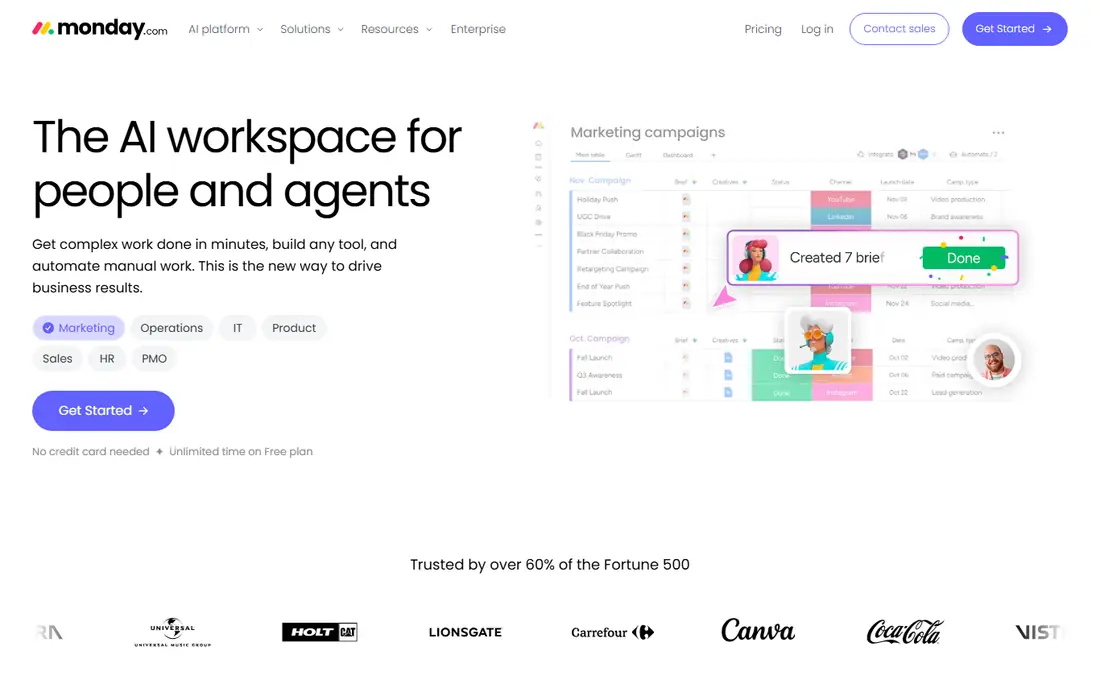
monday.com suits teams that think in boards and colour. Work is visible at a glance, status columns make progress obvious, and automations can move items, send reminders, or notify owners without manual chasing. For marketing, operations, and product teams, that visual style often beats a long to-do list.
Pricing needs care, because paid plans start with a three-seat minimum, so a two-person team pays for three seats. The free plan covers up to two users, which is fine for a trial but not for a growing team. If your team is three or more and likes visual planning, monday.com is one of the easiest Basecamp alternatives to adopt.
- Highly visual boards
- Flexible columns and automations
- Fast onboarding for new users
- Three-seat minimum on paid plans
- Costs climb as automations and views are added
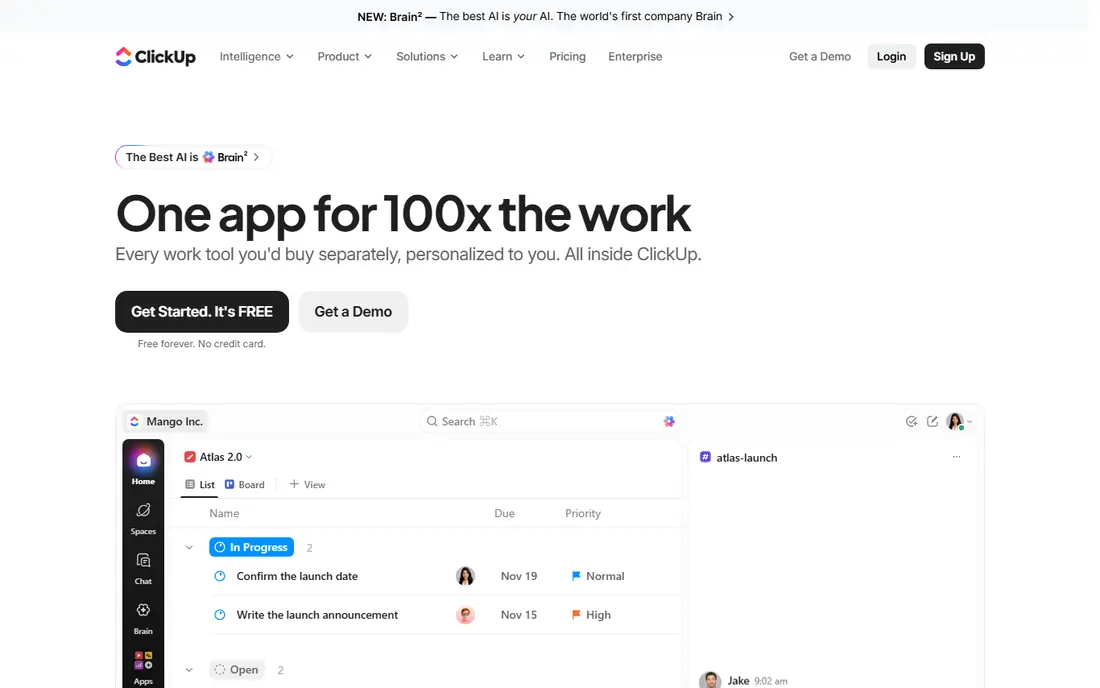
ClickUp tries to replace several tools at once, with tasks, docs, whiteboards, goals, and chat inside one workspace. That breadth is its main selling point against Basecamp, and its free plan is genuinely usable for small teams, with unlimited tasks and members on the free tier. Paid pricing undercuts Asana and monday.com at the entry level.
The honest catch is complexity. ClickUp offers so many views and settings that a new team can spend days configuring it before any real work happens. Start with one project, one list view, and a small set of statuses, then add docs and goals only when the team asks for them. Used that way, it is hard to beat on value.
- Generous free plan
- Docs, goals, chat, and tasks in one place
- Many views
- Depth can overwhelm new users
- Setup takes longer than simpler tools
Trello is the best free Basecamp alternative if your team mainly needs boards, cards, and checklists. A new board takes minutes, cards move by drag and drop, and checklists, due dates, and attachments cover most day-to-day project needs. Small teams, freelancers, and community groups often find it is all they need.
Trello struggles when work grows complex. There is no built-in portfolio view like Asana, and reporting across many boards takes extra tooling or paid features. If your projects stay small and visual, Trello is a calm, cheap choice. If you need dependencies, workload planning, and cross-project reporting, look at Asana, monday.com, or Wrike instead.
- Easiest kanban setup
- Low learning curve
- Good free plan for small teams
- Weak for complex reporting and portfolios
- Large projects can feel scattered across boards
Notion appeals to teams that want Basecamp style docs and discussion alongside their tasks, but with far more flexibility. Pages can hold notes, specs, meeting records, and embedded task databases, so a project and its background live together. Templates for roadmaps, content calendars, and team wikis help new workspaces start quickly.
Notion is not a ready-made project manager out of the box. Task views, status fields, and timelines have to be built from databases, which takes time and a clear owner. Teams that enjoy shaping their own workspace will like that freedom. Teams that want a tool that works the same way on day one may prefer Asana or Trello.
- Docs, wikis, and databases in one workspace
- Flexible templates
- Good for knowledge-heavy teams
- Project features need manual setup
- Can feel slow on very large workspaces
Wrike is the pick for teams that outgrow simple boards and need structure: approvals, request forms, time tracking, and reporting across departments. Marketing and creative teams use it to route work through review stages, and managers get dashboards that show progress without chasing status updates in chat.
That power comes with a busier interface, and small teams may find Wrike heavier than Basecamp. The free plan covers basic work, but approvals and deeper reporting sit on paid plans. Choose Wrike when your projects involve many stakeholders and formal sign-off, not when you just need a shared to-do list.
- Strong approvals and reporting
- Good for marketing and creative operations
- Enterprise controls
- Interface feels busy for small teams
- Some features need higher tiers
Teamwork is built for agencies and professional services teams that juggle client projects, billable hours, and deadlines. It combines tasks, milestones, time tracking, and client access in a way that general tools do not, and its workload views help managers balance work across a team. If your projects are client work, that focus matters.
The downside is that Teamwork is less familiar than the big names, so new hires may need a short onboarding period, and integrations are narrower than Asana or ClickUp. Check the current pricing page before deciding, because plan names and limits change. For agencies, though, the client and billing features can justify the switch from Basecamp.
- Client-facing features and time tracking
- Good for billable work
- Workload views
- Pricing is not as simple to compare at a glance
- Smaller community than Asana or monday.com
Todoist is the simplest tool on this list, and that is the point. If your team left Basecamp because it felt like too much, Todoist strips work back to lists, priorities, due dates, and comments. Task capture is fast on web and mobile, and the Pro plan is cheap compared with full project platforms.
Todoist will not replace Basecamp for teams that need boards, docs, timelines, and file discussion in one place. It is best for small teams, freelancers, and personal task sharing, or as a companion to a docs tool such as Notion. Price it for your real team size, and pair it with a separate docs home if your projects need one.
- Cheapest paid option here
- Fast task capture
- Clean interface
- No full project boards or docs
- Weak for complex team reporting
How we picked these
We compared official pricing pages, feature pages, and public documentation for tools that cover Basecamp core jobs: shared tasks, project views, discussion, and file or doc storage. We favoured tools with a free plan or a free trial, published per-user pricing, and a real track record with small and mid-size teams. Prices shown are entry paid rates from vendor pages, usually billed annually where that is the published rate, and we note where a seat minimum changes the real cost. We did not claim hands-on testing; our comparison rests on vendor pages, pricing, and public reviews.
How to choose the right Basecamp alternative
Start by naming the job Basecamp did for your team. If it was mainly shared to-dos and message boards, Trello or Todoist may be enough, and both cost less. If it was cross-team coordination with deadlines and reporting, Asana or monday.com are safer bets. If it was docs plus tasks, Notion deserves a trial. If it was client work with billable time, Teamwork fits better than a general board tool.
Next, test with a real project, not a demo board. Move one live project into your top two choices, invite the people who actually do the work, and run it for two weeks. Watch for friction: who forgets to update tasks, which views get ignored, and where discussion drifts back to email or chat. The tool that survives a real project with the least nagging is the right one, even if another tool has a longer feature list.
Pricing traps to check
Count seats honestly, including part-time collaborators and clients who need more than guest access. Check whether the free plan caps users, projects, or file storage, and whether automations, timelines, or reporting sit on a higher tier. Add up the monthly cost for your real team over a year, not just the per-user headline, and confirm whether annual billing is required for the quoted rate. A tool that looks cheap per user can cost more once seat minimums and tier gates are counted.
Frequently asked questions
What are the best free Basecamp alternatives?
Trello, ClickUp, Asana, monday.com, Notion, and Todoist all offer free plans, with different limits. Trello is simplest for boards, ClickUp is most generous for unlimited members, and Asana and monday.com limit their free plans to very small teams. Test the free plan with your real team size before committing.
Is there a free Basecamp alternative for small teams?
Yes. Trello and ClickUp both give small teams a usable free plan without a card, and Todoist has a free tier for simple shared lists. Basecamp itself has offered a free plan for personal projects, but for team work the tools above are usually easier to scale.
What is the best alternative to Basecamp for agencies?
Teamwork is the strongest agency pick here, because it combines client projects, milestones, time tracking, and workload views. Wrike is a good second choice for larger marketing and creative operations that need approvals and reporting across departments.
Why do teams switch from Basecamp?
Common reasons are price for larger teams, a wish for stronger reporting, timelines, or automations, and a need for docs or client features that Basecamp handles more lightly. Other teams switch the other way, because Basecamp feels calmer than a feature-heavy tool. The right move depends on which gap matters most to your team.
Does monday.com or Asana replace Basecamp message boards?
Neither copies Basecamp message boards exactly. Both handle discussion through task comments, project updates, and integrations with chat tools. Teams that rely heavily on long-form project discussion often pair Asana or monday.com with a docs tool such as Notion, or keep a separate discussion space.
Sources we checked (8)

Online Jobs is an independent blog about careers, online work, learning new skills and the tools that help people earn. More about us.
Keep reading
All posts
Zoom Alternatives
Zoom alternatives compared for 2026: Google Meet, Microsoft Teams, Webex, Jitsi and more for free calls, large meetings and webinars for teams and classrooms.

What Is the Best Free Tool to Rotate a PDF
What is the best free tool to rotate a PDF? We compare eight free rotation tools on per-page control, limits, privacy and saved output quality in detail.

What Is the Best AI Dubbing Tool
We compared the best AI dubbing tools in 2026, from ElevenLabs and HeyGen to Rask AI, Dubverse and Veed, for videos and creators in many languages worldwide.