Best Asana Alternatives in 2026: 9 Tools Compared

How we put this together: we compare official feature and pricing pages, app store listings, privacy policies and public user reviews. Prices change, so check the provider's site before you pay.
Key takeaways
- ClickUp suits teams that want the most features per plan, while monday.com suits visual teams that live on boards and dashboards.
- Trello suits simple Kanban work with the fastest setup, while Notion suits teams that combine docs, wikis, and light project tracking.
- Jira and Linear suit software teams, with Jira for structured agile processes and Linear for speed and developer friendly workflows.
- Basecamp, Wrike, and Smartsheet suit teams that want simplicity, enterprise reporting, or a spreadsheet style view, in that order.
Quick comparison
| Name | Who it suits | Starting price | Free option | |
|---|---|---|---|---|
 ClickUp ClickUp | All in one teams | See website | Yes | Visit |
 monday.com monday.com | Visual boards and dashboards | See website | Yes | Visit |
 Trello Trello | Simple Kanban boards | See website | Yes | Visit |
 Notion Notion | Docs plus light projects | Free | Yes | Visit |
 Jira Jira | Software and agile teams | See website | Yes | Visit |
 Linear Linear | Developer friendly speed | See website | Yes | Visit |
 Basecamp Basecamp | Simple team hub | See website | Free trial | Visit |
 Wrike Wrike | Enterprise reporting | See website | Yes | Visit |
 Smartsheet Smartsheet | Spreadsheet style projects | See website | Free trial | Visit |
The best Asana alternatives
Teams leave Asana for different reasons: price, complexity, a missing view, or a workflow that never quite fit. The tools below are not ranked only on features, but on the team each one serves best. A tool that is perfect for a software team can be a poor fit for a marketing team, and vice versa.
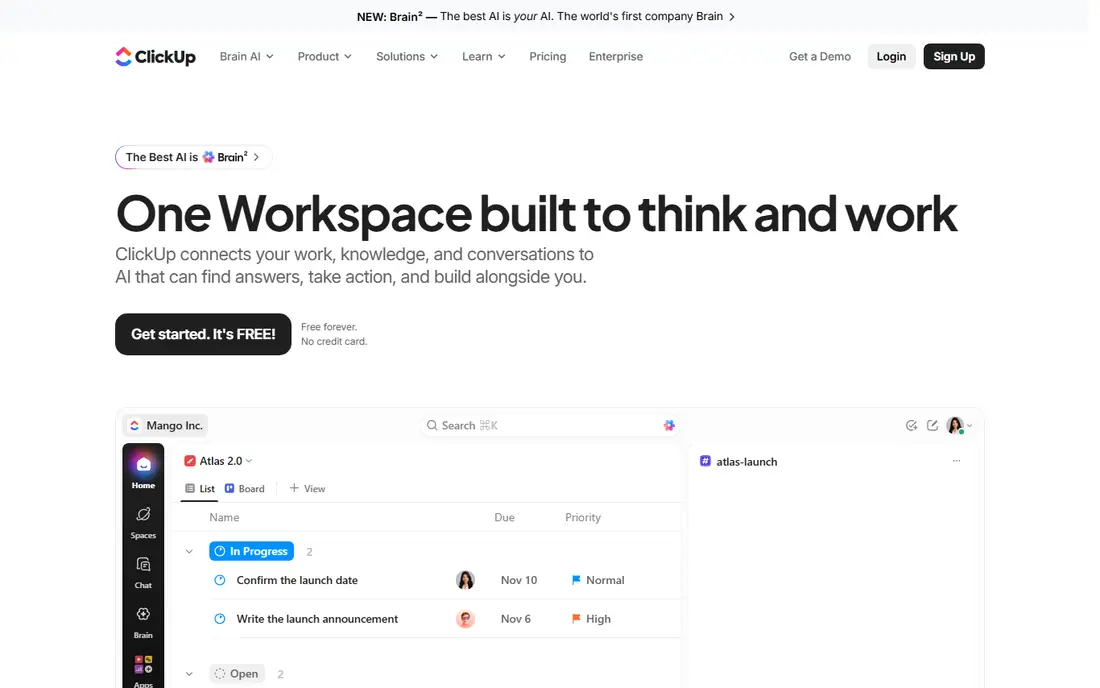
ClickUp is the closest all in one alternative to Asana, with tasks, docs, whiteboards, goals, and time tracking under one subscription. Teams that want to reduce the number of tools they pay for often land here, because a single ClickUp workspace can replace a task app, a docs app, and a basic time tracker. The Asana importer also eases migration for teams that already have a large Asana history.
The risk is overload. ClickUp offers so many views and settings that a team can spend weeks customising instead of shipping work. Start with one view, one workflow, and a small pilot project, then add features only when a real problem appears. Used with restraint, ClickUp gives more per plan than most rivals here.
- Tasks, docs, goals, and time tracking in one place
- Many views
- Dedicated Asana importer
- Can feel busy when over customised
- Setup takes time for large workspaces

monday.com suits teams that think visually. Boards, timelines, and dashboards make status obvious at a glance, which helps marketing, operations, and client facing teams that report progress often. Automations reduce manual status updates, and templates give a faster start than a blank workspace.
The cost model needs attention. Paid plans have seat minimums, so a small team pays for more seats than it uses, and the price grows with each hire. The visual flexibility also needs upkeep, or boards drift into clutter. For a visual team that will maintain its boards, monday.com is a strong and popular Asana alternative.
- Colourful visual boards
- Dashboards and automations
- Templates for many team types
- Seat minimums on paid plans
- Cost grows with each hire
- Setup can take time
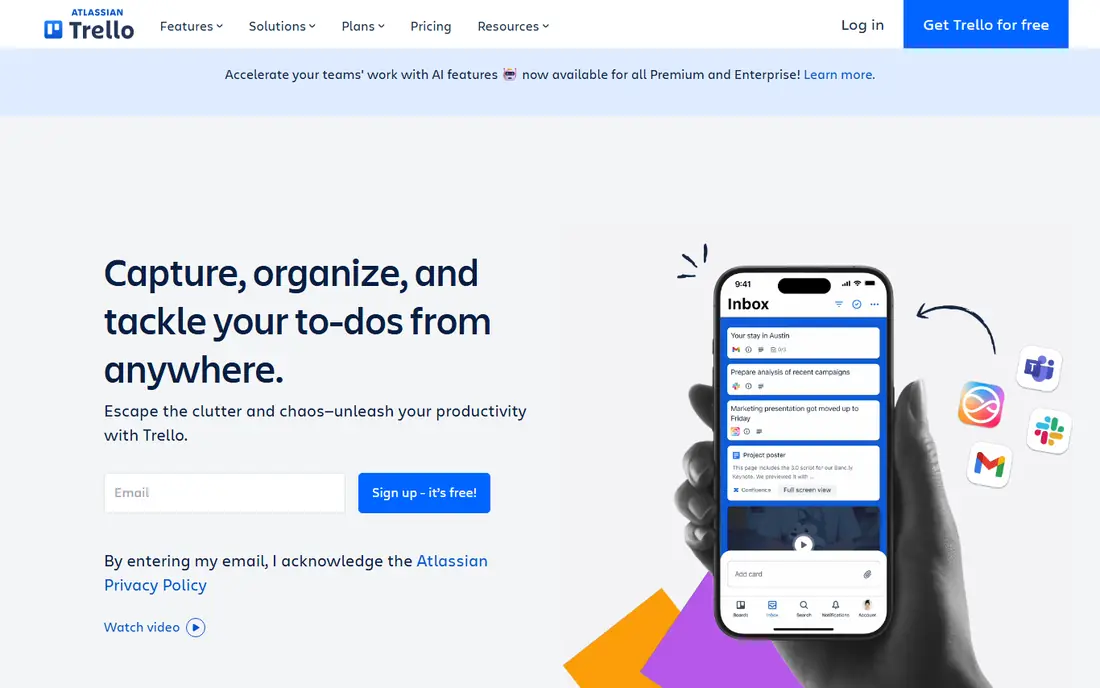
Trello is the simplest alternative here, and that is its strength. A board, a few lists, and cards that move from left to right is enough for many small projects, and new team members understand it in minutes. The free plan covers small teams well, and the setup time is close to zero compared with ClickUp or monday.com.
The limit appears when projects get complex. Dependencies, resource planning, and detailed reporting need add ons or a different tool, and a large portfolio of boards can become hard to manage. If your work is mostly simple workflows and handoffs, Trello is the fastest and cheapest good answer. If you need portfolios and resource planning, look at Wrike or ClickUp.
- Fastest setup
- Drag and drop boards anyone understands
- Free plan for small teams
- Limited for complex dependencies and reporting
- Needs add ons for advanced work
Notion suits teams that already live in documents and want project tracking in the same place. A wiki, a meeting notes database, and a task board can share one workspace, so context stays next to the work instead of in a separate app. Templates for roadmaps, content calendars, and project trackers give a useful starting point.
The trade off is project depth. Notion handles light to medium project tracking well, but it lacks some of the timeline, workload, and automation depth of Asana, ClickUp, or Wrike. Teams with complex dependencies or large portfolios may outgrow it. For docs first teams, though, Notion removes a whole tool from the stack.
- Docs, wikis, and tasks in one workspace
- Flexible databases
- Good templates
- Project tracking is lighter than Asana
- Setup takes effort
- Can feel slow on very large workspaces
Jira is the standard alternative for software teams that need structured agile work. Sprints, backlogs, epics, and roadmaps are native, not added through workarounds, and integration with Confluence, Bitbucket, and other Atlassian tools keeps development work connected. For a team shipping software on a regular cadence, that structure is valuable.
For non technical teams, Jira can feel heavy and jargon filled, and setup needs care to avoid a confusing workflow. Marketing or operations teams that do not run sprints will usually prefer monday.com, ClickUp, or Trello. Software teams, however, will find Jira a natural and powerful Asana replacement.
- Built for agile software work
- Sprints, backlogs, and roadmaps
- Deep Atlassian integrations
- Can feel heavy for non technical teams
- Configuration takes time
Linear appeals to product and engineering teams that value speed above all. The interface is fast, keyboard shortcuts are central, and issue tracking feels designed for developers rather than adapted for them. GitHub integration keeps code and issues linked, which reduces status chasing for engineering managers.
The limit is breadth. Linear is less suited to marketing campaigns, client portfolios, or general business projects that need the templates and views of monday.com or ClickUp. For a software team that finds Asana slow or cluttered, Linear is a refreshing and focused alternative that stays out of the way.
- Fast and keyboard friendly
- Clean issue tracking
- Good GitHub integration
- Less suited to non technical project portfolios
- Fewer general business templates
Basecamp suits teams that want a calm hub rather than a feature packed platform. To dos, message boards, schedules, docs, and file storage live in one project space, and the interface stays simple on purpose. Flat pricing for unlimited users on some plans also helps larger teams that would pay per seat elsewhere.
The trade off is project visualisation. Basecamp lacks the boards, timelines, and dashboards that make monday.com or ClickUp appealing for visual reporting, and automations are thinner. If your team is overwhelmed by tools and wants one simple place to communicate and track work, Basecamp is a good reset. If you need visual portfolios, look elsewhere.
- Calm and simple
- To dos, messages, schedules, and files in one place
- Flat pricing option
- Less visual project tracking
- Fewer views and automations than rivals
Wrike suits larger teams and enterprises that need reporting, workload planning, and approvals across departments. Resource management shows who is overloaded, proofing helps creative teams approve work in place, and dashboards give managers a portfolio view that Asana users often miss on lower plans. Enterprise controls and security options also suit regulated teams.
The cost is complexity and price. Migration from Asana can need planning, and higher tiers that include the best reporting are not cheap. Small teams will find Wrike heavier than Trello or Basecamp. For a large organisation that needs structure and reporting, Wrike is a strong enterprise alternative.
- Strong reporting and resource management
- Approvals and proofing
- Enterprise controls
- Setup and migration can be complex
- Price rises on higher tiers
Smartsheet suits operations teams that think in spreadsheets. The grid interface feels familiar to Excel users, while Gantt charts, automations, and dashboards add project power on top of that grid. Teams managing budgets, timelines, and large task lists often adopt Smartsheet faster than a board tool, because the mental model is already known.
The downside is visual appeal and free access. Smartsheet is less visual than monday.com or Trello, and it offers a trial rather than a generous free plan. Formula and automation setup also takes learning. For spreadsheet first operations, though, Smartsheet is a practical and powerful Asana alternative.
- Familiar grid interface
- Gantt charts and automations
- Dashboards and reporting
- Less visual than board tools
- Free trial rather than a full free plan
- Learning curve for formulas
How we picked these
We compared official feature pages, pricing pages, and current 2026 alternative guides for tools that replace Asana for task and project work, not only for docs or chat. We favoured tools with a real free plan or trial, clear migration options, and a distinct team fit, from simple Kanban to enterprise reporting. We used See website where a stable public starting price could not be confirmed from the vendor site at the time of writing, since seat minimums and annual billing change the effective price.
How to migrate without losing work
Start by auditing your Asana workspace before choosing a replacement. List the views you actually use, the automations you rely on, and the integrations that matter, such as Slack, Google Drive, or GitHub. That audit prevents buying a tool that looks good in a demo but misses a daily workflow your team depends on.
Next, run a two week pilot on one live project, not a test project. Import a real project, invite the people who will use the tool daily, and judge it on adoption, not on features. The tool the team opens without reminders is usually the right one, even when another tool has a longer feature list. Keep Asana running during the pilot so no work is lost if the pilot fails.
Finally, plan the full migration in stages. Move active projects first, archive completed work, and keep a clear owner for the new workspace structure. A rushed migration that copies every old project, including dead ones, creates clutter in the new tool on day one. A staged move gives the team a clean start and a reason to trust the new system.
Frequently asked questions
What are the best alternatives to Asana?
ClickUp is the best all in one alternative, monday.com is best for visual teams, Trello is best for simple Kanban, Notion is best for docs plus tasks, and Jira is best for software teams. The best pick depends on team type, project complexity, and budget, so pilot two tools on a real project before committing.
What is the best free Asana alternative?
Trello and ClickUp both offer useful free plans for small teams, and Notion offers a free plan for individuals. Trello is simplest, ClickUp is most feature rich, and Notion suits docs first teams. Check limits on collaborators, views, and automations, since free plans differ in what they restrict.
Is monday.com better than Asana?
monday.com is better for visual boards, dashboards, and teams that report status often, while Asana is often cleaner for structured task lists and timelines. Neither is better for every team. Visual and marketing teams often prefer monday.com, while operations teams that want a calmer task structure may stay with Asana or move to ClickUp.
Which Asana alternative is best for software teams?
Jira suits structured agile teams with sprints and roadmaps, while Linear suits product teams that value speed and developer friendly workflows. ClickUp can also serve software teams that want docs, goals, and tasks in one place. Choose Jira for process depth and Linear for speed.
Can I import Asana projects into another tool?
Yes, most tools here offer an Asana importer, CSV import, or both, including ClickUp, monday.com, Trello, and Notion. Imports usually carry tasks, assignees, and dates well, but automations, custom rules, and some views may need rebuilding. Test an import on one project before migrating a whole workspace.
Sources we checked (9)

Online Jobs is an independent blog about careers, online work, learning new skills and the tools that help people earn. More about us.
Keep reading
All posts
Workday Alternatives
We compared the best workday alternatives for HR, payroll, and global hiring, from BambooHR and Gusto to Rippling, Deel, and HiBob for growing teams in 2026.

Which SaaS Tools Have the Best Customer Support
Which SaaS tools have the best customer support? Compare eight popular tools on help centres, live help, response options and overall support quality.

Top AI Helpdesk Software
Searching for top AI helpdesk software in 2026? We compared 8 AI helpdesks on automation, pricing, channels and ease of setup for small and growing teams.