Best Alternatives to Jenkins in 2026: 8 Tools Compared

How we put this together: we compare official feature and pricing pages, app store listings, privacy policies and public user reviews. Prices change, so check the provider's site before you pay.
Key takeaways
- The best Jenkins alternatives depend on where your code lives: GitHub Actions for GitHub, GitLab CI for GitLab, and Azure Pipelines for Microsoft shops.
- Managed CI saves operations time, but it charges by minutes, credits or seats, so Jenkins can still win on cost if you have platform staff.
- Self-hosted runners and agents let you keep control and cut hosted costs, even when you use a managed control plane.
- Migration cost is real: YAML, secrets, plugins and deployment steps all need mapping, so pilot one repo before moving a whole estate.
Quick comparison
| Name | Who it suits | Starting price | Free option | |
|---|---|---|---|---|
 GitHub Actions | GitHub-hosted teams | Free | Yes | Visit |
 GitLab CI/CD | All-in-one DevOps platform | Free | Yes | Visit |
 CircleCI | Cloud-native managed CI | Free | Yes | Visit |
 Buildkite | Hybrid agents and control | Free | Yes | Visit |
 Azure Pipelines | Microsoft and Azure teams | Free | Yes | Visit |
 TeamCity | JVM and .NET teams | See website | Free trial | Visit |
 Drone | Container-native self-hosted CI | Free | Yes | Visit |
 Bitbucket Pipelines | Bitbucket and Jira teams | Free | Yes | Visit |
The best alternatives to Jenkins
Jenkins is free, flexible and widely used, but it needs servers, plugins, updates and operations care. The tools below trade some of that control for managed runners, integrated security or simpler YAML, and we note what you give up in each case.
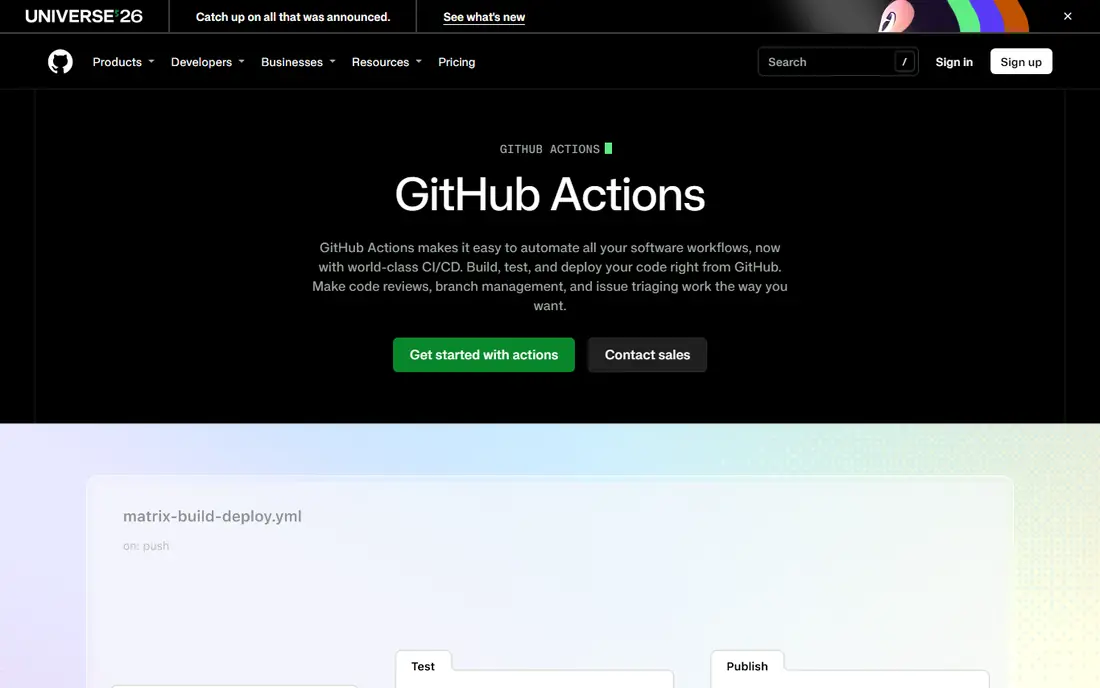
GitHub Actions is the default alternative for teams already on GitHub. Workflows live in the repo as YAML, run on GitHub-hosted or self-hosted runners, and reuse thousands of community Actions for builds, tests and deploys. That closeness to code, pull requests and releases removes much of the glue work Jenkins teams maintain by hand.
The tie to GitHub is also the limit. If you move repos, you move CI, and hosted costs grow with build minutes, larger runners and storage. Self-hosted runners help control cost and meet network rules, but they bring back some operations work. For GitHub teams, Actions is the lowest-friction Jenkins replacement, and the one most new projects should test first.
- Native GitHub integration
- Huge Action marketplace
- Self-hosted runners available
- Tied to GitHub repos
- Hosted minute and storage costs can grow

GitLab CI/CD suits teams that want one platform for code, issues, CI, container registry and security scanning. Pipelines are defined in YAML in the repo, runners can be GitLab-hosted or self-managed, and features such as environments, review apps and security reports are built in rather than added through plugins. That integration reduces tool sprawl for platform teams.
Adopting GitLab means adopting its platform, not just its CI, and the free tier includes a limited compute minute allowance, with paid tiers offering more. For teams already on GitLab, or teams that want a single DevOps home, GitLab CI is a strong Jenkins alternative. For teams happy on GitHub or Bitbucket, the migration cost may outweigh the benefit.
- Code, CI, registry and security in one platform
- Self-managed option
- Strong pipeline features
- Platform adoption needed
- Paid tiers for larger minute allowances

CircleCI is the managed speed pick. It offers hosted executors, Docker and machine images, test splitting, caching and orbs that package common steps, helping teams run large test suites in parallel. Self-hosted runners are available for teams that need their own compute or network access, while keeping CircleCI's control plane.
Pricing is credit-based, so teams must watch credit use by resource class and feature, or bills can surprise. Configuration is YAML, and large pipelines need care to stay readable. If build speed and managed operations matter more than platform integration, CircleCI is a proven Jenkins alternative for cloud-native teams.
- Fast managed runners
- Test splitting and caching
- Self-hosted runners available
- Credit model needs monitoring
- Config can grow complex for large pipelines
Buildkite splits CI in a useful way: Buildkite runs the control plane, while you run agents on your own machines, cloud or Kubernetes clusters. That hybrid model gives teams control over compute, cost, network and security, without maintaining a full Jenkins server and plugin set. It suits large build fleets where compute economics dominate the CI bill.
The trade-off is that agents remain yours to operate, patch and scale, so it is not a fully managed service. Paid plans are per active user, plus your own compute costs. If Jenkins cost you too much operations time but you still want your own infrastructure, Buildkite is the middle path worth testing.
- Managed control plane
- Your own agents and compute
- Good for large fleets
- You still operate agents
- Paid plans are per active user
Azure Pipelines is the Microsoft pick. It runs inside Azure DevOps, with Microsoft-hosted or self-hosted agents, YAML pipelines, and links to boards, repos, artefacts and releases. For teams already on Azure DevOps, or building on Azure, that integration makes CI part of the same governance, permissions and audit story as the rest of delivery.
It is less natural outside the Microsoft ecosystem, and additional parallel jobs cost extra beyond the free hosted job. Small teams get a useful free entry, while larger teams should model parallel job and minute costs. If your estate is Microsoft-centred, Azure Pipelines is the Jenkins alternative with the least new governance to build.
- Microsoft-hosted and self-hosted agents
- Azure DevOps integration
- Free hosted job for small teams
- Azure DevOps governance needed
- Extra parallel jobs cost more
TeamCity, from JetBrains, is the packaged CI pick for JVM and .NET shops. It offers a polished web UI, build chains, test reporting and configuration through Kotlin DSL or visual editing, with TeamCity Cloud or an on-premises server. Teams that use IntelliJ, Rider or other JetBrains tools often find the workflow familiar and well integrated.
It is not a fully managed, hands-off service in the on-premises form, because the server and agents still need operations care. Cloud pricing and on-premises pricing differ, so check current figures with JetBrains before budgeting. If you want Jenkins-style control with a more polished, supported product, TeamCity is a strong shortlist item.
- Polished UI
- Kotlin DSL and visual config
- Strong .NET and Java support
- Server and agent operations remain
- Pricing needs checking for cloud and on-premises
Drone is the lightweight open-source alternative for container-native teams. Pipelines run as containers, configuration is YAML, and you can self-host the server and runners on your own infrastructure. That container model makes builds reproducible and portable, and it suits teams that already think in Docker images and Kubernetes.
The ecosystem is smaller than GitHub Actions or GitLab, and you still operate the server, runners and updates, so it does not remove Jenkins-style operations entirely. It does simplify them, with a smaller, container-focused design. For teams that want open-source CI without Jenkins plugin sprawl, Drone is a clean, modern option to pilot.
- Open source
- Container-native pipelines
- YAML config
- Self-hosted control
- Smaller ecosystem than GitHub Actions
- You operate the server
Bitbucket Pipelines is the Atlassian pick. It runs CI directly in Bitbucket Cloud, with YAML pipelines, deployments, and links to Jira issues and releases. For small teams already on Bitbucket and Jira, it removes the need for a separate CI server and keeps build status visible where work is tracked.
It is tied to Bitbucket, so teams on GitHub or GitLab gain little from it, and build minute allowances depend on plan. It is best for small to mid-sized Atlassian teams, not for large, multi-repo estates with complex matrix builds. If your code and tickets already live in Atlassian tools, Bitbucket Pipelines is the simplest Jenkins replacement to try.
- Native Bitbucket integration
- Jira links
- Simple YAML for small teams
- Tied to Bitbucket
- Build minute allowances vary by plan
How we picked these
We compared official feature pages, pricing pages and public documentation for Jenkins alternatives, and we favoured tools that are still available, clearly state a CI use case, and offer a free, trial or open-source entry. We checked hosting models, runner options, YAML or visual config, ecosystem links and pricing units, because CI costs are charged in different units across vendors. We did not claim hands-on testing, and where pricing needs a vendor check we wrote See website.
How to choose the right Jenkins alternative
Start with your repo host. That one fact usually narrows the list to one or two tools, and switching repo host just for CI is rarely worth it. Next, model cost for your real build volume, not the free tier headline. Count minutes, credits, seats and parallel jobs for a typical month, and include self-hosted compute if you plan to use your own runners.
Then pilot one repo end to end: build, test, security scan, artefact publish and deploy to staging. Check secrets handling, caching, test splitting, deployment approvals and audit logs during that pilot, because those features decide whether a tool survives production use. Finally, plan migration in waves, starting with new or low-risk repos, and keep Jenkins running until the new pipelines prove stable. A rushed, all-at-once migration is the most common way a CI switch fails.
Frequently asked questions
What are the Jenkins alternatives?
GitHub Actions, GitLab CI, CircleCI, Buildkite, Azure Pipelines, TeamCity, Drone and Bitbucket Pipelines are among the main Jenkins alternatives. The best choice usually follows your repo host, your hosting model and how much operations work you want to keep.
Is Jenkins still worth using in 2026?
Yes, for teams that need full control, air-gapped builds or unusual infrastructure, and have staff to run it. Jenkins software is free, but servers, plugins, updates and operations time are real costs, so compare total cost with a managed tool before assuming Jenkins is cheaper.
Which Jenkins alternative is best for small teams?
GitHub Actions, GitLab CI and CircleCI all offer free tiers that suit small teams, with GitHub Actions best for GitHub repos and GitLab CI best for GitLab repos. Start on the free tier, watch minute or credit use, and add self-hosted runners only if hosted costs grow.
Can I migrate Jenkins pipelines to GitHub Actions or GitLab CI?
Yes, but it takes mapping work. Jenkins Groovy pipelines, plugins and shared libraries do not convert automatically to YAML in most cases, so plan to rewrite pipelines, move secrets, and test builds and deploys repo by repo. Pilot one repo first to estimate the effort for the rest.
What is the cheapest Jenkins alternative?
Open-source self-hosted tools such as Drone have no licence cost, but you pay for compute and operations time. Managed free tiers can be cheaper for small teams, while Buildkite's hybrid model can be cheaper for large fleets that already own compute. Compare licence, compute and staff time together.
Should I self-host CI runners?
Self-hosting suits teams with security rules, private networks, special hardware or large build volumes that make hosted minutes expensive. It adds operations work for patching, scaling and monitoring, so use managed runners first unless you have a clear security or cost reason to self-host.
Sources we checked (8)

Online Jobs is an independent blog about careers, online work, learning new skills and the tools that help people earn. More about us.
Keep reading
All posts
Zoom Alternatives
Zoom alternatives compared for 2026: Google Meet, Microsoft Teams, Webex, Jitsi and more for free calls, large meetings and webinars for teams and classrooms.

Which Software Is Best for Data Entry
Compare the best data entry software for forms, OCR scanning, and spreadsheets, with free plans, pricing, and honest limits for each tool before you commit.

What's the Best App to Read PDFs
Find what's the best app to read PDFs in 2026, from Adobe Acrobat Reader and Foxit to PDF Expert and Xodo, with free options and honest limits for every device.