Alternatives to Google Maps in 2026: 9 Products Compared

How we put this together: we compare official feature and pricing pages, app store listings, privacy policies and public user reviews. Prices change, so check the provider's site before you pay.
Key takeaways
- Apple Maps is the simplest switch for iPhone users who want a built-in, private-feeling map.
- Waze remains the strongest pick for live driving alerts and traffic avoidance.
- HERE WeGo suits drivers who want offline maps and public transport in one app.
- OsmAnd and Organic Maps suit offline and privacy-focused use, with OpenStreetMap data.
- Citymapper is the best pick in this list for multi-step public transport in supported cities.
Quick comparison
| Name | Who it suits | Starting price | Free option | |
|---|---|---|---|---|
 Apple Maps | iPhone users | Free | Yes | Visit |
 Waze | Live traffic alerts | Free | Yes | Visit |
 HERE WeGo | Offline maps and transit | Free | Yes | Visit |
 OsmAnd | Offline and privacy-focused use | Free | Yes | Visit |
 Organic Maps | Simple offline maps | Free | Yes | Visit |
 CoMaps | Offline maps without an account | Free | Yes | Visit |
 Sygic | Driving with extra road features | Free | Yes | Visit |
 Citymapper | Public transport in cities | Free | Yes | Visit |
 MapQuest | Multi-stop route planning | Free | Yes | Visit |
The best alternatives to google maps
Google Maps is hard to replace in one step because it covers driving, walking, transit, business search and Street View in one app. The alternatives below win in specific areas: traffic, offline use, privacy, transit or truck routing. Pick by your main trip type, then keep a second app for the trips your first choice handles less well.
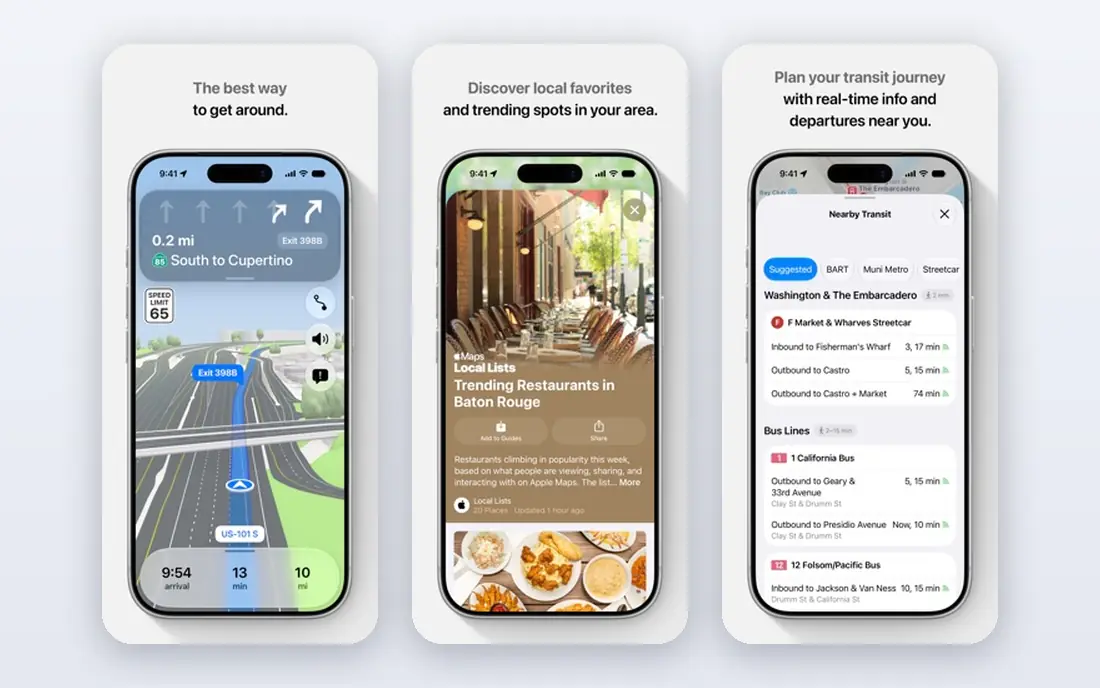
Apple Maps is the obvious first alternative for iPhone users. It is already installed, it works with Siri, CarPlay and Apple Watch, and it handles driving, walking, cycling and transit directions. Detailed city maps, 3D landmarks and Look Around street-level views cover many major cities well. The limit is platform and coverage. Apple Maps is at its best inside the Apple ecosystem, and in some smaller towns or regions its business listings and transit data are thinner than Google Maps. Test your daily routes, your work address and a few local businesses before you delete Google Maps, and keep a backup app for rural trips.
- Built into iPhone, iPad and Mac
- Clean maps with detailed city views in many places
- Privacy-focused approach with less account tracking in normal use
- Android support is limited
- Business data and coverage can lag Google Maps in some regions
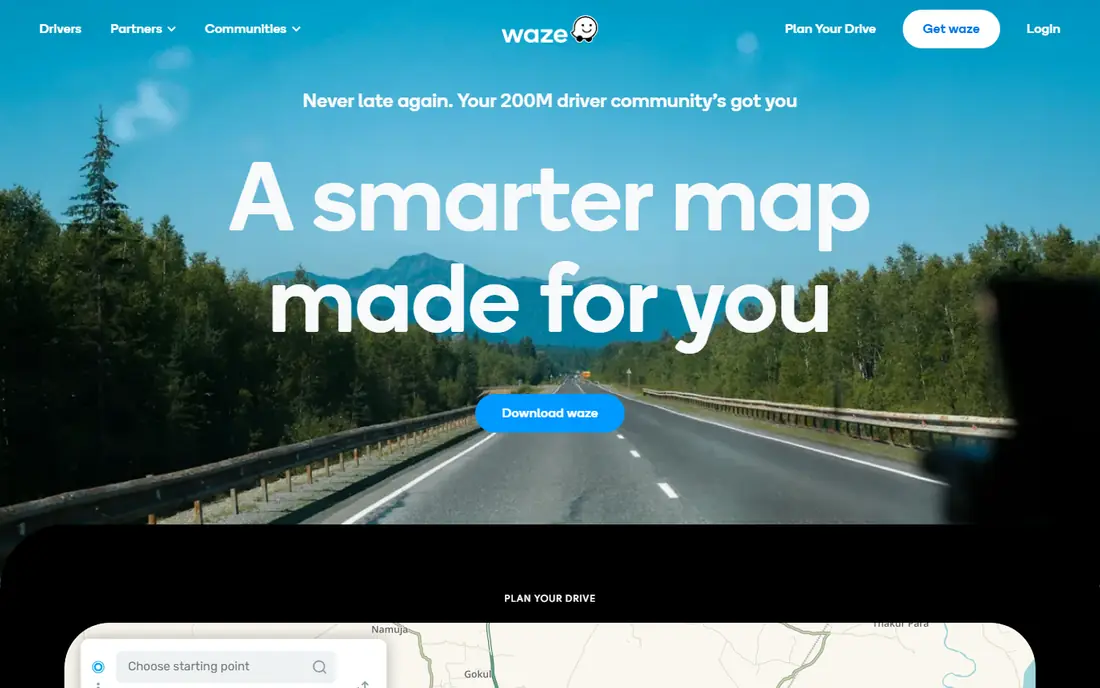
Waze is built for drivers. Users report hazards, speed cameras where lawful, traffic jams and closures, and Waze reroutes around problems in real time. For a daily commute or a long motorway drive, that live community layer can save more time than a static route. The trade-offs matter. Waze is owned by Google, so it does not help readers who want to leave Google services entirely. It is also a driving app first: walking, cycling and transit are not its strengths, and its aggressive rerouting can send you down narrow side roads. Use Waze for driving, and pair it with a transit or walking app for other trips.
- Community reports for hazards, police, jams and road works
- Fast rerouting around traffic
- Driving-focused interface
- Owned by Google, so it is not a Google-free option
- Weak for walking, cycling and transit compared with full map apps
- Can route through minor roads to save minutes
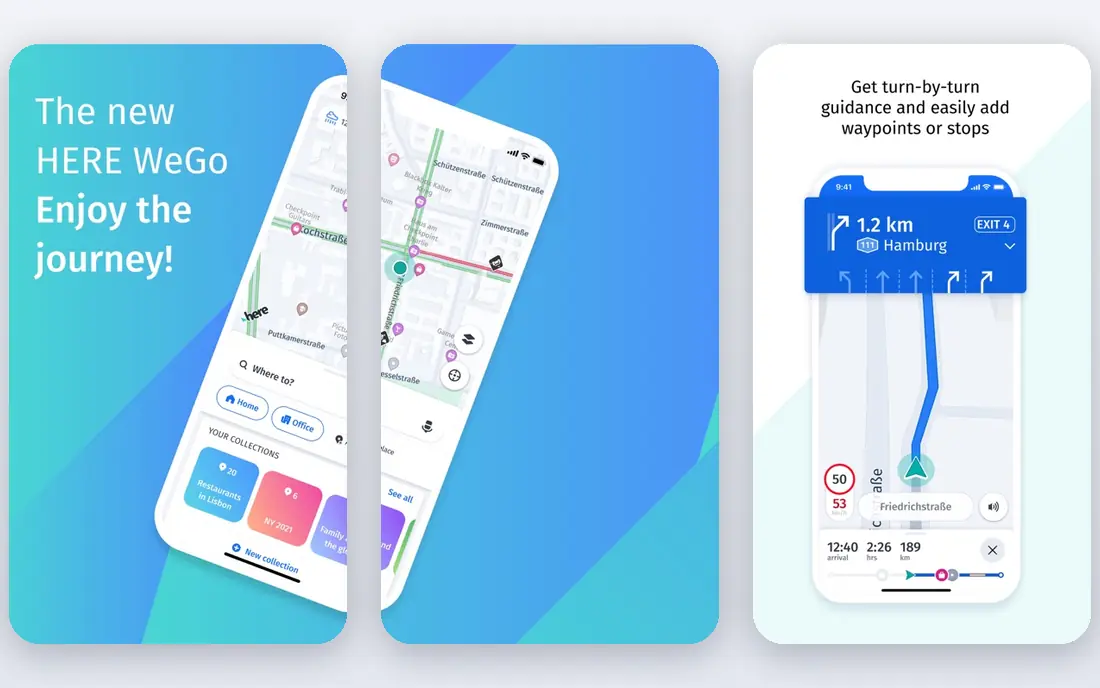
HERE WeGo is a balanced everyday navigation app. It offers driving, walking, cycling and public transport directions, and you can download a region, country or continent for offline use. That combination suits travellers who want one app for a hire car, a city walk and a bus ride. The limit is local discovery. HERE WeGo will get you to an address reliably, but finding a restaurant, reading recent reviews or checking opening hours is less rich than on Google Maps. Use HERE WeGo for navigation and offline trips, and check business details on a second source when that matters.
- Downloadable maps for offline driving
- Car, walking, cycling and public transport modes
- Clear turn-by-turn navigation
- Business search and reviews are thinner than Google Maps
- Live traffic depth varies by region
OsmAnd is the most configurable offline map app in this list. It uses OpenStreetMap data, lets you download maps for any region, and offers profiles for car, bicycle, foot and other modes, with contour lines, tracks and points of interest for outdoor use. It works without an account for core navigation, which appeals to privacy-focused users. The cost is complexity. OsmAnd has many settings, and a first-time user can feel lost in menus for map styles, routing and downloads. Spend time setting up your vehicle profile and downloading maps on Wi-Fi before a trip. Once configured, OsmAnd is a strong offline companion for driving, cycling and hiking.
- Fully offline maps from OpenStreetMap data
- Highly configurable profiles for driving, cycling and hiking
- No account needed for core use
- Interface is dense and takes learning
- Some advanced features need a paid Maps+ or Pro plan
- Live traffic is limited
Organic Maps is the simple offline option. It is free, open source and built on OpenStreetMap, and it works offline for maps, search and routing without requiring an account. The interface is plain and fast, which suits users who want a map that just works, without feeds, ads or tracking layers. The limits follow from that simplicity. Organic Maps does not offer the live traffic, transit depth or business reviews of larger apps, so it is best for driving, walking and cycling where an offline map is the main need. Pair it with a transit app in cities, and check OpenStreetMap coverage for your area before relying on it alone.
- Free and open source
- Offline maps and search without an account
- Simple, fast interface
- Based on OpenStreetMap data
- No live traffic layer in the usual sense
- Public transport depth is limited
- Business data depends on OpenStreetMap coverage
CoMaps is a community fork of Organic Maps that keeps the same core idea: offline maps, offline search and routing, and no account requirement. It suits users who want a Google-free map that works with GPS alone, even without a mobile signal, provided maps are downloaded in advance. As a newer fork, CoMaps has a smaller track record than OsmAnd or Organic Maps, so check current app store listings and release notes for your device before you rely on it for a long trip. For everyday offline navigation, it is a credible and simple option, especially for users who value open source software.
- Fork of Organic Maps with offline search and routing
- Works with GPS alone
- No account needed
- Open source base
- Newer project with a smaller community than OsmAnd
- Live traffic and transit features are limited
Sygic is a driving navigation app with a long history on mobile. It offers offline maps, voice guidance, lane guidance and, in supported regions, speed limit and camera alerts. Paid tiers add features such as truck, caravan and electric vehicle routing, which matter for drivers with larger vehicles or specific range needs. The free tier is a useful trial, but drivers who want the full Sygic feature set should check current pricing on the Sygic site. Sygic suits drivers who want a dedicated driving app with offline maps and are willing to pay for vehicle-specific routing, rather than users who mainly need transit or walking directions.
- Offline maps with turn-by-turn navigation
- Speed camera and head-up display features where lawful and supported
- Truck and caravan routing in paid tiers
- Full feature set needs paid plans
- Free tier is more limited than HERE WeGo or Organic Maps for some users
Citymapper is the transit specialist. In supported cities, it combines bus, train, tram, bike share and walking into clear step-by-step directions, with live times, platform hints and disruption alerts. For commuters and city visitors, it often beats a general map app for transit, because it is built around that one job. The limit is coverage. Citymapper only covers cities it supports, so it will not help on a rural drive or in an unsupported town. Check the Citymapper city list before you travel, and pair it with an offline driving map such as HERE WeGo or OsmAnd for trips outside its coverage.
- Excellent multi-step transit directions in supported cities
- Live departure times and disruption alerts
- Combines bus, train, tram, bike and walking
- Coverage is limited to supported cities, so it is not a general rural map
- Driving features are not its focus
MapQuest is a long-running mapping service that remains useful for planning. Its strength is multi-stop routes: add several addresses, reorder them, and get a driving plan that is easy to print or share. That suits delivery drivers, sales routes and road trips with many stops. For everyday phone navigation, MapQuest feels plainer than Apple Maps, Waze or HERE WeGo, and its transit and business data are not as deep as Google Maps. Use it for planning complex routes, then navigate with a driving app if you prefer live traffic and rerouting on the road.
- Strong multi-stop route planning on web and mobile
- Gas prices and weather layers in some regions
- Simple directions without an account for basic use
- Mobile app polish lags larger map apps
- Live traffic and transit depth vary by region
How we picked these
We reviewed official product sites and public feature pages, and we compared each app on navigation modes, offline support, live traffic, transit coverage, privacy model and price. We favoured apps with a clear official homepage and a distinct strength, and we noted where an app is owned by Google or limited to certain cities, since those facts change the choice. Where paid tiers vary, we show See website for paid plans and Free for the free tier.
What to check before you switch
Test your real routes. Check your commute, your school run, a rural address and a city transit trip on each shortlisted app, and compare arrival times, route choices and transit steps. A map that works in a capital city can still fail on a country lane or a local bus route. Next, download offline maps before you need them, and test them with mobile data off. Check battery use, voice guidance volume and CarPlay or Android Auto support if you drive with a car display. Finally, keep a second app installed for the first month. Switching maps is low risk if you keep a backup, and high risk if you delete your old app the day before a long trip.
Frequently asked questions
What is the best alternative to Google Maps?
It depends on your trip type. Apple Maps suits iPhone users, Waze suits live driving alerts, HERE WeGo suits offline and transit use, OsmAnd suits offline privacy-focused use, and Citymapper suits transit in supported cities. Most users do best with two apps: one for driving and one for transit or offline use.
Is Waze a Google-free alternative?
No. Waze is owned by Google, so it is not a way to leave Google services entirely. If leaving Google is your goal, choose Organic Maps, CoMaps, OsmAnd or HERE WeGo instead, and check their privacy terms for your use.
Which Google Maps alternative works best offline?
OsmAnd, Organic Maps, CoMaps and HERE WeGo all offer strong offline maps, provided you download the region in advance on Wi-Fi. OsmAnd offers the most configuration, while Organic Maps and CoMaps are simpler to set up.
Can I use Apple Maps on Android?
Apple Maps is built for Apple devices, and Android support is limited. Android users should shortlist HERE WeGo, OsmAnd, Organic Maps, Waze or MapQuest instead, depending on whether driving, offline use or traffic matters most.
Which alternative is best for public transport?
Citymapper is the best pick in this list for public transport in supported cities, thanks to multi-step directions and live times. HERE WeGo and Apple Maps also cover transit in many cities, so check coverage for your city before you choose.
Is OpenStreetMap the same as OsmAnd?
No. OpenStreetMap is the open map data project that many apps use. OsmAnd, Organic Maps and CoMaps are apps built on that data, each with its own interface, offline tools and routing. The quality of each app in your area depends in part on OpenStreetMap coverage there.
Sources we checked (9)

Online Jobs is an independent blog about careers, online work, learning new skills and the tools that help people earn. More about us.
Keep reading
All posts
Best App for Driving Directions
We compared the best app for driving directions for 2026, from Google Maps and Waze to Apple Maps and HERE WeGo, on traffic, routes, offline maps and cost.

n8n Alternatives
n8n alternatives compared for 2026, with Zapier, Make, Activepieces, and more, covering visual builders, code steps, self-hosting, and pricing models.

iPhone Alternatives
Looking for iPhone alternatives in 2026? Compare 9 Android phones from Samsung, Google, OnePlus, and more, with cameras, battery life, and honest trade-offs.