Best App for Driving Directions in 2026: 9 Apps Compared

How we put this together: we compare official feature and pricing pages, app store listings, privacy policies and public user reviews. Prices change, so check the provider's site before you pay.
Key takeaways
- Google Maps is the best all round choice for most drivers, with live traffic, route options, business info and offline maps in one app.
- Waze is our pick for crowd sourced traffic alerts, hazards and police reports, especially on busy commutes and motorways.
- Apple Maps suits iPhone users who want clean navigation, Siri integration and privacy focused routing on Apple devices.
- The best free gps app for offline driving is not always the best app for traffic, so check offline maps if you drive in areas with poor signal.
- Download maps before a long trip, keep your phone charged and mounted, and never enter a destination while driving.
Quick comparison
| Name | Who it suits | Starting price | Free option | |
|---|---|---|---|---|
 Google Maps | All round driving directions | Free | Yes | Visit |
 Waze | Crowd sourced traffic alerts | Free | Yes | Visit |
 Apple Maps | iPhone and CarPlay navigation | Free | Yes | Visit |
 HERE WeGo | Offline maps and routing | Free | Yes | Visit |
 TomTom GO Navigation | Dedicated TomTom routing | See website | Free trial | Visit |
 Sygic | Offline navigation with extras | Free | Yes | Visit |
 MapQuest | Simple US driving directions | Free | Yes | Visit |
 Scout GPS Link | In car navigation with phone link | Free | Yes | Visit |
 OsmAnd | Open map offline navigation | Free | Yes | Visit |
The best apps for driving directions
Driving apps look similar at first, but they differ in traffic data, offline maps, voice guidance, lane guidance and car integration. Some rely on crowd reports, some on official traffic feeds, and some on downloaded maps that work without signal. The nine below cover free and paid options for Android, iPhone and in car use.
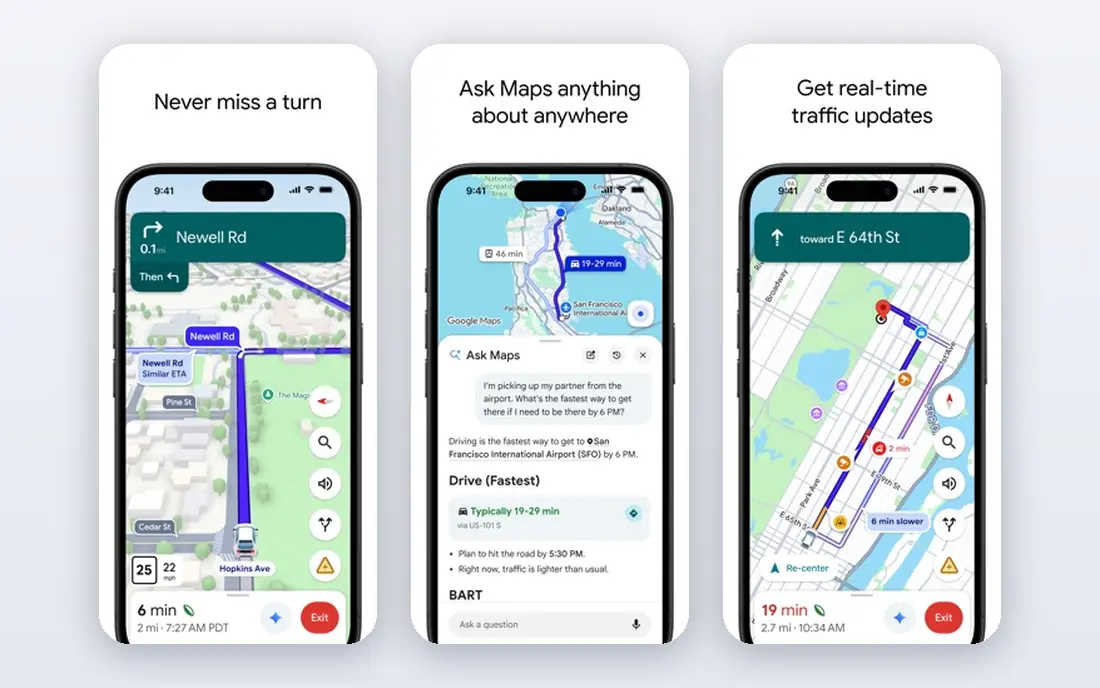
Google Maps is the default for most drivers for a good reason. It combines live traffic, multiple route options, estimated arrival times, lane guidance and voice directions with business information, so you can find fuel, food and parking along a route. Rerouting around traffic is automatic, and offline maps let you navigate downloaded areas without signal. It sometimes prefers a shortcut through local roads that saves a few minutes but adds turns, so check the route preview before starting. Battery use is also high on long trips, so use a car charger. For most drivers, Google Maps is the best app for directions, because it covers traffic, places and offline use in one free app.
- Live traffic and rerouting
- Business hours, reviews and parking info
- Offline maps for downloaded areas
- Can route through busy local roads to save minutes
- Battery use on long trips
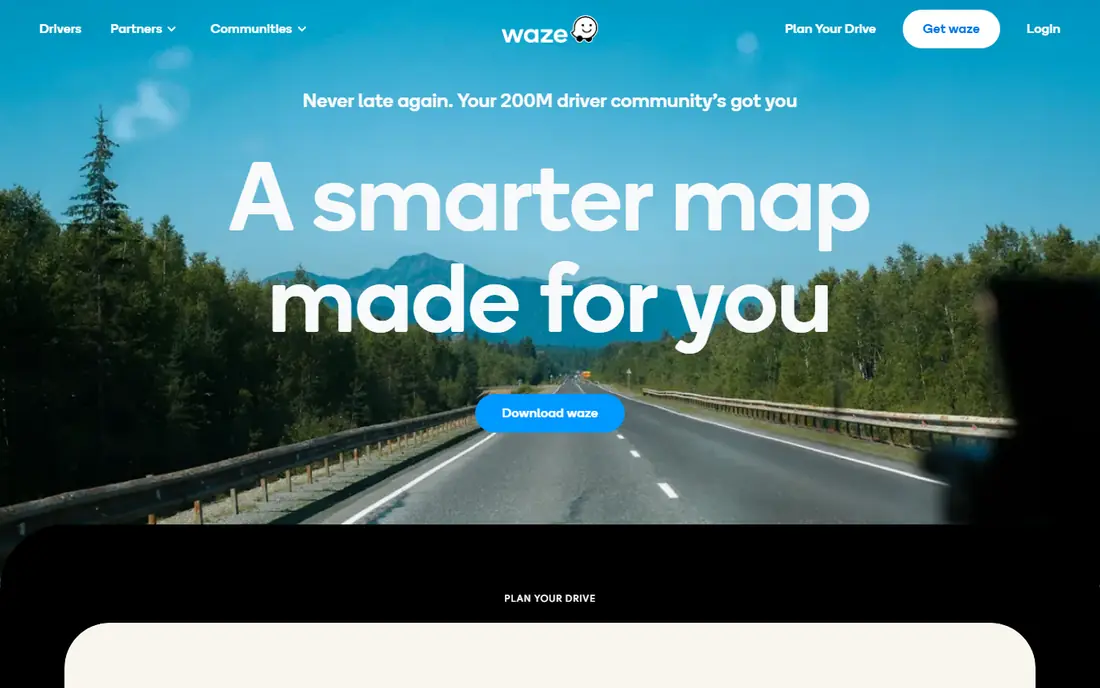
Waze is built on driver reports. Users report traffic jams, hazards, roadworks, speed cameras where legal, and police presence, and other drivers see those alerts on their route in real time. That crowd data makes Waze especially useful on commutes, where a hazard reported minutes ago can change your route. Rerouting is fast and frequent. Business information and offline maps are less detailed than in Google Maps, and the interface packs in many icons, which some drivers find busy. Waze is owned by Google, so its traffic data also informs other services, but the app itself remains distinct. For the best app for traffic on a daily commute, Waze is our pick.
- Real time hazard, traffic and police alerts from drivers
- Fast rerouting
- Fun community reporting
- Less detailed business info than Google Maps
- Interface can feel busy
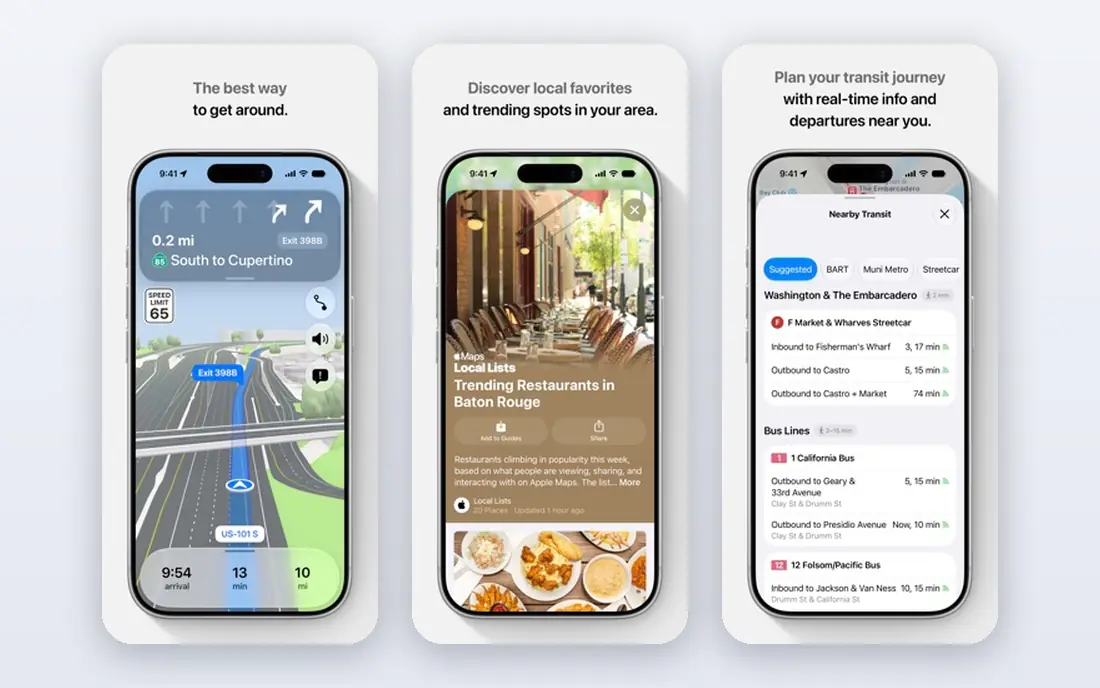
Apple Maps has improved greatly and is now a strong default for iPhone users. Navigation is clean, lane guidance is clear, and Siri voice control lets you start routes and find places hands free. CarPlay integration is smooth, with maps, music and messages working together on a car display. Detailed city maps in many areas include 3D landmarks and road markings. It is not available on Android, so households with mixed phones need another app for shared routes. Business detail in some regions is still thinner than Google Maps. For iPhone drivers who want the best driving app without installing anything extra, Apple Maps is the natural choice.
- Clean navigation and Siri voice control
- Strong CarPlay integration
- Detailed city maps in many areas
- Android users cannot use it
- Some regions have less business detail than Google Maps
HERE WeGo is a strong offline choice. You can download maps for whole countries free, then navigate without a data connection, which suits rural driving, travel abroad and areas with poor signal. It covers car, walking, cycling and public transport routes, and its turn by turn guidance is clear and reliable. Live traffic and crowd reports are less rich than in Waze, so it is less suited to busy city commutes where real time rerouting matters most. For travellers and rural drivers, HERE WeGo is one of the best road map apps, because offline reliability matters more than social alerts.
- Free offline maps for many countries
- Car, walking and public transport routes
- Works well without signal
- Traffic data is less crowd driven than Waze
- Interface feels simpler than Google Maps
TomTom GO Navigation brings TomTom dedicated navigation to a phone, with traffic, lane guidance, speed camera alerts where legal, and offline maps. Drivers who have used TomTom devices will recognise the routing style, which tends to favour clear main roads and reliable arrival estimates. The app also offers route planning with stops and traffic aware rerouting. After a free trial, a subscription is needed, while Google Maps and Waze are free, so the value depends on whether you prefer TomTom routing and alerts. For drivers who want a dedicated navigation app rather than a general maps app, TomTom GO is a credible best driving directions app.
- TomTom traffic and routing expertise
- Lane guidance and speed camera alerts where legal
- Offline maps
- Subscription needed after trial
- Free apps cover many of the same basics
Sygic offers offline navigation with extras that go beyond basic routing. Downloaded maps work without signal, and some plans add a head up display that projects directions onto a windscreen view, dashcam recording, and real time traffic. CarPlay and Android Auto support lets you use it on a car display, which many drivers prefer to a phone mount. The free version covers basic navigation, while the extra features need a paid plan, so check which features are included before paying. For drivers who want offline maps plus extras in one app, Sygic is a useful best apps for directions option, especially for travel and long trips.
- Offline maps for many regions
- Head up display and dashcam features on some plans
- CarPlay and Android Auto support
- Some features need a paid plan
- Interface can feel crowded
MapQuest is a long running maps service that still offers simple, clear driving directions on web and mobile. It handles multiple stops, route options and printed directions well, which suits trip planning on a computer before driving. The mobile app covers basic navigation without the complexity of larger apps. Traffic depth and crowd reporting are thinner than in Google Maps or Waze, and coverage is strongest in the US. For US drivers who want a simple best direction app for driving without extra social features, MapQuest remains a practical free choice, especially for planned routes with many stops.
- Simple route planning on web and mobile
- Multiple stops and route options
- Free to use
- Less traffic depth than Google Maps or Waze
- Less useful outside the US
Scout GPS Link, from Telenav, is designed to link phone navigation to in car displays in supported vehicles. Drivers can plan a route on a phone and send it to the car system, with voice guidance and traffic aware routing on the display. That integration suits drivers whose cars support Scout but who do not want to rely only on built in navigation. Compatibility varies by car model and year, so check your vehicle before relying on it. It is also less widely used than Google Maps or Waze, so crowd data is thinner. For supported cars, Scout is a useful best app for driving directions, because it bridges phone and car navigation cleanly.
- Links phone navigation to car displays in supported vehicles
- Voice guided routes
- Traffic aware routing
- Car compatibility varies by model
- Less widely used than Google Maps or Waze
OsmAnd uses OpenStreetMap data for offline navigation, with detailed maps for driving, walking and cycling that can be downloaded for use without signal. It does not require an account for basic use, which appeals to privacy focused drivers, and its maps are often detailed in rural and hiking areas where commercial maps are thinner. The interface is more technical than Google Maps, and live traffic data is limited, so it is not the best choice for city commutes. For offline travel, rural driving and privacy focused users, OsmAnd is a strong best free gps app, and a good backup to a traffic app such as Waze.
- Offline maps from OpenStreetMap
- No account needed for basic use
- Detailed walking, cycling and driving routes
- Interface is more technical than Google Maps
- Traffic data is limited
How we picked these
We checked official websites, app store listings and navigation guidance from the vendors. We only kept apps that are active in 2026 and that offer turn by turn driving directions, not just static maps. We mixed free traffic apps, offline apps and paid dedicated navigation, because drivers need different tools for commutes, travel and rural driving. We did not claim hands on road testing, and where pricing was subscription based or varied, we used See website.
Choosing the right navigation app
Start with your main driving pattern. Commuters need live traffic and fast rerouting, so Waze or Google Maps suit them best. Travellers and rural drivers need offline maps, so HERE WeGo, Sygic or OsmAnd matter more. iPhone users who want CarPlay simplicity can start with Apple Maps, while Android users can start with Google Maps or Waze.
Safety, offline maps and car integration
Set your destination before driving, use a mount or car display, and use voice guidance rather than looking at the screen. Download offline maps before areas with poor signal, and keep a charger in the car, because navigation drains battery quickly. Check CarPlay or Android Auto compatibility if you prefer a car display, and test the app on a familiar route before relying on it for a long trip.
Frequently asked questions
What is the best app for driving directions overall?
Google Maps is the best all round choice for most drivers, thanks to live traffic, route options, business info and offline maps. Waze is better for crowd sourced traffic alerts, while Apple Maps is best for iPhone users who want CarPlay simplicity.
What is the best free gps app?
Google Maps and Waze are both free and cover traffic and routing well. HERE WeGo and OsmAnd are the best free options for offline maps, because you can download whole countries and navigate without signal.
Which is the best app for traffic?
Waze is our pick for traffic, because driver reports surface hazards, jams and roadworks quickly. Google Maps also offers strong live traffic and automatic rerouting, so many drivers use both, with Waze for commutes and Google Maps for places and routes.
Do driving apps work without internet?
Yes, if you download maps in advance. HERE WeGo, Sygic, OsmAnd and Google Maps all support offline maps for downloaded areas, though live traffic and rerouting need a connection. Download maps before a trip, not during it.
Should I use Apple Maps or Google Maps on an iPhone?
Both work well on iPhone. Apple Maps offers cleaner CarPlay and Siri integration, while Google Maps offers broader business info and offline maps. Try both on familiar routes and keep the one whose voice guidance and rerouting you trust more.
Sources we checked (9)

Online Jobs is an independent blog about careers, online work, learning new skills and the tools that help people earn. More about us.
Keep reading
All posts
n8n Alternatives
n8n alternatives compared for 2026, with Zapier, Make, Activepieces, and more, covering visual builders, code steps, self-hosting, and pricing models.

eBay Alternatives
Looking for ebay alternatives? We compared 9 marketplaces for sellers on fees, buyer reach, categories and ease of listing, to help you sell with confidence.

ZoomInfo Alternatives
The best ZoomInfo alternatives in 2026, compared on price, free plans, data coverage, and which tool fits small teams or large sales teams best in detail.