Best AI Chatbot Alternatives to ChatGPT in 2026: 8 Tools Compared

How we put this together: we compare official feature and pricing pages, app store listings, privacy policies and public user reviews. Prices change, so check the provider's site before you pay.
Key takeaways
- Claude is our pick for careful writing and long documents, while Gemini suits anyone already living in Google apps.
- Perplexity is the best choice when answers need sources you can check, and DeepSeek is the strongest free option for everyday chat.
- Microsoft Copilot fits Windows and Microsoft 365 users, and Mistral offers a European option with a focus on privacy controls.
- Free tiers are generous in this category, so test two or three chatbots with your real tasks before paying for any of them.
Quick comparison
| Name | Who it suits | Starting price | Free option | |
|---|---|---|---|---|
 Claude | Writing and long documents | $20 per month | Yes | Visit |
 Google Gemini | Google Workspace users | $19.99 per month | Yes | Visit |
 Perplexity | Research with sources | $20 per month | Yes | Visit |
 DeepSeek | Free everyday chat and coding | Free | Yes | Visit |
 Microsoft Copilot | Microsoft 365 users | $20 per month | Yes | Visit |
 Mistral Le Chat | Privacy-focused European option | $14.99 per month | Yes | Visit |
 Grok | Real-time conversation on X | See website | Yes | Visit |
 Meta AI | Social app users | Free | Yes | Visit |
The best AI chatbot alternatives to ChatGPT
ChatGPT set the standard for general chatbots, but it is no longer the only strong choice. The alternatives below differ in writing style, research depth, app integrations, and price, so the best one depends on the work you actually do each day.
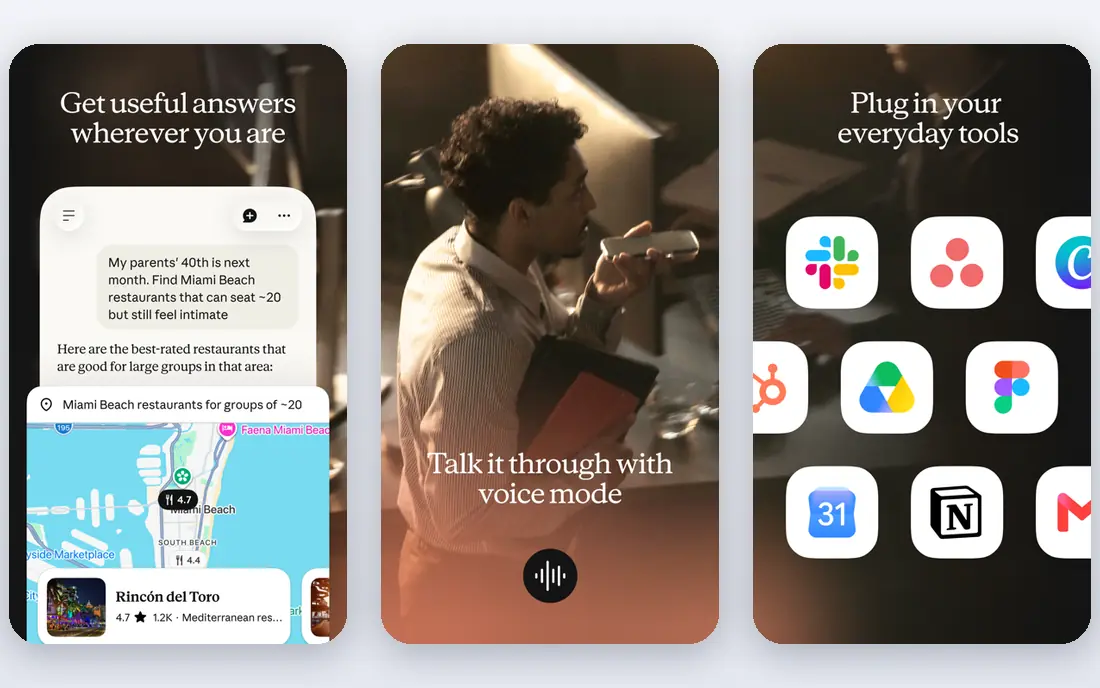
Claude, built by Anthropic, is the alternative we recommend first for writing. Its answers tend to read more naturally, follow complex style instructions well, and handle long pasted documents without losing track of the detail. That makes it a strong fit for drafting reports, editing prose, reviewing code, and working through research papers. The free plan covers everyday chat, while the Pro plan at $20 per month adds higher usage limits and access to more models. The limits are real. Claude does not generate images in the same way as some rivals, and heavy users can hit usage caps. For people whose main job is words, documents, and careful thinking, those limits are a fair trade for the quality of each answer.
- Careful, natural writing
- Strong with long documents
- Clear reasoning and code review
- No built-in image generation in the chat app
- Usage caps apply on all plans
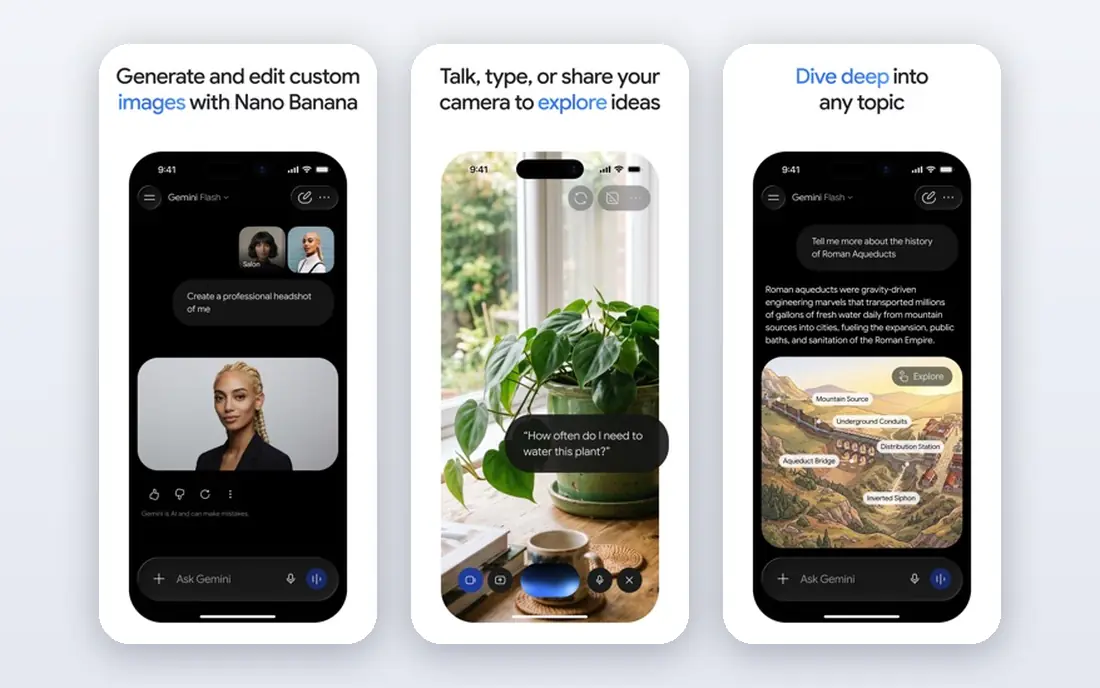
Gemini makes most sense if your work already lives in Google apps. It can summarise email threads, work with Docs and Drive files, and help with Sheets and Slides tasks without a lot of copy and paste. The free tier is generous for everyday use, and the paid AI Pro plan adds higher limits and access to stronger models. Gemini also handles images, video, and voice in ways that suit creators and students. The rough edges are pace of change and consistency. Google has renamed plans and models several times, which can confuse buyers, and on very hard reasoning tasks some reviewers still rank Claude ahead. For Google-centred users, the integration alone often settles the choice.
- Deep fit with Gmail, Docs, and Drive
- Strong multimodal features
- Generous free tier
- Interface and model names change often
- Reasoning can trail Claude on hard tasks
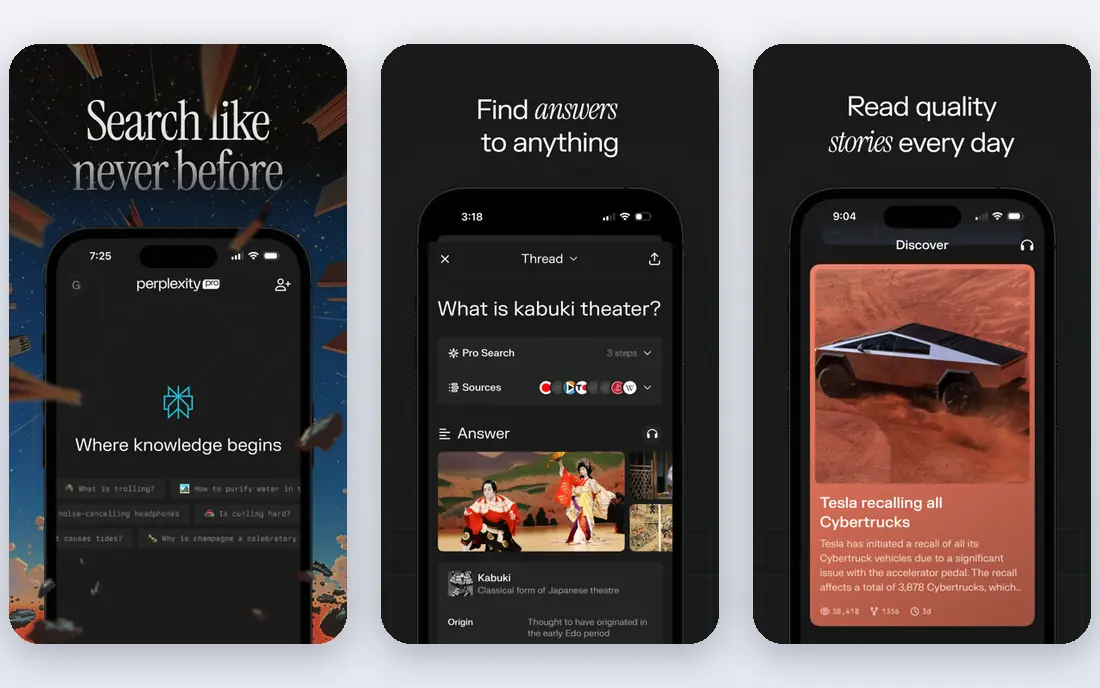
Perplexity works more like a search engine that writes than a general chatbot. Ask a factual question and it searches the web, summarises what it finds, and links to the sources so you can check them. That habit makes it the best alternative when accuracy matters more than style, such as market research, news checks, or learning a new topic. The free plan covers everyday searches with limits, while Pro at $20 per month adds more Pro searches and model choices. The trade-off is creativity. Perplexity is less fun for brainstorming, fiction, or open-ended chat than Claude or Gemini. Use it as your research tool, and pair it with a writing chatbot if you need both jobs done well.
- Every answer links to sources
- Strong for current events
- Fast research summaries
- Weaker for open-ended creative writing
- Pro features sit behind the paid plan
DeepSeek is the best free AI chatbot alternative to ChatGPT for most people. The chat app is free, it handles coding, maths, and reasoning well, and it does not ask for a monthly fee to do useful work. That makes it an easy second chatbot to keep alongside a paid tool, or a first choice for students and budget-conscious users. The app is less polished than Claude or Gemini, and support and integrations are thinner. Data hosting is also a point to check if you work with sensitive material, since DeepSeek is hosted in China. For general questions, study help, and code, the value is hard to argue with, and the free price removes the main barrier to trying it.
- Free chat app
- Strong coding and reasoning for the price
- No subscription needed for core chat
- Less polished interface than the big names
- Hosted outside the US and EU
Copilot is the natural alternative for people who spend their day in Word, Excel, Outlook, and Teams. The free Copilot Chat covers web-based questions and drafting, while paid Copilot plans add deeper Microsoft 365 integration, such as drafting in Word and summarising Teams meetings. That integration saves real time for office workers who otherwise copy text between apps. The buying path can be confusing, because Copilot pricing differs for personal, business, and enterprise customers, and some features need a base Microsoft 365 licence on top. For a Microsoft-centred workplace, though, Copilot is the chatbot that fits the tools already in use, and the free tier is a good way to test that fit.
- Built into Windows and Microsoft 365
- Web search with sources
- Free chat tier
- Full Microsoft 365 features need a separate licence
- Paid plan pricing varies by customer type
Mistral, a French AI company, offers Le Chat as a fast, privacy-conscious alternative. It answers quickly, handles documents and code, and gives users controls over how data is handled that appeal to European buyers and privacy-minded teams. The free tier covers everyday chat, and the Pro plan is priced below Claude and Gemini at $14.99 per month. The ecosystem is the limit. Mistral does not match Google or Microsoft on app integrations, and some specialist features arrive later than at larger rivals. For users who want a capable chatbot without handing all their work to a US tech giant, Le Chat is a credible and well-priced choice.
- Fast responses
- European company with privacy controls
- Free tier for everyday chat
- Smaller ecosystem than Google or Microsoft
- Fewer third-party integrations
Grok, built by xAI, stands out for real-time awareness. Because it can draw on public conversation on X, it is often quick on breaking news, trending topics, and public reaction, where other chatbots wait for web indexing. The tone is direct and conversational, which some users prefer for brainstorming and social content. Access and pricing are tied to X subscription plans, so check the current Grok access terms before budgeting, which is why we list See website here. Grok is less of a fit for formal reports or careful document work, where Claude or Gemini give steadier results. For following public conversation as it happens, it has a clear edge.
- Access to real-time posts on X
- Conversational and direct tone
- Image generation features
- Pricing and access depend on X plans
- Less suited to formal business writing
Meta AI is the easiest alternative to try, because it is already inside WhatsApp, Instagram, Facebook, and Messenger for many users. You can ask questions, generate images, and get quick help without installing a new app or paying a fee. That convenience suits everyday questions, travel ideas, and social planning. The depth is the limit. Meta AI is not the best pick for long document analysis, complex code review, or research with sources, where Claude, Gemini, or Perplexity do stronger work. Treat Meta AI as a handy everyday assistant, and keep a more specialised chatbot for serious work.
- Free to use
- Built into WhatsApp, Instagram, and Messenger
- Voice and image features
- Less depth for long documents and code
- Best inside Meta apps
How we picked these
We compared vendor pricing pages, product pages, and public reviews, and we checked each chatbot homepage to confirm the product is live. Prices shown are those published by the vendor or, where pricing varies by plan type, marked as See website. Free tiers change often, so check the vendor pricing page for current limits before relying on a free plan for daily work. We did not claim hands-on benchmark scores, since model performance varies by task and changes with each model update.
How to choose the right ChatGPT alternative
Start with the task you do most. Writers should test Claude first, researchers should test Perplexity first, and Google or Microsoft users should test the chatbot built into their existing apps first. That one rule narrows the field faster than any feature table. Then run the same three real tasks through two finalists, such as summarising a long document, drafting an email, and answering a current-events question with sources. The chatbot that handles your tasks with the least editing is the right one, even if it is not the most famous.
Check privacy and data handling
Read the privacy policy for any chatbot you will use with work documents. Check whether chats are used for training, how long data is kept, and whether a business plan offers stronger controls. Free consumer plans often have different terms from paid business plans, so do not assume the free terms match the paid ones.
Watch usage limits, not just price
A $20 plan with tight caps can cost more in frustration than a cheaper plan with generous limits. Check daily and monthly usage limits, model access on each tier, and what happens when you hit a cap. If you work in bursts, a tool with rollover or higher burst limits may suit you better than a flat monthly cap.
Frequently asked questions
What are the best free AI chatbot alternatives to ChatGPT?
DeepSeek, Meta AI, Gemini, Claude, and Perplexity all offer free tiers. DeepSeek is the strongest fully free option for chat and coding, while Gemini and Claude free tiers suit everyday writing and questions. Free tiers have usage limits, so heavy users will still need a paid plan.
Which ChatGPT alternative is best for writing?
Claude is widely regarded as the strongest alternative for writing, thanks to its natural prose and long-document handling. Gemini is a close second for users in Google apps. Test both with a piece of your own writing, since style preference varies by person.
Which alternative is best for research with sources?
Perplexity is the best choice for research with checkable sources, because it links to the pages behind each answer. Gemini also searches the web well, especially for Google-indexed content. Always open at least one source yourself before quoting a fact in published work.
Are AI chatbot alternatives to ChatGPT safe for work documents?
Safety depends on the plan and the provider terms. Business plans usually offer stronger data controls than free consumer plans. Avoid pasting sensitive personal, client, or unpublished company data into any chatbot unless you have checked its privacy terms and your employer policy.
Can I use more than one chatbot?
Yes, and many people do. A common setup is Perplexity for research, Claude for writing, and Gemini or Copilot for work inside Google or Microsoft apps. Using two tools costs more, but it often saves editing time compared with forcing one tool to do every job.
Is DeepSeek really free?
The DeepSeek chat app is free for core use, with API access billed separately for developers. The free app has limits and a less polished interface than paid rivals, but for everyday chat and coding it is a genuine free option.
Sources we checked (8)

Online Jobs is an independent blog about careers, online work, learning new skills and the tools that help people earn. More about us.
Keep reading
All posts
Zoom Alternatives
Zoom alternatives compared for 2026: Google Meet, Microsoft Teams, Webex, Jitsi and more for free calls, large meetings and webinars for teams and classrooms.

Which Software Is Best for Data Entry
Compare the best data entry software for forms, OCR scanning, and spreadsheets, with free plans, pricing, and honest limits for each tool before you commit.

What Is the Best Free Tool to Rotate a PDF
What is the best free tool to rotate a PDF? We compare eight free rotation tools on per-page control, limits, privacy and saved output quality in detail.