Best Adobe Alternatives in 2026: 9 Compared

How we put this together: we compare official feature and pricing pages, app store listings, privacy policies and public user reviews. Prices change, so check the provider's site before you pay.
Key takeaways
- Affinity is now free for individual use, which makes it the closest free replacement for Photoshop, Illustrator and Publisher work.
- Photopea is the best browser option for PSD files when you do not want to install anything.
- GIMP, Krita, Inkscape and Darktable cover photo editing, painting, vector design and RAW work for free.
- DaVinci Resolve is the strongest free replacement for Premiere Pro, especially for colour work.
- No single tool replaces every Adobe app, so pick by the Adobe app you use most.
Quick comparison
| Name | Who it suits | Starting price | Free option | |
|---|---|---|---|---|
 Affinity Affinity | Photoshop and Illustrator replacement | Free | Yes | Visit |
 Photopea Photopea | Browser PSD editing | Free | Yes | Visit |
 GIMP GIMP | Free photo editing | Free | Yes | Visit |
 Krita Krita | Digital painting | Free | Yes | Visit |
 DaVinci Resolve DaVinci Resolve | Video editing and colour | Free | Yes | Visit |
 Inkscape Inkscape | Vector design | Free | Yes | Visit |
 Canva Canva | Quick design and social graphics | Free | Yes | Visit |
 Pixelmator Pro Pixelmator Pro | Mac photo editing | $49.99 one-time | No | Visit |
 Darktable Darktable | RAW photo workflow | Free | Yes | Visit |
The best Adobe alternatives
We compared official feature pages, pricing pages and public comparisons for tools that replace Adobe apps today. Our pick for most people is Affinity, because it is now free for individual use and covers photo, vector and layout work in one app. Photopea is the best choice if you need to edit a PSD in a browser right now.
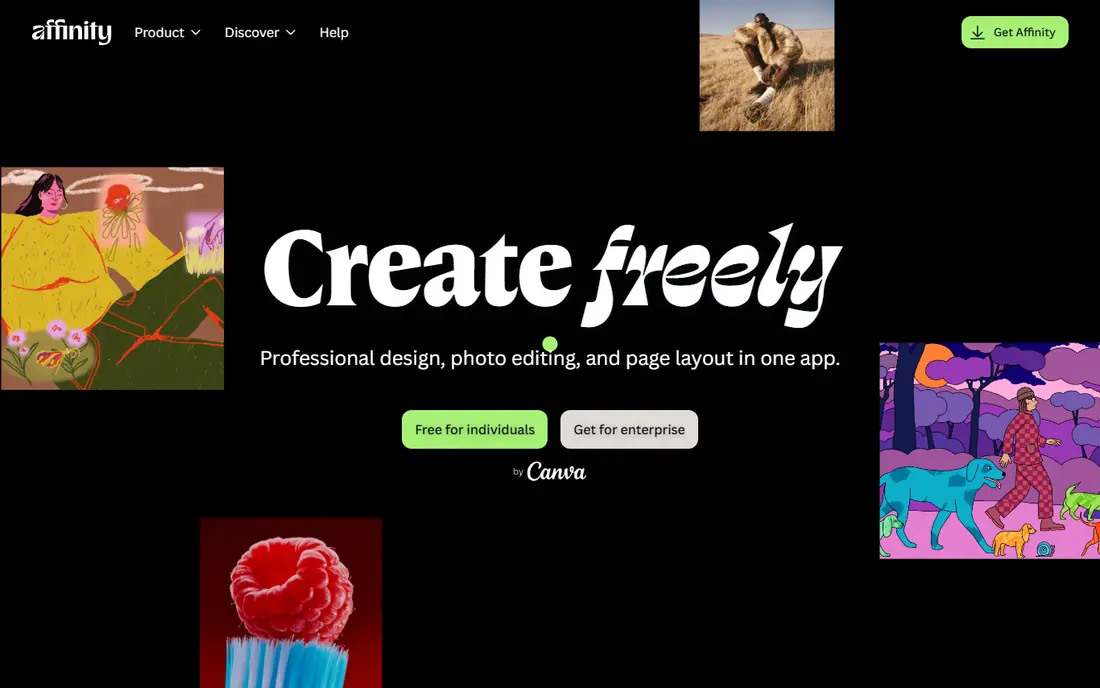
Affinity, now under Canva, merged the old Photo, Designer and Publisher apps into one free app for individual use. It offers layer-based editing, masks, RAW processing and PSD support, which makes it the closest free match to Photoshop for most professional workflows. Vector and layout tools in the same app help Illustrator and InDesign users too.
The catch is small but real. You sign in with a free Canva account, and advanced AI features such as generative fill sit behind Canva Pro. For traditional editing, design and layout, the free core is enough for most users, and it removes the monthly Adobe cost entirely.
- Free for individual use since late 2025
- Layers, masks and RAW support
- PSD compatibility
- Needs a free Canva account
- Some AI features need Canva Pro
- IPad version plans have changed
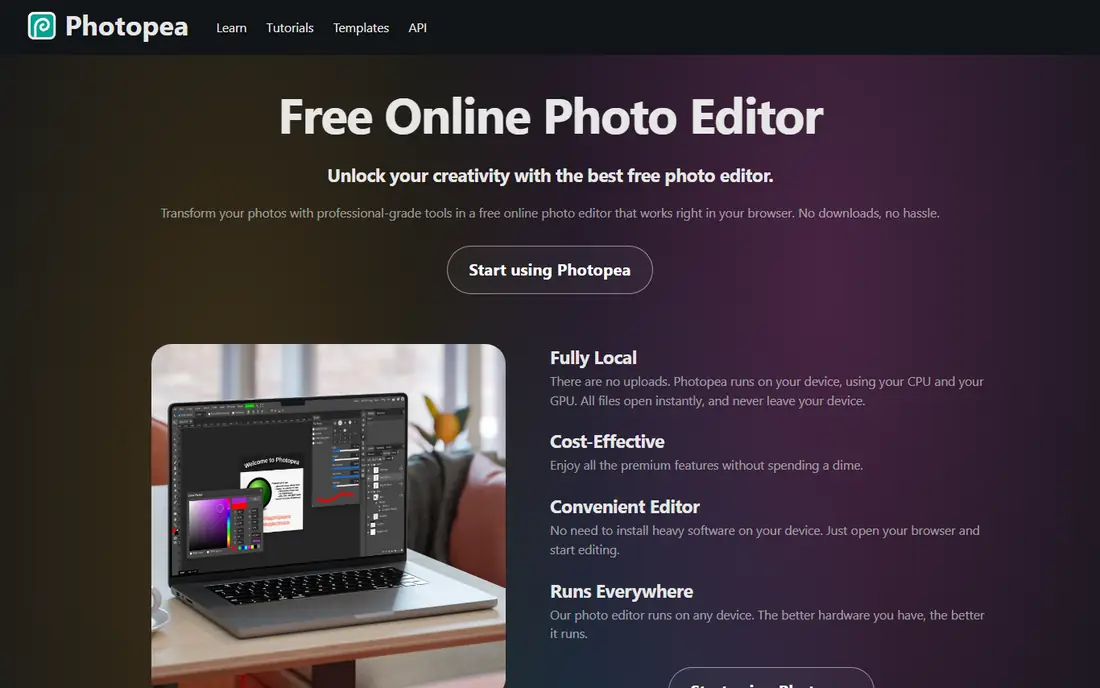
Photopea is the fastest Adobe alternative to try, because it runs in any modern browser with nothing to install. It opens and exports PSD files, mirrors much of Photoshop menu structure and shortcuts, and handles layers, masks and adjustments well. For quick edits on a borrowed computer or a Chromebook, it is hard to beat.
Ads support the free version, and a Premium plan at about $5 per month or $50 per year removes them. Very large files may feel slower than a desktop app, but for everyday PSD work, Photopea is a practical daily tool, not just a viewer.
- Opens PSD, XCF and Sketch files in a browser
- Photoshop-like menus
- No install needed
- Free version has ads
- Large files can be slower in a browser
- No native desktop app
GIMP has been the classic free Photoshop alternative for years, and it remains a strong choice for deep, free editing. It offers layers, masks, filters, scripting and a large plugin community, and it runs on all major desktop systems. For users who want full control without a subscription, GIMP is a solid long-term tool.
The interface takes learning, because menus and terms differ from Photoshop, and PSD compatibility is not perfect. Recent tests found that complex PSD files can lose adjustment layers or live text on round trips, so GIMP suits new projects better than editing complex PSD files back and forth with Photoshop users.
- Free and open source
- Deep editing tools
- Runs on Windows, Mac and Linux
- Interface differs from Photoshop
- Some PSD features, such as adjustment layers, do not survive round trips
Krita is the best free alternative for digital painting and illustration, rather than a direct Photoshop clone. Its brush engine, stabilisers and comic tools suit artists, illustrators and concept designers, and it runs on Windows, Mac, Linux and Android. Many artists use Krita as their main painting app, even when they edit photos elsewhere.
For photo retouching, Krita is usable but less complete than Affinity or GIMP, and PSD files may lose some adjustments. Pair Krita with Affinity or Photopea if you both paint and retouch photos, and let each tool do the job it does best.
- Free and open source
- Excellent brushes and painting tools
- Good for illustration and comics
- Photo editing is thinner than GIMP or Affinity
- PSD support is partial
DaVinci Resolve is the strongest free replacement for Premiere Pro, and its free version is unusually complete. It includes editing, colour grading, visual effects and audio in one app, with no watermark on exports. Colourists in particular value its grading tools, which are used in professional film work.
The free version demands a modern computer with a good graphics card, and the interface can overwhelm beginners. Start with the Cut or Edit pages for simple projects, then learn colour and effects as you need them. For most YouTube and client video work, the free version is enough.
- Free version covers editing, colour, effects and audio
- Professional colour tools
- No watermark
- Needs a capable computer
- Learning curve is steep
- Studio version is a paid upgrade
Inkscape is the free vector alternative to Illustrator, with tools for paths, shapes, text, gradients and node editing. It uses SVG as its native format, which suits web graphics, logos and illustrations, and it runs on Windows, Mac and Linux. For logo and icon work, it is a capable free tool.
Print workflows need more attention, because CMYK support and Adobe file compatibility are less smooth than in Affinity Designer or Illustrator. For web and screen design, Inkscape is excellent. For print-heavy work, test a file round trip with your printer before you commit.
- Free and open source
- Strong vector tools
- SVG native format
- Interface differs from Illustrator
- CMYK and print workflows need extra care
Canva is not a Photoshop replacement, but it is the best Adobe alternative for quick design work. It offers templates for social posts, presentations, posters and documents, with drag-and-drop editing that non-designers can learn in minutes. Teams also use it for brand kits and shared templates.
Precision is the limit. Canva does not offer the layer control, masking and colour management of Affinity or Photoshop, and its best features sit behind Pro. Use Canva for speed and templates, and Affinity or Photopea when a design needs precise editing.
- Huge template library
- Easy for non-designers
- Browser and mobile apps
- Less precise than Affinity or Illustrator
- Pro features need a paid plan
Pixelmator Pro is the best one-time purchase alternative for Mac users who want a fast, native photo editor without a subscription. It offers layers, masks, RAW editing, PSD support and machine-learning tools, with a clean Mac interface. At $49.99 once, it pays for itself in a few months compared with a Photoshop subscription.
Windows and Linux users cannot use it, and its feature set is smaller than Affinity free core for vector and layout work. For Mac-only photo editing, however, its speed and one-time price make it a strong pick.
- One-time purchase at $49.99
- Fast Mac-native performance
- Layers, RAW and PSD support
- Mac and iPad only
- No Windows or Linux version
- AI features may change with Apple tools
Darktable is the free alternative to Lightroom for RAW photo workflow, with non-destructive editing, lens correction, colour management and tethered shooting support. It runs on Windows, Mac and Linux, and it suits photographers who process many RAW files and want full control over development.
It is not a general photo editor, and it will not open PSD files as a layered editor. Pair Darktable with Affinity, GIMP or Photopea, using Darktable for RAW development and the other tool for retouching and compositing.
- Free and open source
- Strong RAW development
- Non-destructive editing
- Not a PSD editor
- Learning curve for Lightroom users
- Interface is technical
How we picked these
We compared official feature pages, pricing pages and public comparisons dated in 2026, and we opened each homepage to confirm it belongs to the named product. We favoured tools that exist and work today, replace a specific Adobe app rather than claiming to replace all of them, and offer a free plan or one-time purchase. Where a price was a one-time purchase, we stated that clearly instead of forcing it into a monthly figure.
How to switch without losing work
Map your Adobe apps first
List the Adobe apps you actually use, such as Photoshop, Lightroom, Premiere Pro and Illustrator, then pick one alternative per app. Affinity covers several photo and design jobs, DaVinci Resolve covers video, and Darktable covers RAW, so most users need two or three tools, not nine.
Test file compatibility early
Open a real PSD, AI or project file in the alternative and check layers, text, masks and colours before you cancel Adobe. Some PSD features do not survive round trips in every tool, so keep a copy of original files and export finals in standard formats such as PSD, PNG, SVG or PDF where possible.
Keep Adobe for a transition month
If you can, run the alternative alongside Adobe for a month on real projects, then cancel when you are confident. That overlap costs one more month, but it prevents a deadline problem if a file or feature does not transfer as expected.
Frequently asked questions
What are the best free Adobe alternatives?
Affinity is now free for individual use, and GIMP, Krita, Inkscape, Darktable, Photopea and DaVinci Resolve are all free. Together they cover photo editing, painting, vector design, RAW work, browser editing and video.
Is Affinity really free?
Yes, the unified Affinity app is free for individual use since October 2025, with sign-in through a free Canva account. Some AI features need Canva Pro, but the core photo, vector and layout tools are free.
What is the best alternative to Photoshop?
Affinity is the closest free match for most users, Photopea is the best browser option for PSD files, and Pixelmator Pro is the best one-time purchase for Mac users. GIMP remains a strong free choice for users who want open-source software.
What is the best alternative to Premiere Pro?
DaVinci Resolve is the strongest free alternative, with editing, colour, effects and audio in one app. Its free version has no watermark, but it needs a capable computer and some learning time.
Can I open PSD files without Photoshop?
Yes. Photopea opens PSD files in a browser, Affinity and Pixelmator Pro support PSD files, and GIMP opens them with some limits on complex features. Test a complex file before you rely on any single tool for client work.
Do Adobe alternatives work on Mac and Windows?
Most do. Affinity, GIMP, Krita, Inkscape, Darktable, Photopea, Canva and DaVinci Resolve work on Mac and Windows, with Linux support for many open-source tools. Pixelmator Pro is Mac and iPad only.
Sources we checked (9)

Online Jobs is an independent blog about careers, online work, learning new skills and the tools that help people earn. More about us.
Keep reading
All posts
Zoom Alternatives
Zoom alternatives compared for 2026: Google Meet, Microsoft Teams, Webex, Jitsi and more for free calls, large meetings and webinars for teams and classrooms.

What Is the Best Free Tool to Rotate a PDF
What is the best free tool to rotate a PDF? We compare eight free rotation tools on per-page control, limits, privacy and saved output quality in detail.

What Is the Best AI Dubbing Tool
We compared the best AI dubbing tools in 2026, from ElevenLabs and HeyGen to Rask AI, Dubverse and Veed, for videos and creators in many languages worldwide.