Trello Alternatives in 2026: 8 Kanban Tools Compared


Structured team projects with deadlines and dependencies · Starting price: $10.99 per user per month
How we put this together: we compare official feature and pricing pages, app store listings, privacy policies and public user reviews. Prices change, so check the provider's site before you pay.
Key takeaways
- Trello is hard to beat for simple boards, but Asana, monday.com and ClickUp add timelines, dependencies and reporting that Trello keeps behind higher tiers.
- Every tool here has a free plan, yet the limits differ a lot: Asana caps its free plan at 2 users, while ClickUp gives unlimited tasks and members for free.
- Paid prices run from $4 per user per month for Zoho Projects to $20 per seat per month for Airtable, all on yearly billing.
- The best Trello alternative depends on what Trello lacks for you: structure, docs, databases, or simple personal task lists.
Quick comparison
| Name | Who it suits | Starting price | Free option | |
|---|---|---|---|---|
| Asana | Structured team projects with deadlines and dependencies | $10.99 per user per month | Yes | Visit |
 monday.com monday.com | Visual boards with automations and dashboards | $9 per seat per month | Yes | Visit |
 ClickUp ClickUp | All-in-one work management on a budget | $7 per user per month | Yes | Visit |
 Notion Notion | Docs, wikis and light task tracking in one place | $10 per user per month | Yes | Visit |
 Wrike Wrike | Cross-team project delivery with approvals | $10 per user per month | Yes | Visit |
 Todoist Todoist | Personal task lists and small shared projects | $5 per user per month | Yes | Visit |
 Airtable Airtable | Database-driven projects with linked records | $20 per seat per month | Yes | Visit |
 Zoho Projects Zoho Projects | Budget-friendly team projects with time tracking | $4 per user per month | Yes | Visit |
The best Trello alternatives in 2026
Trello earns its fans with boards that anyone can understand in five minutes. The tools below keep that visual style and add what growing teams usually miss: timelines, workload views, docs, time tracking or proper reporting. Prices come from each vendor's own pricing page, quoted for yearly billing unless stated otherwise.

Asana is the natural next step when Trello boards start to feel loose. Tasks carry a single assignee and a due date by design, so ownership is never vague, and the Starter plan adds Timeline views, custom fields, forms and dashboards that turn a board into a real project plan. Rules automate routine steps, such as moving a task when its status changes, without anyone writing code.
The catch is the free plan. Personal is free but limited to 2 users, so a team of three has no free option at all and must pay Starter at $10.99 per user per month on yearly billing ($13.49 month to month). For marketing, operations and HR teams that run structured work with real deadlines, that price buys clarity that Trello struggles to match.
- Clear task ownership with one assignee per task
- Timeline and Gantt views on Starter
- Strong templates and rules for repeatable work
- Free Personal plan caps at 2 users
- Advanced reporting and portfolios need the $24.99 Advanced plan
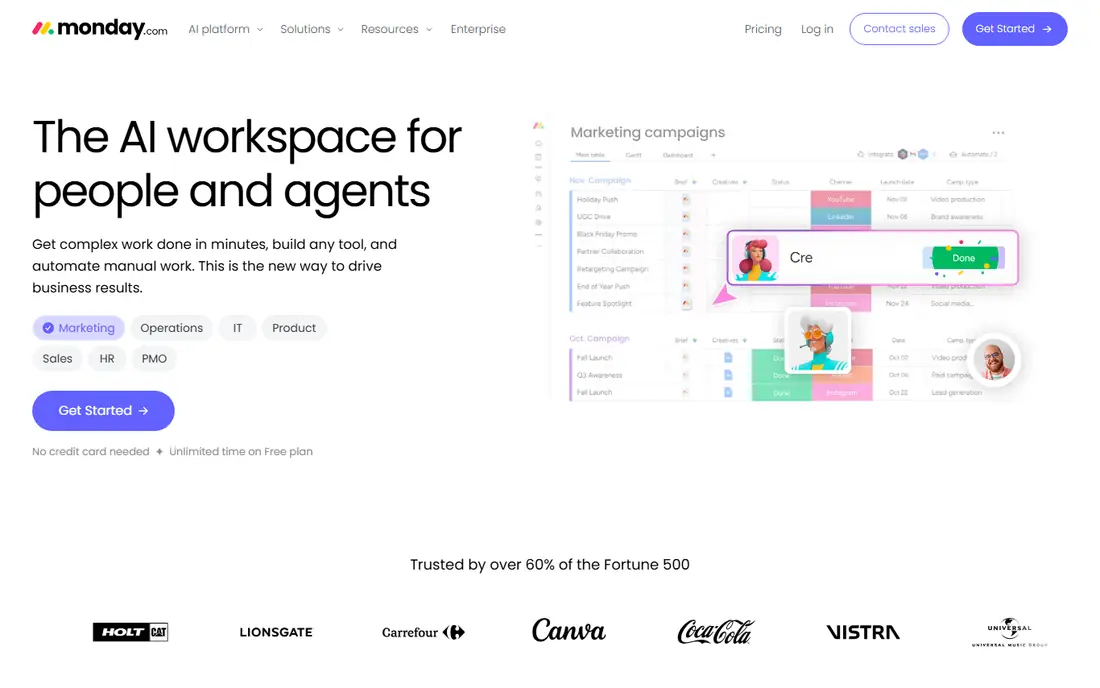
monday.com keeps Trello's visual feel and adds the structure that larger teams need. Boards support many column types, from status and people to numbers and dates, and dashboards pull progress from several boards into one view for managers. Templates cover marketing campaigns, hiring pipelines, content calendars and more, so setup takes minutes rather than days.
Pricing starts with a free plan for up to 2 seats and 3 boards, then Basic at $9 per seat per month on yearly billing. Note the two traps: Basic includes no automations or integrations, so most teams need Standard at $12 per seat per month, and paid plans require at least 3 seats. For teams that live in boards and want reporting on top, monday.com is still one of the friendliest options here.
- Colourful, flexible boards with many column types
- Dashboards roll up progress across boards
- Large template library for common workflows
- Basic plan has no automations or integrations
- Paid plans carry a 3-seat minimum
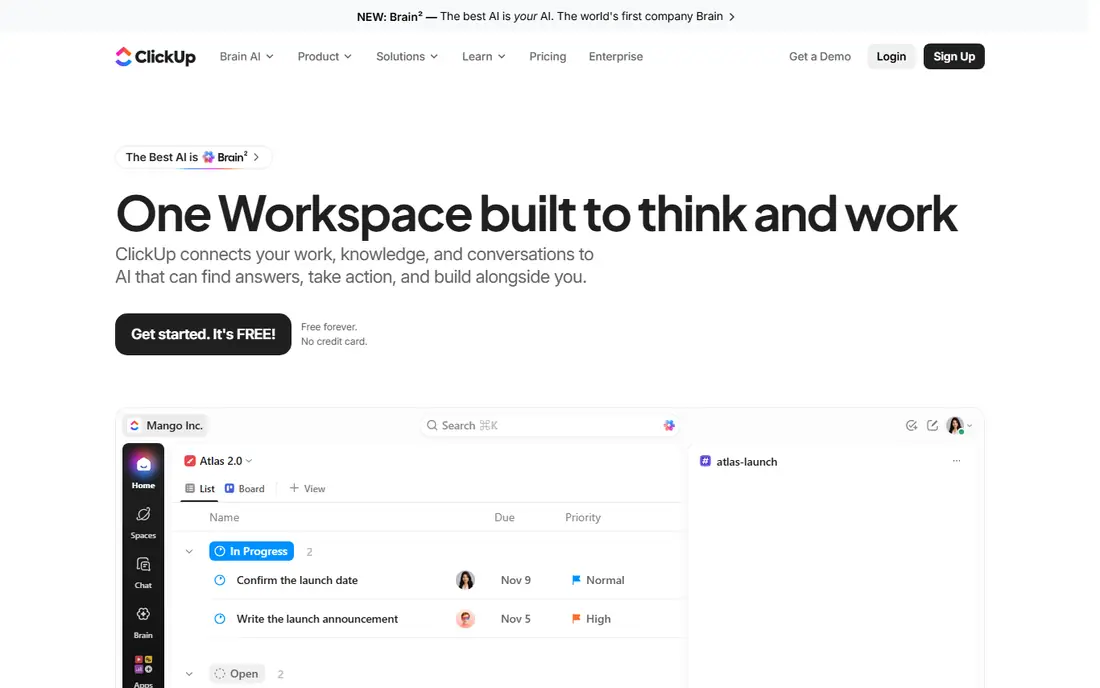
ClickUp is the strongest value pick on this list for teams that want to replace several tools at once. Tasks, docs, whiteboards, goals, chat and native time tracking live in one workspace, and the Unlimited plan at $7 per user per month on yearly billing adds unlimited storage, Gantt charts, integrations and portfolios. There is no seat minimum, so a solo user pays for exactly one seat.
The free Forever plan is genuinely usable, with unlimited tasks and members plus Kanban and calendar views, though storage stops at 60 MB and some advanced views carry use caps. The weakness is breadth: with so many features, a fresh workspace can feel busy until an admin hides what the team does not need. For small businesses consolidating tools, ClickUp usually pays for itself by cancelling something else.
- Free plan with unlimited tasks and members
- Docs, whiteboards, chat and time tracking in one app
- No seat minimum on paid plans
- Setup can overwhelm new users
- Free plan storage caps at 60 MB
Notion suits teams whose work starts as writing rather than as tasks. Meeting notes, specs, wikis and project trackers live in the same workspace, and databases let a team build a content calendar, a hiring pipeline or a simple CRM without a second tool. Kanban boards are one view among many, sitting next to timelines, calendars and tables over the same data.
Plus costs $10 per user per month on yearly billing and removes the free plan's limits, including the 5 MB file cap and the 7-day page history. The detail to check is team use: a free workspace with two or more members gets a limited block allowance, so teams should budget for Plus from the start. If docs matter as much as tasks, Notion beats every pure board tool here.
- Unlimited pages and blocks for solo users
- Databases turn notes into trackers and CRMs
- Clean writing experience with strong templates
- Free plan limits multi-member workspaces
- Full AI features need the $20 Business plan
Wrike fits teams that outgrow boards because their work crosses departments. Folders, projects and spaces organise work across marketing, product and operations, while Gantt timelines show dependencies that a simple board hides. Creative teams get native proofing, so reviewers mark up images and documents inside the task instead of in a separate tool.
The free plan covers up to 5 users with basic task management and a board view, and Team costs $10 per user per month on yearly billing for 2 to 25 users. Budget carefully, though: resource management, time tracking and workload charts sit on Business at $25 per user per month, and Wrike publishes no month-to-month rate. For agencies and larger teams with approval-heavy work, that structure is worth it.
- Gantt timelines with dependencies on Team
- Proofing and approval workflows for creative teams
- Dashboards and custom fields included on Team
- Resource planning needs the $25 Business plan
- Publishes yearly rates only, with no month-to-month option
Todoist is the pick when Trello feels like too much rather than too little. Type a task in plain words, such as a follow-up every Monday at 9am, and Todoist sets the project, date and recurrence on its own. Lists, boards and calendar layouts cover personal work and small shared projects, and the app stays fast on phone, desktop, watch and browser extensions alike.
The free Beginner plan covers 5 personal projects with 5 collaborators each, which suits a solo user or a couple. Pro costs $5 per month on yearly billing ($60 per year, or $7 month to month) and removes the project cap while adding reminders, calendar layout and longer activity history. Teams that need dependencies or reporting should look elsewhere, but for personal task throughput nothing here is quicker.
- Fastest natural-language task input in this list
- Calm, fast interface on every device
- Pro costs only $60 per year
- No Gantt charts, dependencies or workload views
- Free plan caps at 5 projects
Airtable is less a board tool and more a database that can look like one. Tasks link to clients, assets, budgets and campaigns, so a change in one table flows through to every view built on it. Kanban boards sit alongside grid, calendar, timeline and gallery views, and Interface Designer on the Team plan turns a base into a simple app for staff who should never see the raw data.
That power costs more: Team is $20 per seat per month on yearly billing ($24 month to month), the highest entry price here. The free plan allows up to 5 editors with 1,000 records per base, which covers a small tracker but not a growing client list. Choose Airtable when your projects are really structured data with relationships, not when you just need a prettier board.
- Linked records connect tasks, clients and assets
- Kanban, grid, calendar, Gantt and gallery views
- Strong automations and Interface Designer on Team
- Highest starting price on this list
- Free plan caps at 1,000 records per base
Zoho Projects is the value pick for teams that want proper project management without a premium price. Premium costs $4 per user per month on yearly billing ($5 month to month) and includes unlimited projects, time tracking, task automation, Gantt charts and resource charts within a project. Timesheets feed straight into Zoho Invoice, which suits agencies and consultancies that bill by the hour.
The free plan covers 3 users and 2 projects with Kanban boards and basic tracking, enough to test with a tiny team. The trade-off is polish: the interface is functional rather than beautiful, and some third-party integrations need extra setup. For a team already using Zoho apps, or a small business watching every dollar, Zoho Projects is hard to argue against.
- Lowest paid price on this list
- Built-in time tracking and Gantt charts
- Deep links to Zoho CRM, Books and Invoice
- Free plan covers only 3 users and 2 projects
- Interface feels less polished than Asana or monday.com
How we picked these
We compared official feature pages, pricing pages and public reviews for the leading Trello alternatives, and we kept only products that are sold and supported in October 2026. Each tool had to offer a Kanban board view or a close equivalent, a free plan or trial, and real team collaboration, not just personal lists.
Prices come from the vendor's own pricing page wherever we could verify them, quoted for yearly billing unless stated otherwise. We also weighed what each tool adds over Trello, whether that is timelines, docs, databases or time tracking, and how tight the free plan limits are, since a free plan that stops at 2 users is a very different offer from one with unlimited members.
How to pick a Trello alternative
Name what Trello lacks for you
Start from the frustration, not the feature list. If deadlines slip because dependencies are invisible, Asana, Wrike or Zoho Projects fix that with timelines and Gantt charts. If work lives in docs and notes, Notion is the answer. If you track clients and assets as data, Airtable fits. A tool bought for the wrong gap just becomes another board nobody checks.
Check the free plan honestly
Free plans on this list range from ClickUp's unlimited tasks and members to Asana's 2-user cap and Airtable's 1,000-record limit. Count your team and your records before committing, and price the paid plan you will need in six months. Monday.com adds a further wrinkle with its 3-seat minimum on paid plans, so a solo user pays for three seats.
Move one board first
Migrate a single active project, not the whole workspace, and run it in the new tool for two weeks. Watch whether tasks get updated without reminders, whether the timeline view actually changes planning, and whether anyone quietly goes back to Trello. The tool that survives that test with real work in it is the one worth rolling out to everyone.
Frequently asked questions
What are the best alternatives to Trello?
Asana, monday.com and ClickUp are the strongest general alternatives, each keeping Trello's visual boards while adding timelines, automations and reporting. Notion suits teams that also need docs and wikis, Airtable suits teams managing linked data, and Todoist suits individuals who want a faster personal list. The best pick depends on whether your gap is structure, docs, data or simplicity.
What is the best free alternative to Trello?
ClickUp has the most generous free plan here, with unlimited tasks and members, though storage caps at 60 MB. Todoist's free plan suits solo users with up to 5 projects, and Zoho Projects covers 3 users and 2 projects for free. Asana's free plan is the tightest, capped at 2 users, so it works for a pair but not for a team.
Is there a free Trello alternative with kanban boards?
Yes, all eight tools on this list offer a Kanban board view on their free plans, including Asana, monday.com, ClickUp, Notion, Wrike, Todoist, Airtable and Zoho Projects. The boards differ in depth: ClickUp and monday.com let you customise columns and statuses freely, while Todoist keeps boards simple by design. Check the free plan's project and record caps before moving a large board over.
Which Trello alternative is best for small teams?
ClickUp and Zoho Projects give small teams the most for the money, at $7 and $4 per user per month respectively on yearly billing, with time tracking and Gantt views included. Asana suits small teams that want strict ownership and deadlines, while monday.com suits teams that want colourful boards and dashboards. Avoid tools with seat minimums, like monday.com's 3-seat rule, if your team is smaller than that.
Can I import my Trello boards into these tools?
Most of these tools offer a Trello importer that brings boards, lists, cards, members and attachments across, including Asana, monday.com, ClickUp, Notion and Wrike. Imports usually need a quick clean-up pass, since custom fields, automations and power-ups do not always map one to one. Run the import on a copy of one board first, check what survived, and only then move the boards your team relies on.
Sources we checked (8)

Online Jobs is an independent blog about careers, online work, learning new skills and the tools that help people earn. More about us.
Keep reading
All posts
Best Jira Alternatives
Looking for Jira alternatives in 2026? We compare 9 tools for issue tracking, sprints, projects and cross-team work, without heavy Jira administration.

Zoom Alternatives
Zoom alternatives compared for 2026: Google Meet, Microsoft Teams, Webex, Jitsi and more for free calls, large meetings and webinars for teams and classrooms.

Workday Alternatives
We compared the best workday alternatives for HR, payroll, and global hiring, from BambooHR and Gusto to Rippling, Deel, and HiBob for growing teams in 2026.