Best Top Software Companies in 2026: 9 Apps Compared

How we put this together: we compare official feature and pricing pages, app store listings, privacy policies and public user reviews. Prices change, so check the provider's site before you pay.
Key takeaways
- Microsoft and Salesforce are the safest defaults for most buyers, because their products cover office work, CRM and cloud in one broad ecosystem.
- SAP and Oracle suit large, complex operations where finance, supply chain and database depth matter more than a quick setup.
- Adobe, ServiceNow, Atlassian, IBM and Workday each lead a narrower job, from creative work and IT workflows to HR and finance.
- Few large vendors publish full list prices, so compare implementation, training and contract terms alongside the subscription.
Quick comparison
| Name | Who it suits | Starting price | Free option | |
|---|---|---|---|---|
 Microsoft Microsoft | Broad business and cloud needs | See website | Free trial | Visit |
 Salesforce Salesforce | CRM that scales with a sales team | See website | Free trial | Visit |
 Oracle Oracle | Database and enterprise applications | See website | Free trial | Visit |
 SAP SAP | Complex manufacturing and supply chain | See website | No | Visit |
 Adobe Adobe | Creative and document work | See website | Free trial | Visit |
 ServiceNow ServiceNow | IT and employee workflows | See website | No | Visit |
 Atlassian Atlassian | Software and project teams | Free | Yes | Visit |
 IBM IBM | AI, cloud and enterprise consulting | See website | Free trial | Visit |
 Workday Workday | HR and finance at scale | See website | No | Visit |
The best top software companies
The top software companies are not interchangeable, even though several sell cloud, CRM and analytics products. A company that leads in creative tools may be a poor fit for factory planning, and a company that leads in databases may be overkill for a 20-person team. The nine companies below are ranked by breadth, buyer fit and documented strengths, with a mix of US leaders and global enterprise vendors.
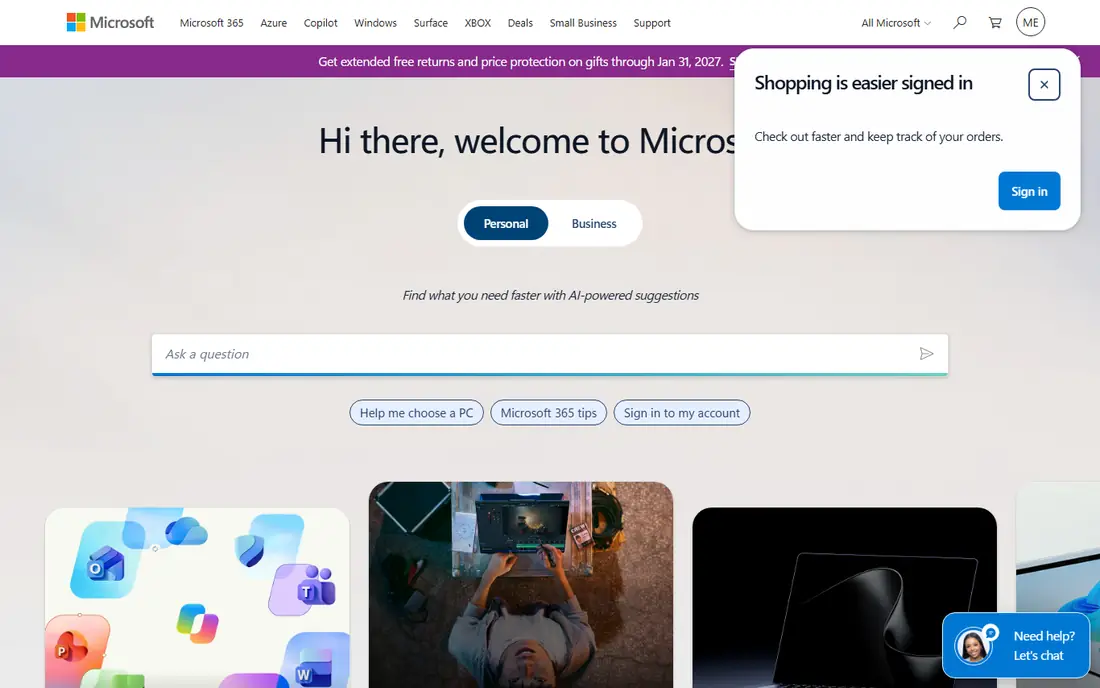
Microsoft remains the broadest software company for most organisations. Windows, Microsoft 365, Teams, Dynamics 365 and Azure cover office productivity, collaboration, business applications and cloud infrastructure, which means many buyers can standardise on one vendor for a large share of their stack. That breadth also helps with identity, security and device management, because the same admin controls can span email, files and apps. The catch is licensing. Microsoft sells many plans, add-ons and bundles, and the cheapest path for one team is not always the cheapest path for the whole company. Buyers should map who needs which app, check whether a bundle duplicates tools they already pay for, and get a written quote before they assume a headline price applies to their case.
- Very broad product range from Office to Azure
- Strong enterprise security and admin controls
- Deep partner network
- Licensing can be complex
- Some products feel stronger as a suite than as standalone tools
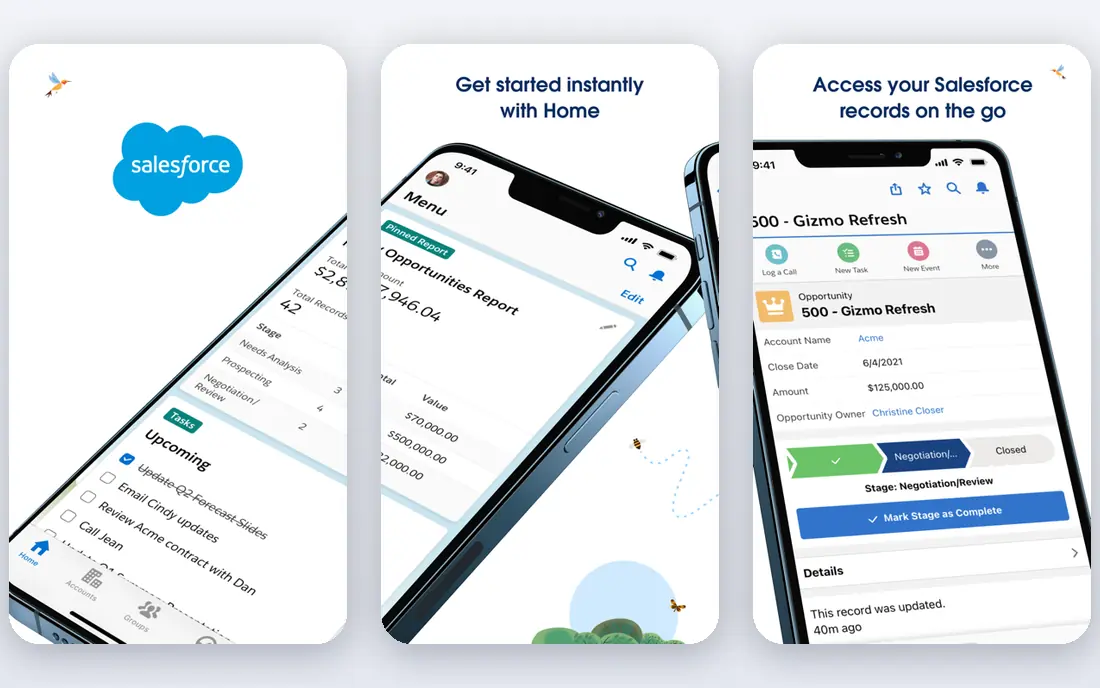
Salesforce is the default CRM choice for teams that expect to grow from a handful of sellers to a much larger sales organisation. Its core strength is the CRM itself, with pipeline management, reporting, automation and a large marketplace of add-ons. Marketing, service and commerce tools can share the same customer data, which helps when sales, marketing and support need one view of a customer. Pricing is the main warning. Entry plans look approachable, but sequences, advanced reporting and automation often require higher tiers, and onboarding fees can add to the first-year cost. Small teams should start with a clear list of must-have CRM features, test the free trial on real deals, and avoid buying a full platform for a simple pipeline job.
- Leading CRM depth and app marketplace
- Strong reporting and automation on paid plans
- Large partner ecosystem
- Costs rise sharply on higher tiers
- Implementation and admin time grow with customisation
Oracle suits organisations where data, finance and large-scale applications sit at the centre of the business. Its database products have a long history in banks, telecoms, government and large enterprises, and Oracle Cloud Infrastructure now carries a wide range of enterprise workloads. NetSuite, part of Oracle, also gives mid-size companies a cloud ERP path inside the same vendor family. Buyers should expect an enterprise buying process rather than a self-serve signup. Contracts, database licensing and cloud credits can be hard to compare without a detailed quote, so bring a clear workload list and ask how each option scales. For a small team that only needs a simple CRM or office suite, Oracle is usually more vendor than the job requires.
- Deep database and enterprise application heritage
- Strong cloud infrastructure for demanding workloads
- Broad industry products
- Enterprise sales process can be slow
- Licensing and contract terms need careful review
SAP is the company manufacturers and large distributors turn to when operations span plants, warehouses, suppliers and countries. Its ERP products handle finance, procurement, production planning and logistics in one system, with localisation for many tax and reporting rules. For a company with complex inventory and multi-country operations, that depth is the point. The trade-off is project size. SAP implementations often need partners, data migration and training, and the subscription is rarely the largest first-year cost. Companies should only shortlist SAP when their process complexity justifies that investment, and they should ask for a phased plan that delivers usable finance and operations reporting early rather than waiting for a big-bang launch.
- Deep ERP for manufacturing, logistics and finance
- Strong handling of complex supply chains
- Global localisation
- Implementation projects are long and costly
- Smaller firms can find it heavy for simple needs
Adobe leads creative software in a way few rivals match. Photoshop, Illustrator, Premiere Pro and related tools are standard in design, marketing and video teams, and Acrobat remains central to PDF and document work. For a marketing team, the value is not one app alone, but a shared set of files, fonts and review tools that work across print, web and video. Casual users can overpay if they buy a full Creative Cloud plan for one occasional task. Check whether a single-app plan, a document-only plan or a team plan fits the actual work, and review seat counts each year. For pure document reading, a free reader may be enough, while editing, signing and workflow features justify the paid Acrobat plans.
- Industry-standard creative tools
- Strong PDF and document workflows
- Broad font, stock and collaboration add-ons
- Subscription costs add up across many seats
- Some tools are deeper than casual users need
ServiceNow helps large organisations turn messy requests into tracked workflows. IT support, employee onboarding, approvals and service requests can run through one platform with clear ownership, status and audit trails. That structure is valuable when hundreds or thousands of staff depend on the same service desk and HR processes. Smaller firms often find ServiceNow too large and too costly for a simple helpdesk. Pricing is quote-based, and value depends on redesigning processes, not just buying licences. Buyers should start with two or three high-volume workflows, measure resolution time before and after, and expand only where the workflow data shows a clear gain.
- Strong IT service management and workflow automation
- Clear request and approval tracking
- Good for large service teams
- Quote-based pricing with no public starter price
- Setup needs process design, not just installation
Atlassian is the practical pick for software and IT teams that need issue tracking, planning and documentation in one place. Jira handles sprints, bugs and tasks, Confluence holds product docs and meeting notes, and Bitbucket and related tools support code work. The free plan for small teams makes it easy to start without a procurement cycle. As teams grow, Atlassian needs care. Workflows, permissions and marketplace apps can become tangled if no one owns the setup, and reporting across many projects takes configuration. Appoint an admin early, keep workflows simple, and review apps yearly so the tool stays a help for delivery rather than a second job.
- Jira and Confluence are widely used by software teams
- Free plan for small teams
- Large marketplace of apps
- Admin and configuration grow with scale
- Non-technical teams may prefer simpler project tools
IBM fits large organisations that need a vendor who can combine software, cloud, AI and services for a complex project. Its watsonx AI platform, hybrid cloud products and consulting arm suit banks, insurers, government bodies and manufacturers with strict security and compliance needs. For those buyers, the ability to buy software and implementation help from one vendor family is a real benefit. For smaller buyers, IBM can feel distant. Many products are sold through partners or enterprise sales, and the portfolio covers so many areas that shortlisting takes work. Start with a specific problem, such as AI governance or hybrid cloud, and ask for a scoped proposal rather than trying to compare the whole IBM catalogue at once.
- Long enterprise heritage in AI, cloud and security
- Strong consulting and integration services
- Broad industry reach
- Product portfolio is wide and can feel fragmented
- Enterprise pricing and sales cycles are slow
Workday is built for organisations with hundreds or thousands of employees who need HR and finance in one cloud system. Human capital management, payroll, planning and financial management share data, which helps leaders report headcount, cost and performance without stitching together separate systems. Regular cloud updates also mean buyers do not manage on-premise upgrades in the same way. The catch is scale and cost. Workday is rarely the right pick for a small firm, and implementation requires data cleanup, process decisions and training. Buyers should compare total first-year cost, including partner fees, and check how reporting, approvals and self-service work for managers and staff, not just for finance and HR teams.
- Unified HR and finance data model
- Strong reporting for large employers
- Regular cloud updates
- Quote-based pricing
- Implementation is a major project for large employers
How we picked these
We compared official product pages, vendor pricing pages where prices are published, and public company and market information to judge breadth, buyer fit and category leadership. We favoured companies with a clear flagship product, a large customer base and a documented strength in at least one major software category. We did not use market capitalisation alone as a quality score, and we did not invent revenue, headcount or customer counts that vendors do not publish in the sources we checked.
How to shortlist without overbuying
Start from the job, not the vendor name. Write down the top five tasks the software must handle in the first six months, the number of users who will use it daily, and the systems it must connect to. That short list stops a broad suite from winning on features you will never use, and it stops a narrow tool from winning on price while missing a core job. Then check the total cost, not just the licence. Implementation partners, data migration, training, admin time and add-ons often cost as much as the first year of licences for ERP, HR and CRM projects. Ask each vendor for a written first-year total, a renewal price, and the cost of adding users or modules. For large deals, ask for a pilot with real data and real users before you sign a multi-year contract.
Match size to vendor
Small teams usually do better with self-serve tools that offer free plans or clear monthly prices, such as Atlassian for project work or Salesforce Starter for CRM. Mid-size firms can balance a broad suite with a focused tool, while large firms should shortlist SAP, Oracle, Workday and ServiceNow where process depth and compliance justify the project cost.
Check support and ecosystem
A large partner network matters when you need implementation help, training or an integration. Check whether local partners exist in your region, whether training material is available for your team, and whether the vendor marketplace covers the tools you already use. A strong product with no local support can become a slow project.
Frequently asked questions
What are the top software companies in the world?
Microsoft, Salesforce, Oracle, SAP and Adobe are among the most widely cited leaders, with ServiceNow, Atlassian, IBM and Workday leading narrower categories. The best choice depends on whether you need office and cloud tools, CRM, ERP, creative work or HR and finance.
Which is the best software company for small business?
For small teams, Atlassian is a practical pick for project work, and Salesforce or a smaller CRM is often better for sales than a large ERP vendor. Large vendors such as SAP and Workday are usually built for bigger organisations and larger projects.
What are the top 10 software companies in world lists based on?
Most lists combine revenue, market value, product breadth and customer base, but those measures do not tell you which product fits your job. Use rankings as a starting shortlist, then compare features, total cost and implementation effort for your use case.
Is Microsoft or Salesforce better for CRM?
Salesforce is the stronger pure CRM choice for most sales teams, while Microsoft Dynamics 365 fits better if your company already runs on Microsoft 365 and wants CRM close to Outlook, Teams and Office. Test both on your real pipeline before you decide.
Why do SAP and Oracle not publish simple prices?
Enterprise ERP, database and cloud deals vary by users, modules, data volume and contract length, so vendors quote each deal. Ask for a written quote that includes implementation, training and renewal terms, and compare that total rather than a headline licence price.
Should a growing company pick one vendor for everything?
One vendor can simplify identity, security and support, but it can also lock you into tools that are weaker in one area. A common middle path is to standardise on one vendor for office and identity, then pick best-fit tools for CRM, finance or creative work where the gap matters.
Sources we checked (9)

Online Jobs is an independent blog about careers, online work, learning new skills and the tools that help people earn. More about us.
Keep reading
All posts
Zoom Alternatives
Zoom alternatives compared for 2026: Google Meet, Microsoft Teams, Webex, Jitsi and more for free calls, large meetings and webinars for teams and classrooms.

Top Rated Poster Maker Software
Top rated poster maker software compared for 2026: Canva, Adobe Express, VistaCreate, PosterMyWall and more for events, sales and classrooms for US users.

Surfshark Alternatives
Looking for Surfshark alternatives? We compare 8 VPN services on price, privacy, streaming, and device limits to help you find a VPN that fits your needs.