Best SEO Content Tools in 2026: 8 Tools Compared


Writers who want live scoring while they draft · Starting price: $49 per month
How we put this together: we compare official feature and pricing pages, app store listings, privacy policies and public user reviews. Prices change, so check the provider's site before you pay.
Key takeaways
- The best SEO content tool depends on team size: solo writers get the most from Frase, while larger editorial teams get more from Clearscope and its shared seats.
- Surfer suits writers who want a live score while they draft, plus audits for pages that have already been published.
- MarketMuse suits planning across a whole site, rather than scoring one article at a time.
- Budget buyers should check document caps, seat limits, and site limits before paying, because the headline price rarely tells the full story.
- No score guarantees a ranking, so every draft still needs fact checks, original reporting, and a clear answer to the search query.
Quick comparison
| Name | Who it suits | Starting price | Free option | |
|---|---|---|---|---|
| Surfer SEO | Writers who want live scoring while they draft | $49 per month | No | Visit |
 Clearscope | Editorial teams that share one workspace | $129 per month | No | Visit |
 Frase | Solo writers and small teams that want research, drafting, and audits together | $39 per month | No | Visit |
 MarketMuse | Site-wide topic strategy and authority planning | See website | Yes | Visit |
 NeuronWriter | Writers on a tight budget who still want NLP-based guidance | $23 per month | No | Visit |
 Scalenut | Teams that want topic research and AI-assisted drafting together | See website | No | Visit |
 WriterZen | Keyword clustering and content planning for SEOs | See website | No | Visit |
 Dashword | Writers who want simple briefs without a steep learning curve | See website | No | Visit |
The best SEO content tools
A good SEO content tool does three jobs: it shows what top pages cover, it scores a draft against that evidence, and it flags pages that slip after publication. The eight tools below differ in price, limits, and workflow, so the right pick follows from how many people write, how many pages you publish, and how much strategy work you need before drafting starts.

Surfer opens with a familiar workflow. A writer enters a target keyword, reviews the pages that rank, and drafts inside an editor that scores the text as it changes. Terms, headings, word count, and structure all feed that score, which gives a new writer a clear sense of what is missing. The audit side matters just as much for established sites, because it points to pages that lost ground and lists the changes most likely to help.
The trade-off sits in the limits. Lower plans cap how many documents a team can create, and annual plans work on yearly credits rather than a fresh monthly allowance. A solo writer publishing a few posts a month may never hit the cap. A team publishing daily should price the next tier up before committing, and should test the editor on a real draft during any trial or money-back window.
- Live Content Score in the editor, content audits, SERP analysis
- Document caps on lower plans, annual credit rules need careful reading
Clearscope keeps its reports clean. A writer sees a grade, a set of relevant terms, and the questions searchers ask around the topic, without a crowded sidebar of extra tools. That restraint helps editors review work fast, because the report reads like a checklist rather than a data dump. Search intent analysis adds context too, showing whether a query calls for a guide, a comparison, or a product page.
The pricing model flips the usual maths. Unlimited users means a team of six does not pay six seat fees, which can make the $129 entry price cheaper per person than a lower-priced tool with per-seat billing. Draft limits still apply, so a team should count monthly drafts before signing up. If draft volume is high, the Business tier or an add-on may be the honest cost.
- Clear grading reports, unlimited users on every plan, strong intent analysis
- Higher entry price, monthly draft limits on standard plans
Frase
Who it suits: Solo writers and small teams that want research, drafting, and audits together
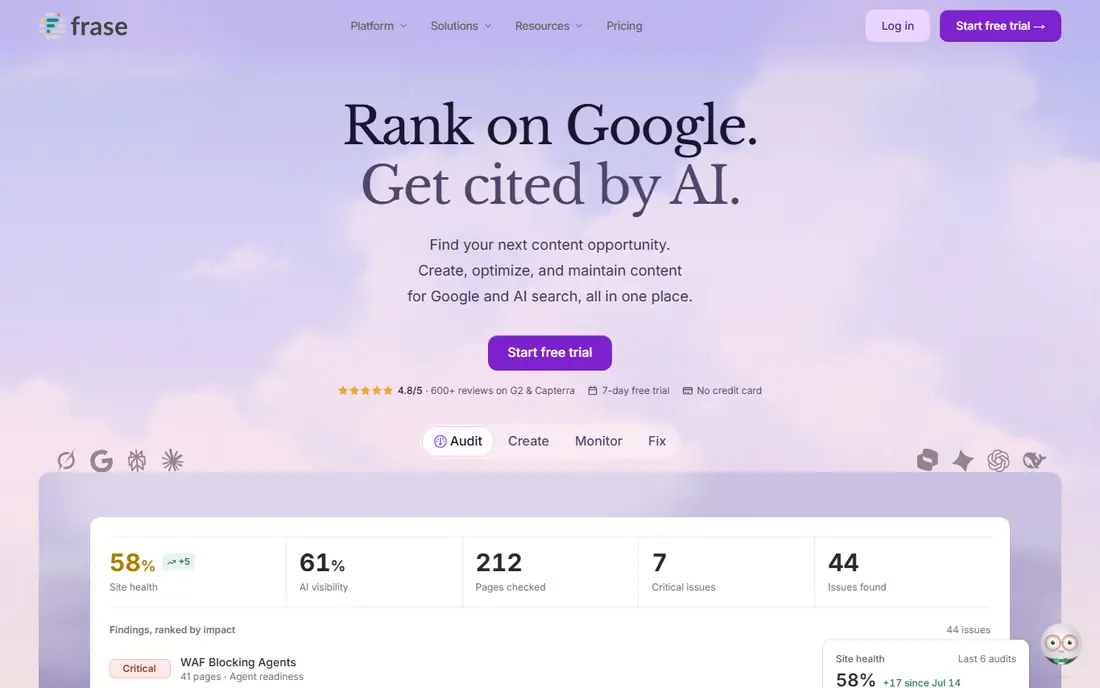
Frase covers more of the loop than most tools at this price. It audits a site, surfaces opportunities from search data and competitor pages, drafts in a brand voice, and watches published pages for decay. A solo operator can move from idea to published page without stitching three subscriptions together. The opportunity report helps here, because it ranks the next piece of work by likely payoff instead of leaving a long list of ideas unordered.
Limits are the catch on Starter, with one seat, one site, and a monthly article cap. That fits a single-site writer well, but a freelancer with several clients will outgrow it fast. Professional adds seats, sites, and volume, so the upgrade path is clear. The 7-day trial, with no card required, gives enough time to run a real audit and draft one article before paying.
- SERP research to brief in one flow, site audits, AI visibility tracking, 7-day trial with no card required
- Starter plan covers one seat and one site, article caps on lower plans
MarketMuse starts one level higher than a draft editor. It inventories a site, models which topics the site already covers well, and shows where gaps leave authority thin. That view helps an editor plan a cluster of articles instead of chasing one keyword at a time. Personalised difficulty scores add a useful filter, because a topic that looks easy in general may be hard for a site with little existing coverage.
The buying process is less direct than rivals, because paid tiers are quote based and require a conversation with sales. That suits larger teams with a strategy budget, but it frustrates a solo writer who wants a price and a checkout page. The limited free plan, with a small monthly query allowance, lets a buyer test the inventory and topic views before that conversation.
- Topic modelling across a full site inventory, personalised difficulty scores, limited free plan
- Paid tiers are quote based, less suited to single-article scoring
NeuronWriter
Who it suits: Writers on a tight budget who still want NLP-based guidance
NeuronWriter earns its place on price. It gives writers term suggestions drawn from top-ranking pages, a content score, and a connection to Google Search Console, which ties optimisation work to real queries and clicks. For a blogger or a small agency with many low-budget clients, that combination covers the core job without a three-figure monthly bill.
The tool does not try to match the broader suites on strategy, audits, or AI visibility tracking. Writers who need site-wide planning will still need another tool or a manual process. Plan limits around projects and analyses also matter, so a buyer should map monthly output against the tier before choosing. Used within those limits, it is a practical, low-cost starting point.
- Lower entry price, Google Search Console connection, content scoring
- Smaller feature set than full suites, plan limits need checking
Scalenut
Who it suits: Teams that want topic research and AI-assisted drafting together
Scalenut pairs research with drafting. A user can build a topic cluster, review competing pages, generate a draft, and then optimise that draft against related terms. That single flow suits content teams that publish at volume and want fewer handoffs between tools. The cluster view also helps editors spot thin areas before they assign work.
Pricing is the reason to check the vendor site on the day of purchase, because listed prices and promotions have shifted over time. A buyer should confirm what the current plan includes: how many articles, how many optimisation reports, and whether AI drafting credits are separate. With those limits confirmed, Scalenut works well as a production tool for teams that value speed from brief to draft.
- Topic clusters, AI drafting workflow, optimisation reports
- Pricing and plan limits change often, so check the current page before buying
WriterZen leans toward planning. Its keyword clustering groups related queries into topics a site can cover with a coherent set of pages, which stops writers from publishing near-duplicate articles that compete with each other. Topic discovery and outline building then turn a cluster into an assignment an editor can hand to a writer with confidence.
Draft scoring exists, but it is not the main reason to buy this tool. Writers who want a live score as their primary guide may prefer Surfer or Clearscope. WriterZen fits better as the planning layer in a stack, paired with a separate editor or a careful manual checklist. Buyers should confirm current plan prices on the vendor site, because tiers and limits have changed across plan revisions.
- Keyword clustering, topic discovery, outline building
- Less focus on live draft scoring than specialist editors, pricing varies by plan
Dashword keeps the workflow short. A writer enters a keyword, gets a brief built from top-ranking pages, and optimises a draft against the terms and structure those pages share. New users can learn it in one session, which matters for teams that onboard freelance writers often. There is little setup before the first useful brief appears.
The simplicity is also the limit. Dashword does not offer the site-wide strategy modelling of MarketMuse or the audit depth of Frase, so larger teams may outgrow it. It suits a writer or a small team that publishes steadily and wants briefs done well, rather than a full content platform. Check current pricing on the vendor site before buying, and test a brief against a topic you know well.
- Easy brief creation, clear optimisation guidance, low learning curve
- Narrower feature set, fewer strategy tools than larger platforms
How we picked these
We compared official feature pages, pricing pages, app and review listings, and public documentation for tools that focus on SEO content work, rather than general SEO suites alone. We looked at what each editor actually scores, how briefs are built, what limits apply to drafts, seats, and sites, and whether a free plan or trial lets a buyer test the core workflow. We did not claim hands-on testing, and we left out tools that had closed, changed ownership in a way that broke the product, or lacked a working official site at the time of research. Prices change, so the vendor page on the day you buy is the final source.
What to check before you pay
Start by counting real usage. How many drafts will you publish each month, how many writers need access, and how many sites will you optimise? Those three numbers rule out half the list at once. A cheap plan with a low draft cap costs more than a higher plan once overage fees or a forced upgrade arrive.
Next, test the workflow on a topic you already understand. Run a brief, draft a section, and check whether the term suggestions improve the piece or push it toward repetition. A good tool should sharpen the structure and surface questions readers actually ask. A weak tool will reward stuffing terms into a draft that already answers the query well.
Finally, read the plan terms for credits, seats, and renewal rules. Annual billing lowers the monthly figure, but yearly document credits and non-refundable terms can trap a team that publishes unevenly across the year. A short trial on a real article, plus a written note of the limits that matter to you, prevents most pricing surprises.
Frequently asked questions
Sources we checked (8)

Online Jobs is an independent blog about careers, online work, learning new skills and the tools that help people earn. More about us.
Keep reading
All posts
Best website audit tools
Looking for the best website audit tools? We compare 8 leading crawlers and suites on crawl depth, reporting, crawl limits, and price to help you pick well.
Best marketing platforms for small business SEO
Compare the best marketing platforms for small business SEO in 2026, with pricing, free plans, and the right pick for budgets, local search, and content.
Best cheap seo tools
We compared the best cheap seo tools in 2026 for keyword research, rank tracking, and site audits, so small sites can get useful data on a budget today.