Best Qualtrics Alternatives in 2026: 8 Tools Compared


General surveys and panels · Starting price: $25 per month
How we put this together: we compare official feature and pricing pages, app store listings, privacy policies and public user reviews. Prices change, so check the provider's site before you pay.
Key takeaways
- SurveyMonkey is the closest general alternative to Qualtrics, with templates, panels and analysis tools at a published price.
- Typeform suits customer facing surveys where completion rate matters, while Google Forms suits free internal surveys with no budget.
- QuestionPro and Alchemer suit research teams that need advanced logic, analysis and higher response volumes without enterprise sales calls.
- Response limits, not seat counts, often decide the real cost, so check monthly or quarterly response caps before you choose.
- If you need Qualtrics level statistics, conjoint analysis or a large academic programme, confirm that the alternative covers those methods before you migrate.
Quick comparison
| Name | Who it suits | Starting price | Free option | |
|---|---|---|---|---|
| SurveyMonkey | General surveys and panels | $25 per month | Yes | Visit |
 Typeform | Conversational surveys | $29 per month | Yes | Visit |
 Google Forms | Free internal surveys | Free | Yes | Visit |
 Jotform | Forms plus surveys | $34 per month | Yes | Visit |
 QuestionPro | Research-grade surveys | $99 per month | Yes | Visit |
 Alchemer | Unlimited responses focus | $55 per month | Free trial | Visit |
 SurveySparrow | Conversational feedback | $19 per month | Yes | Visit |
 Zoho Survey | Affordable surveys for Zoho users | $20 per month | Yes | Visit |
The best Qualtrics alternatives
Qualtrics is a powerful experience management platform, but its pricing is usually quote based and aimed at mid market and enterprise teams, which puts it out of reach for many small teams, startups and researchers. The alternatives below cover the main reasons people leave Qualtrics: clearer pricing, simpler setup, better survey design, or a free tier that actually works. Each one trades some Qualtrics depth for speed, price or ease of use.
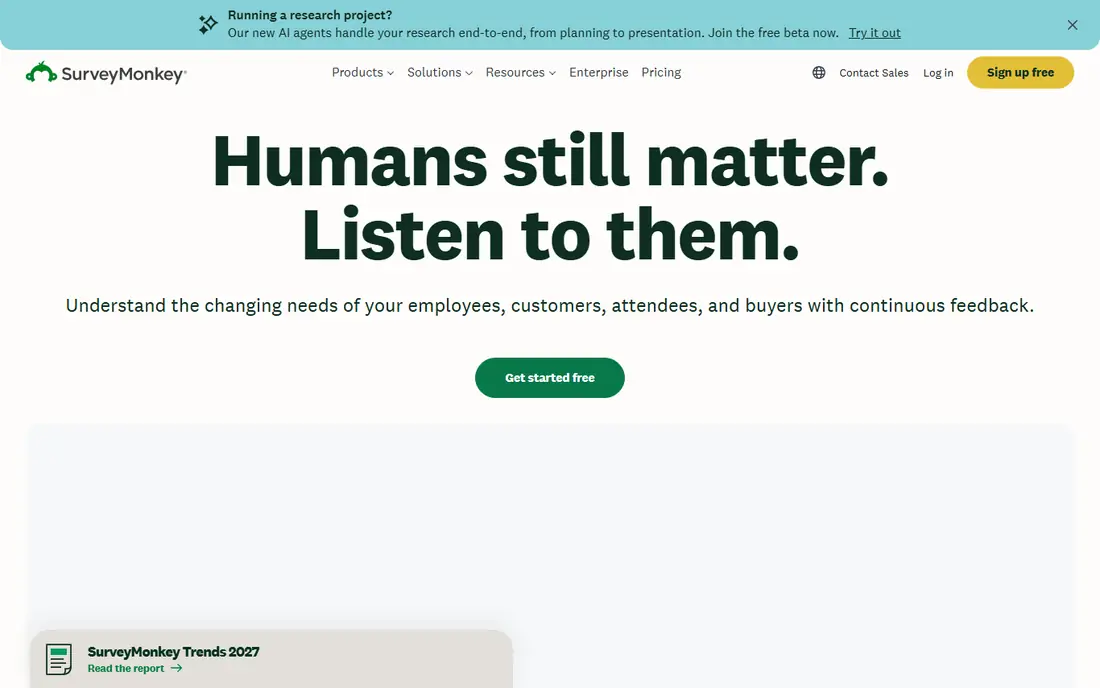
SurveyMonkey is the most direct general alternative to Qualtrics for teams that want a proven survey tool without an enterprise sales process. It offers more than 1,500 expert written templates, survey logic, custom branding and analysis tools including cross-tabulation and statistical testing on higher plans. Audience panels let you reach respondents outside your own list, which is useful for market research that Qualtrics users often run through panels as well.
Pricing starts at $25 per month in some comparisons and $39 per month for the Advantage plan in others, depending on billing and plan changes, so check the current plan page for the tier you need. The free plan is limited, with 10 questions and around 40 responses, which suits a tiny test but not a real survey programme. SurveyMonkey fits marketing, HR and research teams that want a standard tool with predictable pricing, but large response volumes can push costs up, so check response caps first.
- Large template library
- Audience panels for market research
- Published pricing and analysis tools
- Free plan is limited to 10 questions and 40 responses in recent comparisons
- Response overages can add cost
Typeform takes a different approach from Qualtrics: instead of a long form, it shows one question at a time in a clean, conversational flow. That design often lifts completion rates for customer facing surveys, lead forms and feedback forms, since respondents are less likely to abandon a survey that feels like a conversation. Branding, logic jumps and integrations with CRMs and spreadsheets make Typeform useful for marketing teams as well as research teams.
The cost structure is the catch. The free plan allows only 10 responses per month in recent comparisons, and paid plans start at $29 per month, with response limits that matter at scale. Typeform is not the best choice for a large academic survey with thousands of responses, where QuestionPro or Alchemer may cost less per response. It is the best choice when completion rate and design matter more than raw response volume.
- One question at a time design that lifts completion
- Strong design and branding
- Good integrations
- Free plan allows only 10 responses per month in recent comparisons
- Costs rise fast at high volumes
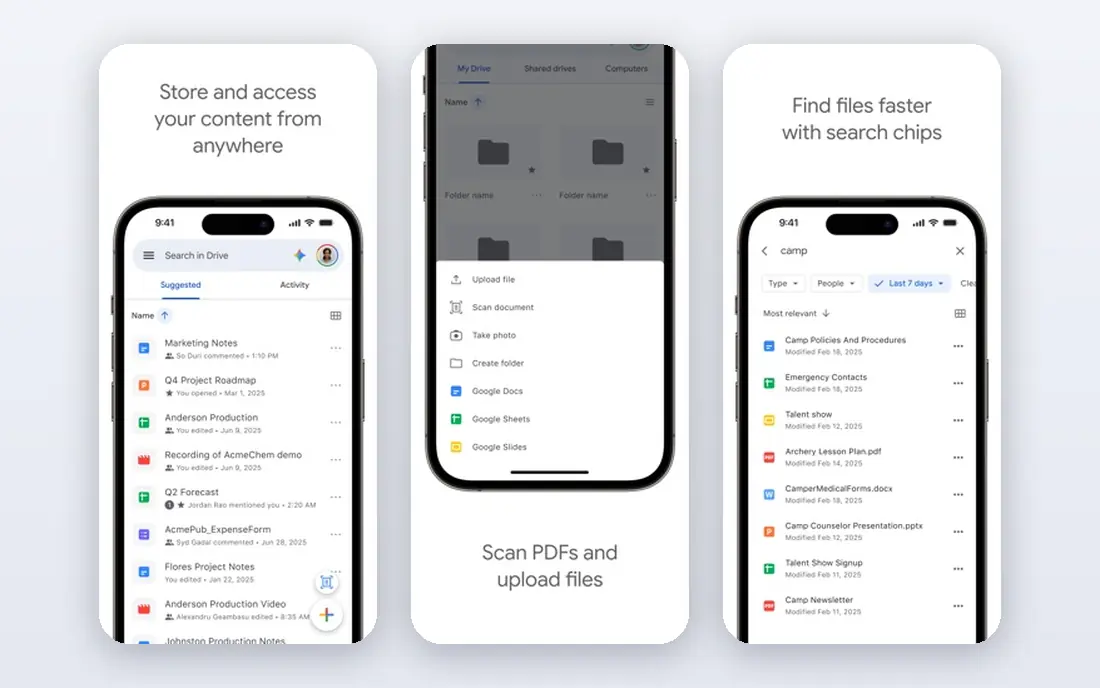
Google Forms is the free alternative that many Qualtrics users turn to for internal surveys, class feedback and quick polls. It is free with a Google account, offers unlimited responses on basic surveys, and sends results directly to Google Sheets for analysis. Branching, validation and file upload cover most simple survey needs, and setup takes minutes rather than days.
The limits are design and depth. Google Forms looks plain, offers limited branding, and lacks the advanced logic, panel, conjoint and statistical tools that Qualtrics and QuestionPro provide. It also offers no dedicated support for large research programmes. Google Forms fits internal teams, schools and small projects with no budget, but it is not a full replacement for a research grade platform.
- Free with a Google account
- Unlimited responses on basic surveys
- Direct Sheets integration
- Plain design
- Limited analysis and advanced logic
- No panels or advanced research tools
Jotform is a form platform first, with surveys as one use case among many. That breadth suits teams that also need registration forms, order forms, payment collection and approval workflows, since all of those can live in one account. Conditional logic, templates and integrations are strong, and the builder is easy to learn for non technical users.
Survey analysis is less deep than a research focused tool, so Jotform is not the best pick for complex statistical work. The free plan allows 100 submissions per month in recent comparisons, and paid plans start at $34 per month, with higher submission limits on higher tiers. Jotform fits operations, marketing and HR teams that need surveys plus other forms, rather than pure research teams.
- Full form platform with surveys inside it
- Conditional logic
- Payment collection and app building
- Survey analysis is less deep than QuestionPro
- Free plan limits monthly submissions
QuestionPro is the closest research grade alternative to Qualtrics on this list. It offers advanced logic, custom scripting, heat map questions, multimedia questions and strong analysis tools, with a free Essentials tier for basic surveys and an Advanced plan at $99 per month per user in recent comparisons. Team and Research Suite plans add more collaboration and research features for larger programmes.
The learning curve is steeper than Typeform or Google Forms, and the Advanced price is higher than general survey tools, though still published and clearer than a quote only enterprise deal. QuestionPro fits academic researchers, market research teams and CX teams that need serious survey methods without Qualtrics pricing. If you only need simple feedback forms, a cheaper tool will do the same job faster.
- Research grade logic and analysis
- Heat map and multimedia questions
- Free Essentials tier
- Advanced plan starts at $99 per month per user
- Interface takes time to learn
Alchemer, formerly SurveyGizmo, appeals to teams that run high volume surveys and dislike per-response charges. Many plans charge no per-response fees, which makes budgeting easier when response counts vary month to month. Logic, reporting and integrations are strong, and Alchemer is often used for customer feedback, employee feedback and market research at scale.
The starting price is higher than SurveyMonkey or Typeform, at $55 per user per month for the Collaborator plan in recent comparisons, and the free offer is a trial rather than a permanent free tier. Alchemer fits teams with steady high volumes who want predictable pricing and research depth, rather than a small team that needs a free plan. Check the current plan terms, since response and seat rules change with plan updates.
- No per-response fees on many plans
- Strong logic and reporting
- Good for high volume feedback
- Free plan is a trial rather than a permanent free tier
- Starting price is higher than general tools
SurveySparrow combines conversational surveys with feedback automation, including NPS, CSAT and employee feedback workflows. Surveys can be delivered by chat style interface, email or link, and automation can trigger follow ups based on scores. That makes SurveySparrow useful for CX teams that want ongoing feedback rather than a one off research survey, and the starting price of $19 per month in recent comparisons is among the lowest here.
The free plan is limited in quarterly responses, and the research toolkit is thinner than QuestionPro for complex academic work. SurveySparrow fits customer experience, product and HR teams that want conversational feedback and automation at a low entry price. Research teams with complex logic or conjoint needs should compare QuestionPro first.
- Conversational surveys and NPS automation
- Low starting price
- Good templates
- Free plan limits quarterly responses
- Advanced research tools are thinner than QuestionPro
Zoho Survey is the affordable pick for teams already using Zoho CRM, Zoho Desk or other Zoho apps, since survey data can flow into those tools without extra integration work. Plans start at $20 per month in recent comparisons, with templates, logic, custom branding and reporting that cover most business survey needs. The free plan suits small tests, while paid plans lift response and feature limits.
Outside the Zoho ecosystem, Zoho Survey is less compelling than SurveyMonkey for panels and templates, and it lacks the research depth of QuestionPro. It still earns a place here because the price is low, the tool is solid for general business surveys, and Zoho users get extra value from integration. If you do not use Zoho, compare SurveySparrow or SurveyMonkey first.
- Low starting price
- Strong Zoho integrations
- Good templates and logic
- Smaller template and panel ecosystem than SurveyMonkey
- Best value inside Zoho
How we picked these
We shortlisted survey tools that are still operating in 2026, offer a published price or a clear free tier, and can replace at least one core Qualtrics use case: customer feedback, employee feedback, market research or academic surveys. We compared starting price, free tier limits, response caps, logic depth, analysis tools, templates, panels and integrations. We used recent comparison research and vendor pricing pages, and we noted where sources disagreed on a price, since survey pricing changes often with plan updates.
We did not run survey programmes on each tool, and we did not test panel quality first hand. Where a price varies by billing period or plan name, we list the most commonly cited entry price and advise checking the vendor page on the day you buy. Qualtrics itself is quote based, so a direct price comparison is not possible, and the saving from switching depends on your Qualtrics quote and your response volume.
How to migrate from Qualtrics without losing data
Start by listing what you actually use in Qualtrics: survey types, logic, distributions, panels, dashboards and integrations. Many teams use only a fraction of Qualtrics features, and a simpler tool may cover that fraction well. Migrating everything, including unused features, will push you toward the most expensive alternative for no benefit.
Export and rebuild in stages
Export survey questions, response data and contact lists from Qualtrics before you cancel, and keep a copy outside the new tool. Rebuild one survey at a time in the new tool, starting with a low risk feedback survey, and test logic, branching and reporting before you move a critical survey. That staged approach catches logic differences early, when they are easy to fix.
Check logic, language and distribution gaps
Advanced logic, embedded data, multilingual surveys and panel integrations are the most common migration gaps. Test each one with a small pilot group, and check that email distribution, link sharing and QR codes work as expected. If a feature is missing, ask whether a workaround, such as a spreadsheet import or an integration, covers it, or whether you need a research grade tool instead.
Compare total cost on your real volume
Model the total cost on your actual monthly or quarterly response volume, including seats, overage fees and panel costs. A tool that looks cheap at $19 per month can become expensive if it charges per response above a low cap, while a tool at $99 per month with no per-response fees can be cheaper at high volume. Run that model for your top two tools before you sign an annual plan.
Frequently asked questions
What are the best Qualtrics alternatives for small teams?
SurveyMonkey, Typeform and SurveySparrow are strong for small teams, with published pricing, templates and free tiers. Google Forms suits small internal surveys with no budget, while Zoho Survey suits small teams already using Zoho apps.
What is the best alternative to Qualtrics for market research?
SurveyMonkey and QuestionPro are the strongest market research alternatives here, with panels, logic and analysis tools. SurveyMonkey offers audience panels and benchmarking, while QuestionPro offers deeper research methods and a free Essentials tier for basic work.
Is there a free alternative to Qualtrics?
Yes. Google Forms is free with unlimited basic responses, and SurveyMonkey, Typeform, Jotform, QuestionPro, SurveySparrow and Zoho Survey all offer free tiers with limits on questions, responses or features. Check the response cap, since a free tier that allows only 10 responses per month will not suit a real survey.
Which Qualtrics alternative has the best survey design?
Typeform is widely cited for survey design and completion rates, thanks to its one question at a time flow. SurveySparrow also offers conversational design, while SurveyMonkey and Jotform offer more traditional form layouts with strong branding options.
Can I migrate surveys from Qualtrics to another tool?
You can export questions and response data from Qualtrics, but surveys usually need rebuilding in the new tool, since logic and formatting do not transfer directly. Export everything before you cancel, rebuild surveys one at a time, and pilot each one with a small group before you use it live.
What is the best Qualtrics alternative for academic research?
QuestionPro is the strongest academic alternative on this list, with research grade logic, analysis and a free Essentials tier. SurveyMonkey and Alchemer can also suit academic work, depending on the methods you need, so confirm that conjoint, MaxDiff or other specific methods are covered before you migrate.
Sources we checked (8)

Online Jobs is an independent blog about careers, online work, learning new skills and the tools that help people earn. More about us.
Keep reading
All posts
n8n Alternatives
n8n alternatives compared for 2026, with Zapier, Make, Activepieces, and more, covering visual builders, code steps, self-hosting, and pricing models.

ZoomInfo Alternatives
The best ZoomInfo alternatives in 2026, compared on price, free plans, data coverage, and which tool fits small teams or large sales teams best in detail.

Yotpo Alternatives
Find cheaper alternatives to Yotpo for reviews and loyalty, with Judge.me, Loox, Stamped, and more compared for Shopify stores in 2026, all in one guide.