Best ProtonMail Alternatives in 2026: 8 Email Services Compared

How we put this together: we compare official feature and pricing pages, app store listings, privacy policies and public user reviews. Prices change, so check the provider's site before you pay.
Key takeaways
- Tuta is the closest match to Proton Mail for end to end encryption, including subject lines, calendars, and contacts.
- Fastmail suits users who want speed and IMAP support, but it does not offer end to end encryption by default.
- Mailbox.org and Posteo suit users who want German privacy law, IMAP access, and low monthly prices.
- Check IMAP support before you switch, since encrypted services like Tuta work only in their own apps.
- Export mail and contacts before you cancel an old account, and update sign in details for important services first.
Quick comparison
| Name | Who it suits | Starting price | Free option | |
|---|---|---|---|---|
 Tuta | Closest Proton Mail match | $3 per month | Yes | Visit |
 Fastmail | Speed and IMAP productivity | $5 per month | Free trial (30 days) | Visit |
 Mailbox.org | Private all in one mailbox | $1 per month | No | Visit |
 Posteo | Low cost private email | $1 per month | No | Visit |
 Mailfence | OpenPGP flexibility | $2 per month | Yes | Visit |
 StartMail | Unlimited aliases | $4 per month | Free trial (7 days) | Visit |
 Zoho Mail | Business email value | See website | Yes | Visit |
 Runbox | Own domain value | See website | No | Visit |
The best ProtonMail alternatives
Proton Mail is popular for encrypted, private email, but some users want a lower price, IMAP access, a different jurisdiction, or a simpler app. Others want more aliases, more storage, or a full office suite alongside mail. The services below cover those needs, though they differ on a key point: some offer end to end encryption by default, while others offer encrypted storage and transport security without full end to end encryption.
Tuta, formerly Tutanota, is the closest alternative to Proton Mail. It offers end to end encrypted mail, calendar, and contacts, with apps for web, phone, and desktop. Tuta says it encrypts more of a mailbox than Proton Mail does, including subject lines, and it uses post quantum resistant encryption for added future protection. The free plan suits personal use with 1 GB storage, one calendar, and a single address, while paid plans add storage, extra addresses, and custom domains. Paid pricing starts at around 3 euros per month when billed yearly, which makes Tuta one of the lower cost encrypted options. The interface is clean, though it feels simpler than Gmail or Outlook. The main limit is IMAP. Tuta does not support IMAP, POP, or SMTP in other mail apps, and it has said it will not build a bridge. If you want to read mail in Apple Mail, Outlook, or Thunderbird, Tuta will not fit. If you are happy to use Tuta apps and you want strong encryption at a low price, it is the first service to test.
- End to end encryption by default
- Encrypts subject lines and calendars
- Open source clients
- No IMAP support
- Works only in Tuta apps
- Free plan has 1 GB storage
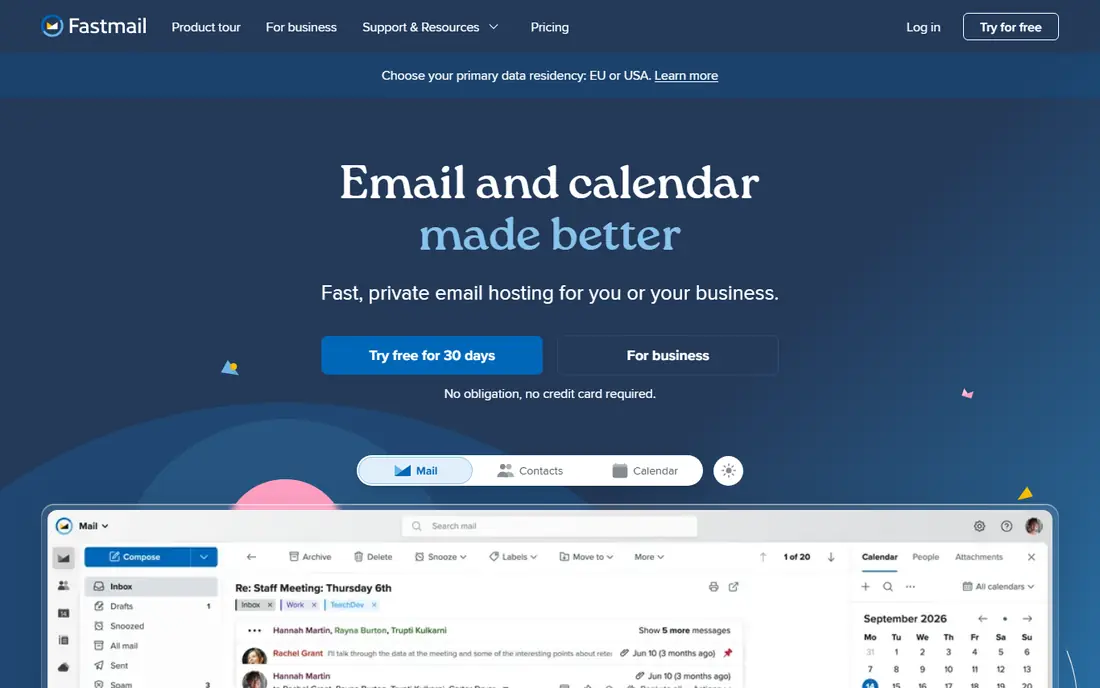
Fastmail is a strong choice for users who value speed, search, and everyday productivity over full end to end encryption. It offers a polished web app, mobile apps, and full IMAP and JMAP support, so you can use it in almost any mail app. Search is fast, filters are powerful, and custom domains, aliases, and shared calendars work well for families and small teams. Fastmail uses encrypted connections and encrypted storage, but it does not offer end to end encryption by default, so Fastmail could in theory access mailbox content under legal process. That trade off matters for users who need the strongest privacy, but it is less of an issue for users who mainly want to leave Gmail ads and tracking behind. Pricing starts at around $5 per month when billed yearly, with a 30 day trial and no free plan. For users who want a Gmail like experience with better privacy practices and full app freedom, Fastmail is one of the best Proton Mail alternatives, even without end to end encryption.
- Fast and polished apps
- Full IMAP and JMAP support
- Strong search and filtering
- No end to end encryption by default
- No free plan
- Based in Australia
Mailbox.org is a long running German provider that bundles mail, calendar, contacts, cloud storage, and office apps in one account. It works with any mail app over IMAP, which makes it easy to switch from Gmail or Proton Mail without giving up Apple Mail or Thunderbird. Its Guard feature adds PGP encryption in the browser for users who want end to end encryption. Pricing starts at 1 euro per month for a light plan, with higher plans adding storage and custom domains. A 30 day trial lets you test the service before you pay, though there is no permanent free plan. For users who want a private replacement for a whole Google suite, rather than just mail, Mailbox.org offers good value. PGP encryption is not automatic in the same way as Tuta or Proton Mail, so users who want simple end to end encryption may need to learn key setup. If you value IMAP freedom, German jurisdiction, and a full suite at a low price, Mailbox.org is worth a close look.
- German privacy law
- IMAP support
- Mail, calendar, contacts, and office apps
- PGP setup takes effort
- No free plan
- Interface feels functional rather than modern
Posteo is a German email service priced at 1 euro per month, with a focus on privacy, sustainability, and simplicity. It offers IMAP support, so you can use it in any mail app, and it allows anonymous payment options in some cases, which appeals to users who want to limit personal data linked to an account. Mail storage is encrypted, and Posteo does not show ads or track users for advertising. The service includes calendar and contacts, with support for PGP and S/MIME encryption for users who set it up. That setup takes more effort than Tuta or Proton Mail, where encryption is automatic, but it gives experienced users control over keys and mail apps. Posteo also supports extra storage and aliases as paid add ons. Posteo suits users who want a low cost, private, IMAP friendly mailbox and who do not need a large office suite. It is less suited to users who want automatic end to end encryption with no setup, or a modern app with many extras. For simple, private daily mail, Posteo is hard to beat on price.
- Very low price
- German privacy law
- IMAP support and anonymous payment options
- No free plan
- Smaller feature set
- PGP needs setup for end to end encryption
Mailfence is a Belgian service that offers OpenPGP encryption, digital signatures, and an integrated suite of mail, calendar, contacts, and documents. It suits users who want control over encryption keys and who are comfortable with PGP, rather than users who want encryption to happen invisibly in the background. The free plan includes limited storage, which is enough to test the service, while paid plans start at around 2.50 euros per month and add IMAP access, more storage, and extra features. Mailfence also offers anti spoofing tools and group features for small teams, which help with business and compliance use. The interface feels dated compared with Fastmail or Tuta, and PGP setup can confuse beginners. For PGP users, privacy focused teams, and users who want a European provider with flexible encryption, Mailfence remains a solid Proton Mail alternative.
- OpenPGP encryption and signatures
- IMAP on paid plans
- Integrated calendar and documents
- Free plan has limited storage
- Interface feels dated
- Higher tiers cost more
StartMail is a Dutch service built for users who use many aliases to manage sign ups, newsletters, and online accounts. Unlimited aliases let you create a unique address for each service, so you can spot which service shared your address and turn off a leaky alias without changing your main address. That feature alone makes StartMail appealing for privacy conscious users. StartMail offers PGP encryption, IMAP support, and custom domains, so you can use it in desktop and mobile mail apps. It is based in the Netherlands under European privacy law, and it does not scan mail for advertising. A 7 day trial lets you test aliases and apps, though there is no permanent free plan. Pricing starts at around $4.99 per month, which is higher than Posteo or Mailbox.org. StartMail suits alias heavy users who want IMAP freedom and PGP options, rather than users who want the lowest price or a full calendar suite. Check calendar support on your plan before you switch if you rely on calendar sharing.
- Unlimited aliases
- PGP encryption
- IMAP support and Dutch jurisdiction
- No free plan beyond trial
- No calendar on some plans
- Higher price than Posteo
Zoho Mail suits small businesses and freelancers who want low cost email with a custom domain and a wider office suite. Plans start at around $1 per user per month for basic mail, with higher plans adding more storage, archiving, and admin controls. Zoho also links mail to CRM, documents, and other Zoho apps, which helps teams that already use Zoho tools. The service offers encrypted connections and storage, spam filtering, and admin tools for managing users and domains. It does not offer end to end encryption by default in the same way as Tuta or Proton Mail, so it is best for business productivity with better privacy than free ad supported mail, rather than for the strongest encryption needs. Zoho Mail can feel busy, with many Zoho apps and settings to learn. For a business that wants value, custom domains, and a full suite at a low price, it is a practical alternative. For personal users who want simple encrypted mail, Tuta or Mailfence may fit better.
- Low cost business plans
- Custom domains
- Integrated Zoho office and CRM tools
- No end to end encryption by default
- Interface can feel busy
- Support varies by plan
Runbox is a Norwegian email service with a long history, offering IMAP access, custom domains, and a focus on privacy and reliability. It suits users who want their own domain for email and who prefer a smaller, independent provider over a large tech company. Runbox supports aliases, filters, and webmail, with apps through standard mail clients. Runbox uses encrypted connections and storage, but it does not offer end to end encryption by default, so users who need that level of privacy should pair it with PGP or choose Tuta instead. The web interface feels older than Fastmail, and mobile app support relies on standard mail apps rather than a dedicated Runbox app. Pricing is quote and plan based on the Runbox site, so check current plans for storage and domain limits. For domain owners who want IMAP freedom, a European provider, and a service that has run for many years, Runbox is a dependable, if less modern, Proton Mail alternative.
- Own domain support
- IMAP access
- Norwegian jurisdiction and long history
- Interface feels older
- No end to end encryption by default
- Fewer modern app features
How we picked these
We compared official feature pages, pricing pages, app store listings, and public reviews for secure email services available today. We looked at encryption type, jurisdiction, IMAP support, storage, aliases, custom domains, apps, and pricing. We used first person plural language for our method, and we did not claim hands on testing that did not happen. We gave extra weight to the encryption and IMAP trade off, since that choice shapes daily use more than any single feature. A service with strong encryption but no IMAP can frustrate users who love their mail app, while a service with IMAP but no end to end encryption can disappoint users who expected full privacy. That trade off shaped our best for labels.
Choosing a Proton Mail alternative
Decide on encryption first
If you need end to end encryption by default, shortlist Tuta first, then Mailfence or StartMail with PGP setup. If you mainly want to leave ad based mail behind and you value IMAP and speed, Fastmail, Mailbox.org, Posteo, and Runbox may fit better. Do not assume a private label means full end to end encryption.
Check apps and IMAP before you move
List the mail apps you use on phone and desktop, and remove any service that does not support them. Tuta works only in its own apps, while Fastmail, Mailbox.org, Posteo, Mailfence on paid plans, StartMail, Zoho Mail, and Runbox support IMAP in other apps. Test the app you will use daily, not just the webmail demo.
Plan migration in steps
Export mail, contacts, and calendars from your old account, then set up the new account and test sending and receiving. Update sign in details for banking, shopping, and other important services before you cancel the old account. Keep the old account active for a month as a safety net for missed messages.
Watch storage, aliases, and domains
Check storage limits, alias limits, and custom domain rules on the plan you will actually buy, not the top plan. A free plan with 500 MB or 1 GB can fill fast with attachments, while a paid plan with extra addresses can save a separate domain fee. Compare yearly pricing, since many services discount annual billing.
Frequently asked questions
Is Tuta better than Proton Mail?
Tuta encrypts subject lines, calendars, and contacts, and it costs less on paid plans, which can make it better for strong encryption at a low price. Proton Mail offers a wider suite, including VPN and drive on some plans, and a bridge for desktop mail apps on paid plans. Choose based on apps, suite needs, and IMAP requirements.
Can I use a Proton Mail alternative in Apple Mail or Outlook?
Yes, if the service supports IMAP, which includes Fastmail, Mailbox.org, Posteo, Mailfence on paid plans, StartMail, Zoho Mail, and Runbox. Tuta does not support IMAP, so it works only in Tuta apps. Check IMAP and SMTP details on the provider site before you switch.
Which Proton Mail alternative is cheapest?
Posteo and Mailbox.org start at 1 euro per month, which is among the lowest paid prices in this guide. Tuta and Mailfence offer free plans with limited storage, which can be cheaper for light personal use. Compare storage and features, since the cheapest plan may not include a custom domain or IMAP.
Is Fastmail private if it lacks end to end encryption?
Fastmail does not scan mail for advertising, uses encrypted connections and storage, and follows Australian privacy law, but it does not offer end to end encryption by default. That means it is more private than ad supported mail, but less private than Tuta or Proton Mail for messages that need full encryption.
Can I keep my own domain when I switch?
Yes, most paid plans in this guide support custom domains, including Tuta, Fastmail, Mailbox.org, StartMail, Zoho Mail, and Runbox. Check domain limits, DNS setup help, and whether you can keep the domain if you later move to another provider.
Should I pay yearly or monthly for secure email?
Yearly billing usually costs less per month, but monthly billing gives more flexibility if you are testing a service. Start monthly or with a trial where possible, then switch to yearly once you are sure the apps, IMAP support, and encryption fit your daily use.
Sources we checked (8)

Online Jobs is an independent blog about careers, online work, learning new skills and the tools that help people earn. More about us.
Keep reading
All posts
Surfshark Alternatives
Looking for Surfshark alternatives? We compare 8 VPN services on price, privacy, streaming, and device limits to help you find a VPN that fits your needs.
NordPass Alternatives
We compared NordPass alternatives for families, solo users and teams, checking pricing, free plans, passkeys and sharing, so you can switch safely today.
Best background check app
We compared the best background check app options in 2026 for employers, landlords and individuals, with published prices, coverage and compliance notes.