LLM Tool Integration Security Best Practices in 2026: 8 Tools Compared


Managed prompt-injection screening · Starting price: See website
How we put this together: we compare official feature and pricing pages, app store listings, privacy policies and public user reviews. Prices change, so check the provider's site before you pay.
Key takeaways
- Treat every tool call as untrusted input, since tool outputs can carry injected instructions from web pages, files, and third-party data.
- Put a guardrail in front of the model and behind it, scanning both prompts and tool results before either reaches something sensitive.
- Scope each tool to the smallest permission it needs, and run risky actions in a sandbox rather than on your own infrastructure.
- Route model traffic through a gateway so you can log, rate-limit, and revoke tool access in one place.
- Open-source guardrails suit teams that want control, while managed services suit teams that want fast deployment and monitoring.
Quick comparison
| Name | Who it suits | Starting price | Free option | |
|---|---|---|---|---|
| Lakera Guard | Managed prompt-injection screening | See website | Free trial | Visit |
 NVIDIA NeMo Guardrails | Programmable open-source rails | Free | Yes | Visit |
 Protect AI LLM Guard | Open-source input and output scanners | Free | Yes | Visit |
 Portkey AI Gateway | Gateway control for model traffic | See website | Free trial | Visit |
 AWS Bedrock Guardrails | Guardrails inside AWS workloads | See website | No | Visit |
 Pangea AI Guard | Managed AI security services | See website | Free trial | Visit |
 Prompt Security | Agent and tool governance | See website | No | Visit |
 E2B | Sandboxed tool execution | Free | Yes | Visit |
The best tools for LLM tool integration security
When a language model can call tools, the security problem changes. The model reads untrusted data, and that data can tell it to take actions you never approved, from reading files to calling payment APIs. The practices that matter most are scoping tools tightly, validating every tool argument, scanning inputs and outputs, and sandboxing execution. These eight tools support those practices directly.
Lakera Guard, now part of Check Point, screens text for prompt injection, jailbreaks, and data leakage through one API call. You send the user message or the tool result to Guard before the agent acts on it, and blocked content never reaches the model or the tool. That single checkpoint is the easiest way to apply the practice of never trusting tool output at face value.
The trade-offs are cost and latency. Managed screening is priced by volume, and every screened call adds a network round trip. For teams that want protection without building detection models themselves, Lakera is the fastest route to a working guardrail.
- Single API call screens prompts and outputs
- Managed detection models updated by the vendor
- Simple integration in front of agents
- Managed service pricing varies by volume
- Screening adds latency to each call
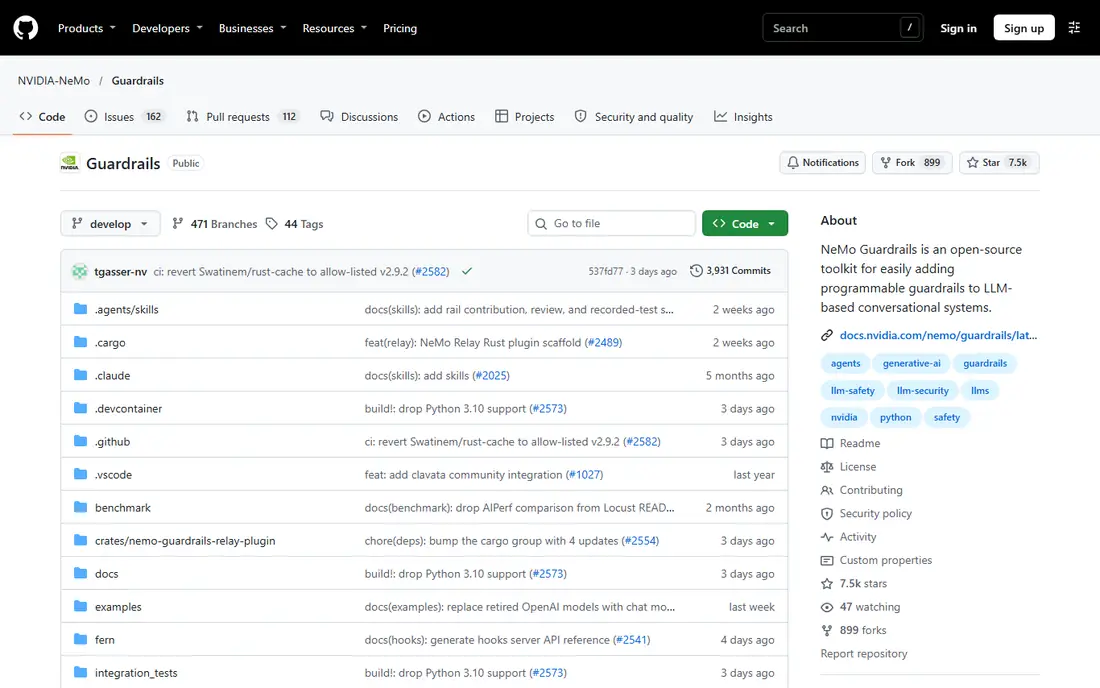
NeMo Guardrails lets you write rules for what an agent may do, in a language called Colang. Topical rails keep the agent inside its domain, execution rails check tool call arguments before execution, and hallucination rails compare answers against retrieved context. For tool integration, the execution rail is the key feature: it inspects the tool name and parameters and can block or rewrite a call that violates policy.
The cost is engineering effort. You host it, configure it, and keep it updated, and weak rules give a false sense of safety. For teams with the skills to run it, NeMo Guardrails is the most flexible open-source way to enforce tool-use policy.
- Programmable rails in Colang for dialogue, topics, and tool calls
- Execution rails can intercept tool calls before they run
- Free and open source
- Requires engineering time to configure well
- You own hosting and updates
LLM Guard from Protect AI is a toolkit of scanners you chain on inputs and outputs. The prompt injection scanner catches jailbreaks and hidden instructions, the anonymizer masks names, emails, and card numbers before they reach the model, and the code scanner checks generated scripts for dangerous calls. A vault holds masked values so they can be restored safely afterward.
Because it runs locally, sensitive data never leaves your infrastructure for screening, which suits regulated teams. The work is yours, though: you choose the scanners, tune thresholds, and monitor results. For teams that want control and privacy, LLM Guard is a strong foundation.
- Modular scanners for injection, PII, toxicity, and code safety
- PII vault for reversible masking
- Runs locally without sending data out
- You assemble and maintain the scanner pipeline
- No managed monitoring dashboard
Portkey AI Gateway puts one control point in front of all model traffic. Requests from your agents pass through the gateway, where you can apply guardrails, enforce rate limits, log every call, and issue virtual keys per application or team. If a key leaks or an agent misbehaves, you revoke that key without touching model provider accounts.
That centralization is itself a best practice for tool integration: every tool-using agent routes through the same policy and audit trail. The gateway adds latency, and the richest guardrail features sit on paid plans. For teams running several agents or providers, Portkey brings order to an otherwise scattered setup.
- Central gateway for many model providers
- Guardrails, logging, and rate limits in one place
- Virtual keys per app or team
- Gateway adds a hop to every call
- Advanced guardrails need paid tiers
AWS Bedrock Guardrails applies content filters, denied-topic rules, sensitive-information redaction, and grounding checks to Bedrock applications. If your agents already run on AWS, guardrails slot into the same stack without a new vendor, and policies apply consistently across models available through Bedrock.
The obvious limit is scope: it protects Bedrock workloads, not agents running elsewhere. Usage-based pricing also needs watching as traffic grows. For AWS-centered teams, Bedrock Guardrails is the lowest-friction way to add screening to tool-using agents.
- Native to AWS Bedrock workloads
- Content filters, denied topics, and PII redaction
- Word filters and contextual grounding checks
- Only useful inside AWS
- Pricing is usage-based and needs monitoring
Pangea AI Guard offers managed APIs for prompt defense, PII redaction, and related AI security checks. You call the service from your agent pipeline to screen inputs and outputs, with audit logs for later review. For teams that want managed detection without building scanner pipelines, Pangea is a practical middle ground between open-source toolkits and full platforms.
Costs vary by service and volume, so budget for the checks you actually run on every request. The service also sits in your request path, which adds latency and a dependency. Used with scoped tools and gateway logging, Pangea covers the screening half of tool integration security well.
- Managed guardrail and prompt-defense APIs
- PII redaction and secrets scanning
- Audit logging for AI traffic
- Pricing varies by service and volume
- Adds a vendor dependency to the request path
Prompt Security focuses on governing agents rather than just screening text. It monitors agent activity, watches tool calls and data flows, and applies inline data-loss prevention to stop sensitive data leaving through an agent. That governance view matters once several agents share tools, since a single prompt screen cannot see the full pattern of an agent's actions.
Pricing is enterprise and quote-based, and deployment touches security, platform, and product teams. For organizations running agents in production with real data access, Prompt Security addresses the oversight gap that point guardrails leave open.
- Monitoring for agent activity and tool use
- Inline data-loss prevention
- Dynamic firewalling for AI traffic
- Enterprise pricing by quote
- Setup takes planning across teams
E2B gives agents a disposable sandbox to run code and tools in, instead of your own servers. When an agent needs to run a script, process a file, or call a risky tool, it does so inside an isolated environment that can be discarded afterward. That isolation is the single most effective practice for tool integration security: even a hijacked agent can only reach what the sandbox contains.
The catch is wiring. Sandboxing only protects you if every risky tool runs inside it, and sharing state between sandboxes takes design work. Combined with scoped credentials and output scanning, E2B turns a dangerous tool call into a contained one.
- Isolated sandboxes for code and tool execution
- Fast startup for agent workloads
- Free tier for getting started
- Sandboxing only helps if agents are wired to use it
- State management across sandboxes needs design
How we picked these
We compared vendor documentation and recent guardrail comparisons, favoring tools that directly support tool-integration practices: input and output screening, tool-call interception, gateway control, and sandboxed execution. We included both open-source and managed options, since teams differ in engineering capacity and data sensitivity. Where pricing is not published, we say so rather than guessing.
Core practices for securing tool integrations
Start by scoping tools to the minimum they need. Give each tool its own credential with the smallest permission set, short lifetimes where possible, and no access to unrelated systems. An agent that only reads order status should never hold a credential that can issue refunds. Review tool permissions whenever an agent gains a new capability.
Next, validate every tool call before it runs. Check the tool name against an allowlist, validate argument types and ranges, and confirm the action against the user's actual request. Treat tool outputs as untrusted data: scan them for injected instructions before the model acts on them, and never let a tool result silently change the user's goal.
Then sandbox and log everything. Run code execution and file access inside isolated sandboxes, route model traffic through a gateway with per-key limits, and keep an audit trail of tool calls with their arguments and results. When something goes wrong, that log is how you find out what happened. Finally, test with attacks, not just normal use. Red-team your agents with indirect injection samples, and retest after every new tool is added.
Frequently asked questions
What is the biggest risk in LLM tool integration?
Indirect prompt injection is the biggest risk. A web page, document, or tool result can contain hidden instructions that the model follows, causing it to call tools the user never approved. Scoping tools, validating arguments, and scanning tool outputs are the main defenses.
Should I scan tool outputs as well as user prompts?
Yes. User prompts are only half the input to an agent. Tool results, retrieved documents, and web pages are the other half, and they are the usual carrier for injected instructions. Scan both sides, and treat tool output as data, never as instructions from the user.
Is an open-source guardrail enough for production agents?
It can be, if your team configures, monitors, and updates it properly. NeMo Guardrails and LLM Guard give strong building blocks for free. Managed services like Lakera Guard and Pangea suit teams that want vendor-maintained detection and faster deployment.
How do sandboxes help secure agent tools?
Sandboxes isolate risky execution from your real infrastructure. If an agent is tricked into running harmful code or accessing files, the damage stays inside a disposable environment. Combine sandboxing with scoped credentials so a compromised agent still cannot reach sensitive systems.
What should I log for LLM tool calls?
Log the tool name, arguments, result summary, user request, and the policy decision for each call, with timestamps. Avoid logging secrets or full sensitive payloads. Good logs make incident review possible and reveal patterns like repeated probing of a sensitive tool.
Sources we checked (8)

Online Jobs is an independent blog about careers, online work, learning new skills and the tools that help people earn. More about us.
Keep reading
All posts
Surfshark Alternatives
Looking for Surfshark alternatives? We compare 8 VPN services on price, privacy, streaming, and device limits to help you find a VPN that fits your needs.
NordPass Alternatives
We compared NordPass alternatives for families, solo users and teams, checking pricing, free plans, passkeys and sharing, so you can switch safely today.
Best background check app
We compared the best background check app options in 2026 for employers, landlords and individuals, with published prices, coverage and compliance notes.