Jotform Alternatives in 2026: 9 Tools Compared

How we put this together: we compare official feature and pricing pages, app store listings, privacy policies and public user reviews. Prices change, so check the provider's site before you pay.
Key takeaways
- Google Forms and Tally lead on free value, while Typeform leads on conversational design.
- Fillout is the best database-connected pick, with 1,000 free responses a month.
- Paperform and Cognito Forms suit payments, calculations, and brand-led forms.
- Submission caps, not just price, decide when a free plan stops working.
- Test payments and logic on a real form before moving a live campaign.
Quick comparison
| Name | Who it suits | Starting price | Free option | |
|---|---|---|---|---|
 Google Forms | Free and fast simple forms | Free | Yes | Visit |
 Typeform | Conversational forms that convert | $28 per month | Yes | Visit |
 Tally | Most generous free hosted forms | $24 per month | Yes | Visit |
 Fillout | Forms connected to databases | $15 per month | Yes | Visit |
 SurveyMonkey | Surveys with strong analysis | $39 per month | Yes | Visit |
 Microsoft Forms | Forms inside Microsoft 365 | Free | Yes | Visit |
 Paperform | Design-led forms with payments | $24 per month | Yes | Visit |
 Cognito Forms | Forms with calculations and approvals | $19 per month | Yes | Visit |
 Zoho Forms | High-volume forms on a budget | $10 per month | Yes | Visit |
The best Jotform alternatives
Jotform is strong on templates and features, but submission caps, single-user limits on lower plans, and price push many teams to look elsewhere. The right replacement depends on volume, payments, and design.
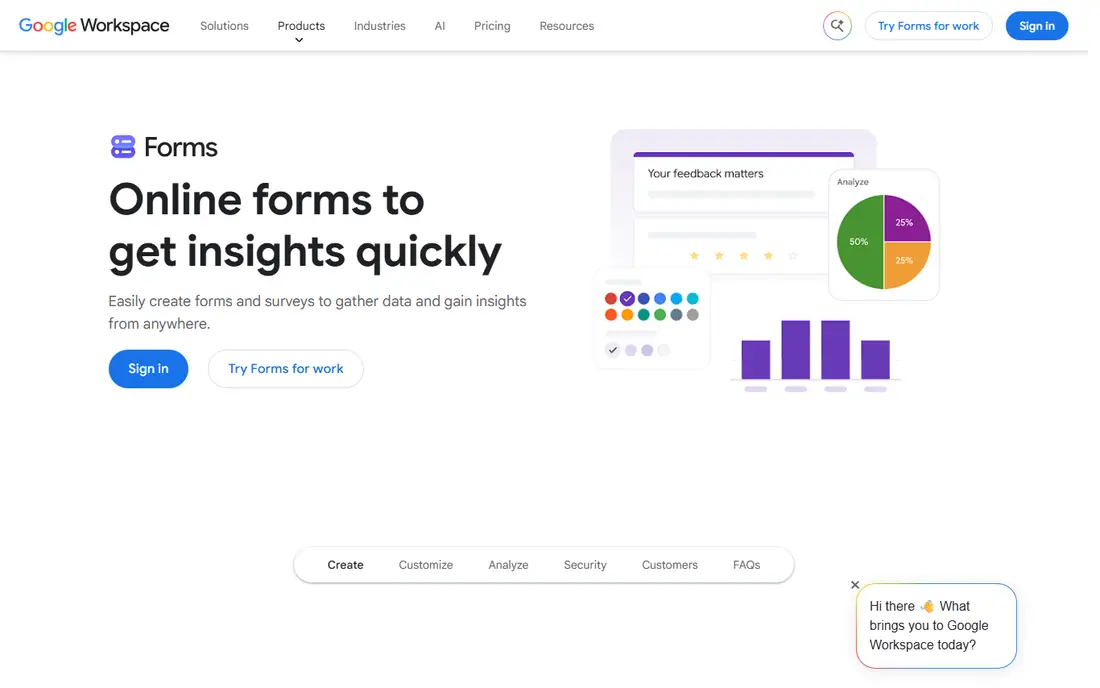
For anyone who needs a free, fast form without a learning curve, Google Forms is a strong starting point. The core strength here is speed and price, with a form live in minutes and results in a familiar spreadsheet. That combination makes it a sensible shortlist entry for buyers who want that specific strength without paying for a much larger platform.
The honest catch is that complex logic, payments, and branded design are limited, so it suits internal and simple public forms best. Check the current pricing page and free plan limits on your own device before you commit, since plans and limits change. We think it earns its place here because it solves a clear job well, even if it is not the right fit for every buyer.
- Free with a Google account
- Unlimited forms and responses for most use
- Results feed into Sheets
- No payments or e-signatures
- Design options are basic
If you need marketing teams that care about completion rates and brand feel, Typeform deserves a close look. The main draw is the conversational flow, which can lift completion rates on surveys and lead forms. That combination makes it a sensible shortlist entry for buyers who want that specific strength without paying for a much larger platform.
The honest catch is that the free plan is very small, so budget for a paid plan if you expect more than a handful of responses. Check the current pricing page and free plan limits on your own device before you commit, since plans and limits change. We think it earns its place here because it solves a clear job well, even if it is not the right fit for every buyer.
- One-question-at-a-time design
- Polished templates
- Good for lead capture and surveys
- Free plan caps at 10 responses a month
- Paid price rises fast
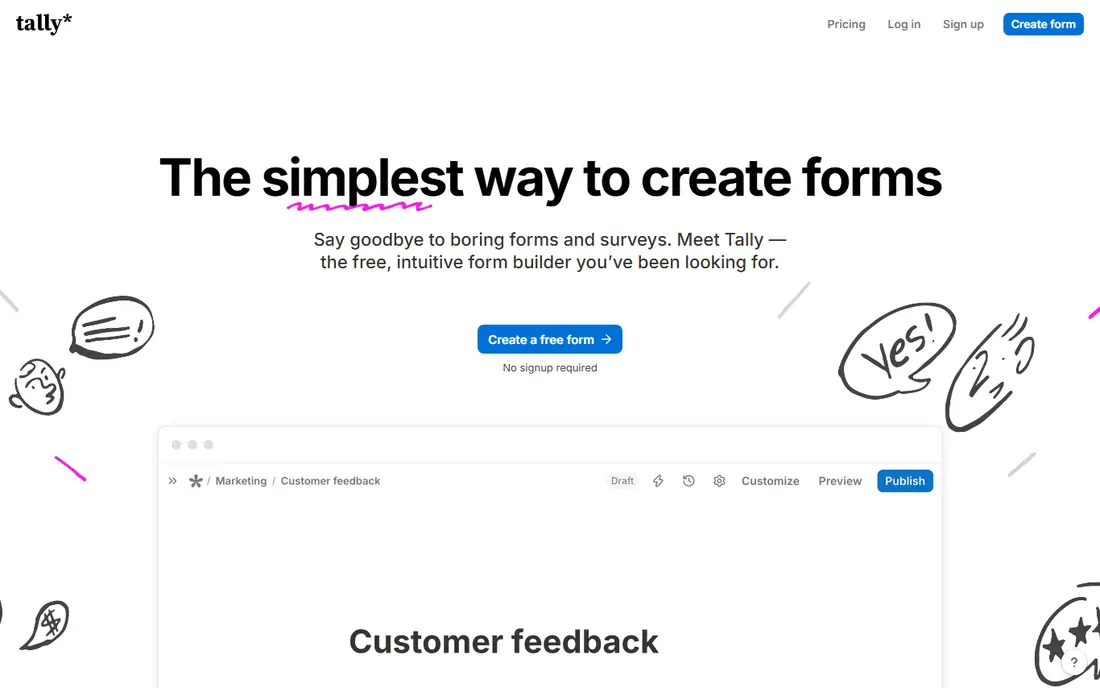
Tally fits people who want a strong free form builder without a WordPress site well, with a clear focus on what matters. In practice, buyers praise free value, with a clean builder and generous limits for personal and small-team use. That combination makes it a sensible shortlist entry for buyers who want that specific strength without paying for a much larger platform.
The honest catch is that teams that need payments, complex logic, or deep integrations should test the paid tier first. Check the current pricing page and free plan limits on your own device before you commit, since plans and limits change. We think it earns its place here because it solves a clear job well, even if it is not the right fit for every buyer.
- Generous free plan
- Clean Notion-like builder
- Unlimited forms on free use in many cases
- Payment and advanced logic need paid plans
- Fewer templates than Jotform
Teams looking for teams that want form data to flow into a database or Airtable will find Fillout a practical choice. What keeps users with it is database connections that turn submissions into structured records without manual copying. That combination makes it a sensible shortlist entry for buyers who want that specific strength without paying for a much larger platform.
The honest catch is that the database features take setup time, so start with one connected form before rebuilding a whole workflow. Check the current pricing page and free plan limits on your own device before you commit, since plans and limits change. We think it earns its place here because it solves a clear job well, even if it is not the right fit for every buyer.
- 1,000 free responses a month
- Database and Airtable connections
- Unlimited seats on some plans
- Learning curve for database features
- Design is less polished than Typeform
When research and feedback teams that need survey analysis, not just collection is the priority, SurveyMonkey stands out for a clear reason. What sets it apart is analysis, with logic, branching, and reporting built for surveys rather than simple contact forms. That combination makes it a sensible shortlist entry for buyers who want that specific strength without paying for a much larger platform.
The honest catch is that simple registration or order forms will feel overpriced here compared with a general form builder. Check the current pricing page and free plan limits on your own device before you commit, since plans and limits change. We think it earns its place here because it solves a clear job well, even if it is not the right fit for every buyer.
- Strong survey logic and analysis
- Large template library
- Good reporting tools
- Paid price is high for simple forms
- Free plan is limited
Microsoft Forms is built around Microsoft 365 users who need quick surveys and quizzes, and that focus shows in daily use. Where it earns its place is fit with Microsoft 365, with Excel sync and Teams sharing for internal surveys. That combination makes it a sensible shortlist entry for buyers who want that specific strength without paying for a much larger platform.
The honest catch is that public-facing branded forms and payment collection need a different tool. Check the current pricing page and free plan limits on your own device before you commit, since plans and limits change. We think it earns its place here because it solves a clear job well, even if it is not the right fit for every buyer.
- Free with a personal account
- Included with eligible Microsoft 365 plans
- Results sync with Excel
- Design and logic are basic
- Payments are not built in
For buyers who need brands that want forms that look like landing pages, Paperform offers a direct route. Its clearest strength is design, with forms that can carry images, text, and payments in a single page. That combination makes it a sensible shortlist entry for buyers who want that specific strength without paying for a much larger platform.
The honest catch is that the submission cap on the free plan is small, so growing forms need a paid plan early. Check the current pricing page and free plan limits on your own device before you commit, since plans and limits change. We think it earns its place here because it solves a clear job well, even if it is not the right fit for every buyer.
- Doc-style design
- Payments and e-signatures
- Landing-page style forms
- Free plan caps at 30 submissions a month
- Paid price is higher than Tally
If teams that need calculated totals, payments, and approval steps matters most, Cognito Forms is worth testing first. The standout feature is calculations and workflows that suit order forms, applications, and internal approvals. That combination makes it a sensible shortlist entry for buyers who want that specific strength without paying for a much larger platform.
The honest catch is that the design tools are less polished, so brand-led teams may prefer Paperform or Typeform. Check the current pricing page and free plan limits on your own device before you commit, since plans and limits change. We think it earns its place here because it solves a clear job well, even if it is not the right fit for every buyer.
- Calculations built in
- Payments and approvals
- Good for order and application forms
- Free plan caps at 100 entries a month
- Interface is less modern than rivals
Zoho Forms suits Zoho users and teams that need volume without a high price, with strengths that match that job. In daily use, the strength is value at volume, with a free tier that handles hundreds of submissions a month. That combination makes it a sensible shortlist entry for buyers who want that specific strength without paying for a much larger platform.
The honest catch is that teams outside Zoho should check integrations first, since the best fit is inside the Zoho suite. Check the current pricing page and free plan limits on your own device before you commit, since plans and limits change. We think it earns its place here because it solves a clear job well, even if it is not the right fit for every buyer.
- Free plan with 500 submissions a month
- Works well with Zoho apps
- Good value tiers
- Design options are basic
- Some features sit on higher tiers
How we picked these
We compared pricing pages, free plan limits, payment support, logic, and integrations for each builder. We favoured tools with a clear free plan, a fair paid starting price, and a builder that a non-technical user can learn fast. Prices below are entry paid prices from vendor pages in October 2026, billed annually where stated.
We also weighed ease of setup, support quality, and how well each product fits its stated best use. A product that is strong in general but weak for the stated job did not make the list. Where a price or free tier could not be verified on a vendor page, we wrote See website rather than guessing a number.
How to pick a form builder for your response volume
Count your monthly submissions first, then pick a plan with headroom, since caps force upgrades at the worst time. Test payments, logic, and branding on a real form, not a demo, and check where submissions land in your spreadsheet, CRM, or inbox. If you use WordPress, a plugin may fit better than a hosted builder. Run the new form alongside Jotform for one campaign, then compare completion rates and support time before you move fully.
Make a short list of two or three options and test each one on a real task from your own work. Note setup time, daily friction, and total cost, including any paid tier you will actually need. The best choice is usually the one your team or household keeps using after the first week, not the one with the longest feature list.
Frequently asked questions
What is the best free Jotform alternative?
Google Forms is free with a Google account and has no small response cap for most use, while Tally offers a generous free hosted plan. Fillout gives 1,000 free responses a month, which suits growing teams. Pick Google Forms for simple surveys and Tally for polished hosted forms.
Which Jotform alternative is best for payments?
Paperform, Cognito Forms, and Typeform on higher tiers all support payments, though the tier and gateway rules differ. Check which payment provider you use and whether branding removal needs a paid plan. Test a real payment before launching a paid form.
Is Typeform better than Jotform?
Typeform suits brand-led surveys and lead forms where completion rate matters, while Jotform suits feature depth, templates, and payments. Typeform costs more per response at scale and its free plan is very small. Choose by form type, not by brand alone.
Can I use Jotform alternatives in WordPress?
Yes, WPForms and other WordPress plugins build forms inside WordPress, while hosted tools embed with a code snippet. Hosted tools suit teams that work across sites, while plugins suit teams that live in WordPress. Check whether your theme and plugins conflict with the form code.
Which alternative has the most generous free plan?
Tally and Google Forms lead on free value, with Fillout close behind at 1,000 responses a month. Paperform and Typeform have much smaller free caps. Compare form limits, submission limits, and branding rules together, since one cap can force a paid plan.
Sources we checked (5)

Online Jobs is an independent blog about careers, online work, learning new skills and the tools that help people earn. More about us.
Keep reading
All posts
eBay Alternatives
Looking for ebay alternatives? We compared 9 marketplaces for sellers on fees, buyer reach, categories and ease of listing, to help you sell with confidence.

ZoomInfo Alternatives
The best ZoomInfo alternatives in 2026, compared on price, free plans, data coverage, and which tool fits small teams or large sales teams best in detail.

Zoom Alternatives
Zoom alternatives compared for 2026: Google Meet, Microsoft Teams, Webex, Jitsi and more for free calls, large meetings and webinars for teams and classrooms.