Grasshopper Alternatives in 2026: 8 Tools Compared

How we put this together: we compare official feature and pricing pages, app store listings, privacy policies and public user reviews. Prices change, so check the provider's site before you pay.
Key takeaways
- OpenPhone is the best direct Grasshopper replacement for small teams, with shared numbers, texting, and a clean mobile app.
- Dialpad suits teams that want voice, video, and AI call summaries in one system, although pricing is per user.
- RingCentral and Nextiva suit larger teams that need a full phone, video, and contact centre system in one plan.
- Ooma suits very small businesses that want a simple phone system with a low per user price.
- Phone.com suits budget focused teams that want a virtual number with pay as you go options and simple routing.
Quick comparison
| Name | Who it suits | Starting price | Free option | |
|---|---|---|---|---|
 OpenPhone | Small team phone and texting | See website | Free trial | Visit |
 Dialpad | Voice, video, and AI summaries | See website | Free trial | Visit |
 Nextiva | Full business communications | See website | Free trial | Visit |
 RingCentral | Larger teams and contact centres | See website | Free trial | Visit |
 Ooma | Simple low cost phone systems | See website | Free trial | Visit |
 Phone.com | Budget virtual numbers | See website | Free trial | Visit |
 GoTo Connect | Phone plus meetings | See website | Free trial | Visit |
 MightyCall | Small business call handling | See website | Free trial | Visit |
The best Grasshopper alternatives
Grasshopper gives small businesses a virtual phone number with call forwarding, but it lacks some modern features such as team messaging, shared inboxes, and deeper integrations. We compared virtual numbers, call routing, texting, voicemail, mobile apps, and pricing per user. The right alternative depends on whether you work alone, run a small team, or need a full contact centre.
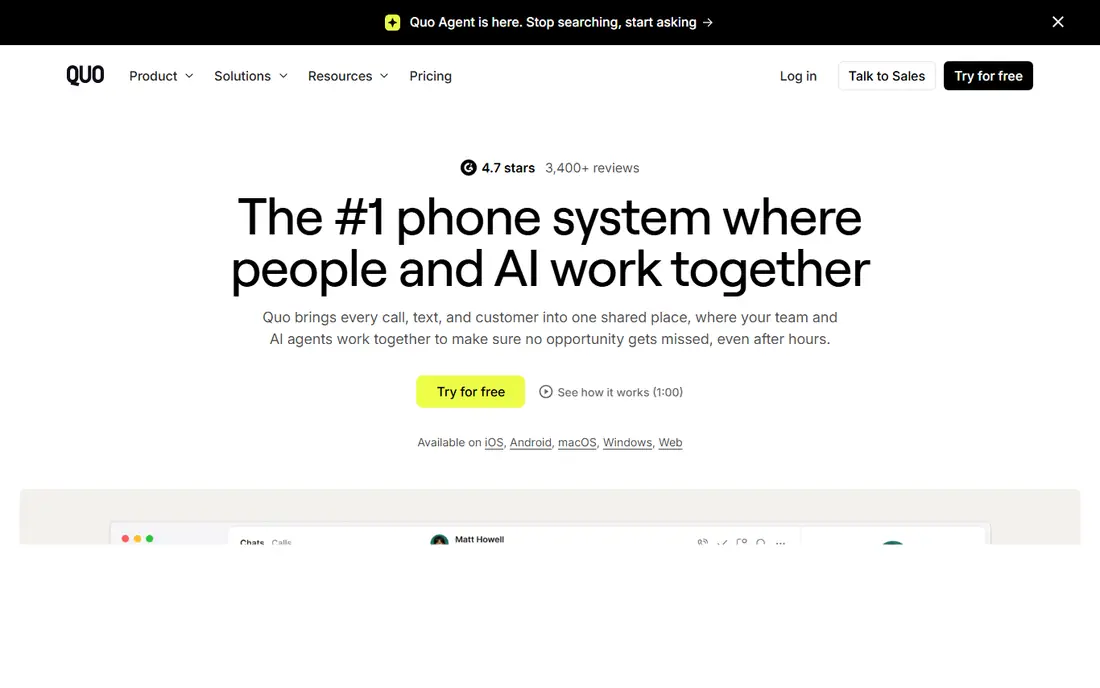
For a reader who wants a small team that shares numbers and texts, OpenPhone is a direct place to start. OpenPhone offers shared phone numbers, team texting, call recording, voicemail, and integrations in a clean app that suits startups and small service firms. The reports and screens are organised around that job, so a first search or setup does not require learning a large system first.
It is built for small teams, so larger contact centre needs such as complex queues may need a bigger platform. Check the plan limits before you pay, and confirm that the coverage and export options match the work you actually do each month. Pick OpenPhone as the closest modern replacement for Grasshopper.
- Shared numbers and inboxes
- Team texting
- Clean mobile app
- Less suited to large contact centres
- Some features are plan based
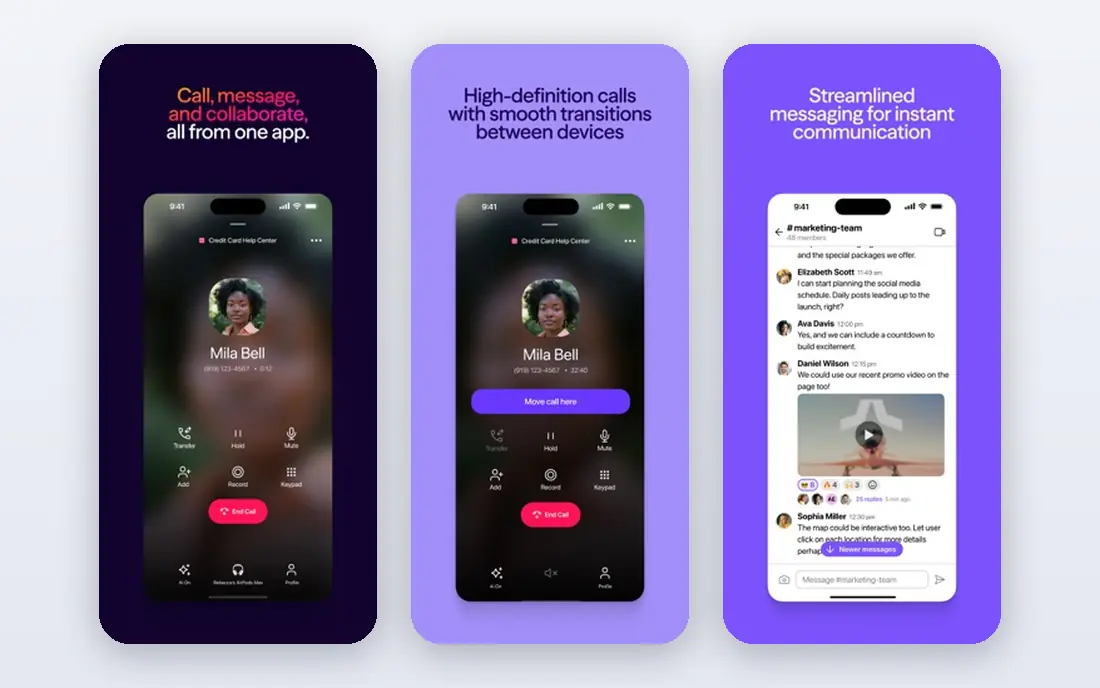
If teams that want calls, video, and AI notes together is the main job, Dialpad deserves a close look. Dialpad combines business calling, video meetings, messaging, and AI call summaries, which helps teams that review calls and follow up fast. The reports and screens are organised around that job, so a first search or setup does not require learning a large system first.
Per user pricing adds up for larger teams, and AI features sit on higher plans. Check the plan limits before you pay, and confirm that the coverage and export options match the work you actually do each month. Pick Dialpad when call summaries and video matter alongside phone calls.
- Calling, video, and messaging in one system
- AI summaries
- Strong integrations
- Per user cost grows with team size
- AI features cost more
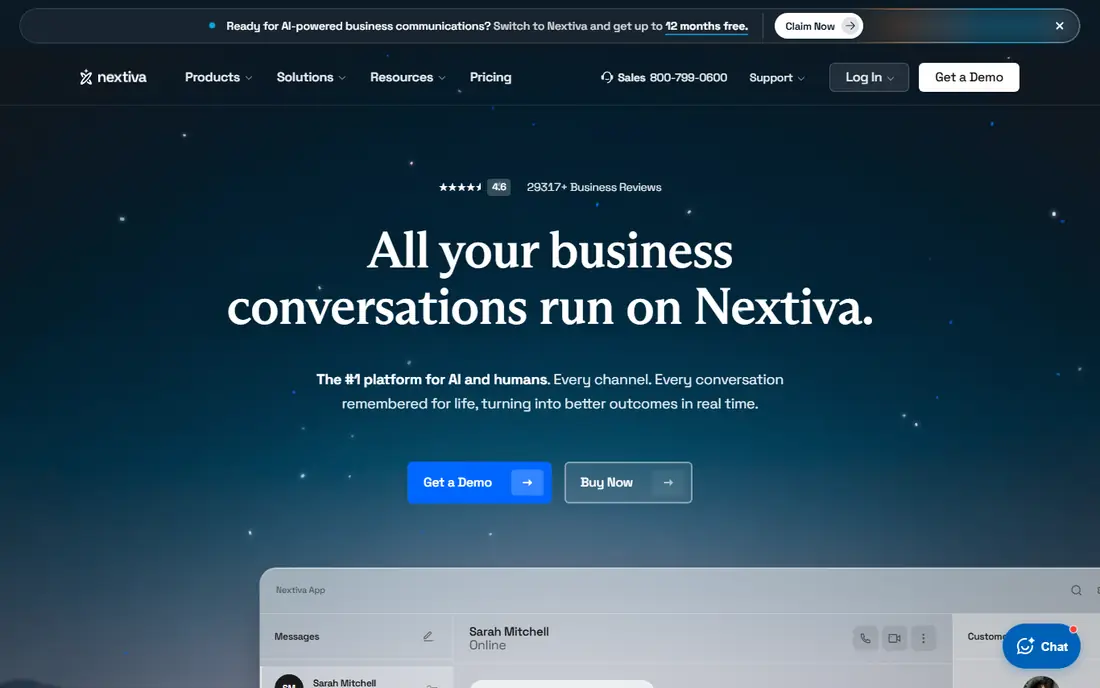
Nextiva suits a reader who needs growing teams that need phone plus contact tools without a long setup. Nextiva offers business phone, video, messaging, and customer tools in one platform, with call routing and analytics for larger teams. The reports and screens are organised around that job, so a first search or setup does not require learning a large system first.
The range of plans can confuse a first-time buyer, so compare the entry plan against the features you actually need. Check the plan limits before you pay, and confirm that the coverage and export options match the work you actually do each month. Pick Nextiva when you want one vendor for phone and customer communication.
- Full communications suite
- Call routing and analytics
- Reliable uptime focus
- Plan range is complex
- Higher plans cost more
When larger teams with complex call routing matters most, RingCentral makes a practical shortlist entry. RingCentral offers phone, video, messaging, and contact centre tools, with wide integrations and admin controls for larger organisations. The reports and screens are organised around that job, so a first search or setup does not require learning a large system first.
It can feel heavy for a solo owner who only needs a virtual number and call forwarding. Check the plan limits before you pay, and confirm that the coverage and export options match the work you actually do each month. Pick RingCentral when scale and admin control matter most.
- Wide integrations
- Strong admin controls
- Contact centre options
- Heavy for solo use
- Per user pricing adds up
A reader focused on a simple phone system for a very small business will find Ooma easy to understand. Ooma offers virtual numbers, call routing, voicemail, and a mobile app at a lower per user price than many rivals, which suits tiny teams. The reports and screens are organised around that job, so a first search or setup does not require learning a large system first.
Advanced team features are lighter than Dialpad or RingCentral, so growing teams may need to move later. Check the plan limits before you pay, and confirm that the coverage and export options match the work you actually do each month. Pick Ooma when a low price and simple setup beat advanced features.
- Low per user price
- Simple setup
- Virtual numbers and routing
- Lighter advanced features
- Fewer integrations than leaders
Phone.com is built around a budget virtual number with simple routing, and that focus shows in the layout. Phone.com offers virtual numbers, call routing, voicemail, and texting with flexible plans that suit budget focused small businesses. The reports and screens are organised around that job, so a first search or setup does not require learning a large system first.
The interface and feature depth lag behind newer rivals such as OpenPhone. Check the plan limits before you pay, and confirm that the coverage and export options match the work you actually do each month. Pick Phone.com when budget is the main constraint.
- Flexible low cost plans
- Virtual numbers
- Call routing and texting
- Older interface
- Lighter team features than modern rivals
For teams that need phone and meetings together, GoTo Connect offers a clear and workable route. GoTo Connect combines business phone with video meetings and messaging, which suits teams that already use GoTo for meetings. The reports and screens are organised around that job, so a first search or setup does not require learning a large system first.
Pricing is per user, and the system is broader than a solo owner needs. Check the plan limits before you pay, and confirm that the coverage and export options match the work you actually do each month. Pick GoTo Connect when meetings and phone should live in one account.
- Phone plus video meetings
- Call routing
- Admin tools
- Per user pricing
- Broader than solo use needs
Readers who need small businesses that need call queues and routing can start with MightyCall and compare from there. MightyCall offers virtual numbers, call queues, voicemail, and a mobile app that suits small teams handling customer calls each day. The reports and screens are organised around that job, so a first search or setup does not require learning a large system first.
It is less known than RingCentral or Dialpad, so check integrations with your existing tools before you commit. Check the plan limits before you pay, and confirm that the coverage and export options match the work you actually do each month. Pick MightyCall when call handling for a small team is the core job.
- Call queues and routing
- Virtual numbers
- Mobile app
- Smaller integration range
- Less brand recognition than leaders
How we picked these
We started with business phone tools that still operate in October 2026, offer a virtual number, and publish a per user or plan price. We compared number options, call routing, texting, voicemail transcription, mobile apps, and integrations. Our findings rest on official pricing and feature pages and public help pages, and we favoured tools that state per user pricing and texting limits plainly.
How to choose a Grasshopper alternative
Start with how your team actually answers calls. A solo owner needs a simple app and a professional greeting, while a team needs shared numbers, call routing, and a record of who replied to each message.
Compare per user pricing at your real team size
Most business phone tools charge per user per month, so a low entry price can grow fast with five or ten staff. Add up the total at your real team size, and check whether texting, toll free numbers, and voicemail transcription cost extra.
Check texting, shared inboxes, and integrations
Modern small business phone use includes texting, not only calls. Check whether texts go to a shared inbox, whether messages sync across devices, and whether the tool connects to your CRM or helpdesk. A phone system that hides texts on one phone creates missed replies.
Test number porting and call quality before you switch
Confirm that you can port your existing number, and test call quality on mobile and wifi before you move every client to the new system. Also check support hours, since a phone outage needs a fast human reply, not only a help article.
Frequently asked questions
What are the best Grasshopper alternatives?
OpenPhone suits small teams, Dialpad suits teams that want AI summaries, and RingCentral suits larger teams. Grasshopper phone alternatives differ by team size, so the best choice depends on how many people answer calls.
What is the cheapest Grasshopper alternative?
Ooma and Phone.com have lower per user prices here, while OpenPhone gives strong value for small teams. Compare total cost at your team size, since per user pricing grows with staff.
Can I keep my Grasshopper number when I switch?
Yes, most tools here support number porting, although the process takes time and needs account details from your current provider. Start porting before you cancel the old service, so the number stays active.
Do Grasshopper alternatives support texting?
Yes, OpenPhone, Dialpad, RingCentral, and most tools here support business texting, although limits and toll free texting rules differ. Check whether texts go to a shared inbox for team use.
Do I need a desk phone for these tools?
No, most tools here work through a mobile app and a desktop app, with optional desk phones for offices. A solo owner or remote team can run the whole system from phones and computers.
Sources we checked (8)

Online Jobs is an independent blog about careers, online work, learning new skills and the tools that help people earn. More about us.
Keep reading
All posts
n8n Alternatives
n8n alternatives compared for 2026, with Zapier, Make, Activepieces, and more, covering visual builders, code steps, self-hosting, and pricing models.

ZoomInfo Alternatives
The best ZoomInfo alternatives in 2026, compared on price, free plans, data coverage, and which tool fits small teams or large sales teams best in detail.

Yotpo Alternatives
Find cheaper alternatives to Yotpo for reviews and loyalty, with Judge.me, Loox, Stamped, and more compared for Shopify stores in 2026, all in one guide.